
การแนะนำ
This user manual provides essential information for the safe and efficient operation of your Maypug P3 Mini Projector. Please read this manual thoroughly before using the product and retain it for future reference.
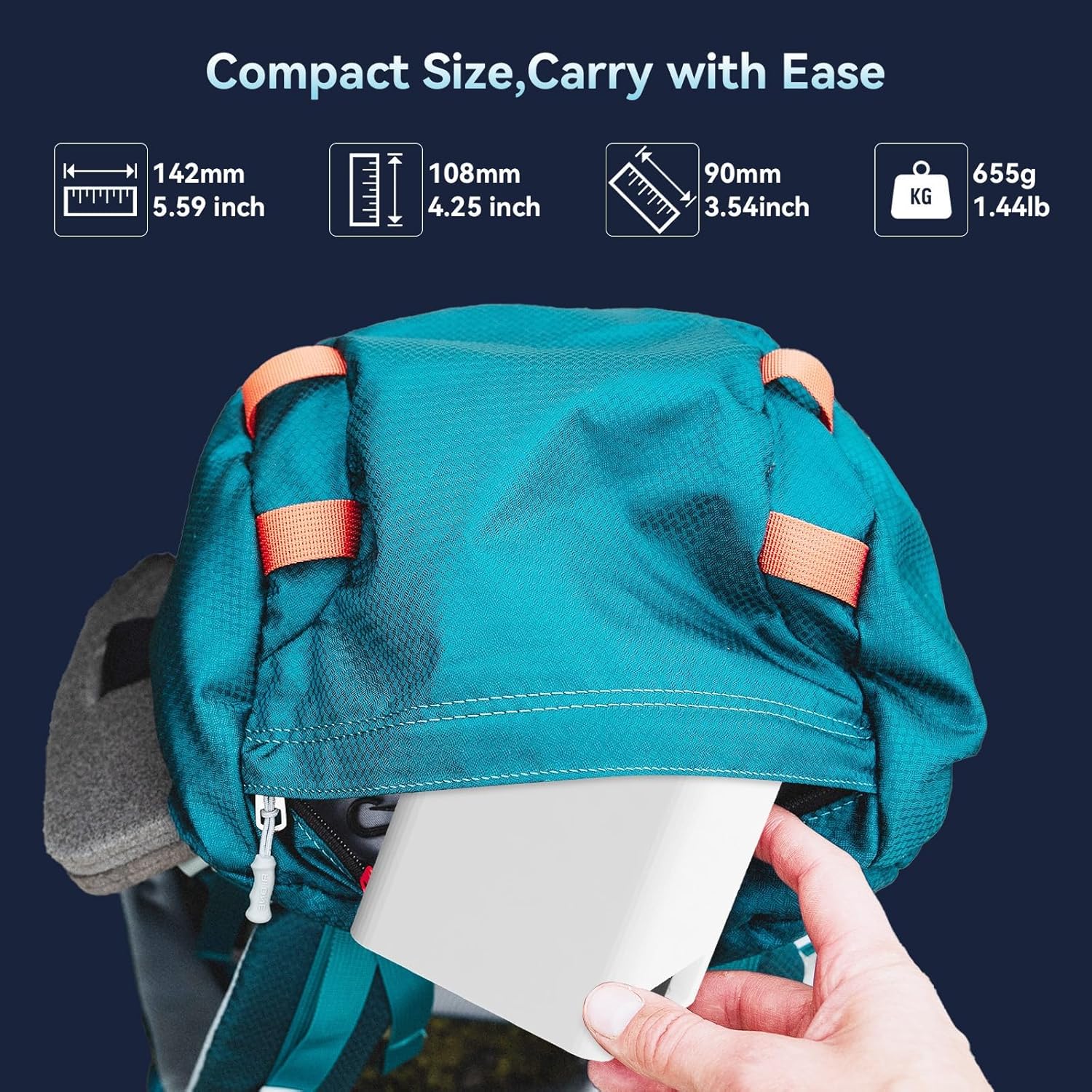
Image: The Maypug P3 Mini Projector's compact dimensions (5.59 x 4.25 x 3.54 inches) and light weight (1.44 lbs) make it highly portable, fitting easily into a backpack for transport.
มีอะไรอยู่ในกล่อง
ตรวจสอบว่ามีสิ่งของทั้งหมดอยู่ครบเมื่อแกะกล่อง:
- โปรเจ็คเตอร์
- สายไฟ
- คู่มือการใช้งาน
- รีโมทคอนโทรล
สินค้าเกินview
ด้านหน้า View

ภาพ: ด้านหน้า view of the Maypug P3 Mini Projector, highlighting the optical lens and ventilation design.
ด้านหลังและด้านข้าง Views (ท่าเรือ)

ภาพ: ด้านหลังและด้านข้าง view of the Maypug P3 Mini Projector, showing various connectivity ports including HDMI, USB, and audio jack, compatible with multiple devices.
ขาตั้งปรับได้

Image: The Maypug P3 Mini Projector positioned on its integrated adjustable stand, demonstrating its 180-degree swivel capability for flexible projection angles, including ceiling projection.
การตั้งค่า
1 การวาง
Place the projector on a stable, flat surface. The adjustable stand allows for projection onto walls or ceilings. Ensure adequate ventilation around the device.
2. การเชื่อมต่อไฟฟ้า
Connect the power cord to the projector and then to a power outlet. The projector will power on or enter standby mode.
3 การบูตเครื่องครั้งแรก
Upon first use, the projector may guide you through an initial setup process, including language selection and network connection.
คำแนะนำการใช้งาน
การทำงานพื้นฐาน
- เปิด/ปิดเครื่อง: กดปุ่มเปิด/ปิดบนโปรเจคเตอร์หรือรีโมทคอนโทรล
- การนำทาง: Use the directional buttons on the remote to navigate menus.
- การเลือกแหล่งที่มา: Select the desired input source (e.g., HDMI, USB, Apps) from the main menu.
การเชื่อมต่อ
Wi-Fi Connection (WiFi6 & 5G+2.4G Dual Band)
The projector supports dual-band WiFi6 for fast and stable wireless connections. Navigate to the network settings, select your Wi-Fi network, and enter the password.

Image: Illustration of the projector's dual-band WiFi6 connectivity, demonstrating faster and more stable data transfer compared to older WiFi standards.
การเชื่อมต่อบลูทูธ 5.4
Connect external Bluetooth speakers or headphones for an enhanced audio experience. Go to Bluetooth settings, enable Bluetooth, and pair with your desired device.
HDMI, USB, and Audio Jack Connections
The projector features HDMI, USB, and audio jack ports for wired connections. Connect devices such as laptops, gaming consoles, or USB drives. The USB port also supports reading WPS files.
การปรับแต่งภาพ
แก้ไขภาพบิดเบี้ยวอัตโนมัติ
The projector features automatic vertical keystone correction, adjusting the image shape within 2 seconds to ensure a rectangular display, even when projected at an angle. Manual 4-point correction is also available for fine-tuning.

Image: Diagram illustrating the automatic keystone correction feature, showing how a distorted image is automatically squared for optimal viewing, with options for manual adjustment.
Digital Zoom (50%-100%)
Adjust the projection size digitally from 50% to 100% without moving the projector. This function is accessible through the projector's settings menu.
Obstacle Avoidance and Screen Alignment
The projector can detect obstacles and automatically align the image to your screen, preventing spillover onto wall decor or edges.
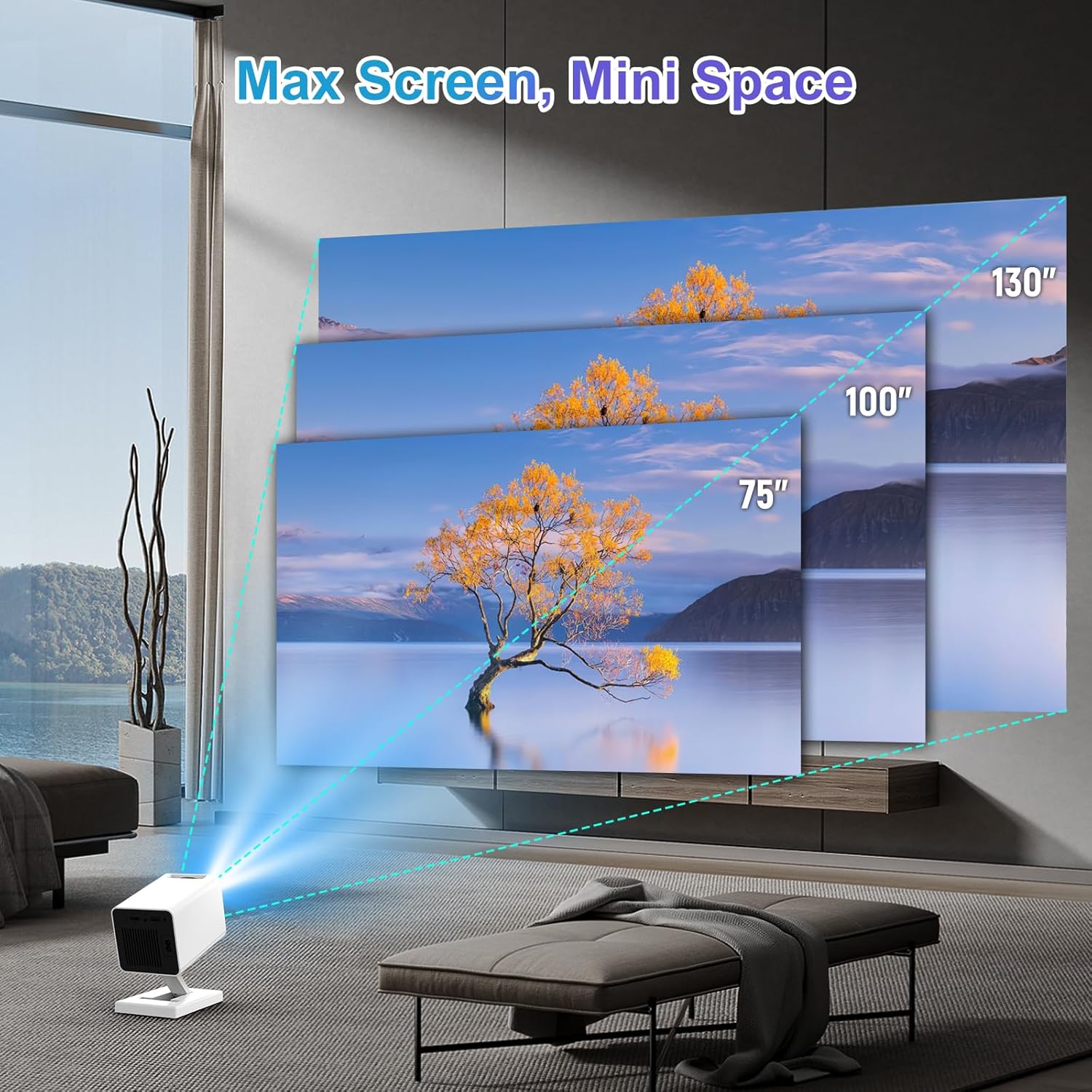
Image: Visual representation of different projection sizes (75", 100", 130") achievable with the Maypug P3 Mini Projector, demonstrating its versatility for various room sizes.
คุณสมบัติอัจฉริยะ (Android 11)
Equipped with Android 11, 2GB RAM, and 16GB ROM, the projector allows direct access to streaming apps like YouTube, Prime Video, and Netflix. Download apps directly from the online store.

Image: Screenshot of the projector's Android 11 interface, displaying various streaming applications like YouTube, Prime Video, and Netflix, available for direct use.
การซ่อมบำรุง
- การทำความสะอาดเลนส์: ใช้ผ้าเนื้อนุ่ม ปราศจากขน ที่ออกแบบมาสำหรับเลนส์แว่นตาโดยเฉพาะ ห้ามใช้สารทำความสะอาดที่มีฤทธิ์กัดกร่อน
- การทำความสะอาดภายนอก: เช็ดทำความสะอาดภายนอกของโปรเจคเตอร์ด้วยผ้าแห้งเนื้อนุ่ม
- การระบายอากาศ : ตรวจสอบให้แน่ใจว่าช่องระบายอากาศปราศจากฝุ่นละอองและสิ่งกีดขวางเพื่อป้องกันความร้อนสูงเกินไป
- พื้นที่จัดเก็บ: เมื่อไม่ได้ใช้งานเป็นเวลานาน ควรเก็บโปรเจ็กเตอร์ไว้ในที่แห้งและเย็น ป้องกันฝุ่นละออง
การแก้ไขปัญหา
ไม่มีภาพ / คุณภาพของภาพไม่ดี
- ตรวจสอบพลังงาน: ตรวจสอบให้แน่ใจว่าโปรเจคเตอร์เปิดใช้งานอยู่และเชื่อมต่ออย่างถูกต้อง
- แหล่งสัญญาณเข้า: ตรวจสอบให้แน่ใจว่าได้เลือกแหล่งสัญญาณเข้าที่ถูกต้องแล้ว (HDMI, USB เป็นต้น)
- โฟกัส/คีย์สโตน: Adjust focus manually if needed. Automatic keystone correction should handle image shape.
- แสงสว่าง: เพื่อให้ได้คุณภาพของภาพที่ดีที่สุด ควรใช้โปรเจ็กเตอร์ในสภาพแวดล้อมที่มืด
ไม่มีเสียง / คุณภาพเสียงไม่ดี
- ปริมาณ: Check the projector's volume settings and the volume of the connected source device.
- บลูทูธ: If using Bluetooth speakers, ensure they are properly paired and charged.
- สาย: For wired connections, ensure audio cables are securely connected.
ปัญหาการเชื่อมต่อ Wi-Fi
- การเลือกเครือข่าย: โปรดตรวจสอบให้แน่ใจว่าคุณได้เลือกเครือข่าย Wi-Fi ที่ถูกต้องและป้อนรหัสผ่านอย่างถูกต้องแล้ว
- ระยะห่างของเราเตอร์: ตรวจสอบให้แน่ใจว่าโปรเจ็กเตอร์อยู่ในระยะสัญญาณ Wi-Fi ของเราเตอร์ของคุณ
- เริ่มต้นใหม่อีกครั้ง: ลองรีสตาร์ททั้งโปรเจคเตอร์และเราเตอร์ Wi-Fi ดูครับ
ข้อมูลจำเพาะ
| คุณสมบัติ | รายละเอียด |
|---|---|
| ยี่ห้อ | Maypug |
| หมายเลขรุ่น | P3 |
| ความละเอียดการแสดงผล | 1280 x 720 (รองรับอินพุต 4K) |
| ความสว่าง | 150 ANSI Lumens |
| อัตราส่วนคอนทราสต์ | 1500:1 น. |
| การเชื่อมต่อ | WiFi6 (5G+2.4G Dual Band), Bluetooth 5.4, HDMI, USB, Audio Jack |
| ระบบปฏิบัติการ | แอนดรอยด์ 11 |
| หน่วยความจำ | 2GB RAM, ROM 16GB |
| ขนาดการฉายภาพ | 40 ถึง 130 นิ้ว |
| ระยะฉายภาพ | 1 to 4 meters (0.4-3.4M for aspect ratio) |
| Keystone Correction | Automatic Vertical, Manual 4-Point |
| ฟังก์ชั่นซูม | 50% to 100% Digital Zoom |
| ขนาด | 5 x 3 x 3.5 นิ้ว |
| น้ำหนัก | 1.01 ปอนด์ |
| คุณสมบัติพิเศษ | Auto Screen Alignment, Built-In Speaker, Lightweight, Portable, 180° Swivel Design |
การรับประกันและการสนับสนุน
The Maypug P3 Mini Projector comes with a one-year warranty. For any quality issues or technical assistance, please contact Maypug customer support through your Amazon purchase records. Our support team aims to provide a satisfactory and professional solution within 24 hours.
หากต้องการความช่วยเหลือเพิ่มเติม โปรดไปที่ Maypug Store on Amazon.