
1. บทนำ
This user manual provides essential information for the safe and efficient operation of your Samsung 65-Inch Class OLED S95F 4K Glare Free Smart TV and accompanying Music Frame. Please read this manual thoroughly before using the product and retain it for future reference. This product combines advanced display technology with an integrated audio solution, designed to enhance your home entertainment experience.
2. ข้อมูลด้านความปลอดภัย
ปฏิบัติตามข้อควรระวังด้านความปลอดภัยพื้นฐานเสมอเมื่อใช้ผลิตภัณฑ์นี้ เพื่อลดความเสี่ยงต่อการเกิดไฟไหม้ ไฟฟ้าช็อต และการบาดเจ็บ
- อย่าให้อุปกรณ์นี้โดนฝนหรือความชื้น
- อย่าปิดกั้นช่องระบายอากาศใดๆ ติดตั้งตามคำแนะนำของผู้ผลิต
- ห้ามติดตั้งใกล้แหล่งความร้อน เช่น หม้อน้ำ เครื่องทำความร้อน เตา หรืออุปกรณ์อื่น ๆ (รวมถึง ampเครื่องให้ความร้อน) ที่ผลิตความร้อน
- ปกป้องสายไฟไม่ให้ถูกเหยียบหรือถูกหนีบ โดยเฉพาะที่ปลั๊ก เต้ารับไฟฟ้า และจุดที่สายไฟออกจากเครื่อง
- ใช้เฉพาะอุปกรณ์เสริม/สิ่งที่แนบตามที่ผู้ผลิตกำหนดเท่านั้น
- ส่งต่อการบริการทั้งหมดไปยังช่างบริการที่ผ่านการรับรอง จำเป็นต้องเข้ารับบริการเมื่ออุปกรณ์ได้รับความเสียหายแต่อย่างใด
3. เนื้อหาบรรจุภัณฑ์
ตรวจสอบว่ามีรายการทั้งหมดอยู่ในบรรจุภัณฑ์ผลิตภัณฑ์ของคุณ:
- Samsung 65-Inch Class OLED S95F 4K Glare Free Smart TV
- Music Frame Speaker
- รีโมทคอนโทรลพร้อมแบตเตอรี่
- Power Cable (for TV)
- Power Cable (for Music Frame)
- ส่วนประกอบของขาตั้ง (ถ้ามี)
- คู่มือการใช้งาน (เอกสารนี้)
- บัตรรับประกัน
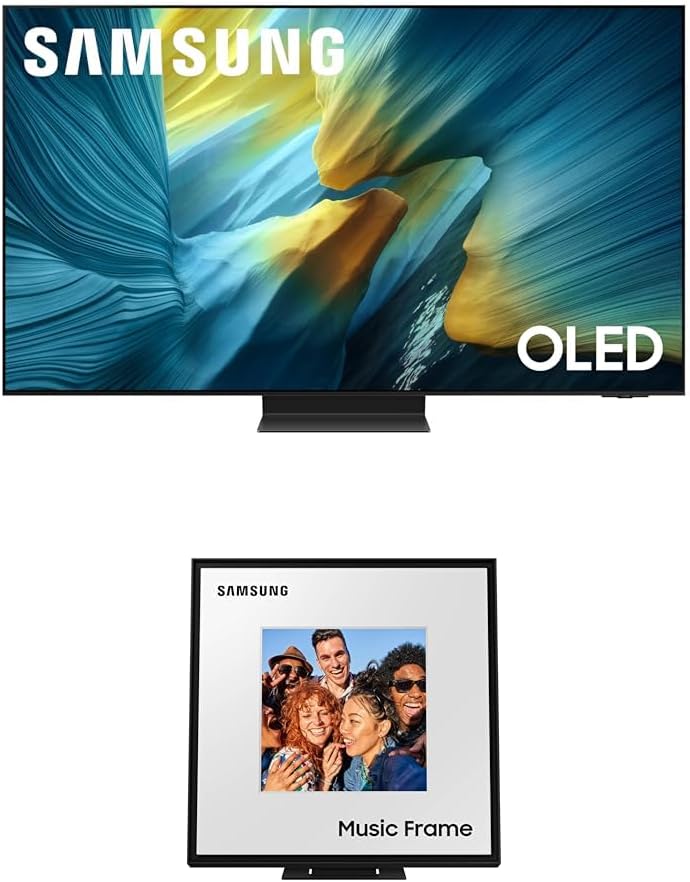
Figure 3.1: Samsung 65-Inch Class OLED S95F 4K Glare Free Smart TV and Music Frame. This image displays the television unit on top and the Music Frame speaker below, showcasing both primary components of the product package.
4. การตั้งค่า
4.1. TV Stand Assembly / Wall Mounting
Follow the instructions provided in the separate stand assembly guide or wall mount kit for secure installation. Ensure the TV is placed on a stable, level surface or securely mounted to a wall according to safety guidelines.

รูปที่ 4.1 : ด้านหน้า view of the Samsung 65-Inch Class OLED S95F 4K Glare Free Smart TV. This image shows the television unit with its slim bezel and central stand, ready for setup.
4.2. อุปกรณ์เชื่อมต่อ
Connect your external devices (e.g., cable box, Blu-ray player, gaming console) to the appropriate HDMI ports on the TV. For optimal performance, use high-speed HDMI cables. Connect the TV to a power outlet using the provided power cable.
4.3. การตั้งค่าเริ่มต้นและการเชื่อมต่อเครือข่าย
- เปิดทีวีโดยใช้รีโมทคอนโทรล
- ทำตามคำแนะนำบนหน้าจอเพื่อเลือกภาษา ประเทศ และเขตเวลาของคุณ
- Connect the TV to your home Wi-Fi network. This is essential for Smart TV features and software updates.
- Log in to your Samsung account or create a new one to access all Smart TV functionalities.
4.4. Music Frame Setup
The Music Frame can be placed on a stand or wall-mounted. Connect the Music Frame to a power outlet. For seamless audio integration, ensure both the TV and Music Frame are connected to the same network. Refer to the Music Frame's dedicated guide for detailed setup instructions, including pairing with your TV via Q-Symphony.

รูปที่ 4.2 : ด้านหน้า view of the Samsung Music Frame Speaker. This image highlights the speaker's design, resembling a picture frame, with "Music Frame" text at the bottom.
5. คู่มือการใช้งาน
5.1. ฟังก์ชั่นพื้นฐานของทีวี
- เปิด/ปิดเครื่อง: กดปุ่มเปิด/ปิดบนรีโมทคอนโทรล
- การเลือกอินพุต: Use the Source button to switch between connected devices.
- การควบคุมระดับเสียง: ใช้ปุ่มเพิ่ม/ลดระดับเสียง
- การนำทางช่อง: ใช้ปุ่มเปลี่ยนช่องขึ้น/ลง เพื่อเปลี่ยนช่องรายการโทรทัศน์
5.2. คุณสมบัติของสมาร์ททีวี
Access the Smart Hub by pressing the Home button on your remote. From here, you can navigate through installed applications, streaming services, and connected devices. The TV's AI processor (NQ4 AI Gen3 Processor) enhances content for an optimized viewการสร้างประสบการณ์
5.3. การตั้งค่ารูปภาพ
Your Samsung OLED S95F TV features advanced picture technologies:
- Glare Free Display: The screen is designed to minimize reflections, providing a clear view แม้ในห้องที่มีแสงสว่างเพียงพอ
- OLED HDR โปร: Delivers powerful brightness and dramatic contrast for strikingly lifelike picture quality with deep blacks and vibrant highlights.
- 4K AI Upscaling Pro: Content is intelligently upscaled to impressive 4K resolution using 128 AI neural networks, ensuring sharp and smooth picture quality.
- การรีมาสเตอร์ HDR อัตโนมัติ: SDR content is transformed to HDR-like quality with enhanced colors, details, and highlights.
5.4. การตั้งค่าเสียง
Optimize your audio experience with the following features:
- ระบบเสียง Dolby Atmos: Experience multi-dimensional surround sound.
- คิว-ซิมโฟนี่: Syncs your Samsung TV speakers with the Music Frame for a more robust and immersive audio output.
- Wide Range Speaker Technology (Music Frame): Provides clear and uniform sound distribution throughout the room.
- เสียงกริยาที่แสดงการกระทำ Amplifier Pro & Adaptive Sound Pro: The AI processor optimizes sound and amplifies dialogue based on room acoustics and content.
5.5. คุณสมบัติการเล่นเกม
For an enhanced gaming experience:
- โมชั่นเอ็กซ์เซเลเตอร์ 165Hz: Supports VRR gaming at up to 4K 165Hz for smooth visuals and reduced tearing.
- AI Motion Enhancer Pro: ช่วยให้การเคลื่อนไหวของวัตถุและข้อความที่เคลื่อนที่เร็วราบรื่นขึ้น ลดอาการเบลอและกระพริบ
5.6. Music Frame Operation
The Music Frame functions as a speaker and can display personal artwork or photos. Its customizable design allows for swapping bezels to match your decor. Control audio playback and display settings via the SmartThings app or your TV's interface.
6. การบำรุงรักษา
6.1. การทำความสะอาดหน้าจอและกรอบ
เช็ดหน้าจอเบาๆ ด้วยผ้านุ่มที่ไม่เป็นขุย สำหรับรอยฝังแน่น ให้เช็ดเบาๆampen the cloth with water or a screen cleaner specifically designed for electronics. Avoid using abrasive cleaners or solvents.
6.2. การอัปเดตซอฟต์แวร์
Ensure your TV's software is up to date for optimal performance and access to the latest features. You can check for updates through the TV's settings menu (Settings > Support > Software Update > Update Now).
7 การแก้ไขปัญหา
If you encounter issues with your TV or Music Frame, refer to the table below for common problems and solutions:
| ปัญหา | วิธีแก้ปัญหาที่เป็นไปได้ |
|---|---|
| ไม่มีไฟฟ้า | Check if the power cable is securely connected to both the TV/Music Frame and the power outlet. Try a different outlet. |
| ไม่มีภาพ / ภาพบิดเบี้ยว | Verify input source selection. Check HDMI cable connections. Ensure external devices are powered on. Adjust picture settings. |
| ไม่มีเสียง / เสียงผิดเพี้ยน | Check volume levels. Ensure Mute is off. Verify audio cable connections. Check sound output settings (e.g., Q-Symphony, TV speakers). |
| รีโมตคอนโทรลไม่ทำงาน | เปลี่ยนแบตเตอรี่ ตรวจสอบให้แน่ใจว่าไม่มีสิ่งกีดขวางระหว่างรีโมทและทีวี หากเป็นรีโมทบลูทูธ ให้จับคู่รีโมทอีกครั้ง |
| ปัญหาการเชื่อมต่อ Wi-Fi | Restart your router and modem. Reconnect to the Wi-Fi network via TV settings. Ensure correct password. |
หากปัญหายังคงอยู่หลังจากลองวิธีแก้ปัญหาเหล่านี้แล้ว โปรดติดต่อฝ่ายบริการลูกค้าของซัมซุง
8. ข้อมูลจำเพาะ
| คุณสมบัติ | คำอธิบาย |
|---|---|
| ชื่อรุ่น | Samsung 65-Inch Class OLED S95F 4K Glare Free Smart TV w/Music Frame |
| ประเภทจอภาพ | OLED, Glare Free |
| ปณิธาน | 4K UHD (3840 x 2160) |
| โปรเซสเซอร์ | NQ4 AI Gen3 Processor (Powered by 128 neural networks) |
| รองรับ HDR | OLED HDR Pro, การปรับปรุงคุณภาพ HDR อัตโนมัติ |
| อัตราการรีเฟรช | Up to 4K 165Hz (VRR gaming) |
| เทคโนโลยีเสียง | Dolby Atmos, Q-Symphony, Active Voice Amplifier Pro, Adaptive Sound Pro, Wide Range Speaker Technology (Music Frame) |
| อุปกรณ์เสริมที่รวมอยู่ด้วย | Music Frame Speaker |
| ยี่ห้อ | ซัมซุง |
| ASIN | B0F25CBW95 |
| มีจำหน่ายครั้งแรก | 21 มีนาคม 2025 |
9. การรับประกันและการสนับสนุน
Your Samsung 65-Inch Class OLED S95F 4K Glare Free Smart TV with Music Frame is covered by a manufacturer's warranty. Please refer to the warranty card included in your package for detailed terms and conditions, including warranty period and coverage. For technical support, troubleshooting assistance, or service requests, please visit the official Samsung support webหรือติดต่อสายด่วนบริการลูกค้า โปรดเก็บใบเสร็จรับเงินและหมายเลขซีเรียลของผลิตภัณฑ์ไว้ให้พร้อมเมื่อต้องการขอความช่วยเหลือ
หากต้องการข้อมูลเพิ่มเติม โปรดเยี่ยมชม: ฝ่ายสนับสนุนซัมซุง