
การแนะนำ
This manual provides detailed instructions for the installation, operation, and maintenance of your Roinvou 9-inch IPS Touch Screen Car Stereo. This unit is designed to enhance your driving experience with features such as Wireless CarPlay, Android Auto, GPS Navigation, Bluetooth 5.0, FM RDS radio, and WiFi connectivity.
รุ่นที่ใช้ได้: This car stereo is compatible with Suzuki SX4 models manufactured between 2006 and 2013. It is designed for seamless integration with the original dash panel without requiring wiring modifications.

Image: Comparison of the Suzuki SX4 dashboard before and after the Roinvou car radio installation.
การติดตั้งและการตั้งค่า
เนื้อหาแพ็คเกจ
ก่อนที่จะเริ่มการติดตั้ง โปรดตรวจสอบว่าบรรจุภัณฑ์มีส่วนประกอบทั้งหมดอยู่:
- Roinvou Car Stereo for Suzuki SX4
- สายไฟ
- สายเคเบิลอะแดปเตอร์ USB
- สายรัด RCA
- เสาอากาศ GPS
- กล้องสำรอง AHD
- ไมโครโฟนภายนอก
- สายเคเบิลอินพุตกล้องด้านหลัง
- สาย USB คู่
- เครื่องมือติดตั้ง

ภาพ: รายละเอียด view of the package contents, including the 9-inch head unit, various cables, GPS antenna, and backup camera.
Wiring Port Overview
Familiarize yourself with the main wiring ports on the back of the car stereo unit:
- สายไฟ: เชื่อมต่อกับแหล่งจ่ายไฟของรถยนต์
- สาย RCA: For audio/video input and output connections.
- สาย USB: สำหรับเชื่อมต่ออุปกรณ์ USB
- อินพุตกล้อง: Dedicated port for the backup camera.
- เสาอากาศ GPS: Connects the GPS antenna for navigation.

Image: Diagram showing the rear wiring ports of the car stereo and their corresponding cable connections.
การเชื่อมต่อกล้องสำรอง
To connect the AHD backup camera, follow these steps:
- การ สายสีแดง (labeled ① in the diagram) connects to the positive terminal of your car's reverse light cable.
- การ สายเคเบิลสีดำ (labeled ② in the diagram) connects to the negative terminal of your car's reverse light cable.
- The other two red extension cables (③ and ④) do not need to be connected.
Important: The reverse input cable must be plugged in even if the reverse camera is not being used. Otherwise, it may affect Bluetooth and WiFi signal reception.

Image: Step-by-step diagram for connecting the AHD backup camera to the car stereo system.
ข้อมูลตัวถอดรหัส CANBUS
Depending on your vehicle's configuration, you may or may not have a CANBUS decoder:
ไม่มีตัวถอดรหัส CANBUS:
Connect the plugs or the steering wheel control wires (Key1/Key2) in the power cable to the corresponding port or wire of your original car. Then, navigate to Settings > Car Settings > General (Enter SWC setting interface) and manually match to activate the button functions.
พร้อมตัวถอดรหัส CANBUS:
Connect the CANBUS before powering on the machine. Then, navigate to Settings > Car Settings > Factory (000000) > CarType Setting to ensure SWC works properly. First, select the brand of the CANBUS decoder, then select the matching model and year according to your specific vehicle.
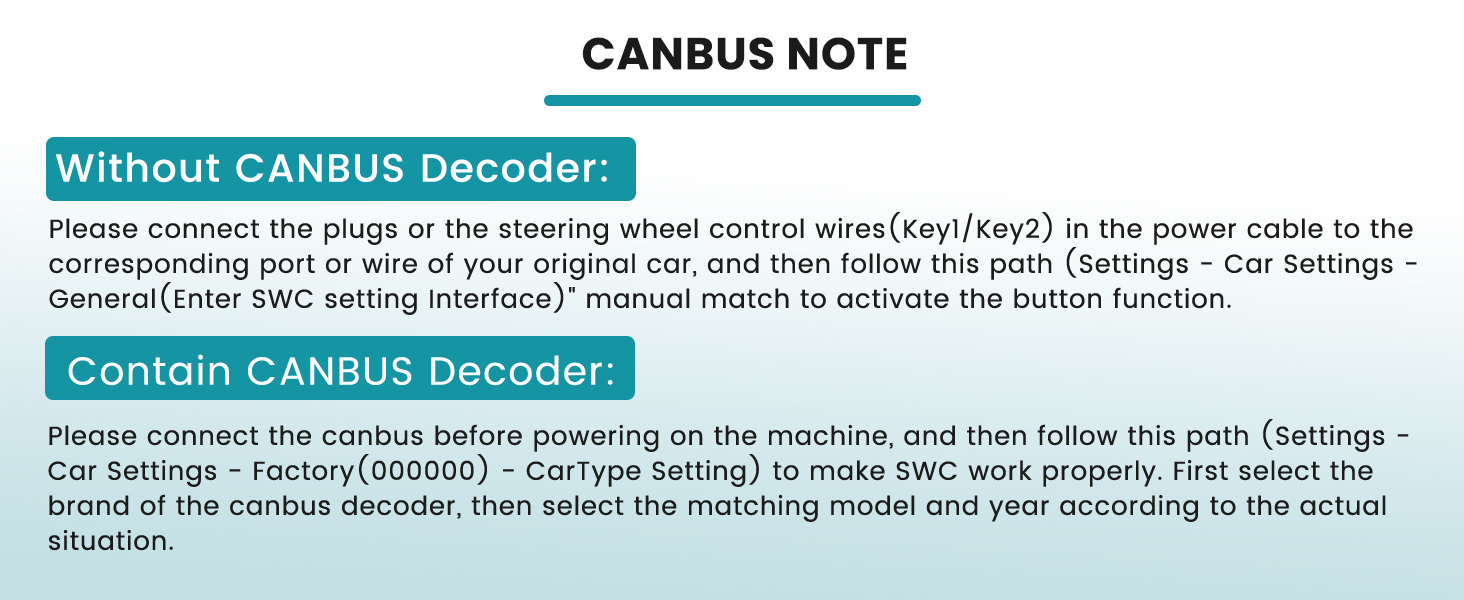
Image: Instructions for connecting and configuring the CANBUS decoder for steering wheel controls.
คำแนะนำการใช้งาน
CarPlay ไร้สายและ Android Auto
The unit supports both wired and wireless CarPlay and Android Auto. It prioritizes wireless connection and uses wired as a backup, automatically switching if the wireless signal is weak. CarPlay/Android Auto activates automatically when you start your car, allowing access to navigation, music, and calls. Siri and Google Assistant are supported for hands-free operation.
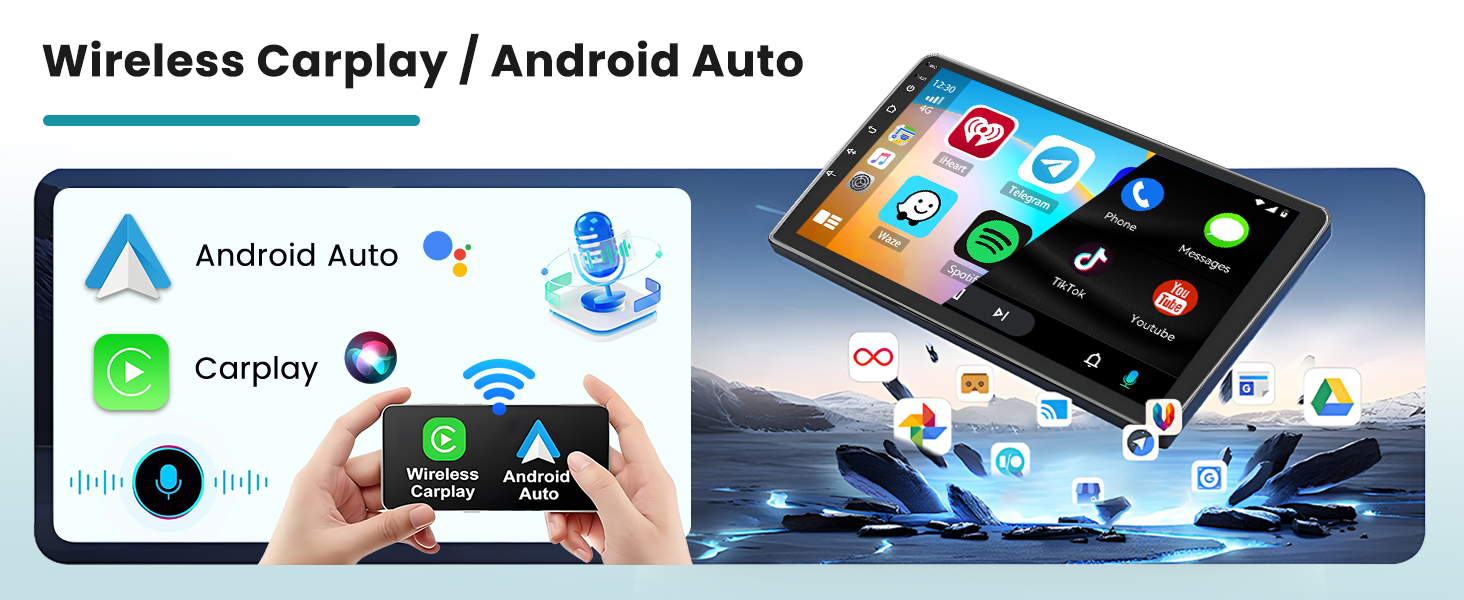
Image: Visual representation of CarPlay and Android Auto functionality on the car stereo.
GPS Navigation & WiFi Connectivity
The system supports online maps and includes pre-loaded offline North American maps. Connect to WiFi for fast, stable internet access, enabling you to download apps from the app store and stream online videos from platforms like YouTube or TikTok.

Image: The car stereo screen showing GPS navigation in action, with a car icon on a map.
FM/RDS Radio & Bluetooth Handsfree
The integrated FM/RDS radio provides automatic reception of radio station names, traffic conditions, and news. It features intelligent channel memory for frequently listened-to stations. Bluetooth 5.0 supports hands-free calling, music playback, and automatic phone book loading. The wireless headset allows for multi-device switching, balancing music and phone calls simultaneously.

Image: The car stereo showing the FM radio interface and a smartphone connected via Bluetooth for calls.
ฟังก์ชันการเชื่อมโยงกระจก
Seamless screen mirroring projects your mobile phone's interface to the car screen in real-time. This feature supports touch reverse operation, allowing synchronized display of navigation, music, and apps with one click.
ระบบควบคุมพวงมาลัย
The unit supports learning original steering wheel control buttons, providing convenient control over the car radio. This allows you to manage functions like volume, track changes, and calls directly from your steering wheel.

Image: The car stereo displaying the steering wheel control learning interface, alongside a steering wheel.
DSP & EQ Settings and UI Themes
The Digital Sound Processor (DSP) technology restores the true quality of sound. The Equalizer (EQ) offers multi-mode one-key switching and supports manual adjustment of high, medium, and low-frequency bands. Additionally, the system supports 26 desktop themes, allowing you to customize the user interface style.

Image: Various user interface themes and sound equalizer settings displayed on the car stereo screen.
การซ่อมบำรุง
To ensure the longevity and optimal performance of your Roinvou car stereo, follow these maintenance guidelines:
- การทำความสะอาดหน้าจอ: ใช้ผ้านุ่มไม่เป็นขุยเช็ดเล็กน้อยampล้างออกด้วยน้ำหรือน้ำยาทำความสะอาดหน้าจอที่ออกแบบมาสำหรับอุปกรณ์อิเล็กทรอนิกส์โดยเฉพาะ หลีกเลี่ยงสารเคมีรุนแรงหรือวัสดุที่มีฤทธิ์กัดกร่อน
- การอัปเดตซอฟต์แวร์: ตรวจสอบการอัปเดตซอฟต์แวร์ที่มีอยู่เป็นระยะผ่านการตั้งค่าระบบหรือของผู้ผลิต webไซต์เพื่อให้แน่ใจว่าคุณมีคุณลักษณะล่าสุดและการแก้ไขจุดบกพร่อง
- การเชื่อมต่อสายเคเบิล: Ensure all cables are securely connected. Loose connections can lead to intermittent functionality or signal loss.
- สภาพแวดล้อม : หลีกเลี่ยงการให้เครื่องสัมผัสกับอุณหภูมิที่สูงหรือต่ำเกินไป แสงแดดโดยตรงเป็นเวลานาน หรือความชื้นที่มากเกินไป
- การระบายอากาศ : ตรวจสอบให้แน่ใจว่าบริเวณระบายอากาศของเครื่องไม่ถูกปิดกั้นเพื่อป้องกันความร้อนสูงเกินไป
การแก้ไขปัญหา
หากคุณพบปัญหาเกี่ยวกับเครื่องเสียงในรถ โปรดดูขั้นตอนการแก้ไขปัญหาทั่วไปต่อไปนี้:
- ไม่มีไฟฟ้า:
- ตรวจสอบการเชื่อมต่อสายไฟทั้งหมดเพื่อให้แน่ใจว่าแน่นหนาดี
- ตรวจสอบฟิวส์ของระบบเครื่องเสียงในรถยนต์
- ไม่มีเสียง:
- ตรวจสอบการเชื่อมต่อสายลำโพง
- ตรวจสอบให้แน่ใจว่าระดับเสียงไม่ได้ถูกปิดหรือตั้งไว้ต่ำเกินไป
- ตรวจสอบการตั้งค่าเอาต์พุตเสียงในเมนูระบบ
- การสูญเสียสัญญาณ GPS:
- ตรวจสอบให้แน่ใจว่าเสาอากาศ GPS เชื่อมต่ออย่างถูกต้องและมีความชัดเจน view ของท้องฟ้า
- ตรวจสอบการตั้งค่า GPS ในเมนูระบบ
- ปัญหาการเชื่อมต่อบลูทูธ:
- ตรวจสอบให้แน่ใจว่าได้เปิดใช้งาน Bluetooth แล้วทั้งบนเครื่องเสียงรถยนต์และอุปกรณ์มือถือของคุณ
- ลบการจับคู่ก่อนหน้าและพยายามจับคู่อุปกรณ์อีกครั้ง
- Move your mobile device closer to the stereo.
- CarPlay/Android Auto ไม่เชื่อมต่อ:
- ตรวจสอบให้แน่ใจว่าระบบปฏิบัติการโทรศัพท์ของคุณเป็นเวอร์ชันล่าสุด
- Try connecting with a different USB cable if using a wired connection.
- รีสตาร์ททั้งเครื่องเสียงรถยนต์และโทรศัพท์มือถือของคุณ
- การควบคุมพวงมาลัยไม่ทำงาน:
- Refer to the "CANBUS Decoder Information" section for proper setup and configuration.
- Ensure the steering wheel control wires are correctly connected.
หากปัญหายังคงมีอยู่หลังจากพยายามทำตามขั้นตอนเหล่านี้แล้ว โปรดติดต่อฝ่ายสนับสนุนลูกค้า
ข้อมูลจำเพาะ
| ยี่ห้อ | รินวู |
| หมายเลขรุ่น | B0DYN4NP4D |
| ขนาดหน้าจอ | 9 นิ้ว |
| ปณิธาน | 1024 x 600 |
| ระบบปฏิบัติการ | แอนดรอยด์ |
| ความจุของหน่วยความจำ | 64GB |
| เทคโนโลยีการเชื่อมต่อ | บลูทูธ, ยูเอสบี, ไวไฟ |
| เวอร์ชันบลูทูธ | 5.0 |
| Supported Navigation System | GPS (North America maps included) |
| คุณสมบัติพิเศษ | CarPlay, Android Auto, Touchscreen, FM RDS Radio, Mirror Link, DSP, EQ, SWC, 26 Desktop Themes |
| อุปกรณ์ที่รองรับ | ไอโฟน, แอนดรอยด์ |
| น้ำหนักสินค้า | 1.38 กิโลกรัม |
การรับประกันและการสนับสนุน
ข้อมูลการรับประกัน
This Roinvou car stereo comes with a รับประกัน 1 ปี นับจากวันที่ซื้อ การรับประกันนี้ครอบคลุมข้อบกพร่องจากการผลิตและการทำงานผิดปกติภายใต้การใช้งานปกติ โปรดเก็บหลักฐานการซื้อไว้เพื่อขอรับสิทธิ์การรับประกัน
For detailed warranty terms and conditions, please refer to the documentation included with your product or contact Roinvou customer service.
การสนับสนุนลูกค้า
If you require technical assistance, have questions about installation, or need to report a product issue, please contact Roinvou customer support. You can typically find contact information on the manufacturer's official webเว็บไซต์หรือผ่านทางร้านค้าปลีกที่คุณซื้อผลิตภัณฑ์
When contacting support, please have your product model number (B0DYN4NP4D) and purchase details readily available to expedite assistance.