
1. บทนำ
This manual provides essential instructions for the safe operation, setup, maintenance, and troubleshooting of your ARRIS WPL C24-1 RC Rock Crawler. Please read this manual thoroughly before using the product to ensure proper function and longevity.

Image: The ARRIS WPL C24-1 RC Rock Crawler, showcasing its detailed design and robust tires.
2. ข้อมูลด้านความปลอดภัย
Always operate the RC vehicle in a safe and responsible manner. Failure to follow these safety guidelines may result in injury or damage to the product or property.
- เก็บมือ ผม และเสื้อผ้าที่หลวมให้ห่างจากชิ้นส่วนที่เคลื่อนไหว
- ห้ามใช้งานใกล้คน สัตว์เลี้ยง หรือสิ่งกีดขวาง
- Avoid operating in wet conditions or near water unless the product is specifically designed for it.
- Ensure batteries are charged correctly and handled with care.
- ผู้ใช้ที่มีอายุต่ำกว่า 15 ปี ควรมีผู้ใหญ่ดูแล
3. เนื้อหาบรรจุภัณฑ์
ตรวจสอบว่ารายการทั้งหมดที่ระบุไว้ด้านล่างนี้รวมอยู่ในแพ็คเกจของคุณ:
- ARRIS WPL C24-1 RC Rock Crawler (1 unit)
- Remote Control Transmitter (1 unit)
- Rechargeable Battery (1 unit, 7.4V 500mAh)
- สายชาร์จ (1 เส้น)
- คู่มือการใช้งาน (เอกสารนี้)
4. คู่มือการติดตั้ง
4.1. การชาร์จแบตเตอรี่รถยนต์
The vehicle battery (7.4V 500mAh) requires charging before first use. A full charge takes approximately 2 hours and provides about 30 minutes of operation.
- Locate the battery compartment on the underside of the RC crawler.
- Connect the rechargeable battery to the provided charging cable.
- Plug the charging cable into a suitable USB power source (e.g., computer USB port, USB wall adapter).
- The indicator light on the charging cable will show the charging status (refer to charger instructions for specific light patterns).
- Once fully charged, disconnect the battery from the charger and install it into the vehicle's battery compartment.
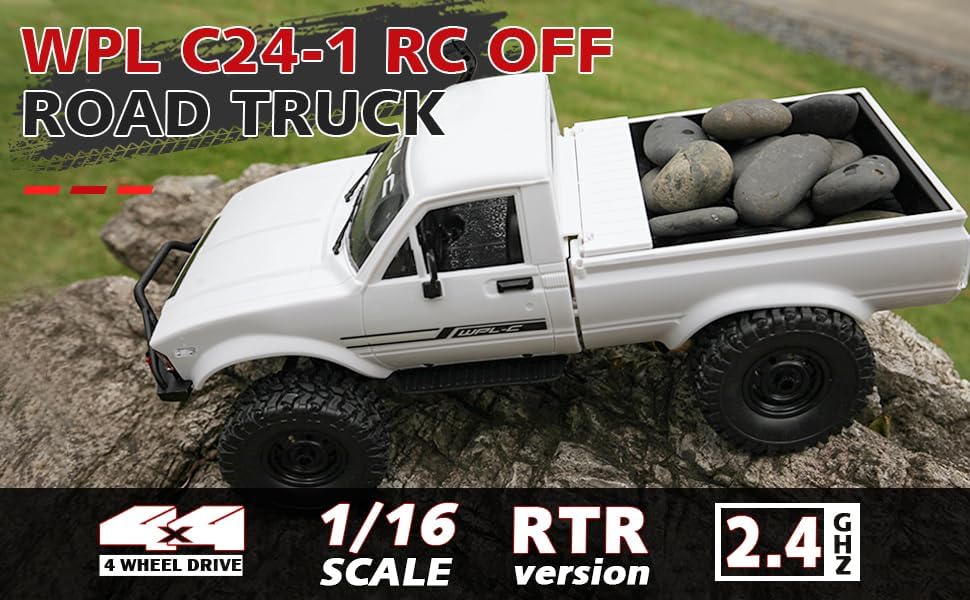
Image: Underside of the RC crawler, highlighting the battery and chassis components.
4.2. การติดตั้งแบตเตอรี่รีโมทคอนโทรล
The remote control requires 1 C battery (included). Ensure correct polarity when installing.
- เปิดฝาครอบแบตเตอรี่ที่ด้านหลังของรีโมทคอนโทรล
- Insert the C battery according to the polarity markings (+/-).
- ปิดฝาครอบแบตเตอรี่ให้แน่น
4.3. การจับคู่รีโมทคอนโทรล
The RC crawler and remote control are typically pre-paired. If re-pairing is necessary:
- Turn on the RC crawler using the switch located on the chassis.
- เปิดรีโมทคอนโทรล
- The indicator light on the remote control should stop flashing and remain solid, indicating a successful connection.
- If the connection fails, turn both devices off and repeat the process.
5. คู่มือการใช้งาน
5.1. การควบคุมพื้นฐาน
- คันเร่งทริกเกอร์: ดึงเพื่อเคลื่อนที่ไปข้างหน้า ผลักเพื่อเบรก/ถอยหลัง
- พวงมาลัย: เลี้ยวซ้ายเพื่อเลี้ยวซ้าย เลี้ยวขวาเพื่อเลี้ยวขวา
- การปรับแต่งการตกแต่ง: Use the trim dials on the remote to fine-tune steering and throttle if the vehicle pulls to one side or moves without input.
5.2. เคล็ดลับการขับขี่
The ARRIS WPL C24-1 is designed for off-road crawling. Its 4WD system and independent suspension allow it to navigate various terrains.
- For optimal crawling, use slow and controlled throttle inputs.
- Experiment with steering angles to overcome obstacles.
- The vehicle features highlight LED lights for improved visibility in low-light conditions.

Image: The RC crawler navigating a challenging rocky path, demonstrating its off-road capabilities.

Image: The RC crawler traversing sandy terrain, showcasing its 4WD design.
6. การบำรุงรักษา
6.1. การทำความสะอาด
After each use, especially in dusty or dirty conditions:
- Use a soft brush or compressed air to remove dirt and debris from the chassis, wheels, and suspension.
- เช็ดตัวด้วยโฆษณาamp ผ้า. อย่าใช้สารเคมีที่รุนแรง
- Ensure no moisture enters electronic components.
6.2. การดูแลและจัดเก็บแบตเตอรี่
- ควรตัดการเชื่อมต่อแบตเตอรี่ออกจากรถทุกครั้งเมื่อไม่ได้ใช้งาน
- เก็บแบตเตอรี่ไว้ในที่แห้งและเย็น หลีกเลี่ยงแสงแดดโดยตรงและอุณหภูมิที่สูงหรือต่ำเกินไป
- ห้ามชาร์จแบตเตอรี่มากเกินไปหรือปล่อยประจุมากเกินไป
6.3. การตรวจสอบชิ้นส่วน
Regularly inspect the following components for wear or damage:
- Wheels and tires for damage or excessive wear.
- Suspension components (shocks, springs, linkages).
- Steering mechanism for smooth operation.
- All screws and fasteners for tightness.
7 การแก้ไขปัญหา
| ปัญหา | สาเหตุที่เป็นไปได้ | สารละลาย |
|---|---|---|
| รถไม่ตอบสนอง | Low vehicle battery; Low remote control battery; Not paired. | Charge vehicle battery; Replace remote control battery; Re-pair remote control. |
| ยานพาหนะเคลื่อนที่ช้าหรือไม่สม่ำเสมอ | Low vehicle battery; Obstruction in drivetrain; Motor issue. | Charge vehicle battery; Clear obstructions; Contact support if motor issue persists. |
| พวงมาลัยควบคุมไม่แน่นอนหรือไม่ตอบสนอง | Steering trim incorrect; Damaged servo; Obstruction. | Adjust steering trim; Inspect servo for damage; Clear obstructions. |
| ระยะการใช้งานสั้น | Interference; Low remote control battery. | Move to an area with less interference; Replace remote control battery. |
8. ข้อมูลจำเพาะผลิตภัณฑ์
| คุณสมบัติ | รายละเอียด |
|---|---|
| หมายเลขรุ่น | WPL C24-1 |
| ยี่ห้อ | อาร์ริส |
| มาตราส่วน | 1:16 น. |
| ขนาดสินค้า | 12.2 x 5.78 x 4.44 นิ้ว |
| น้ำหนักสินค้า | 2.4 ปอนด์ |
| วัสดุ | ABS + โลหะ |
| มอเตอร์ | มอเตอร์แปรงถ่าน 180 |
| แบตเตอรี่ (ยานพาหนะ) | 7.4V 500mAh (included) |
| เวลาในการชาร์จ | ประมาณ 2 ชั่วโมง |
| เวลาดำเนินการ | ประมาณ 30 นาที |
| ความถี่ในการควบคุมระยะไกล | 2.4 กิกะเฮิรตซ์ |
| ระยะควบคุม | กว่า 35 เมตร |
| ความเร็วสูงสุด | 20 กม/ชม. |
| อายุที่แนะนำ | 15 ปีขึ้นไป |
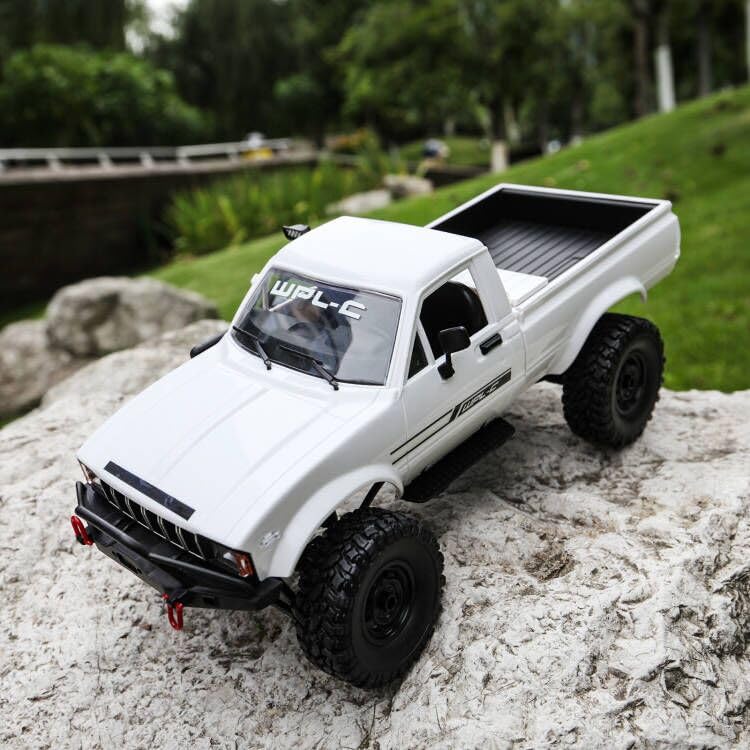
ภาพ: ด้านข้าง view of the RC crawler with key dimensions indicated.

ภาพ: รายละเอียด view of the RC crawler's chassis, showing components like the motor, suspension, and drive shafts.
9. การรับประกันและการสนับสนุน
ARRIS products are manufactured to high-quality standards. For warranty information or technical support, please refer to the official ARRIS webเข้าชมเว็บไซต์หรือติดต่อฝ่ายบริการลูกค้าผ่านแพลตฟอร์มการซื้อของคุณ
เก็บใบเสร็จรับเงินของคุณไว้เป็นหลักฐานการซื้อสำหรับการเรียกร้องการรับประกันใดๆ
หากต้องการความช่วยเหลือเพิ่มเติม โปรดไปที่ ร้าน ARRIS บน Amazon.