
1. สินค้าหมดview
The Cillso H97 Wireless Earbuds are designed to provide a high-quality audio experience with advanced features. This manual will guide you through the setup, operation, and maintenance of your earbuds.

Image: Cillso H97 Wireless Earbuds and their charging case, showcasing การออกแบบที่เพรียวบาง
2. เนื้อหาบรรจุภัณฑ์
- หูฟังไร้สาย Cillso H97 (ข้างซ้ายและข้างขวา)
- เคสชาร์จไฟ
- สายชาร์จ USB-C
- คู่มือการใช้งาน
3. การตั้งค่า
3.1 การชาร์จเริ่มต้น
Before first use, fully charge the earbuds and the charging case. The charging case features a dual LED battery display, showing the battery percentage of each earbud in real-time. The charging case fully charges in approximately 1.5 hours.
- Connect the provided USB-C charging cable to the charging port on the case and to a standard charger (5V/1A or 5V/2A).
- The LED display will indicate charging progress.
- For optimal performance, ensure the earbuds are fully charged before their first use, which provides up to 4 hours of call time.

Image: The Cillso H97 charging case with its dual LED display indicating battery levels for both earbuds and the case itself.
3.2 การจับคู่กับอุปกรณ์ของคุณ
The H97 earbuds utilize an advanced Bluetooth 5.4 chip for stable and efficient connections.
- ตรวจสอบให้แน่ใจว่าได้ชาร์จเอียร์บัดแล้ว
- เปิดกล่องชาร์จ หูฟังจะเปิดอัตโนมัติและเข้าสู่โหมดจับคู่
- บนอุปกรณ์ของคุณ (สมาร์ทโฟน แท็บเล็ต แล็ปท็อป) ให้เปิดใช้งาน Bluetooth
- ค้นหา available Bluetooth devices and select "H97" from the list.
- Once connected, the earbuds will automatically pair with your device whenever the case is opened, provided Bluetooth is enabled on your device. The connection range is up to 15 meters.
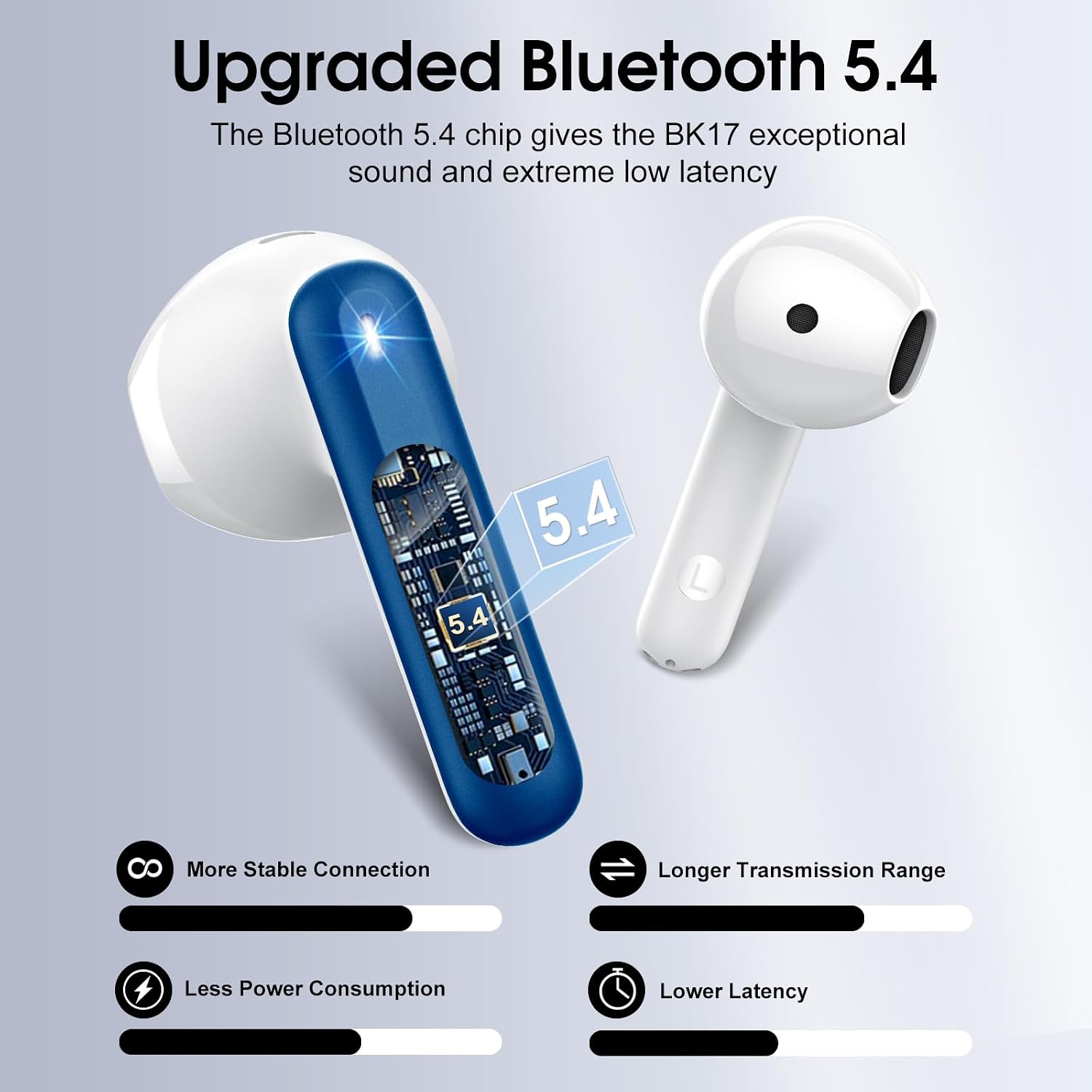
Image: A visual representation of the upgraded Bluetooth 5.4 chip, highlighting benefits such as stable connection, longer range, lower power consumption, and reduced latency.
4. คู่มือการใช้งาน
4.1 ระบบควบคุมแบบสัมผัสอัจฉริยะ
The H97 earbuds feature high-precision touch sensors for easy control of various functions.
- เล่น/หยุดชั่วคราว: แตะสองครั้งที่หูฟังเอียร์บัดด้านซ้ายหรือขวา
- รับ/วางสาย: One tap the left or right earbud.
- เพลงถัดไป: กดหูฟังเอียร์บัดขวาค้างไว้ 2 วินาที
- เพลงก่อนหน้า: กดหูฟังด้านซ้ายค้างไว้ 2 วินาที
- เปิดใช้งาน Voice Assistant: (Specific gesture not provided, typically a triple tap or long press on one earbud. Refer to the image for visual cues if available.)
- การควบคุมระดับเสียง: (Specific gesture not provided. Refer to the image for visual cues if available.)

Image: A diagram illustrating the touch control functions on the earbuds, including gestures for play/pause, answering calls, and skipping tracks.
4.2 คุณภาพเสียงและการโทร
The earbuds feature 14.2mm diaphragm drivers and AAC/SBC audio encoding for immersive sound. Equipped with 4 ENC (Environmental Noise Cancelling) microphones, they effectively filter out 85% of background noise for clear calls.

ภาพ: ระเบิด view diagram of the earbud's internal structure, highlighting the 13mm diameter speaker and components responsible for Hi-Fi stereo sound.

ภาพ: โปร่งใส view of an earbud showing the placement of four microphones designed for crystal-clear calls and effective background noise suppression.
5. การบำรุงรักษา
5.1 ความต้านทานต่อน้ำ
The H97 earbuds feature IP7 nano-coating technology, making them resistant to daily splashes, sweat, and rain. This protection allows for use during workouts or in light rain conditions.

Image: A woman with water splashing on her face while wearing an earbud, demonstrating the IPX7 waterproof capability against water, sweat, and rain.
5.2 แนวทางปฏิบัติที่ดีที่สุดในการชาร์จ
Always use a standard 5V/1A or 5V/2A charger for the charging case. Using incompatible chargers may damage the device or affect charging efficiency.
5.3 การทำความสะอาด
To maintain optimal sound quality and hygiene, regularly clean your earbuds. Use a soft, dry, lint-free cloth to wipe the earbuds and charging case. Avoid using abrasive materials or harsh chemicals.
6 การแก้ไขปัญหา
6.1 ปัญหาการเชื่อมต่อ
- หูฟังไม่จับคู่: Ensure both earbuds are in the charging case, then open the lid. Check that Bluetooth is enabled on your device. If issues persist, try forgetting the device in your phone's Bluetooth settings and re-pairing.
- การเชื่อมต่อไม่ต่อเนื่อง: Ensure you are within the 15-meter Bluetooth range. Avoid physical obstructions between the earbuds and your device.
6.2 ปัญหาการชาร์จไฟ
- เคสไม่ชาร์จ: Verify the USB-C cable is securely connected to both the case and the power adapter. Ensure the power adapter is a standard 5V/1A or 5V/2A model and is functioning correctly.
- หูฟังไม่ชาร์จในกรณี: Ensure the earbuds are properly seated in the charging slots. Clean the charging contacts on both the earbuds and the case with a dry cotton swab to remove any debris.
6.3 ปัญหาคุณภาพเสียง
- เสียงเบาหรือเสียงเพี้ยน: Check the volume levels on both your device and the earbuds. Ensure the earbuds are clean and free from earwax buildup.
- Lack of noise cancellation: Ensure the earbuds are properly seated in your ears to create a good seal. Refer to the earbud fit diagram for optimal placement.

Image: A diagram illustrating the recommended angles (90-degree and 60-degree) for proper earbud placement within the ear canal to ensure a secure fit and optimal sound.
6.4 ความพอดีของหูฟัง
The H97 earbuds feature a semi-in-ear ergonomic design. If you experience discomfort or if the earbuds feel loose, try adjusting their position in your ear. Proper fit is crucial for both comfort and sound performance.
7. ข้อมูลจำเพาะ
| ยี่ห้อ | ซิลโซ่ |
| หมายเลขรุ่น | H97 |
| เวอร์ชันบลูทูธ | 5.4 |
| ช่วงบลูทูธ | 15 เมตร |
| ระยะเวลาการเล่นเอียร์บัด | สูงสุด 8 ชั่วโมง (ชาร์จครั้งเดียว) |
| เวลาเล่นทั้งหมด (รวมเคส) | นานถึง 40 ชั่วโมง |
| ระยะเวลาในการชาร์จ (เคส) | 1.5 ชั่วโมง |
| ความต้านทานต่อน้ำ | IP7 |
| ขนาดไดร์เวอร์เสียง | 14.2 มม. |
| การควบคุมเสียงรบกวน | การลดเสียงรบกวนสิ่งแวดล้อม (ENC) |
| ประเภทการควบคุม | การควบคุมแบบสัมผัส |
| น้ำหนักเอียร์บัด | 3.5 กรัม (อันละ) |
| น้ำหนักเคสชาร์จ | 32 กรัม |
| อุปกรณ์ที่รองรับ | ระบบปฏิบัติการ iOS 9.0 ขึ้นไป/Android 5.0 ขึ้นไป พร้อม Bluetooth 4.0 ขึ้นไป |
8. วิดีโอผลิตภัณฑ์
Video: An official product video from Harson-US providing an overview of the Cillso H97 Wireless Earbuds, demonstrating key features and design.
9. การรับประกันและการสนับสนุน
9.1 ข้อมูลการรับประกัน
Your Cillso H97 Wireless Earbuds are covered by a 30-day refund/replacement policy from the date of purchase. Please retain your proof of purchase for warranty claims.
9.2 การสนับสนุนลูกค้า
For any questions, technical assistance, or warranty claims, please contact Cillso customer service. You can find more information and contact details on the official Cillso store page: Cillso Store.