
การแนะนำ
The Lamzu Maya X is an ultra-lightweight wireless gaming mouse designed for high-performance gaming. It features advanced optical switches, a high-precision sensor, and a symmetrical design for comfortable use across various grip styles. This manual provides essential information for setting up, operating, maintaining, and troubleshooting your Lamzu Maya X mouse.

ภาพ: จากบนลงล่าง view of the Lamzu Maya X Wireless Gaming Mouse in pink, showcasing its symmetrical design and main buttons.
การตั้งค่า
เนื้อหาแพ็คเกจ
- Lamzu Maya X Wireless Gaming Mouse
- USB Wireless Dongle (8K Polling compatible)
- USB Type-C Paracord Cable (for wired mode and charging)
- PTFE Feet (extra set)
- กระเป๋าผ้ากำมะหยี่
- MAYA X Mouse Grip Tape
Initial Connection and Charging
- โหมดไร้สาย: Insert the USB wireless dongle into an available USB port on your computer. The mouse should automatically connect.
- โหมดสาย: Connect the USB Type-C paracord cable to the front port of the mouse and the other end to a USB port on your computer. The mouse will operate in wired mode and charge simultaneously.
- การชาร์จ: For optimal performance, ensure the mouse is fully charged before first use. Connect the mouse via the USB Type-C cable to a powered USB port. The LED indicator on the mouse will show charging status.
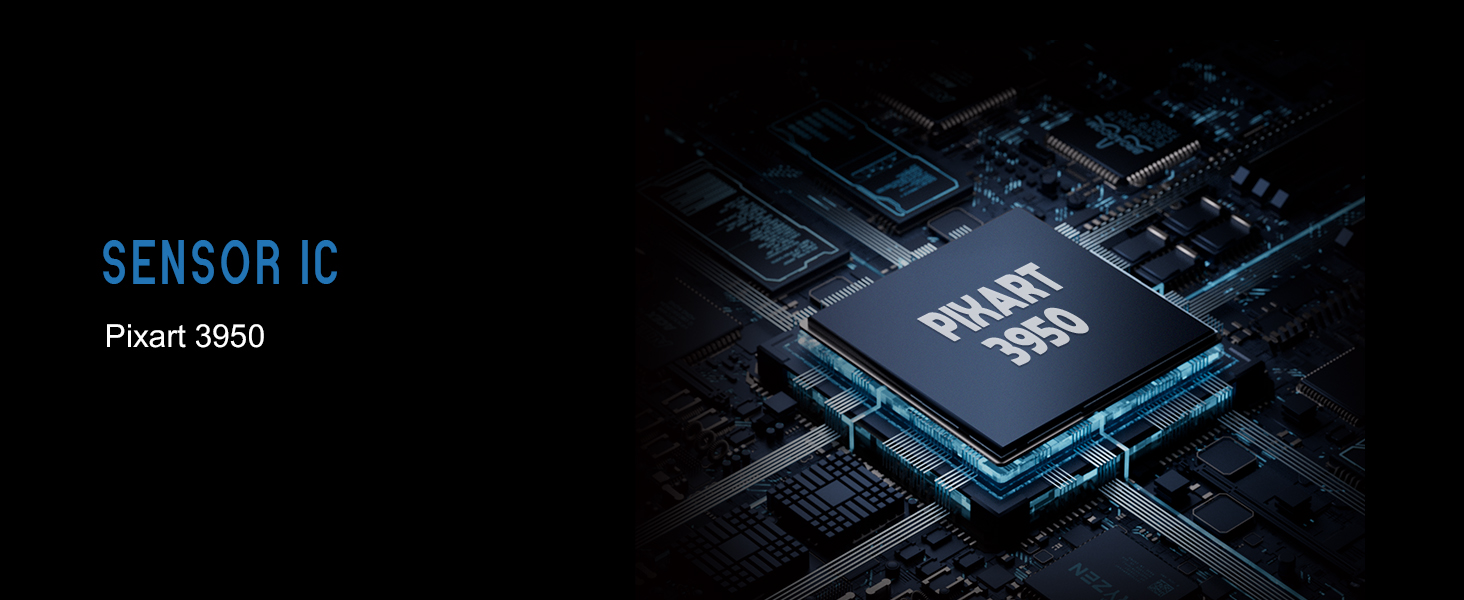
Image: Illustration showing the Lamzu Maya X mouse with its USB-C port for wired connection and the wireless dongle, highlighting its dual 2.4G wireless and wired modes.
คำแนะนำการใช้งาน
ปุ่มฟังก์ชั่น

Image: Diagram illustrating the button layout of the Lamzu Maya X mouse, including Left, Right, Wheel, DPI, Forward, Back, and On/Off switch.
- คลิกซ้าย/ขวา: Standard mouse clicks, utilizing durable optical switches.
- ล้อเลื่อน: For vertical scrolling and middle-click function. Features a dust-proof encoder for precise movement.
- ปุ่ม DPI: Located on the top, allows cycling through preset DPI levels.
- ปุ่มด้านข้าง (ไปข้างหน้า/ข้างหลัง): Programmable buttons for navigation or in-game actions.
- สวิตช์เปิด/ปิด: อยู่บริเวณด้านล่างของตัวเมาส์
การปรับ DPI
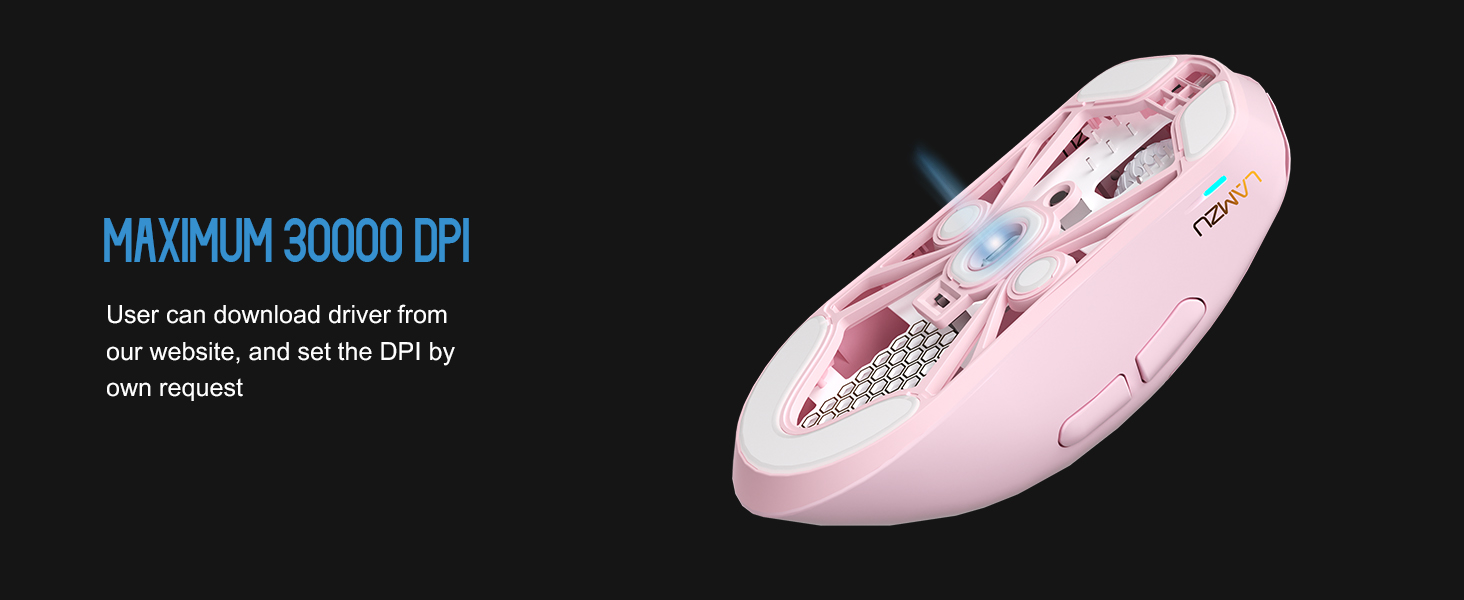
The Lamzu Maya X supports up to 30,000 DPI. You can adjust DPI settings using the dedicated DPI button on the mouse. For custom DPI settings and other advanced configurations, download the official driver software from the Lamzu webเว็บไซต์.
ภาพ: โปร่งใส view of the Lamzu Maya X mouse highlighting the internal optical switches, designed for optimized click feeling and to prevent double clicks.
อัตราการสำรวจความคิดเห็น
The mouse supports a maximum polling rate of 8,000 Hz when using the included 8K dongle. This high polling rate ensures extremely smooth and responsive cursor movement, minimizing input lag. Ensure the 8K dongle is properly connected for this feature to function.

Image: Illustration of the Lamzu Maya X mouse with its 8K polling dongle, emphasizing how an 8K dongle enhances cursor movement smoothness and eliminates stuttering delays.
รูปแบบการจับ
The symmetrical shape of the Lamzu Maya X is designed to accommodate various grip styles, including palm, claw, and fingertip grips, providing flexibility and comfort for different users.
การซ่อมบำรุง
การทำความสะอาด
- ใช้ผ้าแห้งนุ่มเช็ดพื้นผิวของเมาส์
- สำหรับสิ่งสกปรกฝังแน่น ให้เช็ดออกเล็กน้อยampชุบผ้าด้วยน้ำหรือน้ำยาทำความสะอาดอ่อนๆ หลีกเลี่ยงสารเคมีรุนแรง
- ห้ามจุ่มเมาส์ลงในน้ำหรือของเหลวใดๆ
- Regularly clean the sensor area on the underside of the mouse with a cotton swab to ensure optimal tracking performance.
การดูแลแบตเตอรี่
- หลีกเลี่ยงการปล่อยแบตเตอรี่จนหมดบ่อยครั้ง
- เก็บเมาส์ไว้ในที่แห้งและเย็นเมื่อไม่ได้ใช้งานเป็นเวลานาน
- ใช้เฉพาะสาย USB Type-C ที่ให้มาในการชาร์จเท่านั้น
การแก้ไขปัญหา
ปัญหาทั่วไปและแนวทางแก้ไข
| ปัญหา | วิธีแก้ปัญหาที่เป็นไปได้ |
|---|---|
| เมาส์ไม่ตอบสนอง (ไร้สาย) | Ensure the mouse is turned ON. Check battery level. Re-insert the USB dongle. Try a different USB port. |
| เมาส์ไม่ตอบสนอง (แบบมีสาย) | ตรวจสอบให้แน่ใจว่าสาย USB Type-C เชื่อมต่อกับเมาส์และคอมพิวเตอร์อย่างแน่นหนาแล้ว ลองเสียบเข้ากับพอร์ต USB อื่นดู |
| Inaccurate tracking or cursor jumpiness | Clean the optical sensor on the underside of the mouse. Use the mouse on a clean, uniform surface or a mouse pad. |
| DPI changes not registering | Ensure the DPI button is functioning correctly. If using custom settings, verify them in the software. |
| Poor wireless range or interference | Move the USB dongle closer to the mouse. Avoid placing the dongle near other wireless devices or large metal objects. |
ข้อมูลจำเพาะ
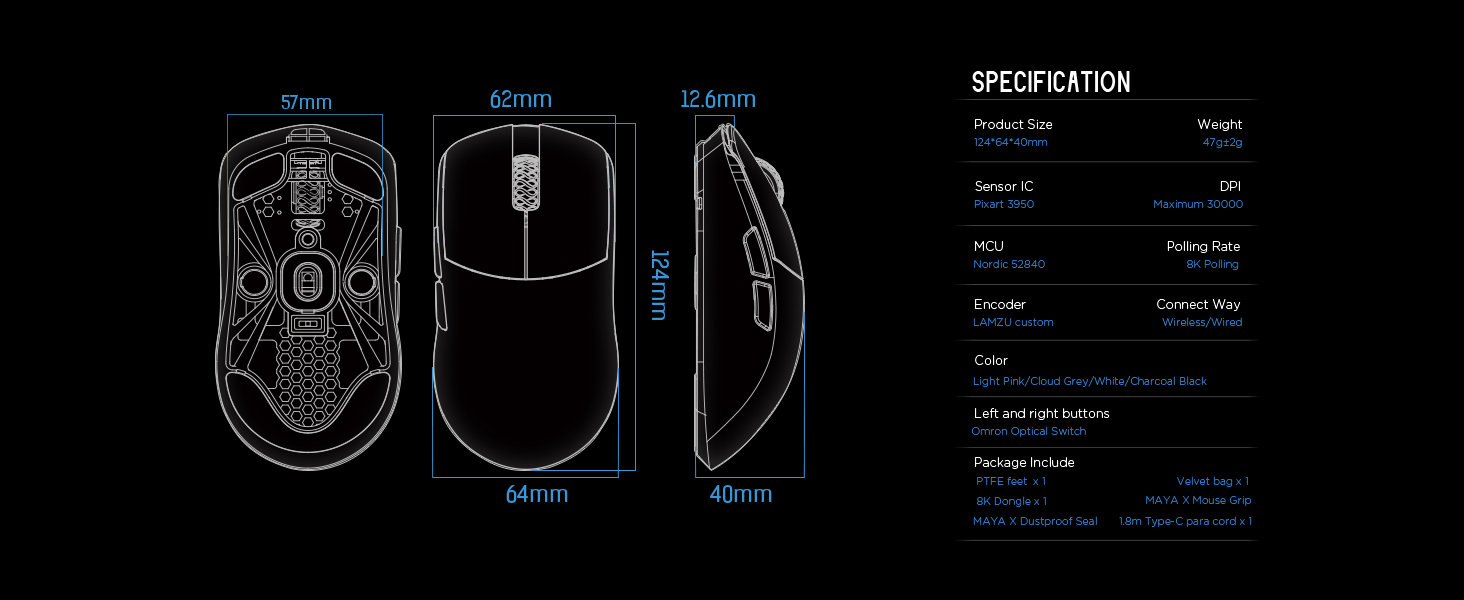
Image: Detailed diagram showing the dimensions and key specifications of the Lamzu Maya X mouse.
| คุณสมบัติ | รายละเอียด |
|---|---|
| ขนาดสินค้า | 4.88 x 2.52 x 0.04 นิ้ว (124 x 64 x 40 มม.) |
| น้ำหนักสินค้า | 1.66 ออนซ์ (47 กรัม) |
| เซนเซอร์IC | พิกอาร์ต PAW3950 |
| DPI สูงสุด | 30,000 จุดต่อนิ้ว |
| มหาเทพ | Nordic 52840 |
| อัตราการสำรวจความคิดเห็น | Up to 8,000 Hz (with 8K dongle) |
| เทคโนโลยีการเชื่อมต่อ | ไร้สาย 2.4G, สาย USB |
| สวิตซ์ | OMRON Optical Switches (70 million click lifespan) |
| ตัวเข้ารหัส | Dust-Proof Encoder (30-grid roller) |
| แบตเตอรี่ | แบตเตอรี่ลิเธียมไอออน 1 ก้อน (รวมอยู่ด้วย) |
การรับประกันและการสนับสนุน
For detailed warranty information and technical support, please refer to the official Lamzu webหรือติดต่อฝ่ายบริการลูกค้าโดยตรง โปรดเก็บหลักฐานการซื้อไว้เพื่อใช้ในการเคลมประกัน