
1. บทนำ
This manual provides essential information for the safe and efficient operation of your ZDSSY E2 Mini Projector. Please read it thoroughly before use and retain it for future reference.
2. การตั้งค่า
2.1 การแกะกล่องและส่วนประกอบ
แกะสิ่งของทั้งหมดออกจากกล่องอย่างระมัดระวัง ตรวจสอบให้แน่ใจว่ามีส่วนประกอบต่อไปนี้ครบถ้วน:
- โปรเจ็คเตอร์ขนาดเล็ก
- รีโมทคอนโทรล
- สายไฟ
- คู่มือการใช้งาน (เอกสารนี้)
2.2 การเปิดเครื่อง
- เชื่อมต่อสายไฟเข้ากับพอร์ตอินพุตไฟของโปรเจ็กเตอร์
- เสียบปลายสายไฟอีกด้านหนึ่งเข้ากับเต้ารับไฟฟ้าที่เหมาะสม
- กดปุ่มเปิด/ปิดบนโปรเจ็กเตอร์หรือรีโมทคอนโทรลเพื่อเปิดอุปกรณ์
2.3 การจัดวางเริ่มต้น
วางโปรเจ็กเตอร์บนพื้นผิวที่มั่นคงและเรียบ เพื่อประสิทธิภาพสูงสุด viewing, ensure the projection surface (wall or screen) is clean and smooth. The projector supports various mounting options including table placement, tripod mount, and ceiling mount.
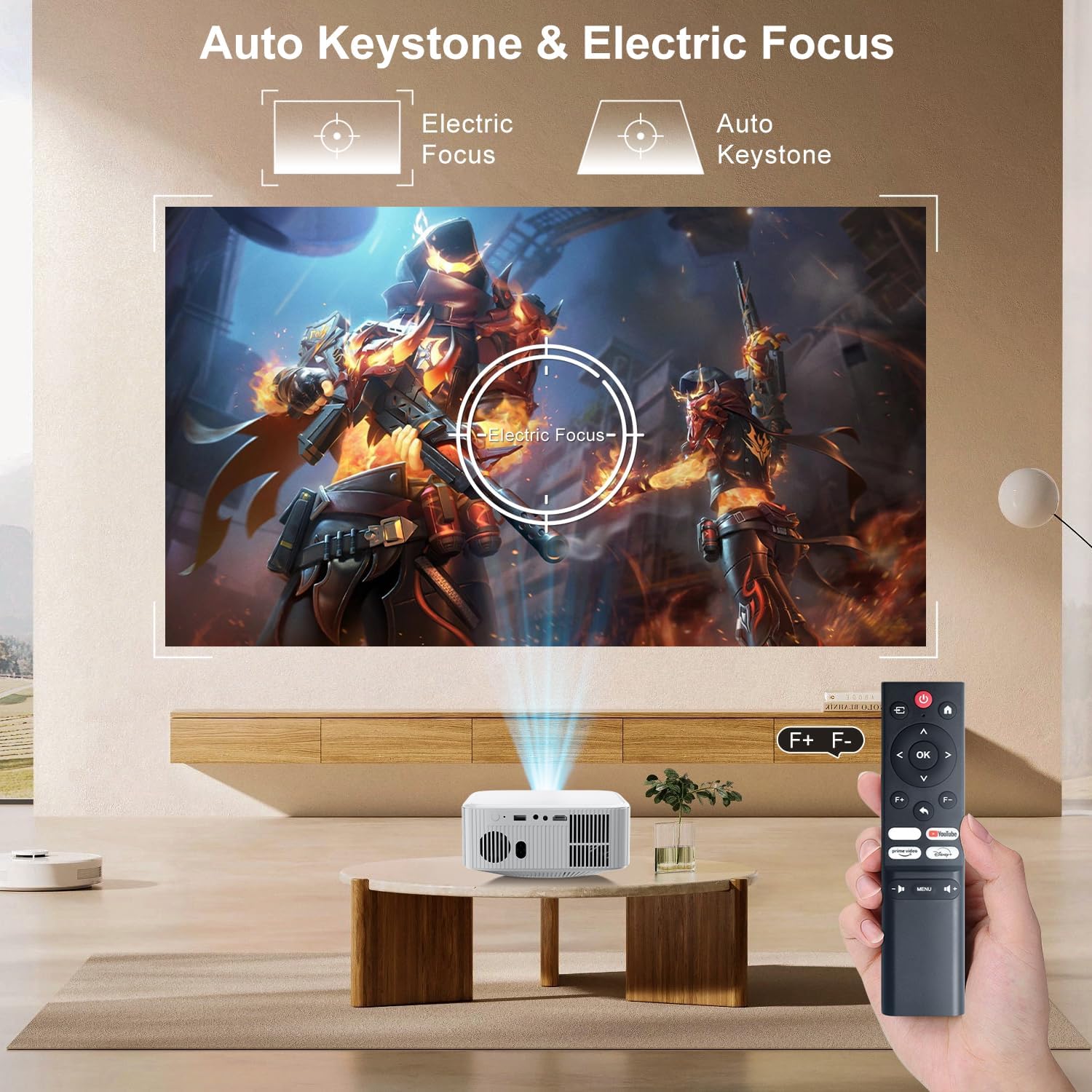
Image: The ZDSSY E2 Mini Projector demonstrating flexible placement options and screen sizes from 40 to 300 inches.
3. การดำเนินการ
3.1 Navigation and Remote Control
Use the provided remote control to navigate the projector's interface. The remote allows you to select apps, adjust settings, and control media playback.
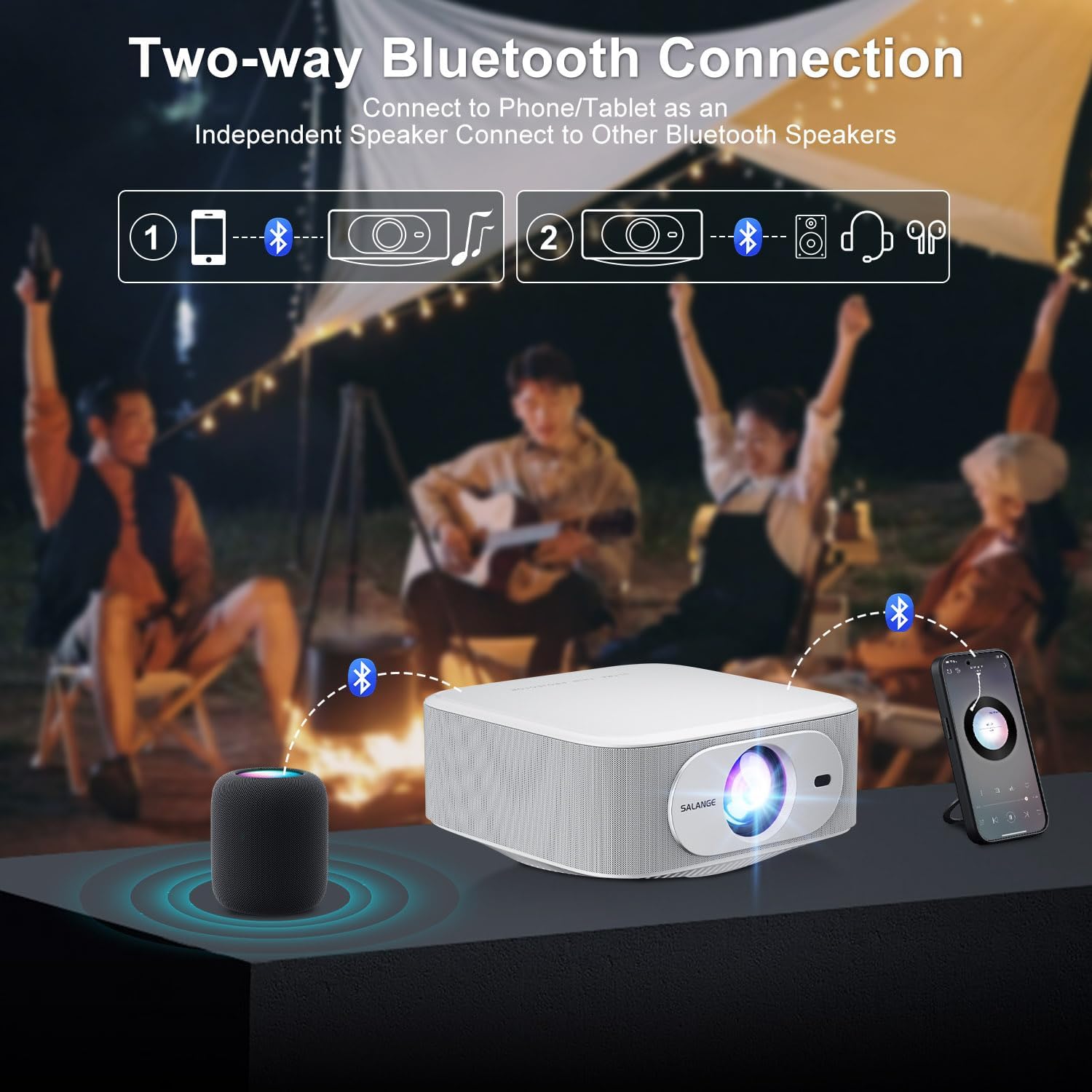
Image: The ZDSSY E2 Mini Projector and its remote control, highlighting the user interface.
3.2 Auto Keystone and Electric Focus
The projector features automatic keystone correction and electric focus for a clear and properly aligned image. These functions adjust the picture automatically upon startup or when the projector is moved.
- โฟกัสไฟฟ้า: Provides instant, crystal-clear images.
- การแก้ไขคีย์สโตน 4 จุด: Smoothly adjusts the screen across a wide ±45° range from any direction.
- ฟังก์ชั่นซูม: Adjust the screen size from 100% to 50% without moving the projector.

Image: Visual representation of the auto keystone and electric focus features of the ZDSSY E2 Mini Projector.
3.3 การเชื่อมต่อกับ Wi-Fi
The ZDSSY E2 supports dual-band 5G/2.4G Wi-Fi for fast and stable internet connectivity.
- เข้าไปที่เมนู 'การตั้งค่า' บนโปรเจ็กเตอร์
- Select 'Network' or 'Wi-Fi settings'.
- เลือกเครือข่าย Wi-Fi ที่คุณต้องการจากรายการ
- กรอกรหัสผ่านหากได้รับแจ้งและเชื่อมต่อ
3.4 การเชื่อมต่อบลูทูธ
The projector features two-way Bluetooth 5.2, allowing it to function as a standalone speaker or connect to external Bluetooth audio devices.
- As a Bluetooth Speaker: Connect your mobile device to the projector via Bluetooth to use the projector's built-in speakers for audio playback.
- การเชื่อมต่อลำโพงภายนอก: Pair the projector with external Bluetooth speakers, headphones, or soundbars for an enhanced audio experience. (Note: Bluetooth is for audio transmission only and does not support video.)

Image: Illustration of the two-way Bluetooth connectivity of the ZDSSY E2 Mini Projector.
3.5 Using Built-in Apps
The ZDSSY E2 comes with officially licensed apps like Prime Video, YouTube, and more, pre-installed on its Android 13 Whale OS system. Access these apps directly from the home screen for instant entertainment.

Image: The ZDSSY E2 Mini Projector's home screen showing pre-installed streaming applications.
3.6 การเชื่อมต่ออุปกรณ์ภายนอก
The projector is equipped with multiple ports for connecting external devices:
- พอร์ต HDMI: Connect gaming consoles, laptops, Fire Sticks, or other HDMI-enabled devices.
- พอร์ต USB: เล่นสื่อโดยตรงจากไดรฟ์ USB
- แจ็คหูฟัง 3.5 มม.: เชื่อมต่อหูฟังแบบมีสายหรือลำโพงภายนอก

Image: Close-up of the ZDSSY E2 Mini Projector's connectivity ports.
4. การบำรุงรักษา
4.1 การทำความสะอาด
- เลนส์: ใช้ผ้าเนื้อนุ่ม ปราศจากขน และออกแบบมาสำหรับเลนส์แว่นตาโดยเฉพาะ ห้ามใช้สารทำความสะอาดหรือผ้าที่มีฤทธิ์กัดกร่อน
- ภายนอก: เช็ดทำความสะอาดภายนอกโปรเจคเตอร์ด้วยผ้าแห้งนุ่มๆ สำหรับคราบฝังแน่น ให้ใช้ผ้าชุบน้ำหมาดๆ เช็ดอีกครั้งamp สามารถใช้ผ้าเช็ดทำความสะอาดได้ จากนั้นเช็ดซ้ำด้วยผ้าแห้ง
- การระบายอากาศ : ตรวจสอบให้แน่ใจว่าช่องระบายอากาศปราศจากฝุ่นละอองและสิ่งกีดขวางเพื่อป้องกันความร้อนสูงเกินไป
4.2 พื้นที่จัดเก็บ
เมื่อไม่ได้ใช้งานเป็นเวลานาน ควรเก็บโปรเจคเตอร์ไว้ในที่แห้งและเย็น หลีกเลี่ยงแสงแดดโดยตรงและอุณหภูมิที่สูงหรือต่ำเกินไป ควรใช้บรรจุภัณฑ์เดิมหรือกล่องป้องกันเพื่อป้องกันฝุ่นละอองและความเสียหาย
5 การแก้ไขปัญหา
| ปัญหา | สาเหตุที่เป็นไปได้ | สารละลาย |
|---|---|---|
| ไม่มีไฟฟ้า | สายไฟไม่ได้เชื่อมต่อ; เต้าเสียบไฟฟ้าชำรุด | ตรวจสอบให้แน่ใจว่าสายไฟเชื่อมต่ออย่างแน่นหนา ลองใช้เต้ารับอื่น |
| ภาพเบลอ | Focus not adjusted; Projector too far/close to screen | อนุญาตให้โฟกัสอัตโนมัติเสร็จสิ้นหรือปรับโฟกัสด้วยตนเอง ปรับระยะห่างของโปรเจ็กเตอร์ |
| ไม่มีเสียง | Volume too low; External audio device not connected/paired | Increase volume; Check Bluetooth connection or wired audio cable. |
| ปัญหาการเชื่อมต่อ Wi-Fi | รหัสผ่านไม่ถูกต้อง; ปัญหาเกี่ยวกับเราเตอร์; สัญญาณรบกวน | ตรวจสอบรหัสผ่าน Wi-Fi; รีสตาร์ทเราเตอร์; ย้ายโปรเจ็กเตอร์ไปใกล้กับเราเตอร์มากขึ้น |
| Apps Not Working | No internet connection; App requires update | Check Wi-Fi connection; Update the app from the app store. |
6. ข้อมูลจำเพาะ
| คุณสมบัติ | รายละเอียด |
|---|---|
| ยี่ห้อ | ZDSSY |
| หมายเลขรุ่น | E2 |
| ความละเอียดการแสดงผล | 1920 x 1080 (ความละเอียด 1080P ดั้งเดิม รองรับ 4K) |
| ความสว่าง | 400 ANSI Lumens |
| ระบบปฏิบัติการ | Smart Android 13.0 NTV (Whale OS) |
| หน่วยความจำ | RAM 1GB + ROM 8GB |
| การเชื่อมต่อ | Wi-Fi 5G/2.4G, Two-way Bluetooth 5.2 |
| คุณสมบัติพิเศษ | Electric Focus, Auto Keystone Correction (4D/4P), Zoom (100%-50%), Built-in Apps (Prime Video, YouTube, etc.) |
| พอร์ต | 1 HDMI, 1 USB, 1 3.5mm Headphone Jack |
| ขนาดสินค้า | 7.67 x 7.67 x 3.54 นิ้ว |
| น้ำหนักสินค้า | 3.3 ปอนด์ |
| ข้อแนะนำการใช้ | ในร่ม/กลางแจ้ง |
7. การรับประกันและการสนับสนุน
The ZDSSY E2 Mini Projector comes with a standard manufacturer's warranty. For specific warranty details, including coverage and duration, please refer to the warranty card included in your product packaging or contact ZDSSY customer support.
การสนับสนุนลูกค้า
If you encounter any issues or have questions regarding your projector, please contact ZDSSY customer support through the retailer's platform or the official ZDSSY website. Our support team is available to assist you with troubleshooting, technical inquiries, and service requests.