
การแนะนำ
Welcome to the GUHUAVMI GT4 Pro Smartwatch user manual. This guide provides detailed instructions on how to set up, operate, and maintain your new smartwatch. The GT4 Pro combines advanced health monitoring, comprehensive fitness tracking, and smart connectivity features in a durable, stylish design. Please read this manual carefully to ensure optimal performance and longevity of your device.
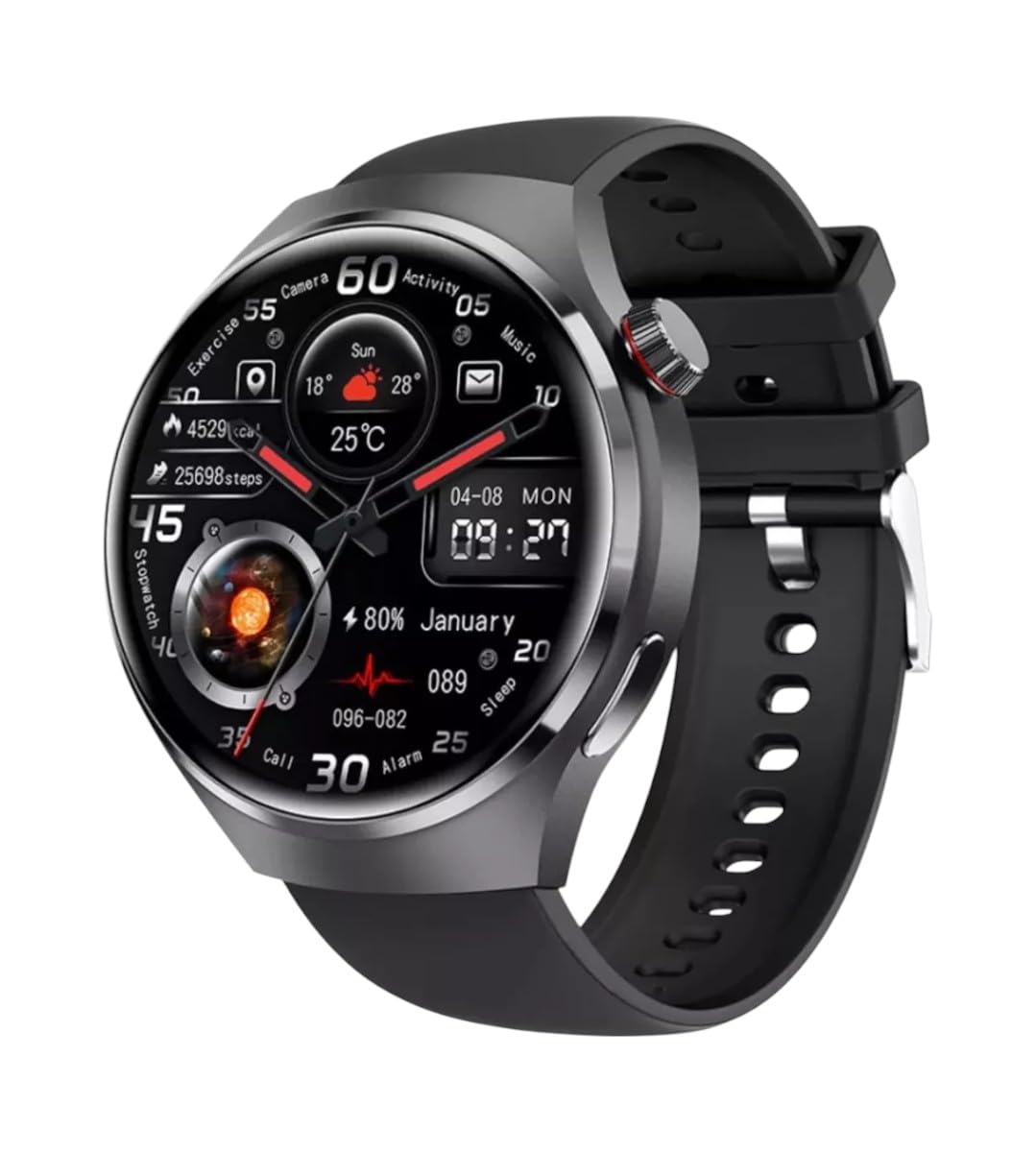
ภาพ: ด้านหน้า view of the GUHUAVMI GT4 Pro Smartwatch, showcasinด้วยการออกแบบและการแสดงผลที่เพรียวบาง
การตั้งค่า
1. การแกะกล่องและส่วนประกอบ
ก่อนที่คุณจะเริ่มต้น โปรดตรวจสอบให้แน่ใจว่ามีส่วนประกอบทั้งหมดอยู่ในแพ็คเกจ:
- GUHUAVMI GT4 Pro Smartwatch
- แท่นชาร์จไร้สาย
- คู่มือการใช้งาน (เอกสารนี้)
2. การชาร์จสมาร์ทวอทช์
For first-time use, fully charge your GT4 Pro Smartwatch. Connect the wireless charger to a USB power adapter (not included) and place the smartwatch onto the magnetic charging base. The watch will indicate charging status on its screen.
- เวลาในการชาร์จ: ประมาณ 3 ชั่วโมงสำหรับการชาร์จเต็ม
- อายุการใช้งานแบตเตอรี่: Typical usage provides 5-7 days of battery life.

Image: The GUHUAVMI GT4 Pro Smartwatch placed on its magnetic wireless charger, displaying battery life and charging time information.
3. เปิด/ปิดเครื่อง
- เปิดเครื่อง: กดปุ่มด้านข้างค้างไว้จนกว่าหน้าจอจะสว่างขึ้น
- หมดแรง: กดปุ่มด้านข้างค้างไว้ แล้วเลือกตัวเลือก 'ปิดเครื่อง' บนหน้าจอ
4. ดาวน์โหลดแอปและการจับคู่
To unlock the full potential of your GT4 Pro, download the companion app on your smartphone. Scan the QR code provided in the watch's initial setup screen or search for the app name (usually indicated on the watch or packaging) in your phone's app store.
- เปิดใช้งานบลูทูธบนสมาร์ทโฟนของคุณ
- เปิดแอปพลิเคชันคู่หูและทำตามคำแนะนำบนหน้าจอเพื่อสร้างบัญชีหรือเข้าสู่ระบบ
- In the app, select 'Add Device' or 'Pair Device' and choose 'GT4 Pro' from the list of available devices.
- ยืนยันคำขอจับคู่บนสมาร์ทโฟนและสมาร์ทวอทช์ของคุณทั้งสอง
คำแนะนำการใช้งาน
1. การนำทางพื้นฐาน
The GT4 Pro features a 1.6-inch HD AMOLED touchscreen and a side crown button for navigation.
- ปัดขึ้น/ลง: เลื่อนดูเมนูและการแจ้งเตือน
- ปัดไปทางซ้าย/ขวา: เข้าถึงวิดเจ็ตด่วนหรือหน้าปัดนาฬิกาที่แตกต่างกัน
- แตะ: เลือกรายการหรือเปิดแอปพลิเคชัน
- กดปุ่มด้านข้าง: กลับสู่หน้าจอหลักหรือเข้าถึงรายการแอปพลิเคชัน
2. ผู้ช่วยเสียง AI
Your GT4 Pro is equipped with an integrated AI voice assistant for hands-free operation.
- การเปิดใช้งาน: Tap the voice assistant icon on the watch face or use a designated gesture/button press (refer to watch settings).
- คำสั่ง: Speak clearly to ask questions, set reminders, make calls, or control music.
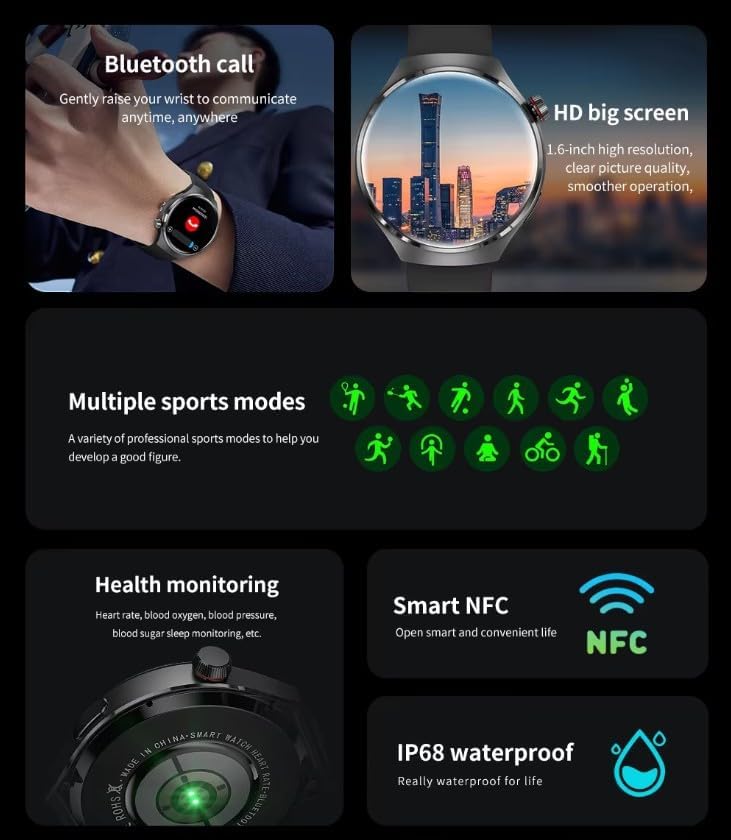
Image: The GUHUAVMI GT4 Pro Smartwatch displaying the AI voice assistant interface, showing exampคำสั่งเสียง
3. การโทรผ่านบลูทูธ
เมื่อเชื่อมต่อกับสมาร์ทโฟนแล้ว คุณสามารถโทรออกและรับสายได้โดยตรงจากสมาร์ทวอทช์ของคุณ
- โทรออก: เข้าถึงแอปโทรออกหรือรายชื่อผู้ติดต่อบนนาฬิกาของคุณ
- การรับสาย: รับหรือปฏิเสธสายเรียกเข้าได้โดยตรงจากหน้าจอของนาฬิกา
4. การติดตามสุขภาพ
The GT4 Pro provides real-time health data to help you monitor your well-being.
- อัตราการเต้นของหัวใจ: การตรวจสอบอย่างต่อเนื่องตลอดทั้งวัน
- ออกซิเจนในเลือด (SpO2): วัดระดับความอิ่มตัวของออกซิเจนในเลือดของคุณ
- ระดับน้ำตาลในเลือด: Provides estimated blood sugar readings.
- การติดตามการนอนหลับ: ตรวจสอบการนอนหลับtagและคุณภาพ
View detailed health reports in the companion app.
5 การติดตามการออกกำลังกาย
Track your workouts and daily activity with precision.
- โหมดกีฬาหลายโหมด: Select from various activities like running, cycling, swimming, and more for accurate data.
- GPS ในตัว: Records your route, distance, and pace during outdoor activities.
- เข็มทิศ: Provides directional guidance for outdoor adventures.

Image: The GUHUAVMI GT4 Pro Smartwatch showcasing icons for NFC, GPS, compass, heart rate, and Bluetooth call, highlighting its comprehensive features.
6. NFC Features
The GT4 Pro supports NFC for convenient interactions.
- การควบคุมการเข้าถึง: Use your watch for compatible access systems.
- Find My iPhone: Utilize NFC to locate your paired iPhone.
7. Dynamic Island Function
Experience enhanced interactive displays for notifications, music, and charging status.
- Interactive Displays: Smart displays adapt to show relevant information dynamically.
- การอัพเกรด OTA: New functional interactive displays may be added through future over-the-air updates.
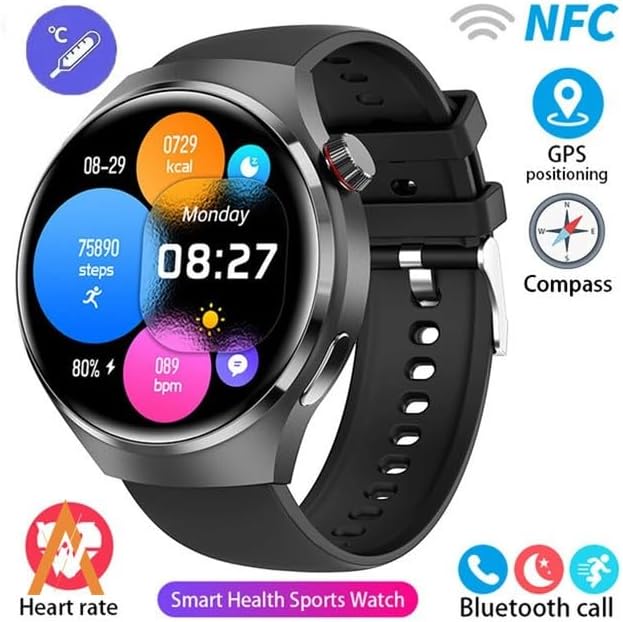
Image: The GUHUAVMI GT4 Pro Smartwatch screen demonstrating the Dynamic Island function, showing notifications and active processes.
8. Other Utility Features
The smartwatch includes several convenient tools:
- กล้องจากระยะไกล: ควบคุมกล้องสมาร์ทโฟนของคุณจากระยะไกล
- นาฬิกาปลุก: ตั้งนาฬิกาปลุกได้โดยตรงจากข้อมือของคุณ
- นาฬิกาจับเวลา: เพื่อการบอกเวลาที่แม่นยำ
- การวัดอุณหภูมิ: Monitor ambient temperature.
- Multi-Time Zone Settings: Keep track of different time zones.
- การควบคุมการเล่นเพลง: Manage music on your paired smartphone.
การซ่อมบำรุง
1. ความทนทานต่อน้ำ (IP68)
The GT4 Pro has an IP68 waterproof rating, meaning it is resistant to dust and can withstand immersion in water up to 1.5 meters for 30 minutes. It is suitable for swimming and use in rainy conditions.
- Do not use in hot water, saunas, or steam rooms.
- Avoid exposure to high-velocity water.
- หลังจากโดนน้ำ ให้เช็ดนาฬิกาให้แห้งด้วยผ้านุ่ม
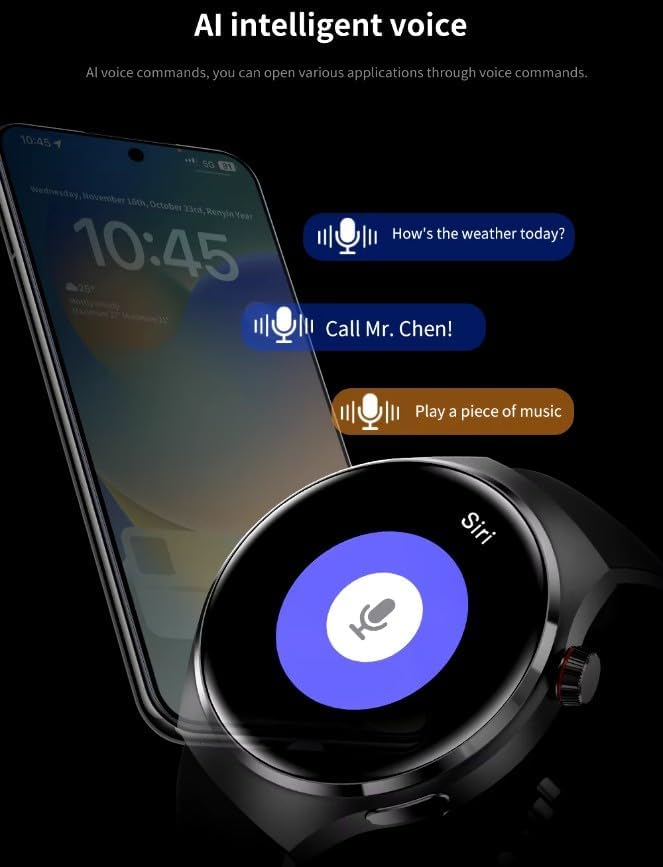
Image: Two GUHUAVMI GT4 Pro Smartwatches shown with water droplets, illustrating their IP68 waterproof capability.
2. การทำความสะอาด
Regularly clean your smartwatch to maintain its appearance and sensor accuracy.
- เช็ดหน้าจอและตัวเครื่องด้วยผ้านุ่มๆampผ้าที่ไม่เป็นขุย
- Clean the charging contacts and heart rate sensor on the back of the watch to ensure proper function.
- หลีกเลี่ยงการใช้สารเคมีรุนแรงหรือวัสดุที่มีฤทธิ์กัดกร่อน
3. การอัปเดตซอฟต์แวร์
Periodically check for software updates through the companion app. Updates can provide new features, performance improvements, and bug fixes.
การแก้ไขปัญหา
- นาฬิกาไม่เปิด: ตรวจสอบให้แน่ใจว่านาฬิกาชาร์จเต็มแล้ว เสียบนาฬิกาเข้ากับเครื่องชาร์จอย่างน้อย 30 นาที
- ไม่สามารถจับคู่กับสมาร์ทโฟนได้:
- ตรวจสอบให้แน่ใจว่าได้เปิดใช้งานบลูทูธบนโทรศัพท์และนาฬิกาของคุณแล้ว
- ตรวจสอบให้แน่ใจว่านาฬิกาอยู่ในระยะของโทรศัพท์ของคุณ
- รีสตาร์ททั้งนาฬิกาและโทรศัพท์ของคุณ
- ตรวจสอบว่าแอปคู่หูได้รับการอัปเดตเป็นเวอร์ชันล่าสุดหรือไม่
- ข้อมูลสุขภาพที่ไม่ถูกต้อง:
- ตรวจสอบให้แน่ใจว่าสวมนาฬิกาให้พอดีกับข้อมือ ไม่แน่นหรือหลวมเกินไป
- ทำความสะอาดเซ็นเซอร์ที่ด้านหลังของนาฬิกา
- หลีกเลี่ยงการเคลื่อนไหวมากเกินไปในระหว่างการวัด
- อายุการใช้งานแบตเตอรี่สั้น:
- ลดความสว่างหน้าจอ
- ปิดการแจ้งเตือนหรือฟีเจอร์ที่ไม่จำเป็น
- จำกัดการตรวจวัดอัตราการเต้นของหัวใจอย่างต่อเนื่องหากไม่จำเป็น
ข้อมูลจำเพาะ
| คุณสมบัติ | คำอธิบาย |
|---|---|
| หมายเลขรุ่น | จีที4โปร |
| แสดง | 1.6-inch HD AMOLED, 360x360 resolution |
| การเชื่อมต่อ | บลูทูธ 5.0 |
| ระดับการกันน้ำ | IP68 |
| การติดตามสุขภาพ | Heart Rate, Blood Oxygen, Blood Sugar, Sleep Tracking |
| การติดตามฟิตเนส | Built-in GPS, Compass, Multiple Sports Modes |
| ผู้ช่วยเสียง | AI Voice Assistant Integrated |
| เอ็นเอฟซี | Supported (e.g., Find My iPhone, Access Control) |
| ประเภทการชาร์จ | การชาร์จแบบไร้สายแม่เหล็ก |
| อายุการใช้งานแบตเตอรี่โดยทั่วไป | 5-7 วัน |
| เวลาในการชาร์จ | ประมาณ 3 ชั่วโมง |
| ส่วนประกอบที่รวมอยู่ | Smartwatch, User Manual, Wireless Charger |
การรับประกันและการสนับสนุน
ข้อมูลการรับประกัน
The GUHUAVMI GT4 Pro Smartwatch comes with a รับประกัน 6 เดือน นับจากวันที่ซื้อสินค้า การรับประกันนี้ครอบคลุมข้อบกพร่องจากการผลิตภายใต้การใช้งานปกติ ไม่ครอบคลุมความเสียหายที่เกิดจากการใช้งานผิดวิธี อุบัติเหตุ การดัดแปลงโดยไม่ได้รับอนุญาต หรือการสึกหรอตามปกติ
การสนับสนุนลูกค้า
If you encounter any issues or have questions regarding your GUHUAVMI GT4 Pro Smartwatch, please refer to the troubleshooting section of this manual. For further assistance, contact your retailer or the manufacturer's customer support channel. Please have your purchase receipt and product model number (GT4 Pro) ready when contacting support.