
1. บทนำ
Thank you for choosing the AWEI T21 Bluetooth Earbuds. These wireless earbuds are designed to provide a high-quality audio experience with advanced features such as Bluetooth 5.3 connectivity, smart touch controls, and IPX6 waterproofing. This manual will guide you through the setup, operation, and maintenance of your new earbuds.

ภาพ: เหนือview of AWEI T21 Earbuds key features including Bluetooth 5.3, TWS, HD Microphone, comfortable fit, Type-C fast charging, and touch control.
2. เนื้อหาบรรจุภัณฑ์
- หูฟังบลูทูธไร้สาย AWEI T21 (หูฟังซ้ายและขวา)
- เคสชาร์จไฟ
- สายชาร์จ USB-C
- คำแนะนำสำหรับผู้ใช้ (คู่มือเล่มนี้)
3. การตั้งค่า
3.1 การชาร์จเริ่มต้น
Before first use, fully charge the earbuds and the charging case. Connect the provided USB-C cable to the charging port on the case and to a power source. The charging case has a 300mAh capacity and takes approximately 1.5 hours to fully charge.

Image: The AWEI T21 charging case with its Type-C fast-fill port, shown connected to a power source.

Image: The AWEI T21 multi-function charging case highlighting its 300mAh capacity, 2.5 hours play time, and 130 hours standby time.
3.2 การจับคู่กับอุปกรณ์
- เปิดกล่องชาร์จ หูฟังจะเปิดอัตโนมัติและเข้าสู่โหมดจับคู่
- บนอุปกรณ์ของคุณ (สมาร์ทโฟน แท็บเล็ต แล็ปท็อป) ให้เปิดใช้งาน Bluetooth
- ค้นหา ค้นหา "AWEI T21" ในรายการอุปกรณ์บลูทูธที่ใช้งานได้ และเลือกเพื่อเชื่อมต่อ
- เมื่อเชื่อมต่อแล้ว คุณจะได้ยินเสียงยืนยัน และหูฟังจะพร้อมใช้งาน
The earbuds feature Bluetooth 5.3 technology for a fast and stable connection, with a range of up to 10 meters.

Image: AWEI T21 earbuds in their charging case, illustrating instant connection via Bluetooth 5.3 upon removal.
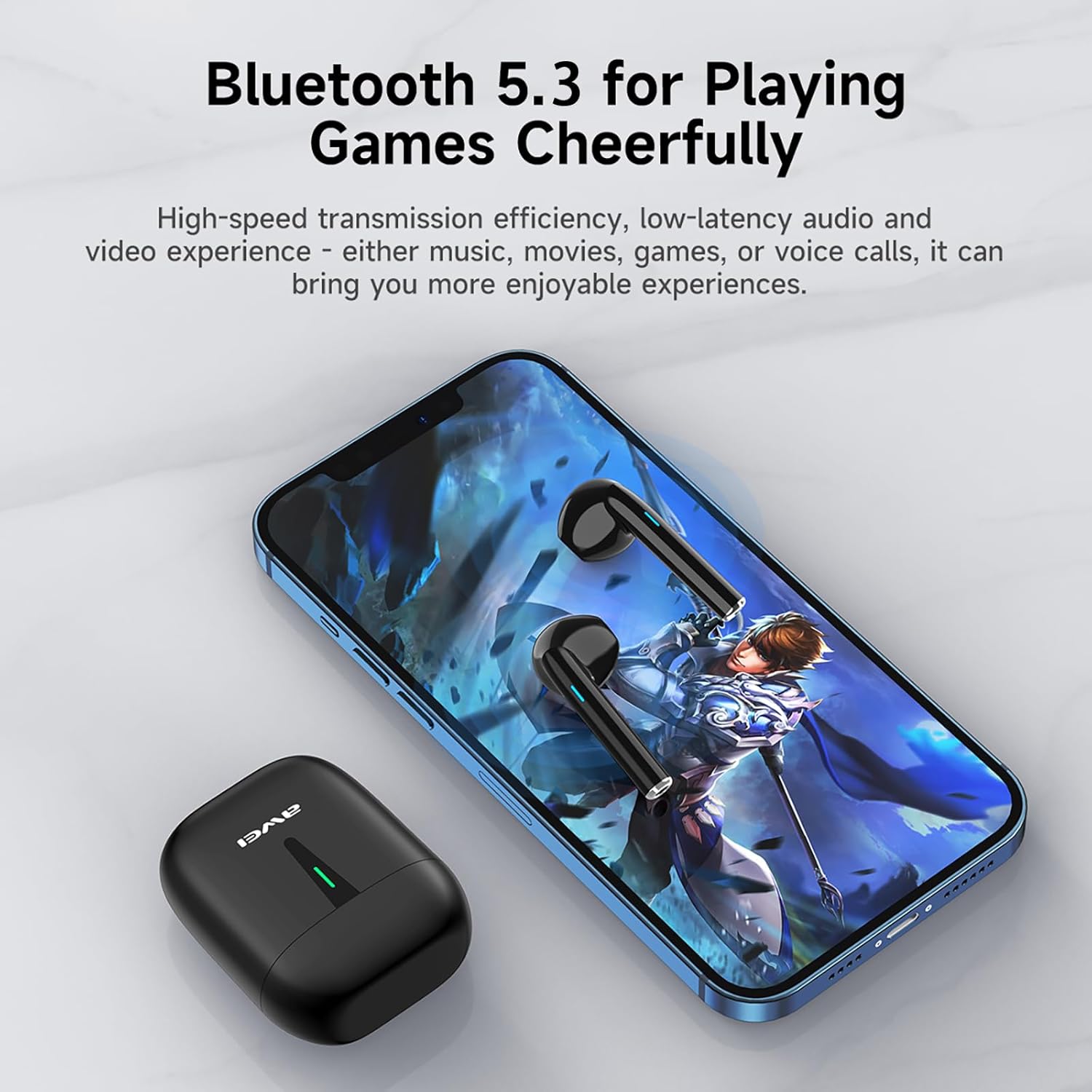
Image: A smartphone displaying a game, with AWEI T21 earbuds and their charging case nearby, emphasizing Bluetooth 5.3 for low-latency audio.
4. คู่มือการใช้งาน
4.1 เปิด/ปิดเครื่อง
- เปิดเครื่อง: หูฟังจะเปิดอัตโนมัติเมื่อนำออกจากเคสชาร์จ
- หมดแรง: วางหูฟังกลับเข้าไปในกล่องชาร์จเพื่อปิดเครื่องและเริ่มชาร์จโดยอัตโนมัติ
4.2 การควบคุมแบบสัมผัสอัจฉริยะ
The AWEI T21 earbuds feature intuitive touch controls on each earbud. Specific touch functions may vary slightly by device, but common controls include:
- เล่น/หยุดชั่วคราว: แตะที่หูฟังข้างใดข้างหนึ่งเพียงครั้งเดียว
- เพลงถัดไป: แตะสองครั้งที่หูฟังด้านขวา
- เพลงก่อนหน้า: แตะสองครั้งที่หูฟังด้านซ้าย
- รับ/วางสาย: แตะที่หูฟังข้างใดข้างหนึ่งเพียงครั้งเดียว
- ปฏิเสธสาย: กดเอียร์บัดข้างใดข้างหนึ่งค้างไว้ 2 วินาที
- การควบคุมระดับเสียง: (Specific gesture not detailed in product info, typically long press or multiple taps. Refer to device settings if needed.)
- เปิดใช้งาน Voice Assistant: (Specific gesture not detailed in product info, typically triple tap or long press.)
4.3 Monaural and Binaural Modes
The earbuds support both single-ear (monaural) and dual-ear (binaural) usage modes.
- โหมดโมโน: Use one earbud independently while the other is in the charging case. This extends total listening time by allowing you to alternate earbuds.
- โหมด binaural: Use both earbuds simultaneously for stereo sound.

Image: Illustration of AWEI T21 earbuds in both monaural (single earbud connected) and binaural (both earbuds connected for stereo) modes.
5. การบำรุงรักษา
5.1 การทำความสะอาด
- เช็ดหูฟังและกล่องชาร์จเบาๆ ด้วยผ้าแห้งนุ่มที่ไม่เป็นขุย
- ห้ามใช้สารทำความสะอาดที่มีฤทธิ์กัดกร่อน ตัวทำละลาย หรือสเปรย์แอโรซอล
- ตรวจสอบให้แน่ใจว่าหน้าสัมผัสการชาร์จบนหูฟังทั้งสองข้างและเคสสะอาดและแห้ง
5.2 ความต้านทานต่อน้ำ
The AWEI T21 earbuds are rated IPX6 waterproof, meaning they are protected against high-pressure water jets from any direction. This makes them suitable for use during workouts or in light rain. However, they are not designed for submersion in water. Ensure earbuds are dry before placing them back in the charging case.
5.3 พื้นที่จัดเก็บ
เมื่อไม่ใช้งาน ให้เก็บหูฟังไว้ในกล่องชาร์จเพื่อปกป้องหูฟังและรักษาระดับพลังงาน เก็บในที่แห้งและเย็น หลีกเลี่ยงอุณหภูมิที่สูงหรือต่ำเกินไป
6 การแก้ไขปัญหา
| ปัญหา | วิธีแก้ปัญหาที่เป็นไปได้ |
|---|---|
| หูฟังไม่จับคู่กับอุปกรณ์ |
|
| หูฟังเอียร์บัดเดียวเท่านั้นที่ใช้งานได้ |
|
| หูฟังไม่ชาร์จ |
|
| คุณภาพเสียงต่ำหรือการเชื่อมต่อไม่เสถียร |
|
7. ข้อมูลจำเพาะ
| ชื่อรุ่น | T21 |
| ยี่ห้อ | อาเว่ย |
| เทคโนโลยีการเชื่อมต่อ | ไร้สาย (Bluetooth) |
| เวอร์ชันบลูทูธ | 5.3 |
| ช่วงบลูทูธ | 10 เมตร |
| การวางตำแหน่งหู | ในหู |
| ประเภทการควบคุม | การควบคุมแบบสัมผัส |
| ระดับความต้านทานต่อน้ำ | กันน้ำระดับ IPX6 |
| อายุการใช้งานแบตเตอรี่ของหูฟังเอียร์บัด | ใช้งานได้ต่อเนื่อง 6 ชั่วโมง |
| ความจุของเคสชาร์จ | 300mAh |
| เวลาเล่นทั้งหมด (รวมเคส) | Up to 36 Hours (dual-ear mode), Up to 72 Hours (single-ear alternating) |
| ระยะเวลาในการชาร์จ (เคส) | 1.5 Hours (via Type-C) |
| ประเภทไดร์เวอร์เสียง | ไดรเวอร์แบบไดนามิก (ลำโพงขนาด 10 มม.) |
| วัสดุ | Silicone (ear caps) |
| น้ำหนักสินค้า | 0.09 กิโลกรัม |
| ส่วนประกอบที่รวมอยู่ | USB-C Charging Cable, Wireless Bluetooth Headset, User Instructions, Wireless Bluetooth Headset Charging Case |
8. ข้อมูลการรับประกัน
The AWEI T21 Bluetooth Earbuds come with a รับประกัน 1 ปี นับจากวันที่ซื้อสินค้า การรับประกันนี้ครอบคลุมเฉพาะข้อบกพร่องจากการผลิต โปรดเก็บหลักฐานการซื้อไว้เพื่อใช้ในการเรียกร้องการรับประกัน การรับประกันไม่ครอบคลุมความเสียหายที่เกิดจากการใช้งานผิดวิธี อุบัติเหตุ การดัดแปลงโดยไม่ได้รับอนุญาต หรือการสึกหรอตามปกติ
9. การสนับสนุนลูกค้า
For further assistance, technical support, or warranty inquiries, please contact Awei customer service through the retailer where you purchased the product or visit the official Awei webเว็บไซต์สำหรับข้อมูลการติดต่อ


