
Proster T21D
Proster Digital Multimeter User Manual
Model: T21D | Brand: Proster
การแนะนำ
This manual provides comprehensive instructions for the safe and effective operation of your Proster Digital Multimeter (Model T21D). This True RMS (TRMS) auto-ranging multimeter is designed for precise measurements across various electrical parameters, making it suitable for both professional and hobbyist applications. Please read this manual thoroughly before use to ensure proper functionality and safety.

Image: The Proster Digital Multimeter (Model T21D) shown with its included test probes, temperature probe, and spare fuses.
ข้อมูลด้านความปลอดภัย
Always adhere to safety precautions when using electrical testing equipment. Failure to do so may result in injury or damage to the device. This multimeter features built-in double safety tubes and overload protection circuits for enhanced safety.
- ตรวจสอบให้แน่ใจว่าได้ตั้งค่ามัลติมิเตอร์ไปที่ฟังก์ชันและช่วงการวัดที่ถูกต้องก่อนเชื่อมต่อกับวงจร
- Do not exceed the maximum input values specified in the specifications section.
- ตรวจสอบสายทดสอบว่ามีรอยชำรุดเสียหายหรือไม่ก่อนใช้งานทุกครั้ง เปลี่ยนใหม่หากฉนวนชำรุด
- ขณะทำการทดสอบ ควรหลีกเลี่ยงการสัมผัสสายไฟหรือชิ้นส่วนวงจรที่ไม่มีฉนวนหุ้ม
- ใช้ความระมัดระวังเมื่อทำงานกับ voltagแรงดันไฟฟ้าที่สูงกว่า 30V AC RMS, 42V peak หรือ 60V DC นั้นเป็นอันตรายจากไฟฟ้าช็อตได้
- Disconnect power to the circuit before measuring resistance, capacitance, or continuity.
- เปลี่ยนแบตเตอรี่ทันทีเมื่อไฟแสดงสถานะแบตเตอรี่อ่อนปรากฏขึ้นเพื่อให้แน่ใจว่าการอ่านค่าแม่นยำ
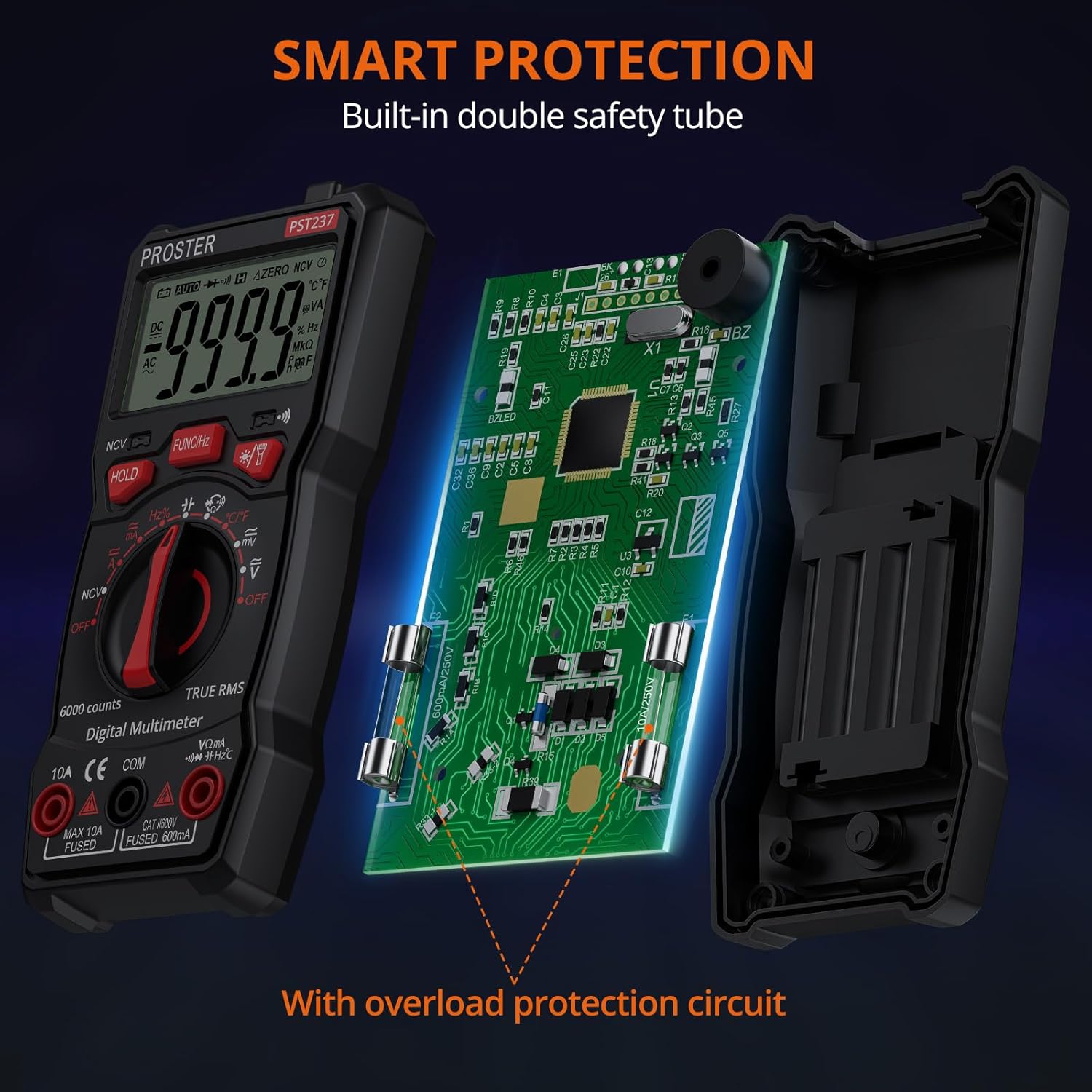
ภาพ: ภายใน view of the multimeter highlighting its smart protection features, including built-in double safety tubes and an overload protection circuit.
มีอะไรอยู่ในกล่อง
- 1 x Proster 6000 Counts Digital Multimeter (Model T21D)
- 1 x Pair of Test Probes (Red and Black)
- 1 x อุณหภูมิ Probe
- แบตเตอรี่ AAA 3 ก้อน (ติดตั้งไว้ล่วงหน้าหรือรวมแยกต่างหาก)
- คู่มือการใช้งาน (เอกสารนี้)
คุณสมบัติผลิตภัณฑ์
The Proster T21D Digital Multimeter offers a wide array of functions and user-friendly features:
- Multi-functional TRMS Measurement: สามารถวัดแรงดันไฟฟ้ากระแสสลับ/กระแสตรงได้tage, AC/DC current, resistance, capacitance, frequency, duty ratio, and temperature.
- แบบไม่สัมผัส Voltagการตรวจจับ e (NCV): ตรวจจับปริมาณไฟฟ้ากระแสสลับอย่างปลอดภัยtagอีโดยไม่ต้องมีการสัมผัสโดยตรง
- การทดสอบไดโอดและการตรวจสอบความต่อเนื่อง: Essential for checking circuit integrity and component functionality.
- การทดสอบทรานซิสเตอร์: For evaluating transistor performance.
- แสดงผล 6000 นับ: Provides clear and accurate readings with a sampling speed of 3 times per second.
- การปรับระยะอัตโนมัติ/ด้วยตนเอง: Automatically selects the appropriate range or allows manual selection for specific needs.
- ฟังก์ชั่นการเก็บข้อมูล: หยุดภาพหน้าจอขณะอ่านค่า เพื่อความสะดวกในการบันทึก
- แสงไฟด้านหลังและไฟฉาย: ช่วยเพิ่มทัศนวิสัยในสภาพแวดล้อมที่มีแสงน้อย
- Sturdy Silicone Cover: ให้การปกป้องจากการตกหล่นและแรงกระแทก
- ขาตั้งแบบบูรณาการ: Allows for hands-free operation and easy viewการไอเอ็นจี
- ปิดเครื่องอัตโนมัติ: ช่วยประหยัดแบตเตอรี่เมื่อไม่ได้ใช้งาน

ภาพ: เหนือview of the multimeter's capabilities, including AC/DC Voltage, AC/DC Current, Frequency, Resistance, Temperature, Duty Cycle, Capacitance, Diodes, Continuity, Data Hold, and Non-Contact Voltagอี (เอ็นซีวี)
การตั้งค่า
การติดตั้งแบตเตอรี่
The multimeter typically comes with batteries pre-installed. If not, or if replacement is needed:
- ตรวจสอบให้แน่ใจว่ามัลติมิเตอร์ปิดอยู่ ปิด.
- ค้นหาช่องใส่แบตเตอรี่ที่ด้านหลังของอุปกรณ์
- คลายเกลียวฝาครอบแบตเตอรี่แล้วถอดออก
- ใส่แบตเตอรี่ AAA 3 ก้อน โดยสังเกตขั้วให้ถูกต้อง (+/-) ตามที่ระบุไว้ภายในช่องใส่แบตเตอรี่
- ใส่ฝาครอบแบตเตอรี่และขันให้แน่นด้วยสกรู
Connecting Test Probes
For most measurements, connect the test probes as follows:
- ใส่ สีแดง นำสายทดสอบเข้าไปใน VΩmA แจ็คอินพุต
- ใส่ สีดำ นำสายทดสอบเข้าไปใน คอม แจ็คอินพุต (ทั่วไป)
- For current measurements (up to 10A), insert the สีแดง นำสายทดสอบเข้าไปใน 10เอ แจ็คอินพุต
คำแนะนำการใช้งาน
Turn the rotary switch to the desired measurement function. The multimeter will typically auto-range, but you can press the ฟังก์ชัน/เฮิรตซ์ button to cycle through specific modes if available within a range (e.g., AC/DC voltagเช่น ความถี่/รอบการทำงาน)
1. การวัดปริมาตร AC/DCtage
การวัดปริมาตรtage, set the rotary switch to the V~ (AC เล่มtagจ) หรือ V- (DC เล่มtage) position. Connect the test probes in parallel with the circuit or component you wish to measure.

Image: The multimeter displaying an AC voltage reading while connected to a power strip.
วิดีโอสาธิต: This video demonstrates various functions of the Proster Digital Multimeter, including voltagอีการวัด
Video: A demonstration of the Proster Digital Multimeter's features, including NCV detection, DC voltagการวัด e, AC voltage measurement, continuity testing, and temperature measurement.
2. การวัดความต้านทาน
To measure resistance, set the rotary switch to the Ω (Ohms) position. Ensure the circuit is de-energized before connecting the probes across the component.
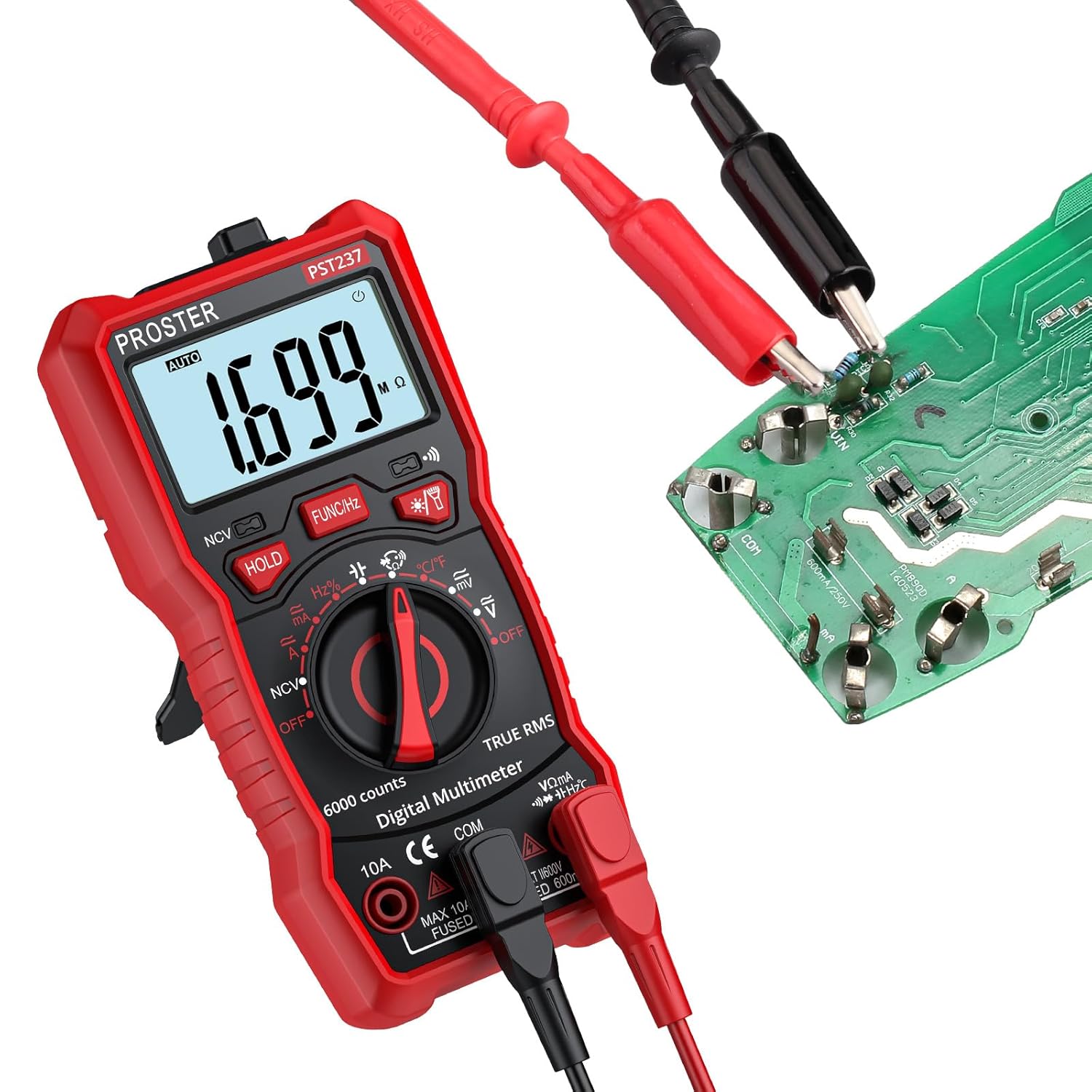
Image: The multimeter displaying a resistance reading while connected to a circuit board.
3. การทดสอบความต่อเนื่อง
For continuity, set the rotary switch to the ♫ (Continuity) position. If the circuit is continuous (low resistance), the multimeter will emit an audible beep. Ensure the circuit is de-energized.

Image: The multimeter displaying a low resistance reading and indicating continuity with a buzzing sound, as test leads are connected to a wire.
4. ไม่สัมผัส Voltagการตรวจจับ e (NCV)
To use the NCV function, set the rotary switch to the เอ็นซีวี position. Place the top tip of the multimeter near the object being tested (e.g., an electrical outlet or wire). The display will show "EF" and the device will beep and flash if AC voltagอีถูกตรวจพบ
5. การวัดอุณหภูมิ
Connect the temperature probe to the multimeter's input jacks (red to VΩmA, black to คอม). Set the rotary switch to the ° C / ° F position. Place the tip of the temperature probe on or in the object whose temperature you wish to measure.
การเก็บข้อมูลและแบ็คไลท์
- กดปุ่ม ถือ กดปุ่มเพื่อหยุดค่าที่แสดงบนหน้าจอ กดอีกครั้งเพื่อปล่อย
- กดปุ่ม ★ (Backlight/Flashlight) button to turn on the display backlight. Press and hold to activate the flashlight.
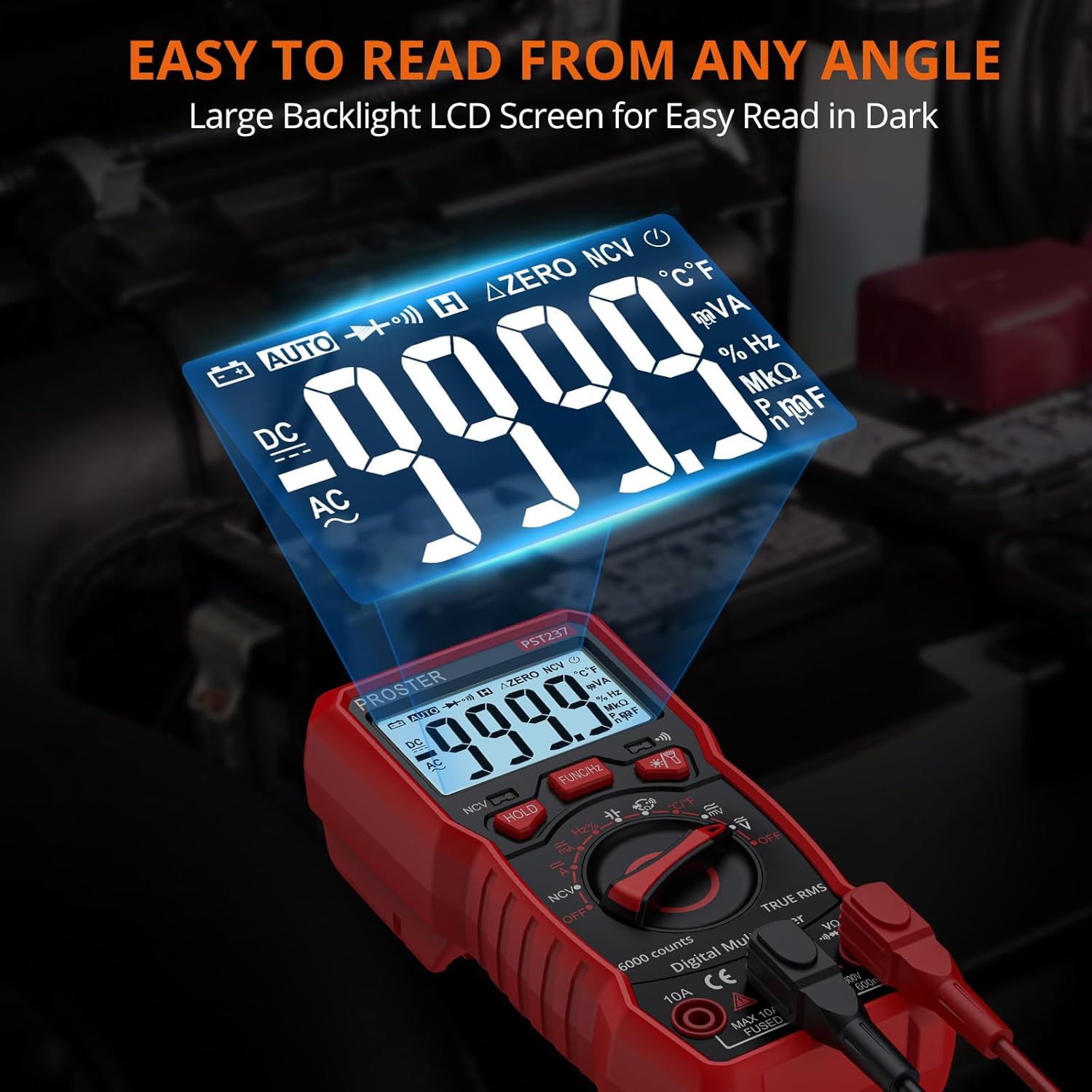
Image: The multimeter's large, backlit LCD screen, designed for easy readability in various lighting conditions.
การซ่อมบำรุง
- การทำความสะอาด: เช็ดมัลติมิเตอร์ด้วยสารกันบูดamp ผ้าและผงซักฟอกอ่อน ห้ามใช้สารกัดกร่อนหรือตัวทำละลาย
- การเปลี่ยนแบตเตอรี่: Replace batteries when the low battery indicator appears. Refer to the "Battery Installation" section for instructions.
- การเปลี่ยนฟิวส์: If the current measurement function fails, the fuse may need replacement. This should only be performed by qualified personnel. Ensure the replacement fuse matches the original specifications (e.g., 10A Fused, 600mA Fused).
- พื้นที่จัดเก็บ: If storing for extended periods, remove the batteries to prevent leakage. Store in a cool, dry place away from direct sunlight.
การแก้ไขปัญหา
| ปัญหา | สาเหตุที่เป็นไปได้ | สารละลาย |
|---|---|---|
| ไม่มีจอแสดงผลหรือจอแสดงผลมืด | แบตเตอรี่เหลือน้อยหรือแบตเตอรี่หมด | เปลี่ยนแบตเตอรี่ |
| แสดง "OL" (โอเวอร์โหลด) | Input value exceeds selected range or maximum limit. Open circuit in continuity/resistance. | Select a higher range, check connections, or verify circuit integrity. |
| การอ่านไม่ถูกต้อง | Incorrect function/range selected, poor probe contact, or damaged probes. | Verify settings, ensure good contact, or replace probes. |
| ไม่มีเสียงบี๊บแสดงความต่อเนื่อง | วงจรเปิดหรือความต้านทานสูง | Check the circuit for breaks or high resistance points. |
ข้อมูลจำเพาะ
| พารามิเตอร์ | ค่า |
|---|---|
| หมายเลขรุ่น | T21D |
| จำนวนการแสดงผล | 6000 นับ |
| ขนาดสินค้า (กว้าง x ยาว x สูง) | 5.79 x 2.8 x 1.77 นิ้ว |
| น้ำหนักสินค้า | 7.75 ออนซ์ |
| แหล่งพลังงาน | แบตเตอรี่ AAA 3 ก้อน (รวมอยู่ด้วย) |
| ผู้ผลิต | โปรสเตอร์ |
| ประเทศต้นกำเนิด | จีน |
| DC ฉบับที่tagอี เรนจ์ | 600mV/6V/60V/600V (Accuracy: ±(0.5%+5)) |
| ฉบับ ACtagอี เรนจ์ | 600mV/6V/60V/600V (Accuracy: ±(1.0%+4)) |
| ช่วงกระแสไฟตรง | 60mA/600mA/10A (Accuracy: ±(1.2%+5)) |
| ช่วงกระแสไฟ AC | 60mA/600mA/10A (Accuracy: ±(1.5%+5)) |
| ช่วงความต้านทาน | 600Ω/6KΩ/60KΩ/600KΩ/6MΩ/60MΩ (Accuracy: ±(0.8%+5)) |
| ช่วงความจุ | 60nF/600nF/6uF/60uF/600uF/6mF/100mF (Accuracy: ±(4.0%+5)) |
| ช่วงความถี่ | 9.999Hz/99.99Hz/999.9Hz/9.999KHz/99.99KHz/999.9KHz/9.999MHz (Accuracy: ±(1.5%+5)) |
| ช่วงอุณหภูมิ | -20~1000°C / -4~1832°F (Accuracy: ±(1.0%+3)) |
Ask a question about this manual
Ask about setup, troubleshooting, compatibility, parts, safety, or missing instructions. Manuals+ will review the question and use this page’s manual context to help answer it.