
1. บทนำ
The MiBOXER K3S Rotating Wheel Remote provides intuitive control over LED lighting systems, allowing for precise adjustment of both color temperature and brightness. Utilizing 2.4GHz wireless technology, this remote ensures stable and responsive operation. Its ergonomic design facilitates easy handling and accurate adjustments, making it suitable for various lighting applications.
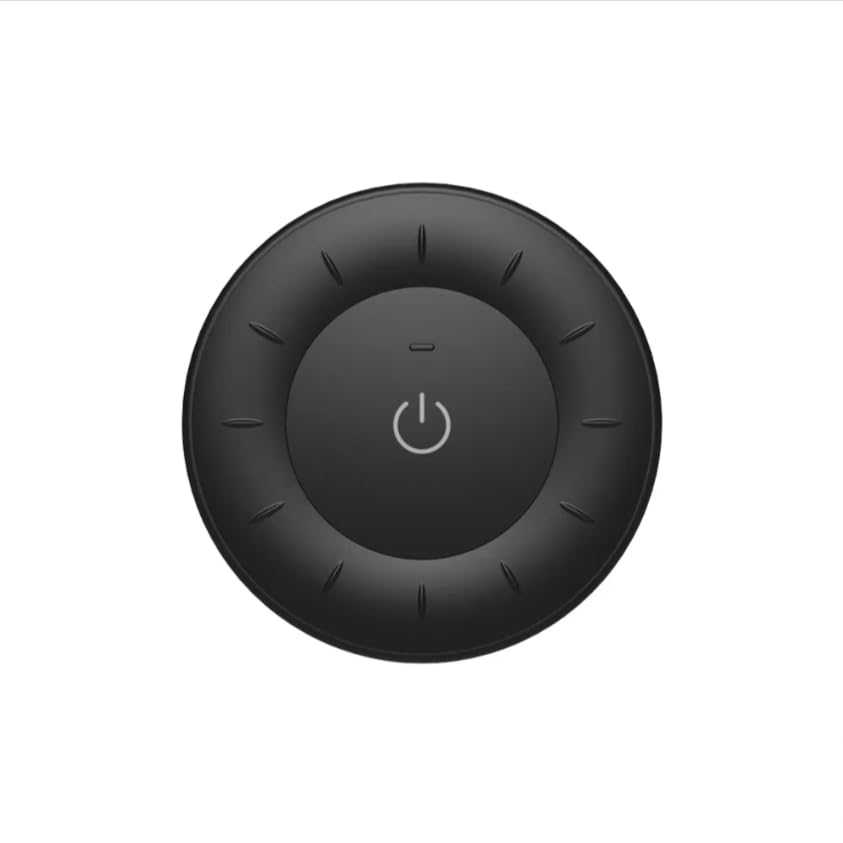
Image 1.1: MiBOXER K3S Rotating Wheel Remote (Black)
This image displays the MiBOXER K3S remote control in black, highlighting its circular design and central power button.
2. คุณสมบัติของผลิตภัณฑ์
- Adjustable Brightness & Color Temperature: Allows fine-tuning of lighting intensity and warmth.
- Rotating Wheel Design: Provides smooth and intuitive control for easy adjustments.
- เทคโนโลยีไร้สาย 2.4GHz: Ensures stable, interference-free connectivity with compatible devices.
- การออกแบบตามหลักสรีรศาสตร์: Comfortable to hold and operate.
- Multi-Environment Compatibility: Suitable for various settings including homes, offices, and commercial spaces.
3. เนื้อหาบรรจุภัณฑ์
เมื่อเปิดบรรจุภัณฑ์ ตรวจสอบว่ามีส่วนประกอบทั้งหมดอยู่ครบ:
- MiBOXER K3S รีโมทล้อหมุน
- คู่มือการใช้งาน
Note: CR2032 battery is purchased separately and is not included in the package.
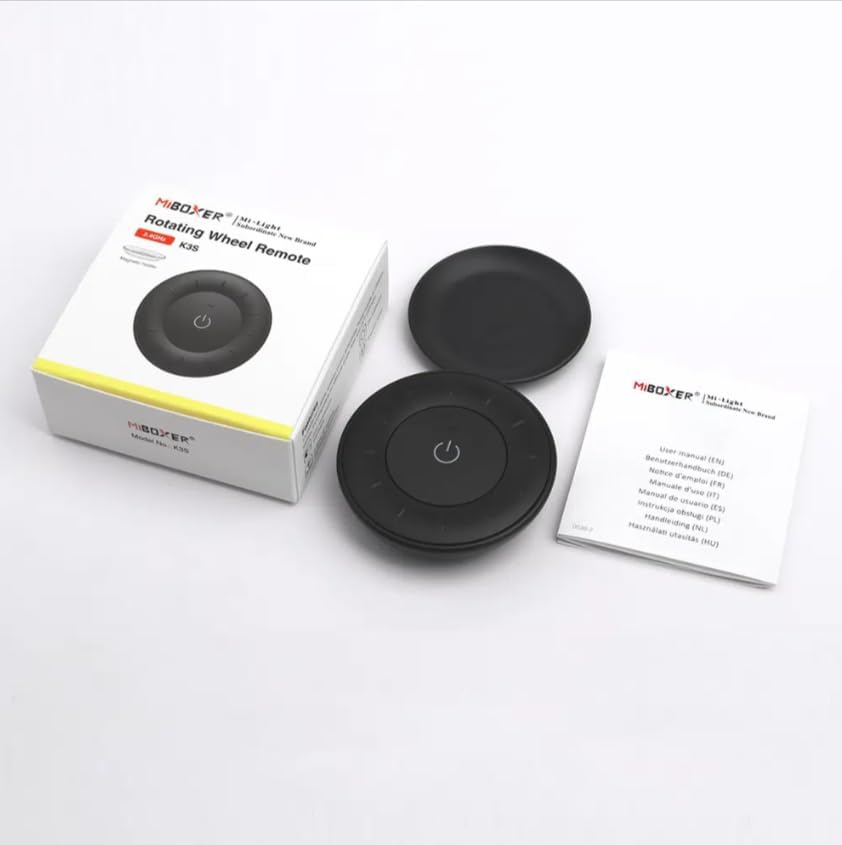
ภาพที่ 3.1: สิ่งของภายในบรรจุภัณฑ์view
This image shows the MiBOXER K3S remote, its packaging box, and the included user manual, laid out on a surface.
4. แผนภาพสินค้า

Image 4.1: Remote Control Components
This diagram illustrates the main components of the MiBOXER K3S remote, including the ON/OFF button, brightness/color temperature rotating wheel, and the battery compartment with Link/Unlink button.
- ปุ่มเปิด/ปิด: Central button to power the connected light on or off.
- Brightness / Color Temperature Rotating Wheel: The outer ring used to adjust brightness by default. Long press the ON/OFF button for 3 seconds to switch to color temperature adjustment mode.
- Link / Unlink Button: Located inside the battery compartment, used for pairing the remote with compatible lighting devices.
5. การตั้งค่า
5.1 การติดตั้งแบตเตอรี่
- ค้นหาช่องใส่แบตเตอรี่ที่ด้านหลังของรีโมทคอนโทรล
- เปิดฝาช่องใส่แบตเตอรี่
- ใส่แบตเตอรี่ CR2032 หนึ่งก้อน โดยตรวจสอบให้แน่ใจว่าขั้วบวก/ลบถูกต้อง
- ปิดฝาช่องใส่แบตเตอรี่ให้แน่น
Image 5.1: Battery Installation Area
This image shows the underside of the remote, indicating the location for the CR2032 battery and the Link/Unlink button.
5.2 Linking / Unlinking the Remote
The K3S remote uses 2.4GHz RF wireless technology to communicate with compatible MiBOXER lighting devices.
Linking Procedure:
- Ensure the light fixture you wish to control is powered off.
- Power on the light fixture.
- Within 3 seconds of powering on the light, press the "Link/Unlink" button (located inside the battery compartment) on the K3S remote สามครั้ง.
- ไฟควรจะกะพริบช้าๆ สามครั้ง เพื่อแสดงว่าเชื่อมต่อสำเร็จแล้ว
Unlinking Procedure:
- Ensure the light fixture you wish to unlink is powered off.
- Power on the light fixture.
- Within 3 seconds of powering on the light, press the "Link/Unlink" button (located inside the battery compartment) on the K3S remote ห้าครั้ง.
- ไฟควรจะกะพริบเร็ว 10 ครั้ง เพื่อแสดงว่าการยกเลิกการเชื่อมต่อสำเร็จแล้ว
6. คู่มือการใช้งาน
6.1 การเปิด/ปิดเครื่อง
- กดตรงกลาง ⏻ (ON/OFF) button once to turn the connected light on or off.
6.2 การปรับความสว่าง
- By default, rotating the outer wheel adjusts the brightness of the light.
- หมุนตามเข็มนาฬิกาเพื่อเพิ่มความสว่าง
- Rotate counter-clockwise to decrease brightness.
6.3 การปรับอุณหภูมิสี
- To switch to color temperature adjustment mode, กดยาว the central ⏻ (ON/OFF) button for 3 seconds.
- Once in color temperature mode, rotate the outer wheel to adjust the color temperature.
- Rotate clockwise for cooler (bluer) light.
- Rotate counter-clockwise for warmer (yellower) light.
- To switch back to brightness adjustment, long press the ⏻ (ON/OFF) button for another 3 seconds.
7. ข้อมูลจำเพาะ
| ชื่อรุ่น | K3S |
| ยี่ห้อ | ไมบ็อกเซอร์ |
| เทคโนโลยีการเชื่อมต่อ | ระบบไร้สาย RF 2.4G |
| ประเภทการควบคุม | ความสว่าง อุณหภูมิสี |
| ระยะสูงสุด | 30 เมตร |
| ประเภทแบตเตอรี่ | CR2032 (purchased separately) |
| ขนาด (เส้นผ่านศูนย์กลาง x สูง) | Ø60mm x 15mm (approx.) |
| Weight (Gross Weight per box) | 0.05 KGS (approx.) |

Image 7.1: Remote Control Dimensions
This diagram provides the physical dimensions of the MiBOXER K3S remote, showing a diameter of 60mm and a thickness of 15mm (or 19.5mm with the base).
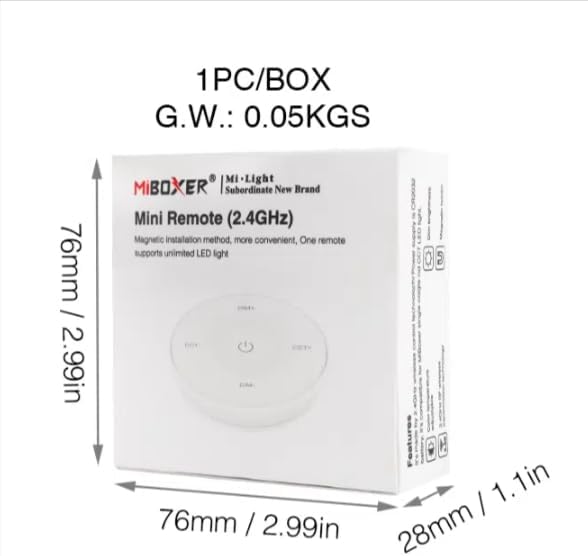
Image 7.2: Packaging Dimensions
This image displays the dimensions of the product packaging, indicating it is 76mm x 76mm x 28mm with a gross weight of 0.05 KGS.
8. การบำรุงรักษา
- ควรทำความสะอาดรีโมทคอนโทรลโดยใช้ผ้าแห้งนุ่มๆ เช็ด
- Avoid exposing the remote to moisture, extreme temperatures, or direct sunlight.
- If the remote is not used for an extended period, remove the battery to prevent leakage.
- Replace the battery when the remote's performance degrades or it stops responding.
9 การแก้ไขปัญหา
| ปัญหา | สาเหตุที่เป็นไปได้ | สารละลาย |
|---|---|---|
| รีโมทไม่ตอบสนอง | แบตเตอรี่ต่ำหรือหมด | เปลี่ยนแบตเตอรี่ CR2032 |
| Light not linking | Incorrect linking procedure or light not compatible | Ensure the light is powered on within 3 seconds of pressing the link button. Verify light compatibility with MiBOXER 2.4G RF remotes. |
| มีขอบเขตจำกัด | สิ่งกีดขวางหรือการแทรกแซง | Reduce distance between remote and light. Remove obstructions. Avoid areas with strong 2.4GHz interference. |
| Brightness/Color Temp adjustment not working | รีโมตอยู่ในโหมดที่ไม่ถูกต้อง | Long press the ON/OFF button for 3 seconds to switch between brightness and color temperature adjustment modes. |
10. การรับประกันและการสนับสนุน
The product comes with a manufacturer's warranty. For specific warranty details and duration, please refer to the documentation included with your purchase or contact MiBOXER customer support.
For technical support or inquiries, please visit the official MiBOXER webเว็บไซต์หรือติดต่อฝ่ายบริการลูกค้าของพวกเขา
ผู้ผลิต: มิบ็อกเซอร์


