
การแนะนำ
This manual provides detailed instructions for the setup, operation, maintenance, and troubleshooting of your IROK ND63PRO Rapid Trigger Magnetic Switch 60% TKL Mechanical Keyboard. Please read this manual thoroughly to ensure proper use and to maximize your keyboard's performance.
สินค้าเกินview
คุณสมบัติหลัก
- แป้นพิมพ์ 63 คีย์ ขนาดกะทัดรัด: 60% layout design saves desktop space while retaining essential keys.
- Gaming Grade Magnetic Switches: Equipped with OKT Azure magnetic switches for high trigger accuracy and stable feel.
- Full Customization 200-Segment Keys: Rapid Trigger (RT) function adjustable up to 200 segments, with a trigger track range between 0.02mm-4.0mm and precision as low as 0.02mm.
- ความหน่วงต่ำ 0.3 มิลลิวินาที: Utilizes Lengendspeed technology for ultra-low latency, ideal for gaming.
- Customizable RGB Keyboard: Features full-color RGB lighting with 21 different light effects.
- สวิตช์แบบ Hot-Swappable: Allows for easy replacement of magnetic switches without soldering.
- Solid Gasket Construction: Incorporates an aluminum alloy positioning plate for a solid typing feel and crisp sound.
- Web Driver and One-stop HUB Driver: Supports easy parameter adjustment and management without complex installation.
มีอะไรอยู่ในกล่อง
- IROK ND63PRO Mechanical Keyboard
- ตัวดึงกุญแจ
- สาย USB
- คู่มือการใช้งาน (เอกสารนี้)
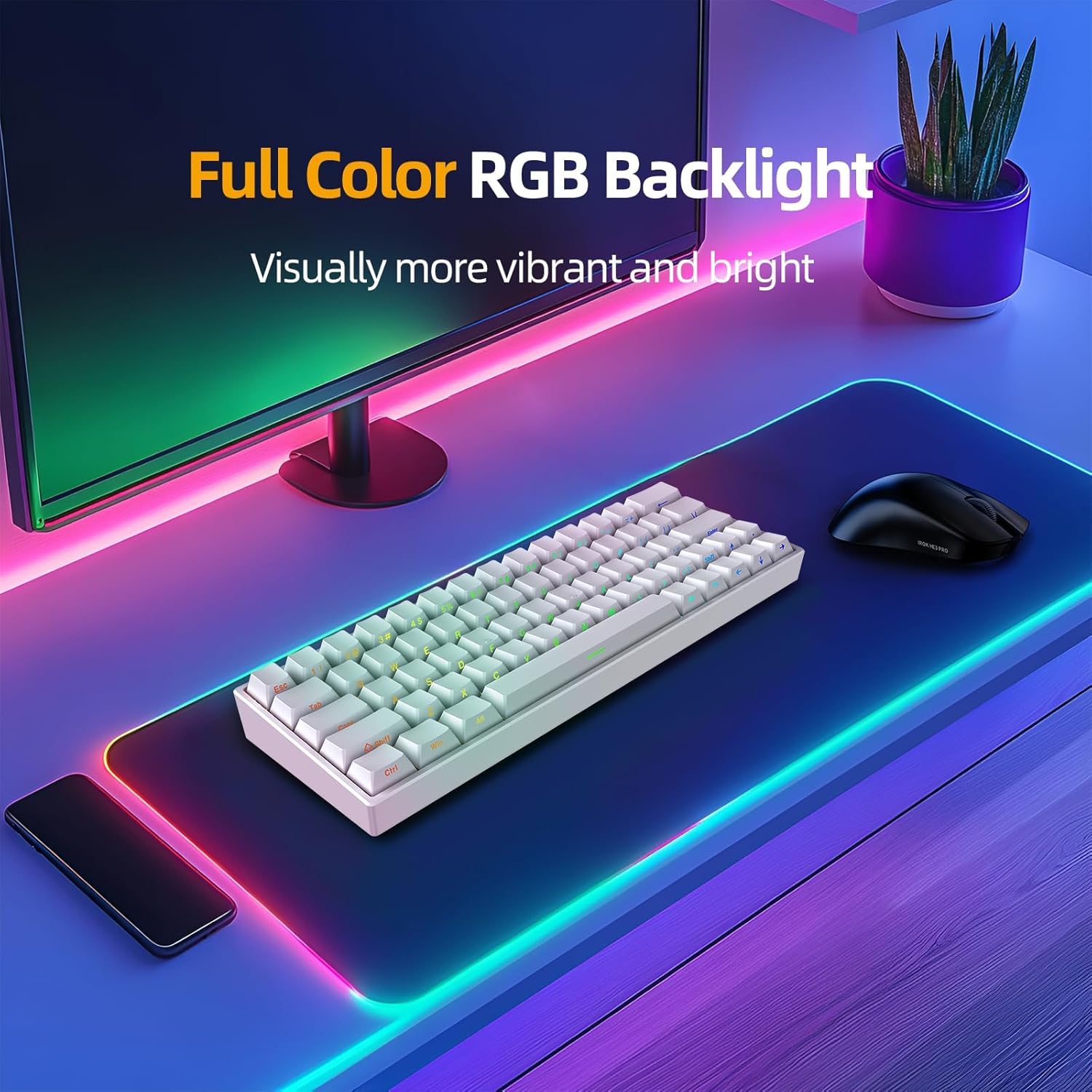
Image: The IROK ND63PRO keyboard displayed on a desk, showcasing its full-color RGB backlight and compact 60% layout.
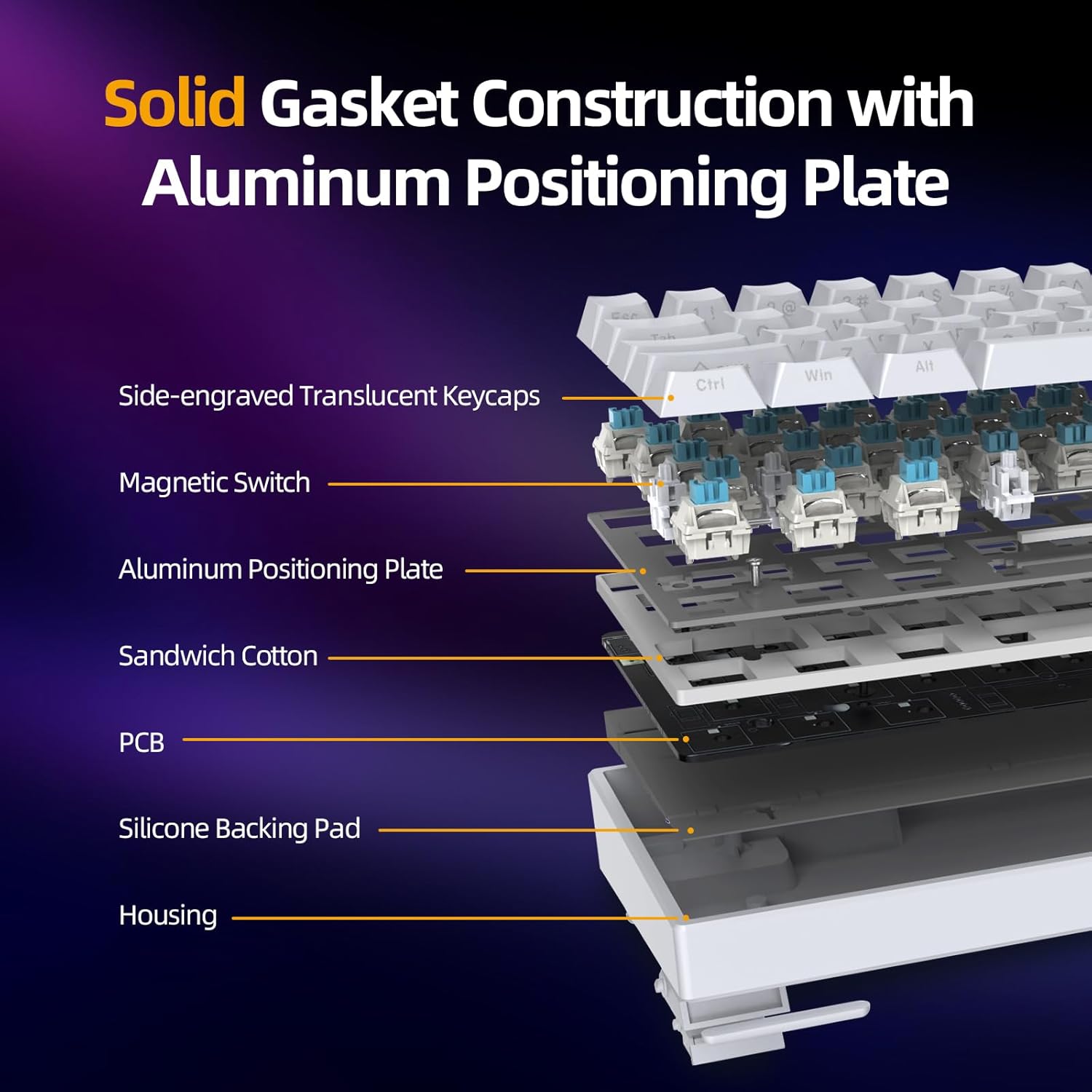
Image: An exploded diagram illustrating the internal components of the keyboard, including side-engraved translucent keycaps, magnetic switches, aluminum positioning plate, sandwich cotton, PCB, silicone backing pad, and housing, highlighting the solid gasket construction.
คำแนะนำการตั้งค่า
- แกะคีย์บอร์ดออก: ถอดคีย์บอร์ดและอุปกรณ์เสริมทั้งหมดออกจากบรรจุภัณฑ์อย่างระมัดระวัง
- เชื่อมต่อสาย USB: Connect the provided USB-C cable to the keyboard's USB-C port and the other end to an available USB port on your computer (PC or Mac).
- เปิดเครื่องครั้งแรก: คีย์บอร์ดจะเปิดเครื่องอัตโนมัติและแสง RGB จะสว่างขึ้น
- การติดตั้งไดรเวอร์ (ทางเลือกแต่แนะนำ): For full customization and advanced features, download and install the IROK web driver or one-stop HUB driver from the official IROK website. This allows for easier parameter adjustment.
- การจัดวาง: วางแป้นพิมพ์บนพื้นผิวที่มั่นคงและเรียบ
คำแนะนำการใช้งาน
Rapid Trigger (RT) Function and Actuation
The ND63PRO features magnetic switches with a Rapid Trigger (RT) function, allowing for highly customizable actuation and reset points.
- Adjustable Trigger Range: The trigger track range can be set between 0.02mm and 4.0mm.
- ความแม่นยำ: Adjustments can be made with a precision as low as 0.02mm, offering 200 segments of customization.
- 0 Deadband Adjustment: The dead zone of the bottom lift can be adjusted from 0, and different dead zones can be set according to different magnetic switch types.

Image: A visual representation of the customizable 200-segment key travel, illustrating the RT adjustment range of 0.02mm-4.0mm and 0 deadband adjustment.

Image: A table detailing recommended settings for deadband, trigger stroke, reset stroke, and sensitivity for both standard magnetic switches and Azure magnetic switches, demonstrating the 0 deadband adjustment capability.
KME Function
The KME function allows for advanced key mapping, similar to SOCD (Simultaneous Opposite Cardinal Directions) and ST (Super Tap) functions found in other gaming devices. This enables precise control and rapid input for competitive gaming.

Image: A graphic demonstrating the KME function, showing how the keyboard registers input from two keys simultaneously, similar to SOCD and ST functionalities.
Low Latency and Polling Rate
The IROK ND63PRO utilizes Lengendspeed technology to achieve a latency of less than 0.3ms. Combined with an 8000Hz polling rate, this ensures extremely fast response times, crucial for gaming.

Image: A visual comparison highlighting the 8000Hz polling rate of the ND63PRO keyboard, indicating it is 8 times faster than regular keyboards with a 1000Hz polling rate, resulting in gaming-grade latency of less than 0.3ms.
การปรับแต่งแสง RGB
The keyboard features full-color RGB backlighting with 21 different lighting effects. These effects can be switched and customized using the dedicated software.

Image: The IROK ND63PRO keyboard showcasing its full-color RGB backlight, appearing visually vibrant and bright on a desk setup.
สวิตช์แบบ Hot-Swappable
The ND63PRO supports hot-swappable magnetic switches. This allows users to easily replace switches without the need for soldering, enabling customization of typing feel and sound.

Image: A detailed diagram of the OKT Azure Magnetic Switch, showing its internal components and specifications such as total stroke, initial pressure, bottom pressure, initial magnetic flux, and bottoming magnetic flux.
Customization Driver
The IROK ND63PRO supports both a web driver and a one-stop HUB driver for comprehensive customization. These drivers provide an intuitive interface for adjusting key functions, lighting effects, actuation points, and other parameters.
Access the driver via the official IROK website for easy operation and management.

Image: A screenshot of the IROK customization driver interface, showing options for magnetic switch settings, lighting, actions, and profiles, with detailed controls for trigger stroke, quick reset sensitivity, and dead zone.
การซ่อมบำรุง
การบำรุงรักษาอย่างสม่ำเสมอจะช่วยยืดอายุการใช้งานและประสิทธิภาพของคีย์บอร์ดของคุณได้
- การทำความสะอาดคีย์แคป: ใช้เครื่องมือถอดคีย์แคปที่ให้มาเพื่อถอดคีย์แคปออก จากนั้นเช็ดทำความสะอาดด้วยผ้านุ่มampล้างด้วยสบู่และน้ำอ่อนๆ ตรวจสอบให้แน่ใจว่าแห้งสนิทก่อนติดกลับเข้าไปใหม่
- การทำความสะอาดตัวคีย์บอร์ด: Use a soft, dry, lint-free cloth to wipe down the keyboard body. For stubborn dirt, a slightly damp สามารถใช้ผ้าได้ แต่ควรหลีกเลี่ยงความชื้นมากเกินไป
- การกำจัดฝุ่น: ใช้ลมเป่าอัดเพื่อกำจัดฝุ่นและเศษสิ่งสกปรกที่อยู่ระหว่างปุ่มกดและสวิตช์
- หลีกเลี่ยงของเหลว: Do not spill liquids on the keyboard. If a spill occurs, immediately disconnect the keyboard, dry it thoroughly, and allow it to air dry completely before reconnecting.
การแก้ไขปัญหา
- แป้นพิมพ์ไม่ตอบสนอง:
- ตรวจสอบให้แน่ใจว่าสาย USB เชื่อมต่อกับคีย์บอร์ดและคอมพิวเตอร์อย่างแน่นหนา
- ลองเชื่อมต่อคีย์บอร์ดกับพอร์ต USB อื่นบนคอมพิวเตอร์ของคุณ
- ทดสอบแป้นพิมพ์บนคอมพิวเตอร์เครื่องอื่นเพื่อตรวจสอบว่าปัญหาอยู่ที่แป้นพิมพ์หรือพอร์ต/ไดรเวอร์ของคอมพิวเตอร์
- รีสตาร์ทเครื่องคอมพิวเตอร์ของคุณ
- ไฟ RGB ไม่ทำงาน/ไม่ถูกต้อง:
- Check the keyboard's software/driver settings to ensure RGB lighting is enabled and configured correctly.
- ลองรีเซ็ตระบบไฟส่องสว่างของคีย์บอร์ดดูfile เป็นการตั้งค่าเริ่มต้น
- ตรวจสอบให้แน่ใจว่าเฟิร์มแวร์ของคีย์บอร์ดเป็นเวอร์ชันล่าสุด
- คีย์ไม่ลงทะเบียนหรือพิมพ์ซ้ำ:
- ตรวจสอบให้แน่ใจว่าสวิตช์เสียบเข้ากับเต้ารับอย่างถูกต้อง
- If using the customization driver, check the actuation point settings for the affected keys. Adjusting the trigger stroke or deadband might resolve the issue.
- ทำความสะอาดบริเวณรอบสวิตช์ที่ได้รับผลกระทบเพื่อกำจัดเศษสิ่งสกปรกออกไป
- หากสวิตช์ตัวใดตัวหนึ่งมีปัญหา สามารถเปลี่ยนได้เนื่องจากสวิตช์นั้นถูกออกแบบมาให้สามารถถอดเปลี่ยนได้ขณะทำงาน (hot-swappable)
- Customization Driver Issues:
- Ensure you have downloaded the correct and latest version of the driver from the official IROK webเว็บไซต์.
- Temporarily disable any antivirus or firewall software that might be interfering with the driver installation or operation.
- Run the driver software as an administrator.
ข้อมูลจำเพาะ
| คุณสมบัติ | รายละเอียด |
|---|---|
| หมายเลขรุ่น | ND63PRO |
| เค้าโครง | 60% (63 คีย์) |
| ประเภทสวิตซ์ | Magnetic (OKT Azure Switches) |
| การเชื่อมต่อ | แบบมีสาย (USB-C) |
| ช่วงการทำงาน | 0.02mm - 4.0mm (200 segments adjustable) |
| ความหน่วงเวลา | น้อยกว่า 0.3ms |
| อัตราการสำรวจความคิดเห็น | 8000เฮิรตซ์ |
| การแบ็คไลท์ | Full Color RGB (21 effects) |
| Hot-Swapable | ใช่ |
| การก่อสร้าง | Gasket Mount with Aluminum Positioning Plate |
| ขนาดสินค้า | 11.65"ยาว x 4.21"กว้าง x 0.78"สูง (29.59 x 10.69 x 1.98 ซม.) |
| น้ำหนักสินค้า | 1.21 ปอนด์ (0.55 กก.) |
| อุปกรณ์ที่รองรับ | PC |
การรับประกันและการสนับสนุน
For warranty information, please refer to the documentation included with your purchase or visit the official IROK webเว็บไซต์.
If you encounter any issues or require technical assistance, please contact IROK customer support through their official channels.
นโยบายการคืนสินค้า: The product typically comes with a 30-day return policy for refunds or replacements. Please check your purchase details for specific terms.