
1. บทนำ
The Awei H15 Smartwatch is designed to integrate seamlessly into your daily life, offering health monitoring, communication features, and smart notifications. This manual provides essential information for setting up, operating, and maintaining your device.
2. อะไรอยู่ในกล่อง
- 1 x Awei H15 Smartwatch
- 1 x สายชาร์จ
- 1 x คู่มือผู้ใช้ (เอกสารนี้)
3. สินค้าหมดview
Familiarize yourself with the key components of your Awei H15 Smartwatch.
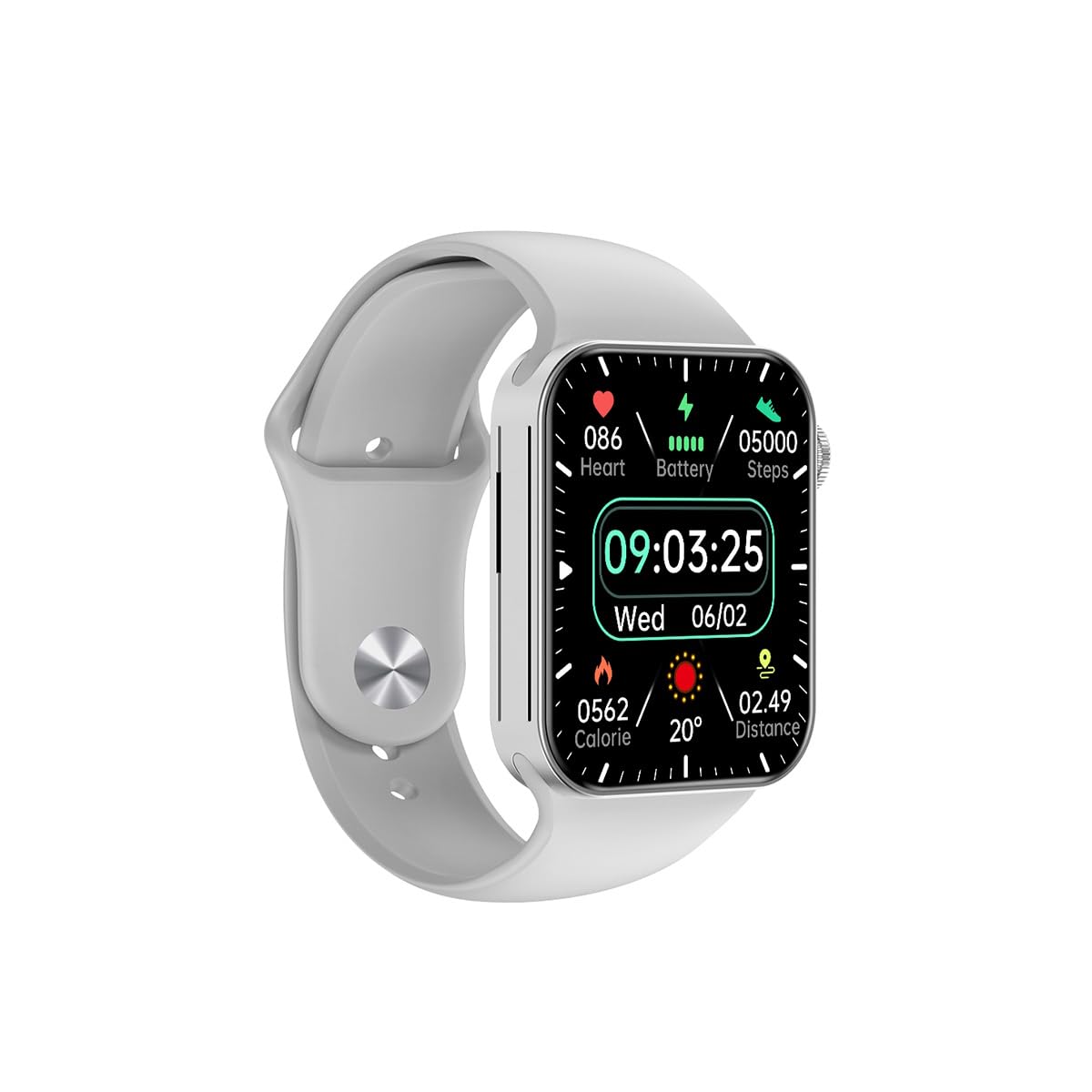
รูปที่ 3.1: ด้านหน้า view of the Awei H15 Smartwatch display, illustrating various health metrics and time.

รูปที่ 3.2: ด้านข้าง view of the smartwatch, highlighting the rotary crown for navigation and an additional button.
4. การตั้งค่า
4.1 การชาร์จสมาร์ทวอทช์
Before first use, fully charge your Awei H15 Smartwatch. Connect the provided charging cable to the charging port on the back of the watch and to a standard USB power adapter (not included).
- Charging Time: Approximately 2-3 hours for a full charge.
- Battery Life: Up to 7 days with calls, up to 15 days without calls.
4.2 เปิด/ปิดเครื่อง
- การเปิดเครื่อง: กดปุ่มด้านข้างค้างไว้จนกว่าโลโก้ Awei จะปรากฏขึ้น
- วิธีปิดเครื่อง: กดปุ่มด้านข้างค้างไว้ จากนั้นเลือก 'ปิดเครื่อง' บนหน้าจอ
4.3 การจับคู่กับสมาร์ทโฟนของคุณ
The Awei H15 Smartwatch uses Dual Bluetooth 3.0/5.0 for stable connectivity. To unlock full features, download the companion app (refer to the packaging or quick start guide for app name) from your smartphone's app store.
- ตรวจสอบให้แน่ใจว่าสมาร์ทวอทช์ของคุณเปิดอยู่และชาร์จแบตเตอรี่เต็มแล้ว
- เปิดใช้งานบลูทูธบนสมาร์ทโฟนของคุณ
- Open the companion app and follow the on-screen instructions to search for and connect to your Awei H15 Smartwatch.
- ยืนยันคำขอจับคู่บนสมาร์ทโฟนและสมาร์ทวอทช์ของคุณทั้งสอง
5. คู่มือการใช้งาน
5.1 การนำทางพื้นฐาน
- หน้าจอสัมผัส: ปัดไปทางซ้าย ขวา ขึ้น หรือลง เพื่อเลื่อนดูเมนูและหน้าจอต่างๆ แตะเพื่อเลือกรายการ
- มงกุฎโรตารี่: Rotate the crown to scroll through lists or zoom in/out (where applicable). Press the crown to return to the home screen or confirm selections.
5.2 Multi-Dial Switching
Customize your smartwatch's appearance by switching between various watch faces.

รูปที่ 5.1: Examples of different watch faces available on the Awei H15 Smartwatch.
ในการเปลี่ยนหน้าปัด:
- From the home screen, press and hold the display.
- ปัดไปทางซ้ายหรือขวาเพื่อดูหน้าปัดนาฬิกาที่มีให้เลือก
- Tap on a watch face to select it.
5.3 การตรวจติดตามสุขภาพ
The Awei H15 Smartwatch tracks various health metrics to support your active lifestyle.
- อัตราการเต้นของหัวใจ: ตรวจสอบอัตราการเต้นของหัวใจของคุณตลอดทั้งวัน
- การติดตามกิจกรรม: The built-in G-Sensor (MSA311) accurately tracks steps, distance, and calories burned.
- การติดตามการนอนหลับ: Track your sleep patterns (light sleep, deep sleep, wake-up times).
Access detailed health data through the companion app on your smartphone.
5.4 คุณสมบัติอัจฉริยะ
- โทร: Make and receive calls directly from your smartwatch when connected to your phone via Bluetooth.
- การแจ้งเตือน: รับการแจ้งเตือนสำหรับข้อความ อีเมล และการแจ้งเตือนแอป
- อัพเดทสภาพอากาศ: รับข้อมูลสภาพอากาศแบบเรียลไทม์
- การควบคุมเพลง: ควบคุมการเล่นเพลงบนสมาร์ทโฟนของคุณ
6. การบำรุงรักษา
6.1 การทำความสะอาด
ควรทำความสะอาดสมาร์ทวอทช์ของคุณเป็นประจำ เพื่อให้มั่นใจได้ถึงประสิทธิภาพและสุขอนามัยที่ดีที่สุด
- เช็ดหน้าจอและตัวเครื่องด้วยผ้าที่ไม่เป็นขุยและนุ่ม
- สำหรับสิ่งสกปรกฝังแน่น ให้เช็ดออกเล็กน้อยampชุบผ้าด้วยน้ำ หลีกเลี่ยงสารเคมีรุนแรง
- ควรทำความสะอาดจุดเชื่อมต่อการชาร์จเป็นระยะ เพื่อให้แน่ใจว่ามีการเชื่อมต่อที่ดี
6.2 ความต้านทานน้ำ (IP67)
The Awei H15 Smartwatch is IP67 water-resistant, meaning it is protected against dust and can withstand immersion in water up to 1 meter for 30 minutes.
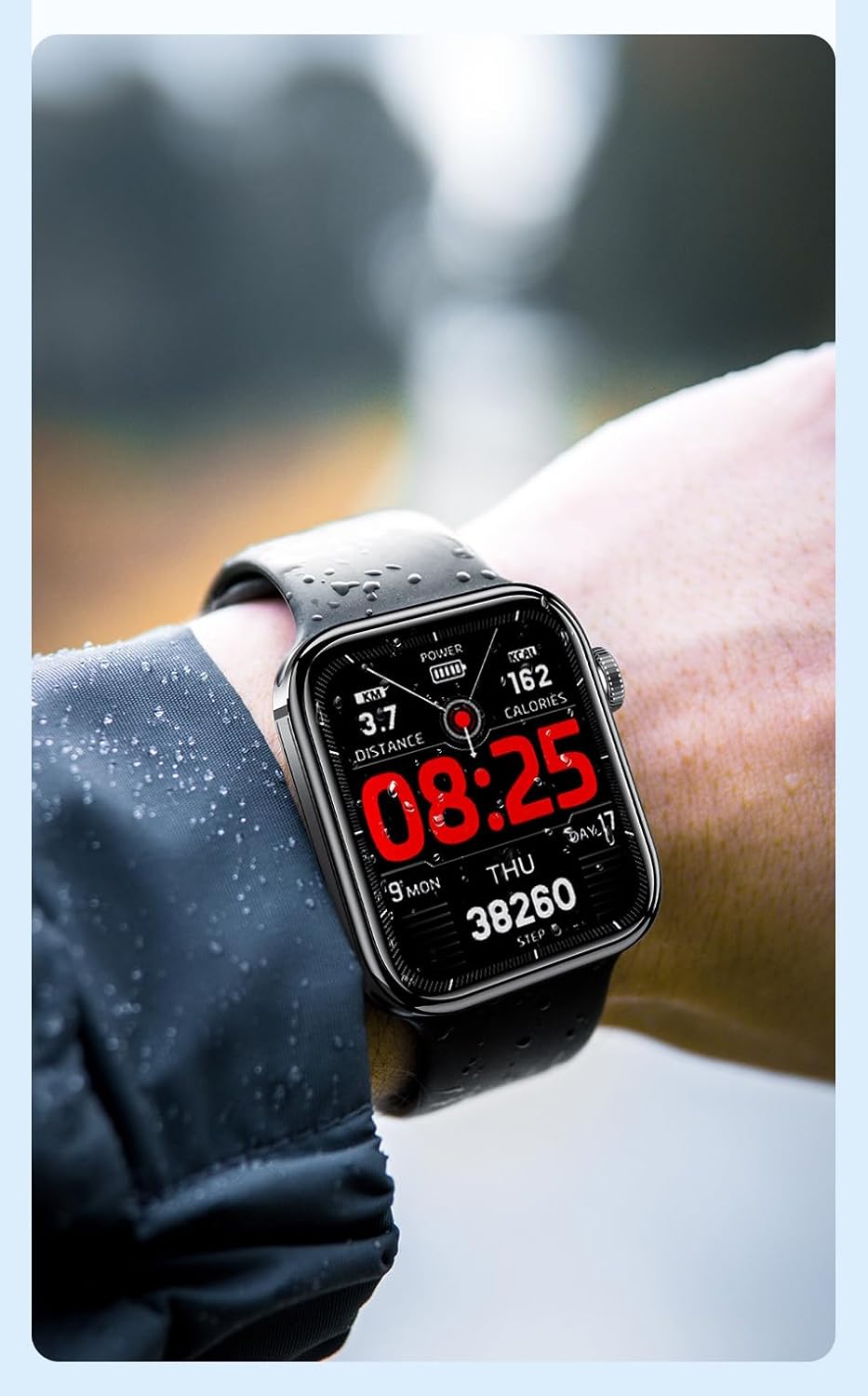
รูปที่ 6.1: The Awei H15 Smartwatch is designed to withstand splashes and dust.
Important: IP67 rating does not mean the watch is suitable for swimming, showering, or diving. Avoid exposing the watch to hot water, steam, or high-velocity water.
7 การแก้ไขปัญหา
- นาฬิกาไม่เปิด: ตรวจสอบให้แน่ใจว่านาฬิกาชาร์จเต็มแล้ว เสียบนาฬิกาเข้ากับเครื่องชาร์จอย่างน้อย 30 นาที
- ไม่สามารถจับคู่กับสมาร์ทโฟนได้:
- ตรวจสอบให้แน่ใจว่าได้เปิดใช้งานบลูทูธบนโทรศัพท์และนาฬิกาของคุณแล้ว
- ตรวจสอบให้แน่ใจว่านาฬิกาอยู่ในระยะของโทรศัพท์ของคุณ
- รีสตาร์ททั้งนาฬิกาและโทรศัพท์ของคุณ
- ตรวจสอบว่าแอปคู่หูได้รับการอัปเดตเป็นเวอร์ชันล่าสุดหรือไม่
- ข้อมูลสุขภาพที่ไม่ถูกต้อง: ตรวจสอบให้แน่ใจว่าสวมนาฬิกาให้กระชับพอดีข้อมือ ไม่แน่นหรือหลวมเกินไป ทำความสะอาดเซ็นเซอร์ที่ด้านหลังนาฬิกา
- อายุการใช้งานแบตเตอรี่สั้น: ลดความสว่างหน้าจอ ปิดการแจ้งเตือนที่ไม่จำเป็น และจำกัดการตรวจสอบอัตราการเต้นของหัวใจอย่างต่อเนื่อง
8. ข้อมูลจำเพาะ
| คุณสมบัติ | ข้อมูลจำเพาะ |
|---|---|
| แบบอย่าง | H15 |
| เทคโนโลยีการเชื่อมต่อ | บลูทูธ 3.0/5.0 |
| ความต้านทานต่อน้ำ | IP67 |
| ความจุของแบตเตอรี่ | 260mAh |
| เวลาในการชาร์จ | 2-3 ชั่วโมง |
| ระยะเวลาการใช้งาน | Up to 7 days (with calls), 15 days (without calls) |
| จีเซนเซอร์ | เอ็มเอสเอ311 |
| ขนาด | 36.8 × 42.5 × 13.2มม. |
| ความยาวสายรัดข้อมือ | 270มม. |
| ผู้ผลิต | อาเว่ย |
9. การรับประกันและการสนับสนุน
Your Awei H15 Smartwatch comes with a รับประกัน 6 เดือน นับจากวันที่ซื้อ การรับประกันนี้ครอบคลุมถึงข้อบกพร่องจากการผลิตภายใต้การใช้งานปกติ
For warranty claims or technical support, please contact your retailer or the official Awei customer service. Keep your proof of purchase for warranty validation.