
การแนะนำ
Thank you for choosing the SUNITEC BH880 Wireless Headset. This manual provides detailed instructions for setting up, operating, and maintaining your headset to ensure optimal performance and longevity. The BH880 headset is designed for clear communication and comfortable use in various environments, featuring advanced noise-cancelling technology and multiple connectivity options.

Image: SUNITEC BH880 Wireless Headset, showcasing its design with an adjustable microphone boom.
มีอะไรอยู่ในกล่อง
ตรวจสอบว่ามีรายการทั้งหมดอยู่ในแพ็คเกจ:
- 1 x SUNITEC BH880 Bluetooth Computer Headset with Microphone
- สายชาร์จ Type-C 1 เส้น
- 1 x Bluetooth Audio USB-A Dongle Adapter
- สายสัญญาณเสียงขนาด 1 มม. 3.5 เส้น
- 1 x คู่มือผู้ใช้ (เอกสารนี้)

Image: The SUNITEC BH880 headset, USB-C charging cable, USB-A dongle, and 3.5mm audio cable, illustrating the package contents.
สินค้าเกินview
Familiarize yourself with the components and controls of your SUNITEC BH880 headset.
คุณสมบัติหลัก:
- ไมโครโฟนตัดเสียงรบกวนด้วยระบบ AI: Blocks 99% of ambient noise for clear voice transmission.
- ชิปเซ็ต Qualcomm QCC3034: Provides stable and fast Bluetooth transmission with aptX HD and aptX LL support.
- การออกแบบที่สะดวกสบาย: Soft dual ear pads and an adjustable headband for extended wear.
- 270° Rotatable Boom Microphone: Can be positioned on either the left or right side.
- อายุการใช้งานแบตเตอรี่ยาวนาน: สนทนาได้นานถึง 45 ชั่วโมงต่อการชาร์จเพียงครั้งเดียว
- การเชื่อมต่อที่หลากหลาย: Bluetooth, USB Dongle, and 3.5mm wired connection.

Image: Close-up of the memory foam earpads, highlighting the comfort feature of the headset.

Image: Detail of the individual mute button located on the microphone boom.

ภาพ: ภายใน view highlighting the Qualcomm QCC3034 chipset, responsible for stable and fast connections.
การตั้งค่า
1. การชาร์จชุดหูฟัง
Before first use, fully charge the headset. Connect the Type-C charging cable to the headset's charging port and the other end to a USB power source (e.g., computer USB port, wall adapter). The LED indicator will show charging status. A full charge takes approximately 2 hours and provides up to 45 hours of talk time or 400 hours of standby time.
2. เปิด/ปิดเครื่อง
- เปิดเครื่อง: กดปุ่มเปิด/ปิดค้างไว้สองสามวินาทีจนกว่าไฟแสดงสถานะ LED จะสว่างขึ้น
- หมดแรง: กดปุ่มเปิด/ปิดค้างไว้สองสามวินาทีจนกว่าไฟแสดงสถานะ LED จะดับลง
3. ตัวเลือกการเชื่อมต่อ
The SUNITEC BH880 offers three ways to connect to your devices:
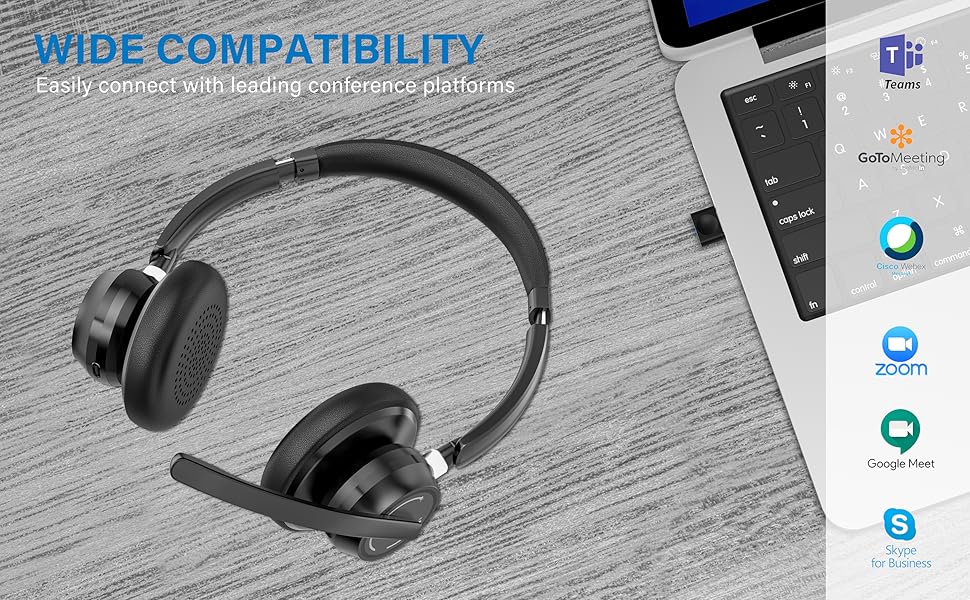
Image: Visual representation of Bluetooth, USB Dongle, and Wired connection methods for the headset.
การเชื่อมต่อบลูทู ธ :
- ตรวจสอบว่าชุดหูฟังปิดอยู่
- กดปุ่มเปิด/ปิดค้างไว้จนกว่าไฟ LED จะกะพริบเป็นสีน้ำเงินและสีแดงสลับกัน ซึ่งแสดงว่าเข้าสู่โหมดจับคู่แล้ว
- บนอุปกรณ์ของคุณ (สมาร์ทโฟน แท็บเล็ต คอมพิวเตอร์) เปิดใช้งานบลูทูธและค้นหาอุปกรณ์ใหม่
- Select "SUNITEC BH880" from the list of available devices.
- เมื่อเชื่อมต่อแล้ว ไฟ LED จะกะพริบเป็นสีน้ำเงินช้าๆ
การเชื่อมต่อ USB Dongle:
This method is ideal for computers without built-in Bluetooth or for a more stable connection.
- Plug the USB-A Dongle Adapter into an available USB port on your computer.
- Power on the SUNITEC BH880 headset. It will automatically attempt to connect to the dongle.
- The LED indicator on the dongle and headset will show a solid blue light once connected.
- You may need to select the "SUNITEC BH880" as the audio input/output device in your computer's sound settings.

Image: A USB dongle being inserted into a laptop's USB port, demonstrating the dongle connection method.
การเชื่อมต่อแบบมีสาย:
Use the included 3.5mm audio cable to connect the headset directly to devices with a 3.5mm audio jack. Note that the microphone function is not available when using the 3.5mm wired connection; the headset will function as headphones only.

Image: The headset shown with logos of popular communication platforms like Teams, Zoom, Google Meet, and Skype, indicating wide compatibility.
คำแนะนำการใช้งาน
ฟังก์ชั่นพื้นฐาน:
- เพิ่ม/ลดระดับเสียง: ใช้ปุ่มปรับระดับเสียงเฉพาะที่อยู่บนตัวหูฟัง
- เล่น/หยุดชั่วคราว: กดปุ่มมัลติฟังก์ชั่นหนึ่งครั้ง
- เพลงถัดไป: กดปุ่มเพิ่มระดับเสียงค้างไว้
- แทร็กก่อนหน้า: กดปุ่มลดระดับเสียงค้างไว้
ฟังก์ชั่นการโทร:
- รับ/วางสาย: กดปุ่มมัลติฟังก์ชั่นหนึ่งครั้ง
- ปฏิเสธสาย: กดปุ่มมัลติฟังก์ชั่นค้างไว้ 2 วินาที
- โทรซ้ำหมายเลขล่าสุด: กดปุ่มมัลติฟังก์ชั่นสองครั้ง
ฟังก์ชั่นปิดเสียงไมโครโฟน:
The headset features an individual mute button on the microphone boom for quick privacy control.
- ปิดเสียง/เปิดเสียง: Press the mute button on the microphone boom. The LED indicator on the microphone will show red when muted.
- บันทึก: For PC platforms, microphone mute functionality may also be controlled via the software application (e.g., Zoom, Teams).
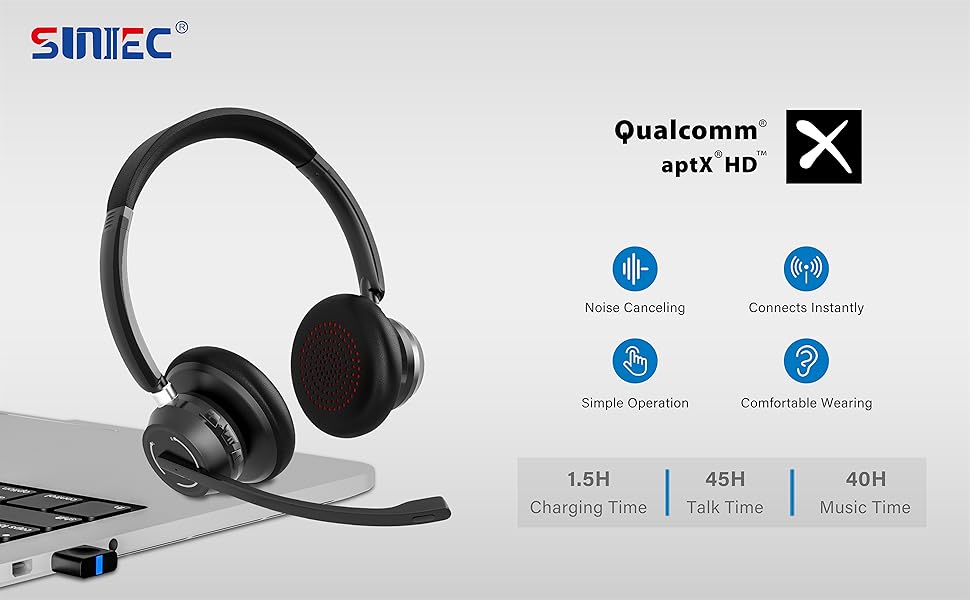
Image: A graphic demonstrating how the noise-cancelling microphone filters out background noise for clearer audio output.
การซ่อมบำรุง
Proper care ensures the longevity of your SUNITEC BH880 headset.
- การทำความสะอาด: ใช้ผ้านุ่มและแห้งเช็ดทำความสะอาดชุดหูฟัง ห้ามใช้น้ำยาทำความสะอาดหรือสารละลายที่มีฤทธิ์กัดกร่อน
- พื้นที่จัดเก็บ: เก็บหูฟังไว้ในที่แห้งและเย็น หลีกเลี่ยงแสงแดดโดยตรงและอุณหภูมิที่สูงหรือต่ำเกินไป
- การดูแลแบตเตอรี่ เพื่อรักษาอายุการใช้งานของแบตเตอรี่ ควรหลีกเลี่ยงการปล่อยให้แบตเตอรี่หมดจนเกลี้ยงบ่อยๆ ควรชาร์จแบตเตอรี่เป็นประจำ แม้ว่าจะไม่ได้ใช้งานเป็นเวลานานก็ตาม
- หลีกเลี่ยงความชื้น: ชุดหูฟังนี้ไม่กันน้ำ โปรดเก็บให้ห่างจากของเหลวและความชื้นสูง
การแก้ไขปัญหา
If you encounter issues with your SUNITEC BH880 headset, refer to the following common solutions:
| ปัญหา | สารละลาย |
|---|---|
| หูฟังไม่สามารถเปิดเครื่องได้ | Ensure the headset is charged. Connect it to a power source using the Type-C cable. |
| ไม่สามารถจับคู่ผ่านบลูทูธได้ |
|
| ไม่มีเสียงหรือคุณภาพเสียงไม่ดี |
|
| ไมโครโฟนไม่ทำงาน |
|
| USB Dongle not connecting. |
|
ข้อมูลจำเพาะ
| คุณสมบัติ | รายละเอียด |
|---|---|
| ชื่อรุ่น | BH880 |
| เทคโนโลยีการเชื่อมต่อ | Wireless (Bluetooth), Wired (3.5mm), USB Dongle |
| เทคโนโลยีการสื่อสารไร้สาย | บลูทูธ 5.1 |
| ช่วงบลูทูธ | สูงถึง 15 เมตร (49 ฟุต) |
| การควบคุมเสียงรบกวน | Adaptive Noise Cancellation (Microphone) |
| ขนาดไดร์เวอร์เสียง | 40 มิลลิเมตร |
| ประเภทไดร์เวอร์เสียง | ไดร์เวอร์แบบไดนามิก |
| อิมพีแดนซ์ | 32 โอห์ม |
| รูปทรงของหูฟัง | ครอบหู |
| อายุการใช้งานแบตเตอรี่ (เวลาสนทนา) | นานถึง 45 ชั่วโมง |
| เวลาในการชาร์จ | Approximately 2 Hours (Type-C) |
| น้ำหนักสินค้า | 280 กรัม (9.9 ออนซ์) |
| ขนาดสินค้า | 5.91 x 3.94 x 1.96 นิ้ว |
| วัสดุ | พลาสติก |
| อุปกรณ์ที่รองรับ | Computers, Communication Software (Skype, Zoom, MS Teams, Google Meet) |
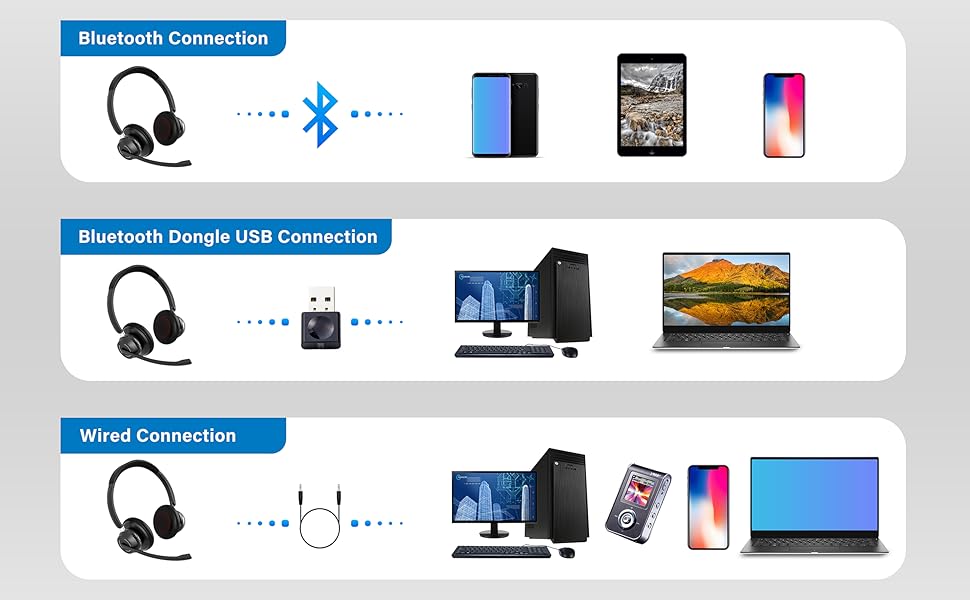
Image: An illustration highlighting the headset's battery performance, indicating up to 45 hours of wireless talk time.
การรับประกันและการสนับสนุน
SUNITEC products are designed for reliability and performance. For warranty information or technical support, please refer to the contact details provided with your purchase or visit the official SUNITEC webไซต์ โปรดเก็บใบเสร็จรับเงินไว้เป็นหลักฐานการซื้อสำหรับการเรียกร้องการรับประกัน
For further assistance, you may contact SUNITEC customer service through their official channels.