
AJAZZ AKP03
คู่มือผู้ใช้ตัวควบคุมสตรีม AJAZZ AKP03
รุ่น: AKP03
1. บทนำ
This manual provides detailed instructions for the setup, operation, and maintenance of your AJAZZ AKP03 Stream Controller. Please read this manual thoroughly before using the device to ensure proper functionality and to maximize your user experience. Keep this manual for future reference.
2. สินค้าหมดview
The AJAZZ AKP03 is a versatile stream controller designed to enhance desktop productivity and control. It features customizable buttons, knobs, and an LCD screen for efficient management of applications, streaming, and system monitoring.
2.1 เนื้อหาบรรจุภัณฑ์
- ตัวควบคุมการสตรีม AJAZZ AKP03
- สาย USB Type-C
- คู่มือการใช้งาน (เอกสารนี้)
2.2 ส่วนประกอบของอุปกรณ์
The AKP03 Stream Controller includes the following key components:
- 6 Visual Buttons: Customizable buttons with LCD displays for various functions.
- ลูกบิดโลหะ 3 อัน: For precise control over settings like volume or scrolling.
- 3 Switch Buttons: ปุ่มที่ตั้งโปรแกรมได้เพิ่มเติม
- อินเทอร์เฟซ Type-C: สำหรับการเชื่อมต่อกับคอมพิวเตอร์ของคุณ
- Detachable 40° Anti-Slip Stand: Provides an ergonomic viewมุมการติดตั้งและการใช้งาน

รูปที่ 1: ด้านบน view of the AJAZZ AKP03 Stream Controller, showing the 6 visual buttons, 3 metal knobs, and 3 switch buttons.
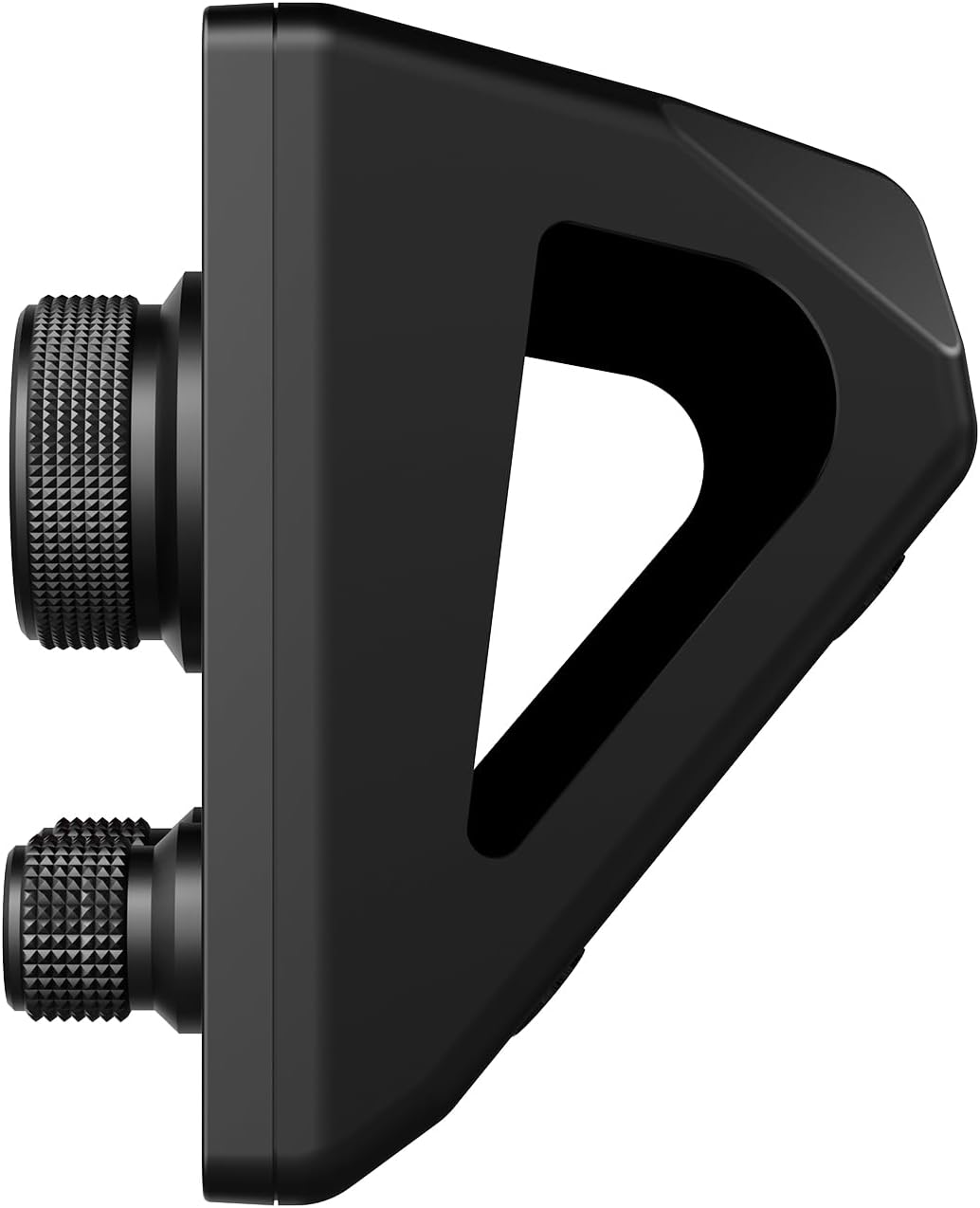
รูปที่ 2: ด้านข้าง view of the AJAZZ AKP03 Stream Controller, illustrating the detachable 40-degree anti-slip stand and the profile of the knobs.
3. การตั้งค่า
3.1 ข้อกำหนดของระบบ
- Windows 7 ขึ้นไป
- macOS 10.13 ขึ้นไป
- Available USB 3.0 port (recommended for optimal performance)
3.2 การเชื่อมต่ออุปกรณ์
- Connect one end of the provided Type-C USB cable to the Type-C port on the AJAZZ AKP03 Stream Controller.
- Connect the other end of the USB cable to an available USB port on your computer. For best results, use a USB 3.0 port (often identified by a blue interior).
- ระบบปฏิบัติการของคุณควรตรวจพบอุปกรณ์ดังกล่าว
3.3 การติดตั้งขาตั้ง
The detachable 40° anti-slip stand can be easily attached to the controller. Align the stand with the slots on the bottom of the controller and gently push until it snaps securely into place. This provides an ergonomic angle for use.
3.4 การติดตั้งซอฟต์แวร์
To fully customize and utilize the features of the AKP03 Stream Controller, dedicated software is required. Please visit the official AJAZZ website to download the latest version of the control software compatible with your operating system. Follow the on-screen instructions for installation.
Note: Ensure you download software only from the official AJAZZ webเพื่อหลีกเลี่ยงปัญหาความเข้ากันได้หรือความเสี่ยงด้านความปลอดภัย
4. คู่มือการใช้งาน
Once the software is installed and the device is connected, you can begin customizing and operating your AKP03 Stream Controller.
4.1 การปรับแต่งปุ่มและลูกบิด
- Launch the AJAZZ control software on your computer.
- Within the software interface, you will find options to assign functions to the 6 visual buttons, 3 metal knobs, and 3 switch buttons.
- ปุ่มภาพ: These buttons can be programmed for various actions such as launching applications, triggering macros, controlling streaming software, or executing editing shortcuts in programs like Adobe Photoshop. Customizable icons can be assigned for visual identification.
- ลูกบิดโลหะ: The knobs can be configured for functions such as media control (play/pause, next/previous track), master Windows volume adjustment, or assigning hotkeys.
- Switch Buttons: These provide additional programmable inputs for quick actions.
4.2 LCD Side Screen Functions
The integrated LCD side screen can display real-time information about your computer's performance, such as CPU utilization and memory usage. This feature helps you monitor your system's health during intensive tasks.
4.3 Enhancing Productivity
The AKP03 Stream Controller is designed to streamline workflows in various applications, including:
- Managing desktop applications and webเว็บไซต์
- Controlling streaming media and chat platforms.
- Executing editing shortcuts in photo and video editing software.
- Assisting in game production, medical imaging, and music production.
5. การบำรุงรักษา
To ensure the longevity and optimal performance of your AJAZZ AKP03 Stream Controller, follow these maintenance guidelines:
- การทำความสะอาด: ใช้ผ้าแห้งนุ่มเช็ดทำความสะอาดพื้นผิวของอุปกรณ์ สำหรับคราบสกปรกฝังแน่น ให้ใช้ผ้าชุบน้ำหมาดๆ เช็ดเบาๆamp สามารถใช้ผ้าชุบสบู่เหลวอ่อนๆ เช็ดทำความสะอาดได้ โดยระวังอย่าให้ของเหลวเข้าไปในตัวเครื่อง หลีกเลี่ยงน้ำยาทำความสะอาดที่มีฤทธิ์กัดกร่อนหรือตัวทำละลาย
- พื้นที่จัดเก็บ: When not in use, store the controller in a clean, dry environment away from direct sunlight and extreme temperatures.
- การดูแลสายเคเบิล: Handle the Type-C USB cable gently. Avoid bending or twisting it excessively to prevent damage.
6 การแก้ไขปัญหา
If you encounter issues with your AKP03 Stream Controller, refer to the following troubleshooting steps:
6.1 อุปกรณ์ไม่ตอบสนอง
- ตรวจสอบการเชื่อมต่อ USB: Ensure the Type-C USB cable is securely connected to both the controller and your computer. Try a different USB port, preferably a USB 3.0 port.
- รีสตาร์ทคอมพิวเตอร์: บางครั้งการรีสตาร์ทคอมพิวเตอร์ง่ายๆ ก็สามารถแก้ไขปัญหาการเชื่อมต่อได้
- ตรวจสอบสายเคเบิล: Try using a different Type-C USB cable to rule out a faulty cable.
6.2 ปัญหาซอฟต์แวร์
- ติดตั้งซอฟต์แวร์ใหม่: If the software is not functioning correctly, uninstall it and download the latest version from the official AJAZZ website, then reinstall.
- ความเข้ากันได้: Verify that your operating system meets the minimum requirements (Windows 7+ / macOS 10.13+).
- สิทธิ์ของผู้ดูแลระบบ: Ensure the software is run with administrator privileges during installation and operation if necessary.
6.3 Knobs Not Performing Desired Functions
- การกำหนดค่าซอฟต์แวร์: Confirm that the knobs are correctly configured within the AJAZZ control software for the desired actions (e.g., media control, master volume, hotkeys).
- จุดเน้นในการใช้งาน: Ensure the target application is in focus when attempting to use knob functions that interact with specific software.
If problems persist after attempting these steps, please contact AJAZZ customer support for further assistance.
7. ข้อมูลจำเพาะ
| แบบอย่าง | เอเคพี03 |
| ขนาดสินค้า | 130 x 80 x 60 มม. (5.12 x 3.15 x 2.36 นิ้ว) |
| น้ำหนักสินค้า | 160 กรัม (5.64 ออนซ์) |
| จำนวนปุ่ม | 6 Visual buttons + 3 Metal knobs + 3 Switch buttons |
| อินเทอร์เฟซ | USB Type-C |
| ความเข้ากันได้ของระบบ | Windows 7 ขึ้นไป, macOS 10.13 ขึ้นไป |
| วัสดุ | พลาสติก |
| สี | สีดำ |
| คุณสมบัติพิเศษ | Customizable Display Keys, Macro Keys, LCD Side Screen |
8. การรับประกันและการสนับสนุน
8.1 ข้อมูลการรับประกัน
AJAZZ provides a 12-month service guarantee for the AKP03 Stream Controller from the date of purchase. This warranty covers manufacturing defects under normal use. It does not cover damage caused by misuse, accidents, unauthorized modifications, or improper installation.
8.2 การสนับสนุนลูกค้า
If you have any questions, require technical assistance, or experience issues not covered in the troubleshooting section, please contact AJAZZ customer support. Refer to the official AJAZZ webไซต์สำหรับรายละเอียดการติดต่อและทรัพยากรสนับสนุน