
การแนะนำ
Welcome to the user manual for your new Redmi Xiaomi 13 4G LTE smartphone. This guide provides essential information on setting up, operating, maintaining, and troubleshooting your device to ensure optimal performance and user experience. Please read this manual thoroughly before using your phone.
มีอะไรอยู่ในกล่อง
Upon unboxing your Redmi Xiaomi 13, verify that all the following items are included:
- Redmi Xiaomi 13 Smartphone
- ที่ชาร์จติดผนัง 33W
- อะแดปเตอร์
- ที่ชาร์จแบตในรถเร็ว
- ตัวดันถาดซิม
การตั้งค่า
1. การติดตั้งซิมการ์ดและการ์ด MicroSD
Your Redmi 13 supports Dual Nano SIM cards or one Nano SIM and one MicroSD card in a hybrid slot. Ensure your SIM card is activated by your carrier before installation.
- ค้นหาถาดซิมที่ด้านข้างโทรศัพท์ของคุณ
- ใส่เครื่องมือถอดถาดซิมเข้าไปในรูเล็ก ๆ ข้างถาดแล้วกดให้แน่นจนกว่าถาดจะดีดออกมา
- ใส่การ์ดนาโนซิมและ/หรือการ์ด MicroSD ลงในช่องที่กำหนดบนถาดอย่างระมัดระวัง ตรวจสอบให้แน่ใจว่าหน้าสัมผัสสีทองคว่ำลง
- Gently push the tray back into the phone until it is flush with the device.
ภาพ: ด้านข้าง view of the Redmi Xiaomi 13, illustrating the location of the SIM tray and camera module.
2. การเปิดเครื่องครั้งแรกและการตั้งค่า
วิธีเปิดอุปกรณ์ของคุณเป็นครั้งแรก:
- Press and hold the Power button (located on the right side of the phone) until the Redmi logo appears on the screen.
- ทำตามคำแนะนำบนหน้าจอเพื่อเลือกภาษา ภูมิภาค เชื่อมต่อกับเครือข่าย Wi-Fi และตั้งค่าบัญชี Google ของคุณ
- You will be prompted to set up security features such as a PIN, pattern, password, fingerprint, or face unlock.

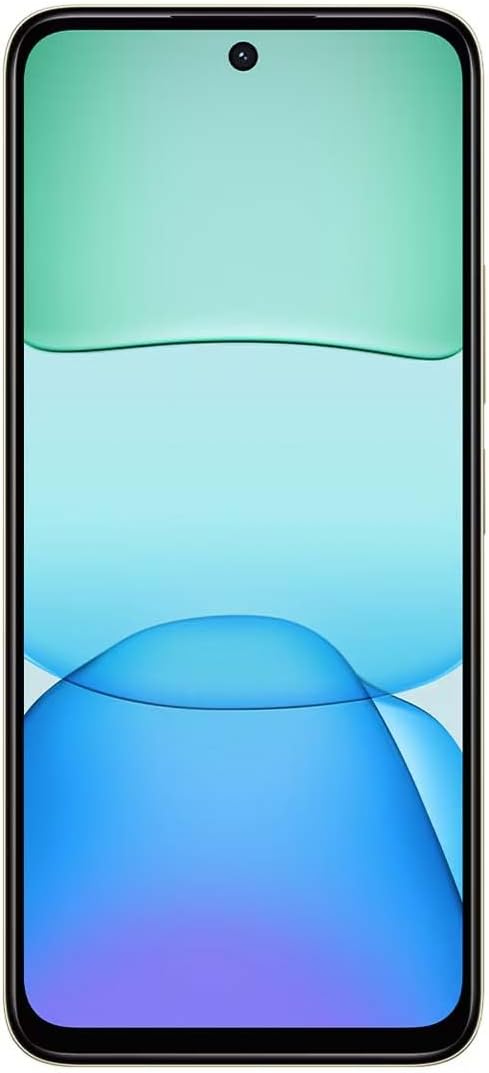
ภาพ: ด้านหน้า view of the Redmi Xiaomi 13, showing the display and front camera.
3. การกำหนดค่าเครือข่าย
Your device is designed for 4G LTE connectivity. For USA users, it is compatible with Tello and Mint Mobile. For global users, it supports various GSM carriers. Ensure your APN settings are correctly configured if you experience network issues. These settings are usually automatically detected upon SIM insertion.
การใช้งานอุปกรณ์ของคุณ
1. คุณสมบัติการแสดงผล
The Redmi 13 features a 6.79-inch Dot Drop HD+ display with a resolution of 1650 x 720. It supports Sunlight display for better visibility in bright conditions and Reading mode to reduce eye strain. You can adjust color temperature in the display settings.
2. การใช้กล้อง
Your phone is equipped with a powerful camera system:
- กล้องหลัง: 108MP main camera (f/1.8 with 4-in-1 pixel binning) and a 2MP depth camera (f/2.4).
- กล้องหน้า: กล้อง 13MP สำหรับถ่ายเซลฟี่และวิดีโอคอล
การถ่ายภาพ:
- เปิดแอปพลิเคชันกล้อง
- เลือกโหมดที่คุณต้องการ (ภาพถ่าย, ภาพบุคคล, วิดีโอ ฯลฯ)
- แตะปุ่มชัตเตอร์เพื่อถ่ายภาพ
The camera features HDR mode for improved dynamic range and quick snap functionality for capturing moving moments efficiently.

ภาพ: ด้านหลัง view of the Redmi Xiaomi 13, highlighting the 108MP dual camera system.
3. การเชื่อมต่อ
The device supports Wi-Fi for internet access, GPS for navigation (including AGPS, GLONASS, Beidou, Galileo), and Bluetooth for connecting wireless accessories. It also includes a 3.5mm headphone jack for wired audio.
4. คุณสมบัติด้านความปลอดภัย
Protect your device and data using the following security options:
- เซ็นเซอร์ลายนิ้วมือด้านหลัง: ลงทะเบียนลายนิ้วมือของคุณเพื่อการปลดล็อคที่รวดเร็วและปลอดภัย
- ปลดล็อคด้วยใบหน้า AI: ใช้ใบหน้าของคุณเพื่อปลดล็อคอุปกรณ์
- PIN/รูปแบบ/รหัสผ่าน: Standard lock screen security methods.
การซ่อมบำรุง
1. การดูแลแบตเตอรี่
The Redmi 13 is equipped with a 5030mAh (typ) battery. To prolong battery life:
- หลีกเลี่ยงอุณหภูมิที่สูงหรือต่ำเกินไป
- Use the provided 33W charger for optimal charging speed and safety.
- อย่าปล่อยให้แบตเตอรี่หมดเกลี้ยงบ่อยๆ
2. การอัปเดตซอฟต์แวร์
ตรวจสอบและติดตั้งการอัปเดตซอฟต์แวร์เป็นประจำเพื่อให้แน่ใจว่าอุปกรณ์ของคุณมีฟีเจอร์ แพตช์ความปลอดภัย และการปรับปรุงประสิทธิภาพล่าสุด ไปที่ การตั้งค่า > เกี่ยวกับโทรศัพท์ > อัปเดตระบบ เพื่อตรวจสอบการอัปเดต
3. การทำความสะอาดอุปกรณ์ของคุณ
Use a soft, lint-free cloth to clean your phone. Avoid using harsh chemicals or abrasive materials that could damage the screen or finish.
การแก้ไขปัญหา
If you encounter issues with your Redmi 13, try the following common troubleshooting steps:
- อุปกรณ์ไม่ตอบสนอง: กดปุ่มเปิด/ปิดค้างไว้ประมาณ 10-15 วินาทีเพื่อบังคับให้รีสตาร์ท
- ปัญหาเครือข่าย: Check if your SIM card is properly inserted. Toggle Airplane Mode on and off. Reset network settings via การตั้งค่า > การเชื่อมต่อและการแชร์ > รีเซ็ต Wi-Fi เครือข่ายมือถือ และบลูทูธ.
- แอปขัดข้อง: ล้างแคชและข้อมูลของแอปผ่าน การตั้งค่า > แอป > จัดการแอป > [ชื่อแอป] > ล้างข้อมูลหากปัญหายังคงมีอยู่ ให้ถอนการติดตั้งและติดตั้งแอปใหม่อีกครั้ง
- แบตเตอรี่หมดเร็ว: Review การใช้งานแบตเตอรี่ใน ตั้งค่า > แบตเตอรี่ เพื่อระบุแอปที่ใช้พลังงานมาก ลดความสว่างหน้าจอและปิดใช้งานคุณสมบัติที่ไม่จำเป็น เช่น GPS หรือ Bluetooth เมื่อไม่ได้ใช้งาน
- พื้นที่เก็บข้อมูลเต็ม: ลบที่ไม่จำเป็น files, photos, and videos. Uninstall unused apps. Consider moving media to a MicroSD card if installed.
- รีเซ็ตเป็นค่าเริ่มต้นจากโรงงาน: หากเกิดปัญหาซอฟต์แวร์ต่อเนื่อง อาจเป็นการรีเซ็ตเป็นค่าจากโรงงาน ซึ่งเป็นทางเลือกสุดท้าย คำเตือน: การดำเนินการนี้จะลบข้อมูลทั้งหมดในโทรศัพท์ของคุณ โปรดสำรองข้อมูลสำคัญก่อนดำเนินการต่อ ไปที่ การตั้งค่า > เกี่ยวกับโทรศัพท์ > รีเซ็ตเป็นค่าจากโรงงาน.
ข้อมูลจำเพาะ
Below are the key technical specifications for the Redmi Xiaomi 13 4G LTE:
| ชื่อรุ่น | เรดหมี่ 13 |
| ระบบปฏิบัติการ | แอนดรอยด์ 14 ไฮเปอร์โอเอส |
| โปรเซสเซอร์ | MediaTek Helio G91 Ultra Octa-core (2x2.0 GHz Cortex-A75 & 6x1.8 GHz Cortex-A55) |
| จีพียู | มาลี-G52 MC2 |
| แสดง | 6.79 Inches Dot Drop HD+ (1650 x 720) |
| แรม | 6GB |
| การจัดเก็บข้อมูลภายใน | 128GB |
| กล้องหลัง | 108MP (หลัก) + 2MP (วัดความลึก) |
| กล้องหน้า | 13MP |
| ความจุของแบตเตอรี่ | 5030 mAh (ทั่วไป) |
| การชาร์จไฟ | ชาร์จเร็ว 33 วัตต์ (USB Type-C) |
| การเชื่อมต่อ | 4G LTE, Wi-Fi, Bluetooth, GPS (AGPS, GLONASS, Beidou, Galileo) |
| แจ็คเสียง | 3.5 มม. |
| ความปลอดภัย | เซ็นเซอร์ลายนิ้วมือด้านหลัง, ปลดล็อคด้วยใบหน้า AI |
| ขนาดแพ็คเกจ | 7 x 4 x 2 นิ้ว |
| น้ำหนัก | 6 ออนซ์ |
Note: Specifications are subject to change without prior notice. Please refer to the official Redmi webเว็บไซต์สำหรับข้อมูลที่ทันสมัยที่สุด
การรับประกันและการสนับสนุน
For warranty information, please refer to the warranty card included with your product or visit the official Redmi/Xiaomi website. For technical support, software updates, or service inquiries, please contact Xiaomi customer service or visit their official support channels. Keep your proof of purchase for warranty claims.
Official Redmi/Xiaomi Support: https://www.mi.com/global/support