
Acoyer SRP9232D
Acoyer Universal TV Remote Control User Manual
Model: SRP9232D
การแนะนำ
This manual provides detailed instructions for setting up and operating your new Acoyer Universal TV Remote Control. This remote is designed to simplify your home entertainment experience by controlling multiple devices with a single unit. Please read this manual carefully before use to ensure proper functionality and to maximize your remote's capabilities.

ภาพ: ด้านหน้าและด้านหลัง view of the Acoyer Universal TV Remote Control.
อุปกรณ์ที่รองรับ
Your Acoyer Universal Remote Control is compatible with a wide range of audio and video devices, including:
- TV brands: Samsung, LG, Vizio, Sony, Hisense, Onn, Sharp, RCA, Element, Westinghouse, Sanyo, Emerson, Philips, JVC, Sceptre, Sansui, Panasonic, Magnavox, Skyworth, and more.
- DVD/Blu-ray players
- Media Streaming Players
- ซาวด์บาร์
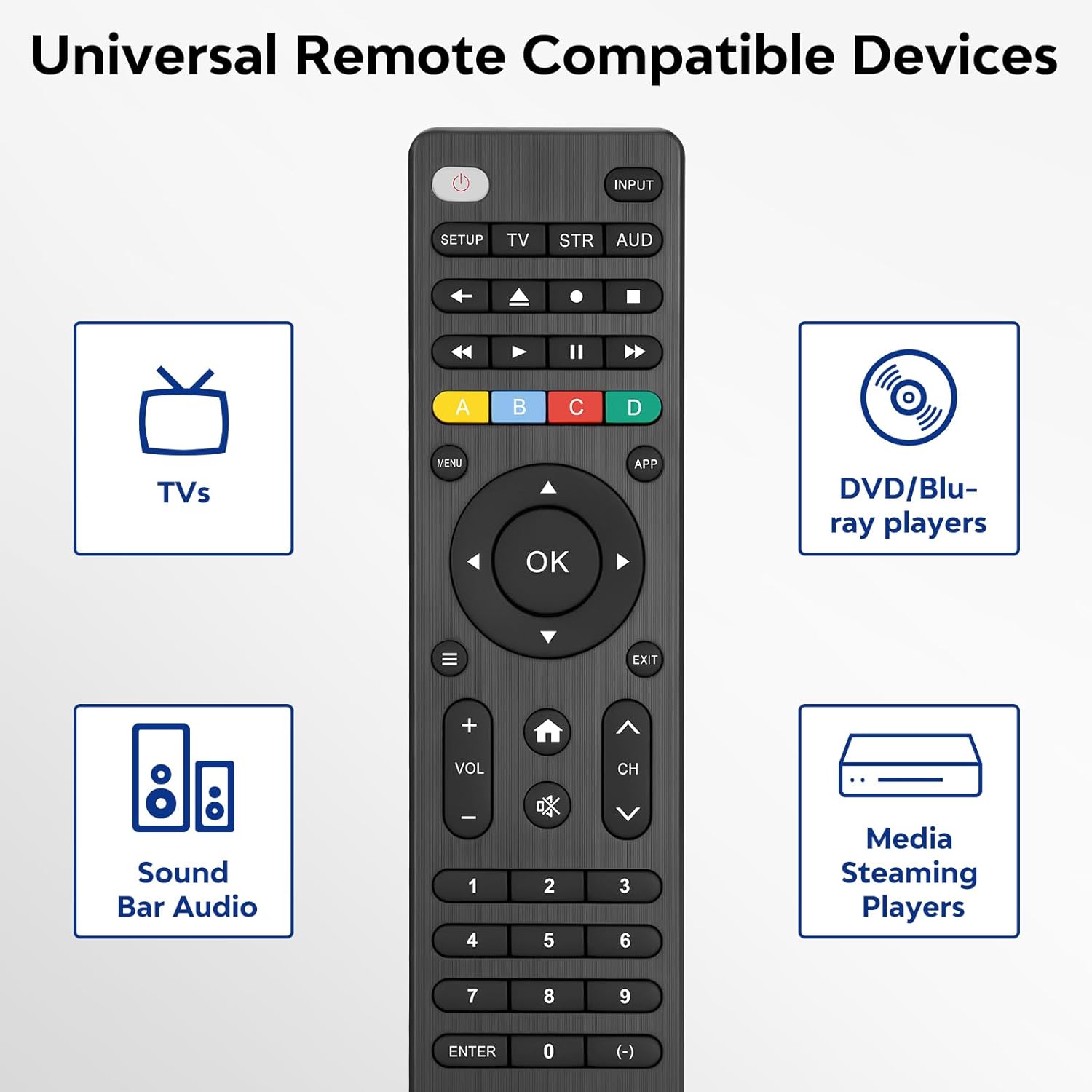
Image: Visual representation of compatible device types.

Image: List of compatible brands including Samsung, LG, Vizio, Sony, Hisense, Philips, and more.
อุปกรณ์ที่ไม่รองรับ
Please note that this universal remote is ไม่ compatible with the following devices:
- Roku Streaming Sticks
- Roku Sound Bar
- Amazon Sound Bar
- TCL ซาวด์บาร์
- Hisense Sound Bar
- Anker Sound Bar
- Klipsch Sound Bar
- Fire TV Sticks
- TCL Fire TV
- เครื่องราชอิสริยาภรณ์ Fire TV
- โตชิบา ไฟร์ ทีวี
- Amazon Fire Stick
- ไฟร์ทีวีคิวบ์
This product connects and pairs via infrared only. If you are unsure about compatibility, please refer to the product's code list or contact customer support.

Image: Visual representation of devices not compatible with the remote.
การตั้งค่า
Direct Code Entry Pairing
Follow these steps to program your universal remote using direct code entry:
- ขั้นตอนที่ 1: Find the device type you need in the provided code list (included in the package). Then, locate and circle all the codes for your specific brand.
- ขั้นตอนที่ 2: กดค้างไว้ การตั้งค่า button for 3 seconds until the red light on the remote turns on.
- ขั้นตอนที่ 3: กดและปล่อย TV/STR/AUD button on the remote. The red light will blink once and then remain on.
- ขั้นตอนที่ 4: Enter the first 4-digit code from your code list.
- ขั้นตอนที่ 5: Point the remote at your TV (or other device) and test the buttons to see if the device responds as expected. If the buttons do not control the device, repeat steps 2-4 and enter a different code from your list to test.
Note: If all codes in the program fail, please refer to the instructions on page 7 of your physical user manual for "Automatic Code Search" (including code table and usage instructions).

Image: Visual guide for the direct code entry pairing process.
คำแนะนำการใช้งาน
ปุ่มฟังก์ชั่น
Familiarize yourself with the functions of each button on your universal remote control:

Image: Detailed layout of remote buttons and their corresponding functions.
| ปุ่ม | การทำงาน |
|---|---|
| พลัง | Turns devices ON / OFF |
| การตั้งค่า | ใช้ในการตั้งโปรแกรมรีโมท |
| ป้อนข้อมูล | เลือกอินพุตวิดีโอ |
| TV / STR / AUD | Selects the device to control (TV, Streaming Device, Audio Device) |
| ช่องสุดท้าย | กลับไปที่ช่องที่เลือกไว้ก่อนหน้านี้ |
| Record / Stop / Fast Forward / Pause / Rewind | Controls media playback |
| ABCD Buttons | เข้าถึงคุณลักษณะเพิ่มเติมสำหรับเครื่องบันทึกภาพ เคเบิล และเครื่องรับสัญญาณดาวเทียม |
| เมนู | แสดงเมนูบนหน้าจอ |
| App Hotkey | เข้าถึงแอปยอดนิยมเช่น Netflix, Amazon Prime, Hulu และอีกมากมาย |
| OK | เลือกรายการเมนูสำหรับอุปกรณ์ควบคุม |
| Up / Down / Left / Right Navigation | นำทางผ่านเมนูและตัวเลือก |
| Info / Options | แสดงข้อมูลรายการ/เนื้อหาบนหน้าจอ |
| ทางออก | Exits on-screen menus |
| Home / Guide | Easily access features on today's streaming devices, or Guide on cable/satellite receivers |
| ปรับระดับเสียงขึ้น / ลง | ปรับระดับเสียง |
| ช่องขึ้น / ลง | การเปลี่ยนแปลงช่อง |
| ปิดเสียง | ปิดเสียง |
| ตัวเลข (0-9) | ใส่ตัวเลขสำหรับเลือกช่องโดยตรง |
| ป้อนรหัส | Confirms selection (some devices require Enter to be pressed after channel selection) |
| (-) Dash | Used to select digital channels (e.g., 4.1) |
The universal remote control utilizes infrared technology, providing a rapid response time of 0.2 seconds and an effective range of up to 30 feet.

Image: Features of the remote's infrared technology.
การซ่อมบำรุง
การติดตั้งแบตเตอรี่
The universal remote control requires two (2) AAA alkaline batteries for operation. Batteries are not included in the package.
- เปิดฝาปิดช่องใส่แบตเตอรี่ที่ด้านหลังของรีโมท
- ใส่แบตเตอรี่ AAA สองก้อน โดยตรวจสอบให้แน่ใจว่าขั้วถูกต้อง (+ และ -) ตามที่ระบุไว้ภายในช่องใส่แบตเตอรี่
- ปิดฝาช่องใส่แบตเตอรี่ให้แน่น
Warning: Do not mix old and new batteries, or mix different types of batteries together. This can lead to battery leakage or damage to the remote.

Image: Battery compartment and remote dimensions.
การแก้ไขปัญหา
If you encounter issues with your universal remote, try the following troubleshooting steps:
- รีโมตไม่ตอบสนอง: Ensure fresh AAA batteries are correctly installed. Check if the red light on the remote illuminates when a button is pressed.
- อุปกรณ์ไม่ตอบสนอง: Verify that the remote is pointed directly at the device's infrared sensor. Ensure there are no obstructions between the remote and the device.
- Incorrect device control: Re-attempt the programming steps (Direct Code Entry) using a different code from the provided code list for your device brand.
- ฟังก์ชันที่จำกัด: Some advanced functions may not be supported by all universal remotes or specific device models. Refer to your device's original manual for specific feature compatibility.
- Red light blinks continuously: This may indicate a programming error or low battery. Re-program the remote or replace the batteries.
ข้อมูลจำเพาะ
| คุณสมบัติ | รายละเอียด |
|---|---|
| หมายเลขรุ่น | SRP9232D |
| ขนาดแพ็คเกจ | 6.89 x 3.27 x 0.75 นิ้ว |
| น้ำหนักสินค้า | 2.05 ออนซ์ |
| แหล่งพลังงาน | 2 * AAA alkaline batteries (not included) |
| สี | สีดำ |
| คุณสมบัติพิเศษ | สากล |
| จำนวนอุปกรณ์ที่รองรับสูงสุด | 3 |
| อุปกรณ์ที่รองรับ | Sound Bar, Television, VCR, Streaming Device, DVD/Blu-ray Player |
| ผู้ผลิต | Acoyer |
| ประเทศต้นกำเนิด | จีน |
การรับประกันและการสนับสนุน
Acoyer is committed to providing safe, durable, and user-friendly remote control products. We value your experience with our products.
For any questions regarding your order or product, please do not hesitate to contact us. Our customer service team aims to respond to inquiries within 24 hours on working days.
Please refer to your purchase documentation for specific warranty details and terms.
Ask a question about this manual
Ask about setup, troubleshooting, compatibility, parts, safety, or missing instructions. Manuals+ will review the question and use this page’s manual context to help answer it.