
Wireless Express PK
Portable Bluetooth Karaoke Microphone Speaker User Manual
Model: PK | Brand: Wireless Express
การแนะนำ
This user manual provides essential information for the safe and effective operation of your Portable Bluetooth Karaoke Microphone Speaker. This versatile device combines a high-quality microphone with a powerful speaker, designed for both singing practice and entertainment. It offers wireless connectivity via Bluetooth, a built-in rechargeable battery for extended use, and features like echo effects for enhanced vocal performance. Please read this manual thoroughly before using the product to ensure optimal performance and longevity.
เนื้อหาแพ็คเกจ
โปรดตรวจสอบแพ็คเกจอย่างละเอียดเพื่อให้แน่ใจว่ามีสินค้าทั้งหมดอยู่และอยู่ในสภาพดี
- Portable Bluetooth Karaoke Microphone Speaker (Teal)
- Power Cable (Micro USB)
- คู่มือการใช้งาน (เอกสารนี้)

Image: The Portable Bluetooth Karaoke Microphone and Speaker in Teal color, showing both components side-by-side.
คุณสมบัติผลิตภัณฑ์
- Portable Bluetooth Karaoke Microphone: Equipped with a high-sensitive pickup and a cardioid condenser microphone for clear and accurate voice capture. Features a built-in rechargeable battery for extended use.
- ลำโพงบลูทูธ: Integrated speaker with a powerful bass driver delivers crystal-clear sound. Connects wirelessly to smartphones, tablets, or computers via Bluetooth for playing music and karaoke tracks. Includes a microphone input for duets or group performances.
- ฟังก์ชั่นคู่: The microphone and speaker can be used together for karaoke or separately, allowing the microphone for solo singing and the speaker for music playback.
- ง่ายต่อการใช้: Simple controls for volume, microphone mute, and Bluetooth pairing. Lightweight and portable design for convenient transport and use anywhere.
- กะทัดรัดและมีสไตล์: Designed for portability and aesthetic appeal, suitable for home use, parties, or on-the-go entertainment.
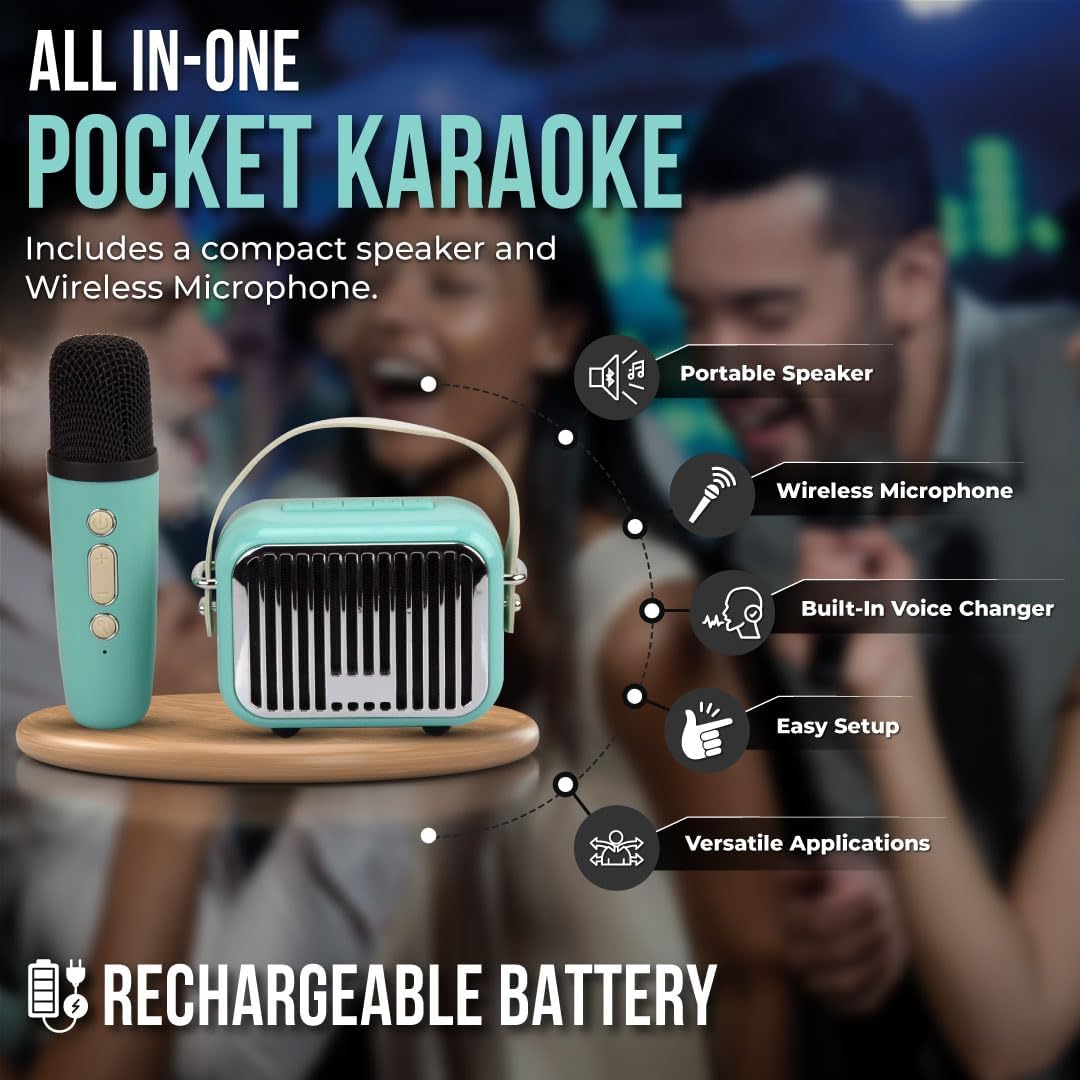
Image: An illustrative diagram highlighting key features of the product, including Portable Speaker, Wireless Microphone, Built-in Voice Changer, Easy Setup, and Versatile Applications, all powered by a Rechargeable Battery.
การตั้งค่า
การชาร์จเบื้องต้น
Before first use, fully charge the device. Connect the provided Micro USB power cable to the charging port on the speaker and the other end to a USB power adapter (not included) or a computer's USB port. The charging indicator light will illuminate during charging and turn off or change color when fully charged. A full charge typically takes 2-3 hours.
การเปิด/ปิดเครื่อง
- การเปิดเครื่อง: Press and hold the Power button on both the microphone and the speaker until the indicator light illuminates and you hear a power-on prompt.
- วิธีปิดเครื่อง: Press and hold the Power button on both the microphone and the speaker until the indicator light turns off and you hear a power-off prompt.
คำแนะนำการใช้งาน
จับคู่บลูทู ธ
- Ensure both the microphone and speaker are powered on.
- บนสมาร์ทโฟน แท็บเล็ต หรือคอมพิวเตอร์ของคุณ ไปที่การตั้งค่าบลูทูธ
- ค้นหา available devices. The device will appear as "Wireless Express PK" or similar.
- Select the device name to initiate pairing. You will hear a confirmation sound once successfully paired.
- Once paired, you can play music from your device through the speaker and use the microphone for singing.
ฟังก์ชั่นไมโครโฟน
- การควบคุมระดับเสียง: Use the '+' and '-' buttons on the microphone to adjust your vocal volume.
- เอฟเฟกต์เสียงสะท้อน: The microphone features a built-in echo effect. Press the dedicated echo button (if available) or cycle through modes to activate/deactivate or adjust the echo level.
- โปรแกรมเปลี่ยนเสียง: Some models may include a voice changer function. Refer to the microphone's specific buttons for activation.
ฟังก์ชั่นลำโพง
- การเล่นเพลง: Once paired via Bluetooth, control music playback (play, pause, skip tracks) directly from your connected device.
- ระดับเสียงของลำโพง: Adjust the overall speaker volume using the controls on the speaker unit or your connected device.
- อินพุตไมโครโฟน: The speaker has a dedicated input for the wireless microphone. Ensure the microphone is powered on and paired for vocal output through the speaker.

ภาพ: รายละเอียด view of the microphone and speaker, highlighting their compact design and control buttons.
การบำรุงรักษาและการดูแล
- การทำความสะอาด: เช็ดอุปกรณ์ด้วยผ้านุ่มและแห้ง ห้ามใช้น้ำยาทำความสะอาดที่มีฤทธิ์กัดกร่อนหรือตัวทำละลาย
- พื้นที่จัดเก็บ: เก็บอุปกรณ์ไว้ในที่แห้งและเย็น หลีกเลี่ยงแสงแดดโดยตรงและอุณหภูมิที่สูงหรือต่ำเกินไป
- การดูแลแบตเตอรี่ เพื่อยืดอายุการใช้งานแบตเตอรี่ ควรหลีกเลี่ยงการคายประจุแบตเตอรี่จนหมดบ่อยๆ ควรชาร์จอุปกรณ์เป็นประจำ แม้ว่าจะไม่ได้ใช้งานเป็นเวลานานก็ตาม
- การสัมผัสน้ำ: อุปกรณ์นี้ไม่กันน้ำ โปรดหลีกเลี่ยงการสัมผัสน้ำหรือความชื้นสูง
การแก้ไขปัญหา
| ปัญหา | สาเหตุที่เป็นไปได้ | สารละลาย |
|---|---|---|
| อุปกรณ์ไม่เปิดเครื่อง | แบตเตอรี่อ่อนหรือไม่มีการชาร์จ | Charge the device fully using the provided power cable. |
| ไม่มีเสียงจากลำโพง | Volume too low; device not paired; incorrect input source. | Increase volume on both speaker and connected device. Ensure Bluetooth is paired correctly. |
| ไมโครโฟนไม่ทำงาน | Microphone not powered on; microphone volume too low; microphone not paired with speaker. | Ensure microphone is powered on. Increase microphone volume. Re-pair microphone with speaker if necessary. |
| ไม่สามารถจับคู่ผ่านบลูทูธได้ | Device too far; Bluetooth not enabled on source device; interference. | Ensure devices are within 10 meters. Enable Bluetooth on your phone/tablet. Turn off other Bluetooth devices nearby. |
ข้อมูลจำเพาะ
| คุณสมบัติ | รายละเอียด |
|---|---|
| ยี่ห้อ | ไร้สายด่วน |
| หมายเลขรุ่น | PK |
| เทคโนโลยีการเชื่อมต่อ | บลูทูธ |
| แหล่งพลังงาน | ใช้พลังงานจากแบตเตอรี่ |
| ประเภทขั้วต่อ | ไมโคร USB |
| อุปกรณ์ที่รองรับ | Tablet, Smartphone, Karaoke Machine |
| ขนาดรายการ (ยาว x กว้าง x สูง) | 6.5 x 6.5 x 3 นิ้ว |
| น้ำหนักสินค้า | 1.2 ปอนด์ |
| สี | เป็ดเทา |
| การตอบสนองความถี่ | ความถี่ 10 กิโลเฮิรตซ์ |
| ปัจจัยรูปแบบไมโครโฟน | แบบถือด้วยมือ |
| รูปแบบขั้ว | ทิศทางเดียว |
| ยูพีซี | 850030392824 |
การรับประกันและการสนับสนุน
For warranty information or technical support, please contact Wireless Express customer service. Details can typically be found on the product packaging or the official Wireless Express webไซต์ โปรดเก็บหลักฐานการซื้อไว้เพื่อใช้ในการเรียกร้องการรับประกัน
หมายเหตุ: เงื่อนไขการรับประกันเฉพาะอาจแตกต่างกันไปตามภูมิภาคและผู้ค้าปลีก
Ask a question about this manual
Ask about setup, troubleshooting, compatibility, parts, safety, or missing instructions. Manuals+ will review the question and use this page’s manual context to help answer it.