
1. บทนำ
Thank you for choosing the OTIC 10.1-inch Portable Dual Screen Car DVD Player. This device is designed to provide versatile entertainment on the go, featuring two synchronized screens, a long-lasting rechargeable battery, and broad media compatibility. This manual will guide you through the proper setup, operation, and maintenance of your new DVD player to ensure optimal performance and longevity.
2. เนื้อหาบรรจุภัณฑ์
กรุณาตรวจสอบบรรจุภัณฑ์อย่างละเอียดเพื่อให้แน่ใจว่าสินค้าทุกชิ้นอยู่ในสภาพดี หากสินค้าใดสูญหายหรือเสียหาย โปรดติดต่อตัวแทนจำหน่ายของคุณ
- 1 x Main DVD Player Unit
- 1 x Slave Monitor Unit
- 1 x อะแดปเตอร์ไฟ AC/DC
- 1 x DC to DC Connection Cable
- 1 x AV Connection Cable
- 1 x Car Charger Adapter
- 1 x รีโมทคอนโทรล (รวมแบตเตอรี่)
- 2 x หูฟัง
- 2 x สายรัดยึด
- 1 x คู่มือผู้ใช้ (เอกสารนี้)
- คู่มือเริ่มต้นอย่างรวดเร็ว 1 ชุด

บันทึก: The remote control requires 2 AAA batteries, which are included.
3. คุณสมบัติหลัก
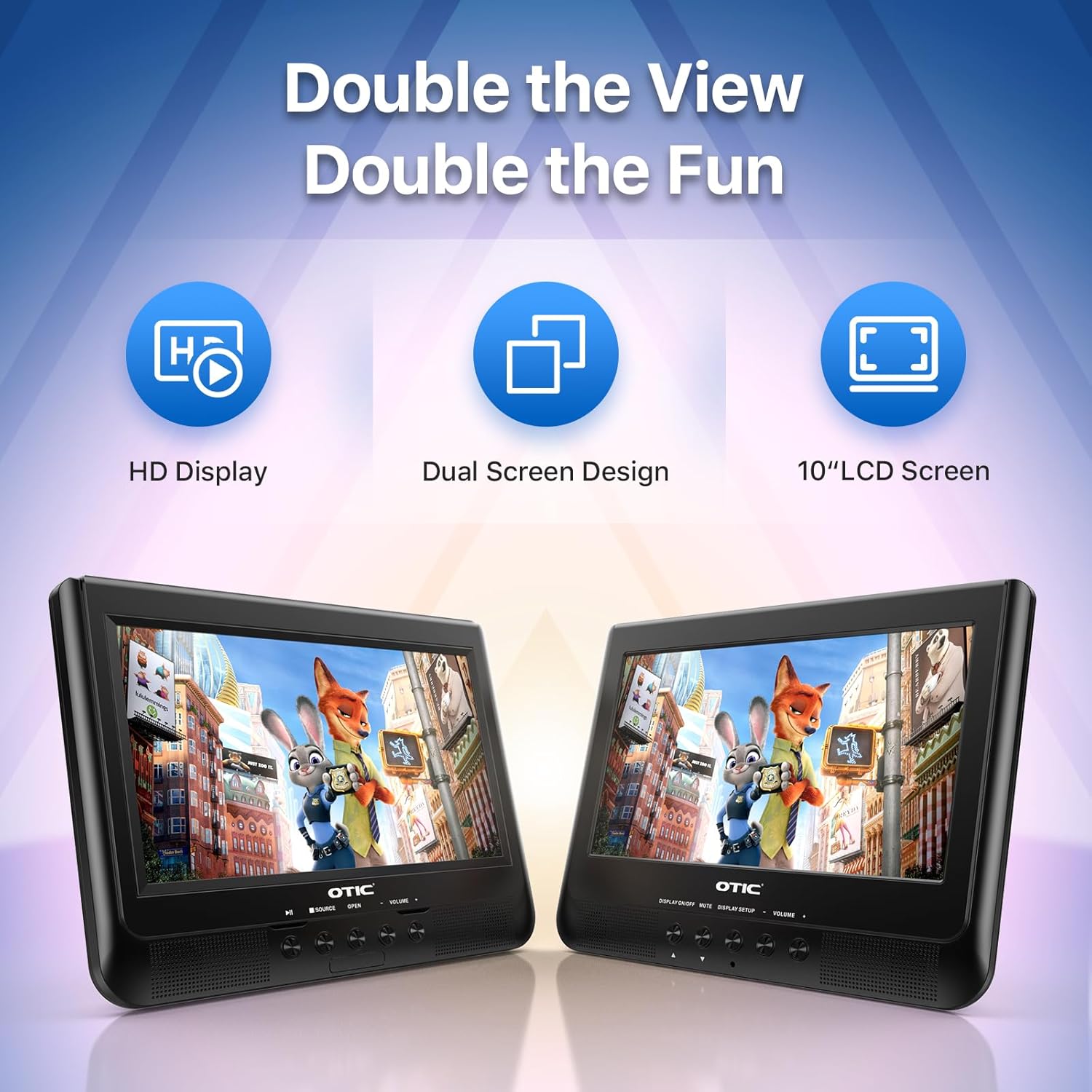
- ความสามารถการแสดงผลแบบคู่: Connect the host DVD player to the slave monitor using the included AV cable for synchronized viewing of the same content.
- High-Resolution Screens: Both 10.1-inch displays feature a resolution of 1024 x 600 pixels. The main unit's screen can rotate 270° and flip 180° for optimal viewมุมการเอียง
- อายุการใช้งานแบตเตอรี่ที่ยาวนานขึ้น: Equipped with a built-in 2500 mAh rechargeable battery, providing 3-5 hours of continuous video playback.
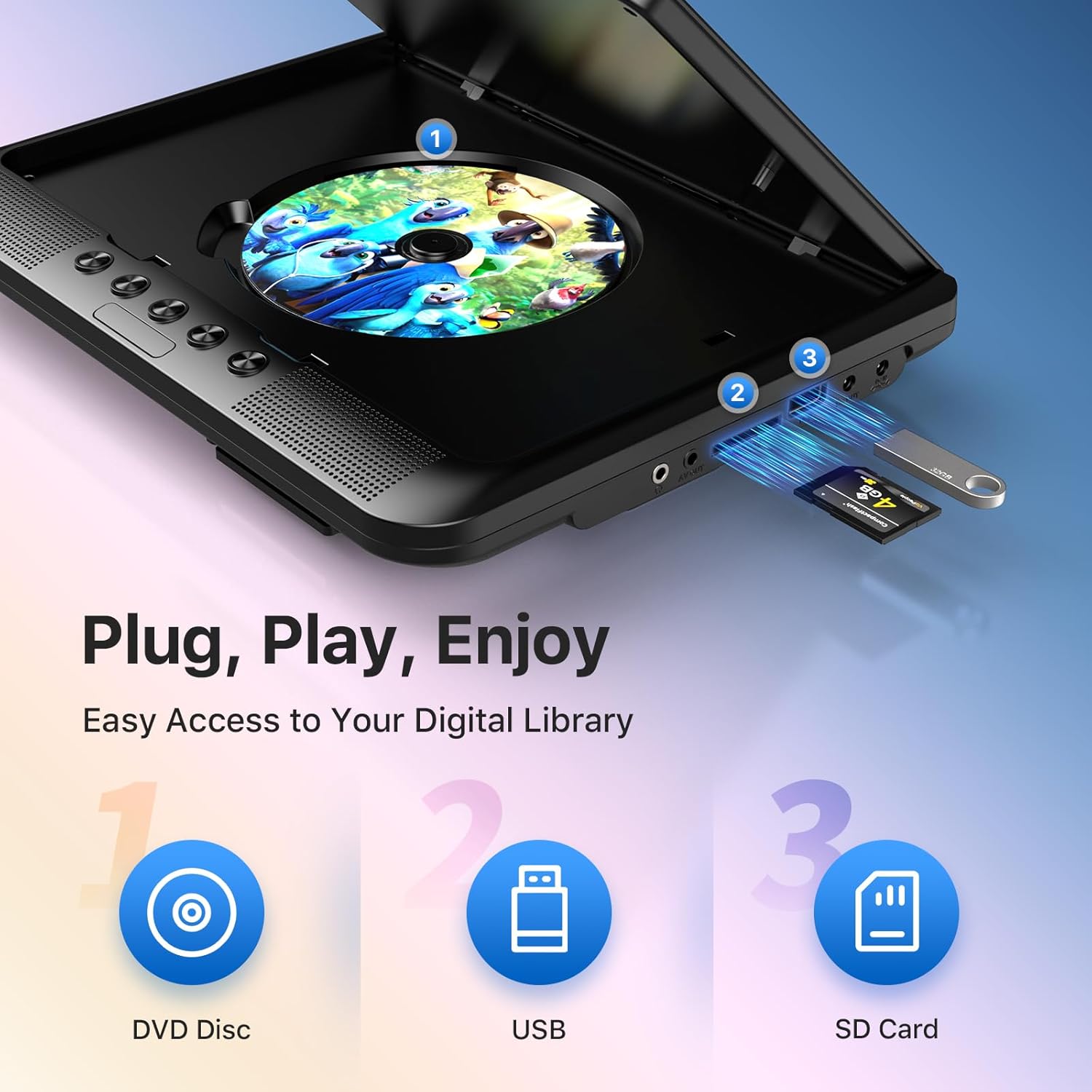
- รองรับสื่อหลากหลายรูปแบบ: Plays various formats including CD, DVD, CD-R/RW, DVD±R/±RW, VCD/SVCD. Supports USB drives and SD cards up to 32GB for video (VOB, AVI, MPEG1, MPEG2, XVID), audio (MP3, WMA), and image (JPG, JPEG) files. (Note: Blu-ray DVDs are not supported.)
- ฟังก์ชั่นหน่วยความจำล่าสุด: Automatically resumes playback from where you left off, ensuring a seamless viewการสร้างประสบการณ์
- เสียงที่ได้รับการปรับปรุง: Integrated dual stereo speakers deliver clear sound. A 3.5mm headphone jack is available for private listening.
- อินพุต/เอาต์พุต AV: Allows connection to larger TV screens for shared viewing or to external video sources.
4. คู่มือการติดตั้ง
4.1 การชาร์จเริ่มต้น
Before first use, fully charge the main DVD player unit. Connect the AC/DC power adapter to the player's DC IN port and plug it into a wall outlet. The charging indicator light will typically turn off or change color when fully charged.
4.2 Connecting the Dual Screens
- Locate the AV OUT port on the main DVD player unit.
- Locate the AV IN port on the slave monitor unit.
- Connect the included AV connection cable between the AV OUT of the main unit and the AV IN of the slave unit.
- Connect the DC to DC connection cable from the main unit's DC OUT port to the slave unit's DC IN port to power the slave monitor.
4.3 การเปิดเครื่องอุปกรณ์
- ไฟฟ้ากระแสสลับ: Use the AC/DC power adapter for home use.
- กำลังของรถยนต์: Use the car charger adapter to power the unit from your vehicle's 12V power outlet.
- พลังงานแบตเตอรี่: The built-in rechargeable battery provides portable power for outdoor use.
4.4 Mounting in a Vehicle
Use the provided mounting straps to securely attach the DVD player and slave monitor to the headrests in your car. Ensure they are positioned safely and do not obstruct the driver's view หรือการติดตั้งถุงลมนิรภัย

5. คู่มือการใช้งาน
5.1 การเล่นขั้นพื้นฐาน
- เปิดเครื่อง: Press the 'POWER' button on the unit or remote control.
- ใส่แผ่นดิสก์: Gently open the disc cover and place a DVD or CD onto the spindle, label side up. Close the cover firmly.
- การเล่น USB/SD: Insert a USB drive into the USB port or an SD card into the SD card slot. The player should automatically detect the media or allow you to select the source using the 'SOURCE' button.
- การควบคุมการเล่น: Use the 'PLAY/PAUSE', 'STOP', 'NEXT', 'PREVIOUS', 'FF' (Fast Forward), and 'REW' (Rewind) buttons on the unit or remote control to manage playback.
- การปรับระดับเสียง: Use the 'VOL+' and 'VOL-' buttons to adjust the volume.

5.2 การใช้รีโมทคอนโทรล
The included remote control provides full functionality for convenient operation from a distance. Point the remote control directly at the main DVD player unit's IR sensor.
5.3 Last Memory Function
The player automatically remembers the last playback point. To resume from where you left off, simply power on the device and press 'PLAY'. This function is active for most disc and digital media formats.
5.4 Connecting to an External Display (TV)
To share your viewing experience on a larger screen, use the AV OUT port on the main DVD player unit and connect it to the AV IN ports of your television using the included AV cable. Select the correct AV input on your TV.

6. Media Compatibility
The OTIC DVD player supports a wide range of media formats:
- Disc Formats: DVD, DVD+R, DVD-R, DVD+RW, DVD-RW, CD, CD+R, CD-R, CD+RW, CD-RW, VCD, SVCD. (Blu-ray discs are not supported.)
- Video Formats (USB/SD): VOB, AVI, MPEG1, MPEG2, XVID.
- Audio Formats (USB/SD): MP3,WMA.
- Image Formats (USB/SD): JPG, JPEG.
USB drives and SD cards up to 32GB capacity are supported.

7. การบำรุงรักษา
7.1 การทำความสะอาดหน่วย
เช็ดภายนอกเครื่องเล่นด้วยผ้านุ่มและแห้ง สำหรับรอยฝังแน่น ให้เช็ดเบาๆampen the cloth with water. Do not use abrasive cleaners or solvents, as they may damage the surface.
7.2 การดูแลแผ่นดิสก์
Handle discs by their edges. Keep discs clean and free of scratches. Store them in their cases when not in use. A dirty or scratched disc can cause playback issues.
7.3 การดูแลแบตเตอรี่
เพื่อยืดอายุการใช้งานแบตเตอรี่ ควรหลีกเลี่ยงการปล่อยให้แบตเตอรี่หมดเกลี้ยงบ่อยๆ หากเก็บรักษาเครื่องไว้เป็นเวลานาน ควรชาร์จแบตเตอรี่ให้ได้ประมาณ 50% ทุกๆ สองสามเดือน
8 การแก้ไขปัญหา
If you encounter issues with your OTIC DVD player, please refer to the following common problems and solutions:
| ปัญหา | สาเหตุที่เป็นไปได้ | สารละลาย |
|---|---|---|
| เครื่องเล่นไม่สามารถเปิดเครื่องได้ | แบตเตอรี่หมด; อะแดปเตอร์แปลงไฟไม่ได้เชื่อมต่อหรือชำรุด | ชาร์จแบตเตอรี่ ตรวจสอบให้แน่ใจว่าอะแดปเตอร์แปลงไฟเชื่อมต่อแน่นและใช้งานได้ |
| ไม่มีภาพบนหน้าจอ | Disc is dirty/scratched; Incorrect source selected; AV cable loose (for slave monitor/TV). | Clean or replace disc; Press 'SOURCE' button to select correct input; Check AV cable connections. |
| ไม่มีเสียง. | Volume too low; Mute function active; Headphone connected. | Increase volume; Press 'MUTE' button on remote; Disconnect headphones if using speakers. |
| ดิสก์ข้ามหรือหยุดการทำงาน | Dirty/damaged disc; Player is on an unstable surface; Excessive vibration. | Clean or replace disc; Place player on a stable surface; Reduce vibrations if in a moving vehicle. |
| รีโมทคอนโทรลไม่ทำงาน | Batteries depleted; Obstruction between remote and player; Incorrect angle. | Replace batteries; Ensure clear line of sight to IR sensor; Point remote directly at player. |
If the problem persists after trying these solutions, please contact OTIC customer support for further assistance.
9. ข้อมูลจำเพาะ
| คุณสมบัติ | ข้อมูลจำเพาะ |
|---|---|
| ยี่ห้อ | โอติค |
| หมายเลขรุ่น | DP-2123A |
| ขนาดหน้าจอ | 10.1 Inches (visible display area) |
| ประเภทหน้าจอ | จอแอลซีดี |
| ความละเอียดการแสดงผล | 1024 x 600 พิกเซล |
| ความจุของแบตเตอรี่ | 2500 mAh (built-in rechargeable) |
| เวลาเล่นแบตเตอรี่ | 3-5 ชั่วโมง |
| รูปแบบดิสก์ที่เข้ากันได้ | CD, CD-R/RW, DVD, DVD+R/RW, DVD-R/RW, VCD, SVCD |
| Compatible Digital Media | USB drives (up to 32GB), SD cards (up to 32GB) |
| รูปแบบวิดีโอที่รองรับ | VOB, AVI, MPEG1, MPEG2, XVID |
| รูปแบบเสียงที่รองรับ | MP3, WMA |
| รูปแบบภาพที่รองรับ | JPG, JPG |
| การเชื่อมต่อ | AV In, AV Out, USB, SD Card Slot, 3.5mm Headphone Jack, DC In, DC Out |
| ขนาด (ยูนิตหลัก) | ประมาณ 35.56 x 13.46 x 25.4 ซม. (14 x 5.3 x 10 นิ้ว) |
| น้ำหนัก | ประมาณ 2.23 กก. (4.92 ปอนด์) |
| สี | สีดำ |
10. การรับประกันและการสนับสนุน
For information regarding warranty coverage, technical support, or service, please refer to the warranty card included in your package or contact the retailer from whom you purchased the product. You may also visit the official OTIC webเว็บไซต์สำหรับข้อมูลการสนับสนุนล่าสุด
โปรดเก็บหลักฐานการซื้อของคุณไว้เพื่อเรียกร้องการรับประกัน