
1. บทนำ
The LEAUDIO Topping D70 PRO OCTO is a high-fidelity Digital-to-Analog Converter (DAC) designed to deliver exceptional audio performance. Featuring 8 Cirrus Logic CS43198 chips, Bluetooth 5.1 with LDAC support, and a full-color Aurora UI, this device offers advanced audio decoding capabilities up to PCM768kHz/32bit and DSD512. This manual provides detailed instructions for setting up, operating, and maintaining your D70 PRO OCTO to ensure optimal performance.
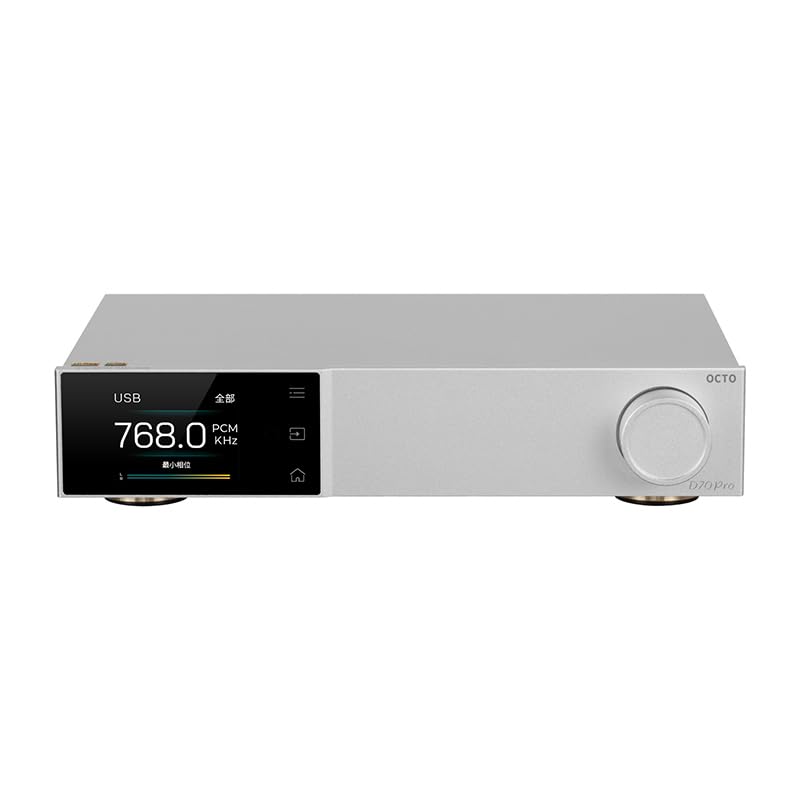
รูปที่ 1 : ด้านหน้า view of the Topping D70 PRO OCTO HiFi DAC.
2. เนื้อหาบรรจุภัณฑ์
โปรดตรวจสอบแพ็คเกจอย่างละเอียดสำหรับรายการต่อไปนี้:
- Topping D70 PRO OCTO Unit
- รีโมทคอนโทรล
- สาย USB
- สายไฟ AC
- เสาอากาศบลูทูธ
- คู่มือเริ่มต้นอย่างรวดเร็ว
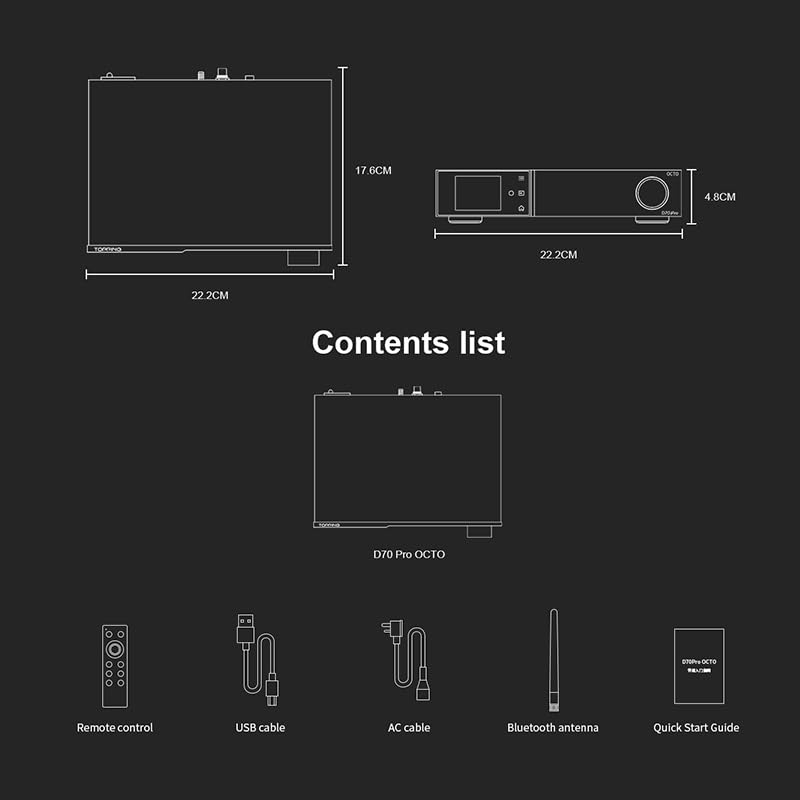
Figure 2: Included accessories: Remote control, USB cable, AC cable, Bluetooth antenna, and Quick Start Guide.
3. สินค้าหมดview
The D70 PRO OCTO features a clear layout for easy connectivity and control.
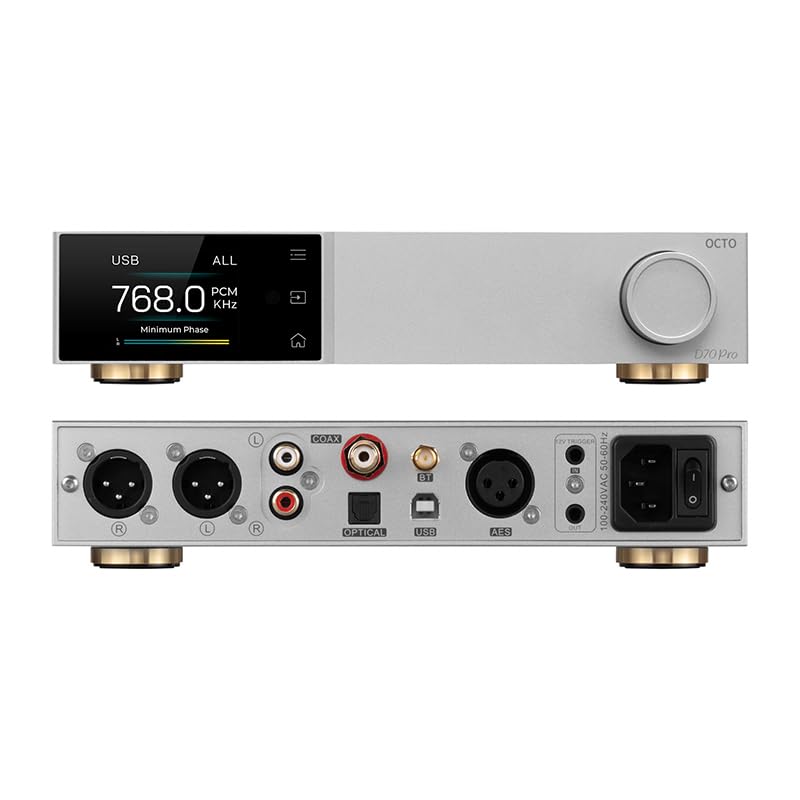
Figure 3: Front panel (top) with display and control knob, and rear panel (bottom) with various input/output ports.
แผงด้านหน้า
- หน้าจอแสดงผล: Shows current status, input, sample rate, and UI information.
- ปุ่มควบคุม: For navigation, volume adjustment, and menu selection.
- ปุ่มสัมผัส: Three touch buttons for intuitive control of the Aurora UI.
แผงด้านหลัง
- ช่องต่อ USB: เชื่อมต่อกับคอมพิวเตอร์เพื่อเล่นไฟล์เสียง
- อินพุตโคแอกเชียล: อินพุตเสียงดิจิตอล
- อินพุตออปติคัล: อินพุตเสียงดิจิตอล
- ขั้วต่อเสาอากาศบลูทูธ: For wireless Bluetooth reception.
- พอร์ต USB-C (สำหรับจ่ายไฟ): กำลังไฟเข้า
- ช่องต่อ RCA (ซ้าย/ขวา): เอาต์พุตเสียงอนาล็อกแบบไม่สมดุล
- XLR Output (L/R): เอาต์พุตเสียงอนาล็อกแบบบาลานซ์
- ทริกเกอร์ 12V: สำหรับการควบคุมพลังงานแบบซิงโครไนซ์กับอุปกรณ์อื่นๆ
- สวิตช์ไฟ: เปิด/ปิดไฟหลัก
4. การตั้งค่า
4.1 การเชื่อมต่อเริ่มต้น
- Connect the Bluetooth antenna to the designated connector on the rear panel.
- Connect the D70 PRO OCTO to a power source using the provided AC power cable.
- Connect your audio source (e.g., computer, CD player) to the appropriate input on the D70 PRO OCTO (USB, Coaxial, or Optical).
- Connect the D70 PRO OCTO's output (RCA or XLR) to your ampลำโพงขยายหรือลำโพงแอคทีฟ
- Turn on the D70 PRO OCTO using the power switch on the rear panel.
4.2 การติดตั้งไดรเวอร์ (Windows)
For Windows operating systems, a specific driver is required for optimal performance, especially for ASIO playback. The D70 PRO OCTO utilizes an XMOS XU316 and Thesycon custom driver. This driver can typically be downloaded from the manufacturer's official website. Other operating systems like Mac, Linux, iOS, and Android are generally driver-free and support plug-and-play functionality.

Figure 4: The D70 PRO OCTO offers wide compatibility with various operating systems, with specific driver requirements for Windows.
5. การดำเนินการ
5.1 การควบคุมขั้นพื้นฐาน
- เปิด/ปิดเครื่อง: Use the main power switch on the rear panel.
- การปรับระดับเสียง: Rotate the control knob on the front panel to adjust the output volume.
- การเลือกอินพุต: Press the control knob or use the remote control to cycle through available inputs (USB, Coaxial, Optical, Bluetooth).
5.2 ส่วนติดต่อผู้ใช้และโหมดการแสดงผลของ Aurora
The D70 PRO OCTO features a full-color Aurora UI with three touch buttons for an enhanced user experience. The display can show various playback information, including sample rate, volume, and input source. You can also switch between different display modes such as FFT (Fast Fourier Transform) and VU (Volume Unit) meters according to your preference.

Figure 5: The Aurora UI offers a full-color screen, touch buttons, customizable functions via the volume knob, and language switching options.
5.3 Bluetooth 5.1 Transmission
The D70 PRO OCTO supports Bluetooth 5.1 with advanced audio encoding protocols including LDAC, aptX-Adaptive, aptX HD, aptX, AAC, and SBC. This allows for high-quality wireless audio streaming from compatible devices.
- Select Bluetooth as the input source on the D70 PRO OCTO.
- Enable Bluetooth on your source device (e.g., smartphone, tablet).
- ค้นหา "D70 PRO OCTO" in your device's Bluetooth settings and pair.
- Once paired, audio will be streamed wirelessly to the DAC.

Figure 6: The D70 PRO OCTO supports Bluetooth 5.1 for high-quality wireless audio transmission.
6. คุณสมบัติหลัก
- 8x CS43198 DAC Chips: Equipped with eight Cirrus Logic flagship CS43198 chips for superior audio conversion.
- รองรับเสียงความละเอียดสูง: Supports PCM up to 768kHz/32bit and DSD512 audio decoding.
- ส่วนติดต่อผู้ใช้ Aurora: Full-color screen and three touch buttons for intuitive control and display.
- โหมดการแสดงผลอเนกประสงค์: Switch between playback information, FFT, and VU meters.
- Bluetooth 5.1: Supports LDAC, aptX-Adaptive, aptX HD, aptX, AAC, and SBC for high-quality wireless streaming.
- Low Distortion and High Dynamic Range: Achieves THD+N <0.00007% and a dynamic range of 134dB for accurate sound reproduction.
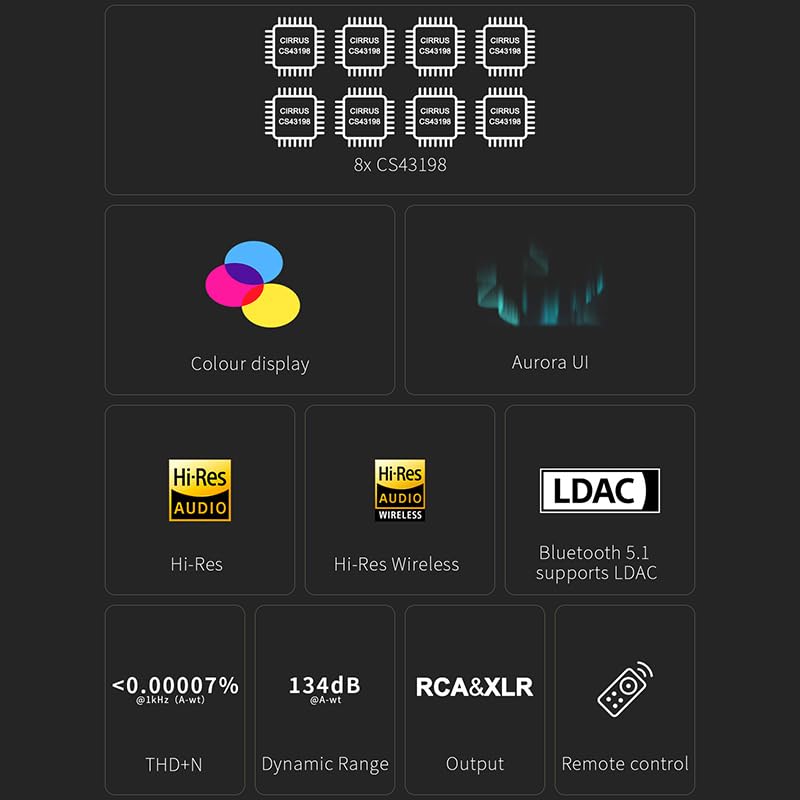
Figure 7: Visual representation of key features including 8x CS43198 chips, color display, Aurora UI, Hi-Res Audio, LDAC, and performance metrics.

Figure 8: Detailed audio performance metrics including THD+N, SNR, DNR, and Noise levels, demonstrating the DAC's high fidelity.
7. ข้อมูลจำเพาะ
| คุณสมบัติ | รายละเอียด |
|---|---|
| ชิป DAC | 8x Cirrus Logic CS43198 |
| PCM Decoding | สูงสุด 768kHz/32bit |
| การถอดรหัส DSD | สูงถึง DSD512 |
| เวอร์ชันบลูทูธ | 5.1 |
| โคเดกบลูทูธ | LDAC, aptX-Adaptive, aptX HD, aptX, AAC, SBC |
| THD+N (RCA) | <0.00008% @ 1kHz (A-wt) |
| THD+N (XLR) | <0.00007% @ 1kHz (A-wt) |
| ช่วงไดนามิก (RCA) | 128dB @ 1kHz (A-wt) |
| ช่วงไดนามิก (XLR) | 134dB @ 1kHz (A-wt) |
| Output Impedance (RCA) | 50Ω |
| อิมพีแดนซ์เอาต์พุต (XLR) | 100Ω |
| ข้อมูลอินพุต | USB, โคแอกเซียล, ออปติคอล, บลูทูธ |
| เอาท์พุต | อาร์ซีเอ, เอ็กซ์แอลอาร์ |
| ขนาด | ขนาดโดยประมาณ 14.41 x 9.49 x 3.43 นิ้ว (บรรจุภัณฑ์) |
| น้ำหนักสินค้า | ประมาณ 4.29 ปอนด์ |
| กำลังไฟเข้า | USB-C (กระแสตรง 15V) |
8. การบำรุงรักษา
To ensure the longevity and optimal performance of your D70 PRO OCTO, follow these maintenance guidelines:
- การทำความสะอาด: Use a soft, dry cloth to clean the exterior of the device. Avoid using abrasive cleaners, solvents, or chemical sprays, as they may damage the finish.
- การจัดวาง: วางอุปกรณ์บนพื้นผิวที่มั่นคงและเรียบ หลีกเลี่ยงแสงแดดโดยตรง แหล่งความร้อน และความชื้นมากเกินไป ตรวจสอบให้แน่ใจว่ามีการระบายอากาศที่เพียงพอรอบๆ ตัวเครื่อง
- พลัง: Always use the provided power adapter. Disconnect the power cable during lightning storms or when the unit is unused for extended periods.
- การจัดการ: หลีกเลี่ยงการทำอุปกรณ์หล่นหรือกระแทกอย่างรุนแรง
9 การแก้ไขปัญหา
If you encounter any issues with your D70 PRO OCTO, please refer to the following common problems and solutions:
| ปัญหา | สาเหตุที่เป็นไปได้ | สารละลาย |
|---|---|---|
| ไม่มีไฟฟ้า | สายไฟไม่ได้เชื่อมต่อหรือเต้ารับมีปัญหา | Ensure the power cable is securely connected and the outlet is functional. Check the power switch on the rear panel. |
| ไม่มีเสียงออก | Incorrect input/output selection, volume too low, or faulty cables. | Verify the correct input source is selected on the DAC. Check volume levels on both the DAC and connected amplifier/speakers. Ensure audio cables are securely connected and not damaged. |
| ปัญหาการเชื่อมต่อบลูทูธ | Device not in pairing mode, out of range, or interference. | Ensure the DAC is in Bluetooth input mode. Place the source device closer to the DAC. Try unpairing and re-pairing the devices. Avoid sources of strong electromagnetic interference. |
| เสียงบิดเบี้ยว | Input signal too high, faulty cables, or incorrect settings. | Reduce the volume on the source device. Check audio cables for damage. Ensure the DAC's settings (e.g., filter modes) are appropriate for your audio. |
| Windows PC not recognizing DAC | Missing or incorrect USB driver. | Download and install the latest USB driver from the LEAUDIO or Topping official website. Restart your computer and the DAC. |
หากปัญหายังคงมีอยู่หลังจากลองวิธีแก้ไขเหล่านี้แล้ว โปรดติดต่อฝ่ายสนับสนุนลูกค้า
10. การรับประกันและการสนับสนุน
The LEAUDIO Topping D70 PRO OCTO is covered by a manufacturer's warranty. Please refer to the warranty card included in your package or visit the official LEAUDIO/Topping webเว็บไซต์สำหรับข้อกำหนดและเงื่อนไขการรับประกันโดยละเอียด
For technical support, service, or further inquiries, please contact your retailer or the manufacturer directly. Keep your purchase receipt and product serial number handy when seeking support.