
1. บทนำ
This manual provides detailed instructions for the installation, operation, and maintenance of your EZoneTronics RM-26VW93-2G32 9-inch Android 11 Car Stereo. This universal car radio is designed for various VW models including Passat, Golf MK5, Golf MK6, Jetta, T5, EOS, POLO, Touran, Seat, and Sharan. It features an Android 11 operating system, integrated CarPlay and Android Auto, Bluetooth 5.0, FM/RDS radio, and GPS navigation. Please read this manual thoroughly before using the product to ensure proper function and safety.
2. ข้อมูลด้านความปลอดภัย
- โปรดใช้งานอุปกรณ์อย่างมีความรับผิดชอบและสอดคล้องกับกฎจราจรท้องถิ่นอยู่เสมอ การขับขี่โดยขาดสมาธิอาจนำไปสู่อุบัติเหตุได้
- Do not attempt to install or repair the unit yourself if you are not qualified. Improper installation can cause damage to the vehicle's electrical system or the unit itself.
- ตรวจสอบให้แน่ใจว่าสายไฟทั้งหมดเชื่อมต่อและหุ้มฉนวนอย่างถูกต้องเพื่อป้องกันไฟฟ้าลัดวงจร
- เก็บเครื่องให้ห่างจากน้ำและความชื้นที่มากเกินไป
- หลีกเลี่ยงการวางเครื่องไว้ในอุณหภูมิที่สูงเกินไป
3. เนื้อหาบรรจุภัณฑ์
ตรวจสอบว่ารายการทั้งหมดที่ระบุไว้ด้านล่างนี้รวมอยู่ในแพ็คเกจของคุณ:
- 1 x EZoneTronics Android Car Stereo Unit
- เสาอากาศ GPS 1 เส้น
- 1 x VW Wiring Harness
- กล่อง CANBUS 1 กล่อง
- 1 x อะแดปเตอร์เสาอากาศวิทยุ
- อะแดปเตอร์ USB 1 ชิ้น
- 1 x คู่มือผู้ใช้ (เอกสารนี้)
4. สินค้าหมดview
The EZoneTronics RM-26VW93-2G32 is a 9-inch universal car stereo designed to enhance your driving experience with advanced features and seamless integration. Key features include:
- ระบบ Android 11: Provides a fast, stable, and user-friendly operating environment.
- 9-inch TFT Capacitive Touchscreen: High-definition display with 1280 x 720 pixels for clear visuals.
- Integrated CarPlay & Android Auto: Connect your smartphone via USB for navigation, music, calls, and messages.
- Bluetooth 5.0: For hands-free calling, phonebook access, and audio streaming (A2DP).
- การนำทาง GPS: Built-in receiver compatible with various navigation apps like Waze, Navfree, and Google Maps.
- วิทยุ FM/RDS: Automatic memory and preset scanning for your favorite stations.
- รองรับการควบคุมด้วยพวงมาลัย: Retains original vehicle steering wheel control functionality via CANBUS.
- เครื่องเล่นมัลติมีเดีย: Supports various audio and video formats.
- อินพุตกล้องด้านหลัง: Supports CVBS/AHD cameras for parking assistance.
- หน่วยความจำแฟลช 32GB: Ample storage for music, map data, and videos.
- 4 x 45W Output Power: มอบเสียงที่ชัดเจนและทรงพลัง
ภาพที่ 1: ด้านหน้า view of the EZoneTronics 9-inch Android 11 Car Stereo unit, showcasing its large touchscreen display and sleek design.
5. การตั้งค่าและการติดตั้ง
ขอแนะนำให้ติดตั้งโดยผู้เชี่ยวชาญ โปรดตรวจสอบให้แน่ใจว่าได้ตัดการเชื่อมต่อไฟฟ้าของรถยนต์ก่อนเริ่มการติดตั้ง
5.1 แผนผังการเดินสายไฟ
Refer to the following diagram for proper wiring connections. Each connector is labeled for clarity.

Image 2: Detailed wiring diagram illustrating connections for the power harness, CANBUS box, USB extension, backup camera video input, radio antenna adapter, and GPS antenna.
5.2 ขั้นตอนการติดตั้ง (ทั่วไป)
- ถอดหน่วยเดิมออก: Carefully remove your vehicle's existing car stereo unit and trim panels.
- เชื่อมต่อสายไฟ: Connect the provided VW wiring harness to the vehicle's wiring and then to the car stereo unit. Ensure all connections are secure.
- Connect CANBUS Box: Integrate the CANBUS box as shown in the wiring diagram. This enables steering wheel controls and other vehicle data integration.
- เชื่อมต่อเสาอากาศ GPS: ติดตั้งเสาอากาศ GPS ในตำแหน่งที่มีสัญญาณชัดเจน view of the sky (e.g., dashboard or windshield corner) and connect it to the unit.
- Connect Radio Antenna: Use the provided radio antenna adapter to connect the vehicle's radio antenna to the unit.
- Connect USB Adapters: Connect the USB extension harnesses for external USB devices.
- การเชื่อมต่อเสริม: Connect any optional accessories such as a backup camera (CVBS/AHD), external amplifier (RCA output), or additional video inputs/outputs.
- ทดสอบฟังก์ชันการทำงาน: Before fully reassembling the dashboard, temporarily connect the unit and test all functions (power, audio, radio, GPS, Bluetooth, steering wheel controls, camera).
- หน่วยรักษาความปลอดภัย: Once all functions are verified, secure the car stereo unit in the dashboard and reassemble all trim panels.
6. คู่มือการใช้งาน
This section details the primary functions and operations of your EZoneTronics car stereo.
6.1 การทำงานพื้นฐาน
- เปิด/ปิดเครื่อง: Press and hold the power button (usually on the front panel) to turn the unit on or off. A short press typically mutes/unmutes audio.
- การควบคุมระดับเสียง: Use the physical volume knob or the on-screen controls to adjust the audio level.
- อินเทอร์เฟซหน้าจอสัมผัส: Navigate through menus and applications by tapping, swiping, and pinching on the 9-inch capacitive touchscreen.
6.2 ระบบ Android 11
อุปกรณ์นี้ทำงานบนระบบปฏิบัติการ Android 11 ซึ่งมอบประสบการณ์การใช้งานที่คุ้นเคยเหมือนสมาร์ทโฟน คุณสามารถดาวน์โหลดและติดตั้งแอปพลิเคชันต่างๆ จาก Google Play Store ได้

Image 3: Screenshot of the Android 11 system interface, showing various applications and media options available on the car stereo.
6.3 CarPlay และ Android Auto
Connect your iPhone or Android smartphone via USB to access CarPlay or Android Auto. This allows for safe and convenient use of phone features while driving.
- การเชื่อมต่อ: Connect your smartphone to one of the unit's USB ports using a certified USB cable.
- การเปิดใช้งาน: The unit should automatically detect and prompt you to launch CarPlay or Android Auto. Follow on-screen instructions.
- คุณสมบัติ: Access navigation, make calls, send/receive messages, and play music using voice commands (Siri or Google Assistant) or the touchscreen.

Image 4: Display showing the CarPlay interface with Siri voice commands and the Android Auto interface with Google Assistant commands, demonstrating smartphone integration.
6.4 ระบบนำทาง GPS
The unit includes a built-in GPS receiver and supports various navigation applications.
- Pre-installed Maps: Sygic Maps are typically pre-installed. For offline use, download regional map data as needed.
- การนำทางออนไลน์: Connect to Wi-Fi or use a mobile hotspot to access real-time traffic information and online map services like Google Maps.
- เสาอากาศ GPS ภายนอก: Ensure the external GPS antenna is properly connected and positioned for optimal signal reception.

Image 5: The car stereo displaying an online navigation map, showing a route and real-time traffic conditions within a vehicle dashboard.
6.5 บลูทู ธ 5.0
Connect your smartphone via Bluetooth for hands-free communication and audio streaming.
- การจับคู่: Enable Bluetooth on your smartphone and search for the car stereo (e.g., "EZoneTronics"). Select the device and confirm the pairing code.
- การโทรแบบแฮนด์ฟรี: Make and receive calls directly from the car stereo. Access your phonebook and recent call history.
- การสตรีมเสียง (A2DP): Play music from your smartphone through the car stereo's speakers.

Image 6: The car stereo displaying music playback via Bluetooth 5.0, with a smartphone shown next to it also playing music, illustrating the wireless audio connection.
วิทยุ FM/RDS 6.6
Access local radio stations with the built-in FM/RDS tuner.
- จูน: Use the on-screen controls to manually tune to frequencies or perform an automatic scan for available stations.
- ค่าที่ตั้งล่วงหน้า: บันทึกสถานีโปรดของคุณไปยังปุ่มตั้งค่าล่วงหน้าเพื่อการเข้าถึงอย่างรวดเร็ว
- RDS (ระบบข้อมูลวิทยุ): Displays station information such as song title, artist, or program type where available.
6.7 ระบบควบคุมพวงมาลัย
The unit supports your vehicle's original steering wheel controls through the CANBUS box, allowing you to manage audio and other functions without taking your hands off the wheel.
- ฟังก์ชันการทำงาน: Control volume, change tracks, answer calls, and switch modes directly from your steering wheel.
- การกำหนดค่า: In some cases, steering wheel controls may require initial configuration in the unit's settings menu.

Image 7: Illustration showing a steering wheel with control buttons and corresponding icons on the car stereo display, indicating seamless integration of steering wheel controls.
6.8 Audio Settings (32-Band EQ)
Customize your audio experience with the built-in 32-band equalizer and other sound controls.
- Equalizer: ปรับแถบความถี่เพื่อปรับแต่งเสียงให้ตรงตามความต้องการของคุณ
- โหมด EQ ที่ตั้งไว้ล่วงหน้า: Select from various preset equalizer modes (e.g., Pop, Rock, Jazz, Classic).
- เฟดเดอร์ / ยอดคงเหลือ: ปรับการกระจายเสียงระหว่างลำโพงหน้า/หลัง และลำโพงซ้าย/ขวา
- ดัง: เพิ่มคุณภาพเสียงเบสและเสียงแหลมในระดับเสียงต่ำ

Image 8: Screenshot of the car stereo's 32-band equalizer interface, showing adjustable frequency sliders and preset sound modes, along with a visual representation of sound distribution in a car cabin.
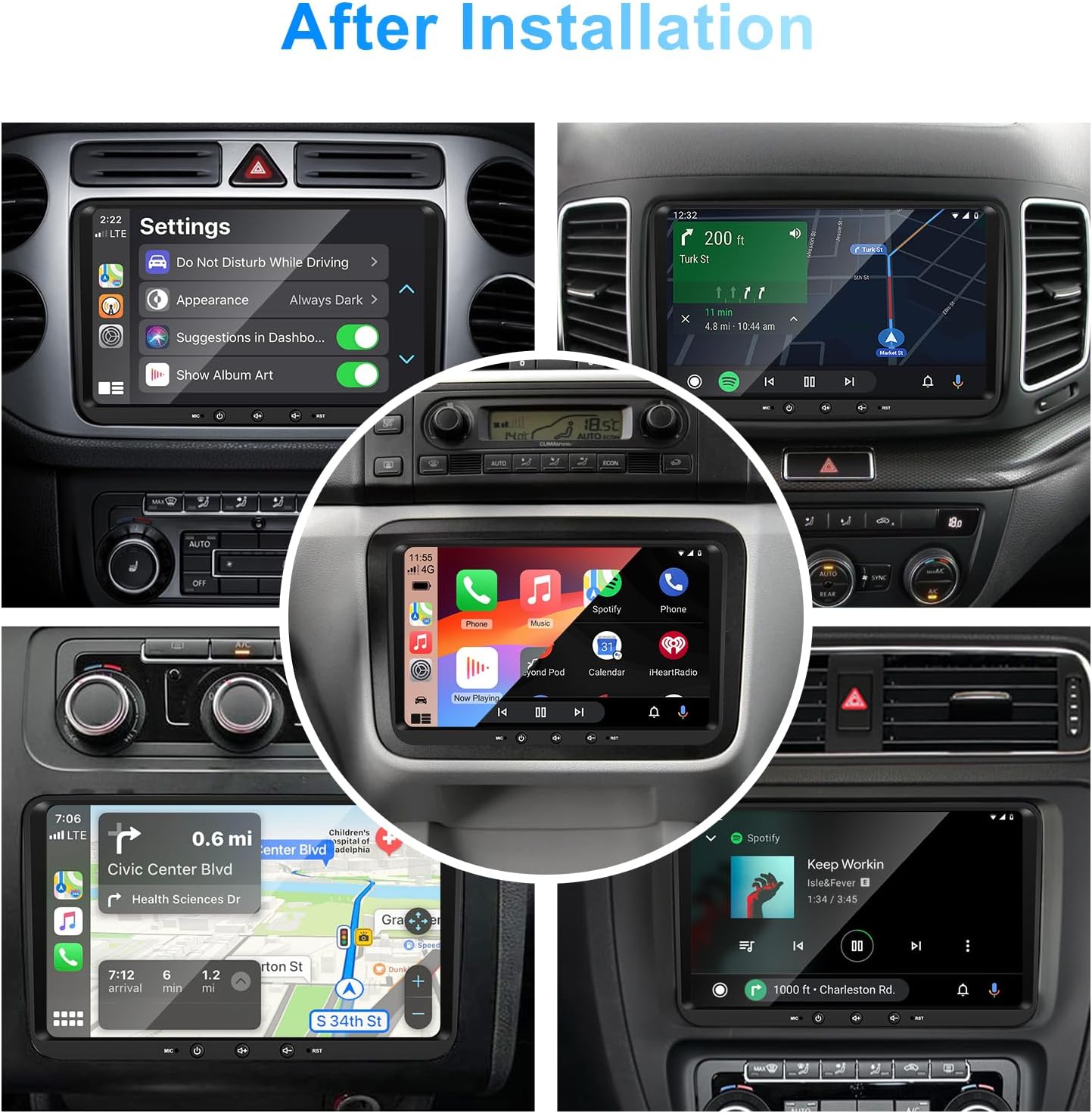
6.9 After Installation Overview
Once installed, the unit provides a comprehensive interface for various functions, including system settings, navigation, media playback, and vehicle information.
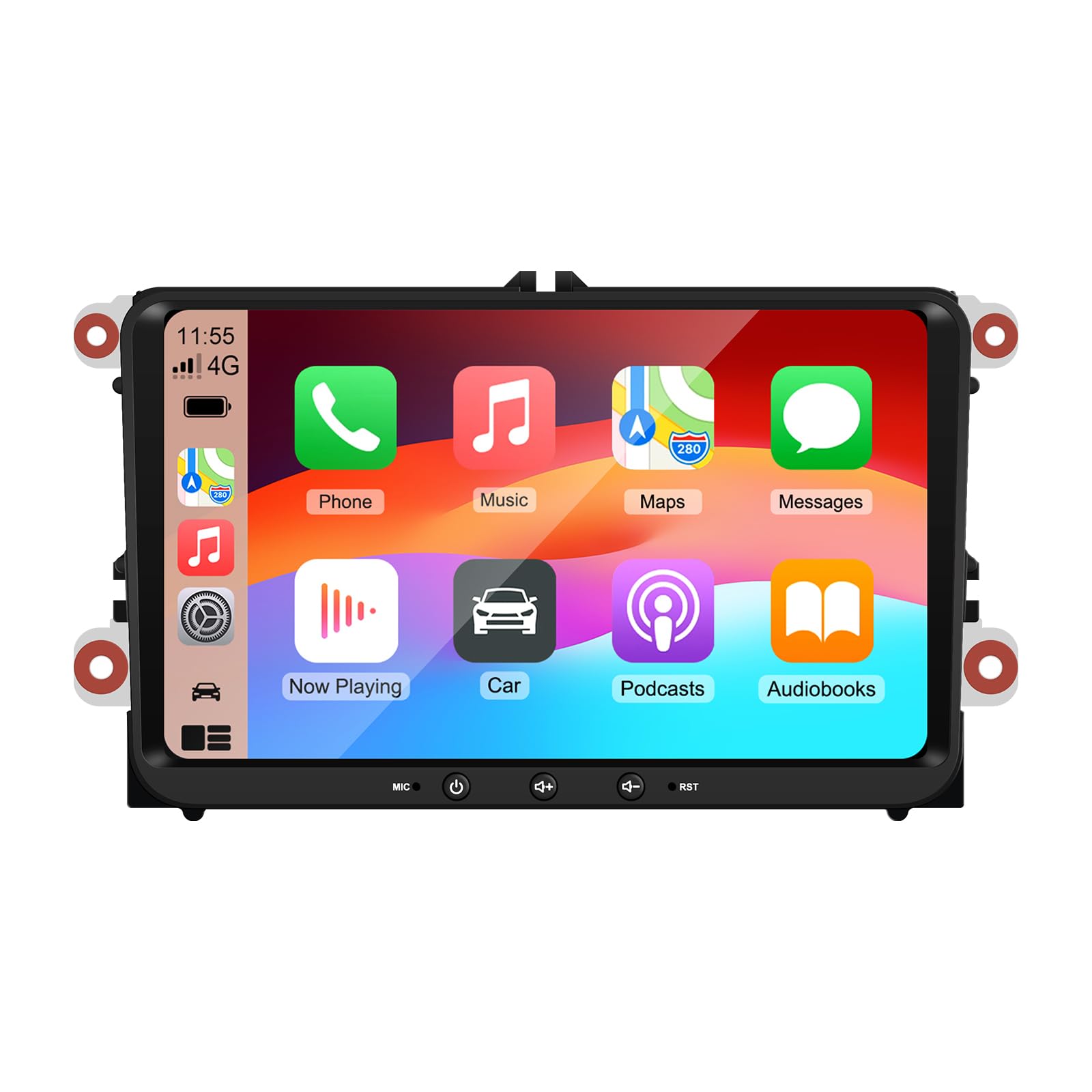
Image 9: A collage of various screen displays from the car stereo after installation, showing settings, navigation, CarPlay, Spotify, and vehicle information screens.
7. การบำรุงรักษา
- การทำความสะอาดหน้าจอ: ใช้ผ้านุ่มไม่เป็นขุยเช็ดหน้าจอสัมผัสเบาๆ สำหรับรอยเปื้อนฝังแน่น ให้เช็ดเบาๆampชุบผ้าด้วยน้ำหรือน้ำยาทำความสะอาดที่ปลอดภัยต่อหน้าจอ หลีกเลี่ยงสารเคมีรุนแรง
- การอัปเดตซอฟต์แวร์: Periodically check for software updates through the unit's settings menu or the manufacturer's webไซต์เพื่อให้มั่นใจถึงประสิทธิภาพที่เหมาะสมที่สุดและการเข้าถึงฟีเจอร์ใหม่ ๆ
- การรีเซ็ตระบบ: If the unit experiences persistent issues, a factory reset option is available in the settings. Note that this will erase all user data and settings.
8 การแก้ไขปัญหา
If you encounter problems with your EZoneTronics car stereo, refer to the following common issues and solutions:
| ปัญหา | สาเหตุที่เป็นไปได้ | สารละลาย |
|---|---|---|
| เครื่องไม่เปิด | สายไฟไม่ถูกต้อง ฟิวส์ขาด ปัญหาไฟฟ้าของรถยนต์ | ตรวจสอบการเชื่อมต่อสายไฟและฟิวส์ ปรึกษาช่างติดตั้งมืออาชีพ |
| ไม่มีเสียง. | Volume muted; Speaker wiring incorrect; Ampปัญหาตัวขยายเสียง | Check volume and mute settings. Verify speaker connections. |
| สัญญาณ GPS สูญหายหรือไม่แม่นยำ | เสาอากาศ GPS วางไม่ถูกต้องหรือถอดออก | ตรวจสอบให้แน่ใจว่าเสาอากาศ GPS มีสัญญาณที่ชัดเจน view ของท้องฟ้าและเชื่อมต่ออย่างปลอดภัย |
| การจับคู่บลูทูธล้มเหลว | Bluetooth not enabled on phone/unit; Incorrect pairing process. | Ensure Bluetooth is active on both devices. Restart pairing process. |
| การควบคุมพวงมาลัยไม่ทำงาน | CANBUS box not connected; Incorrect configuration. | Verify CANBUS box connection. Check steering wheel control settings in the unit. |
9. ข้อมูลจำเพาะ
Technical specifications for the EZoneTronics RM-26VW93-2G32 car stereo:
| คุณสมบัติ | ข้อมูลจำเพาะ |
|---|---|
| หมายเลขรุ่น | RM-26VW93-2G32 |
| ระบบปฏิบัติการ | แอนดรอยด์ 11 |
| ขนาดหน้าจอ | 9 นิ้ว |
| ความละเอียดการแสดงผล | 1280 x 720 พิกเซล |
| โปรเซสเซอร์ | Quad Core 1.5G |
| แรม | 2กรัมDDR4 |
| การจัดเก็บข้อมูลภายใน | หน่วยความจำแฟลช 32GB |
| เวอร์ชันบลูทูธ | 5.0 |
| กำลังขับ | 4 x 45W (180 Watts total) |
| จำนวนช่องสัญญาณ | 2 |
| เครื่องรับ GPS | Built-in, with external antenna |
| ไวไฟ | ในตัว |
| อินพุต USB | 2 x USB ด้านหลัง |
| อินพุตกล้อง | CVBS/AHD compatible |
| ผู้ผลิต | Rhythm Electronics Limited |
10. การรับประกันและการสนับสนุน
10.1 ข้อมูลการรับประกัน
The EZoneTronics RM-26VW93-2G32 car stereo comes with a รับประกัน 1 ปี นับจากวันที่ซื้อสินค้า การรับประกันนี้ครอบคลุมถึงข้อบกพร่องจากการผลิตและการทำงานผิดปกติภายใต้การใช้งานปกติ ไม่ครอบคลุมถึงความเสียหายที่เกิดจากการติดตั้งที่ไม่ถูกต้อง การใช้งานผิดวิธี อุบัติเหตุ หรือการดัดแปลงโดยไม่ได้รับอนุญาต
10.2 การสนับสนุนลูกค้า
For technical assistance, warranty claims, or any questions regarding your product, please contact our customer support team:
- อีเมล: support@ezonetronics.com
When contacting support, please provide your product model number (RM-26VW93-2G32) and a detailed description of the issue.