
การแนะนำ
Thank you for choosing the Behaesty Smart Visual Ear Cleaner. This innovative device combines an 800W Pixels FHD camera with a comprehensive ear wax removal kit, providing a safe and effective solution for personal ear hygiene. This manual will guide you through the setup, operation, maintenance, and troubleshooting of your new device to ensure optimal performance and a clear view ของช่องหูของคุณ
เนื้อหาแพ็คเกจ
Upon opening your Behaesty Smart Visual Ear Cleaner package, please verify that all components listed below are present and in good condition.

Image: The Behaesty Smart Visual Ear Cleaner along with its full set of accessories, including silicone ear scoops, traditional ear picks, and a USB Type-C charging cable.
- 1 x Behaesty Visual Earwax Remover with Lid
- 10 x Silicone Ear Scoops
- 1 x Traditional Earwax Removal 6-piece Set
- สายชาร์จ 1 x USB Type-C
- 1 x คู่มือการใช้งาน
วิดีโอ: จบแล้วview of the Behaesty Smart Visual Ear Cleaner and its included accessories, demonstrating the contents of the package.
คุณสมบัติหลัก
800W Pixels FHD Camera & 360° Wide Angle Lens
Experience crystal-clear visuals with the 800W Pixels FHD camera and a 360° wide-angle professional-grade lens. This provides a full, clear view of your ear canal, making earwax removal easier and safer. Equipped with 6 LED IP67 waterproof lights, the device ensures bright illumination and thermostatic conditions for real-time observation.

ภาพ: รายละเอียด view of the 800W Pixel HD camera lens.

Image: Illustration of the 360° wide-angle view.

ภาพ: View of the 6 super lights on the lens.
Wide Compatibility & WiFi Connectivity
The ear cleaning tool is compatible with most Android and iOS smartphones and tablets that have WiFi functionality. It connects to the ear pick and the accompanying 'Soulear' app via WiFi, offering a video transmission rate of up to 20 FPS. You can easily save images and videos for later review. Operating frequency: 2.4GHZ.
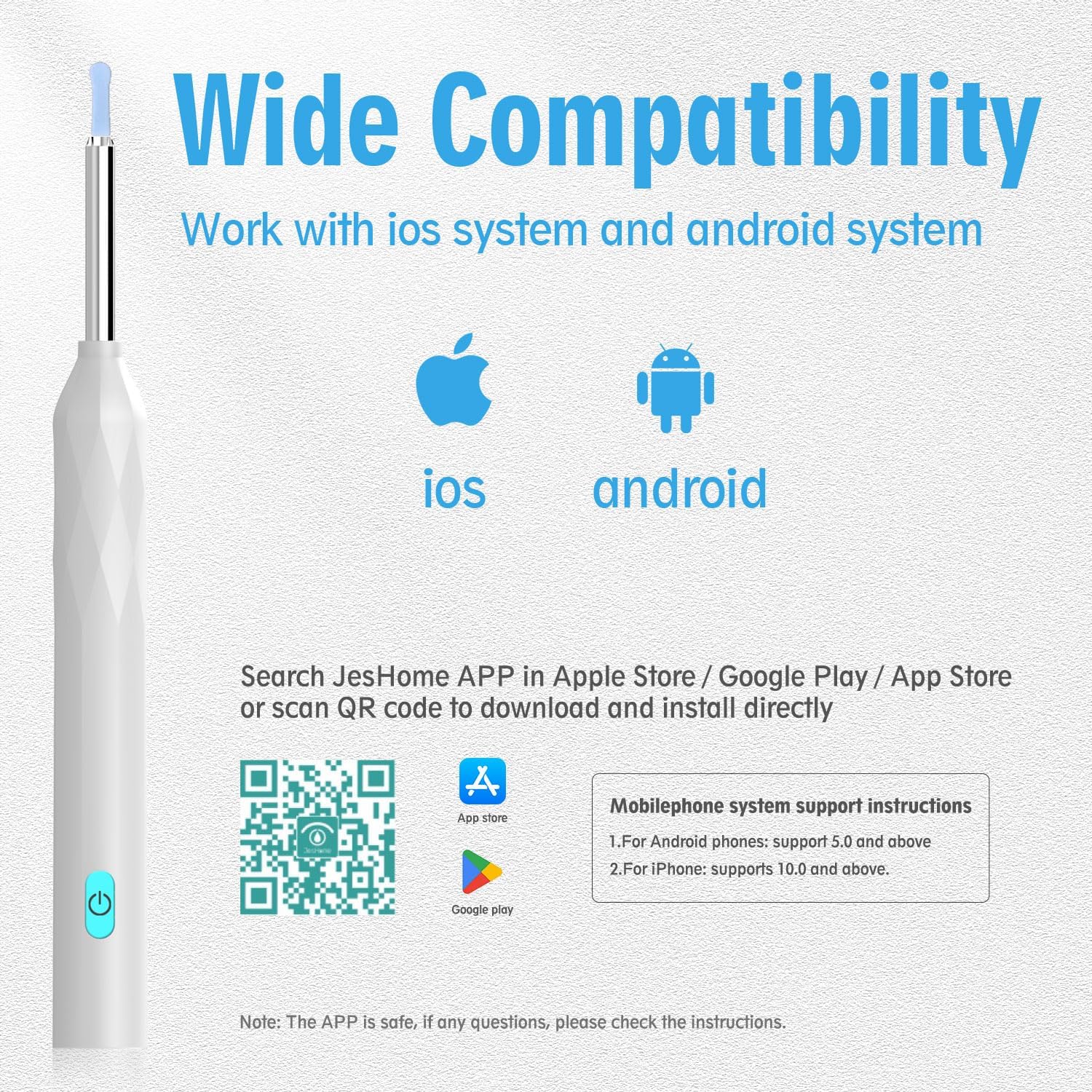
ภาพ: รองรับการใช้งานกับอุปกรณ์ iOS และ Android

Image: Visual representation of WiFi connection.
Long-Lasting Battery & Fast Charging
The built-in battery ensures extended use, lasting up to 180 days on standby and up to 90 minutes of continuous use. It can be conveniently recharged anytime using the included USB Type-C cable, making it eco-friendly and practical for daily use.

Image: Built-in battery and Type-C charging port.
Multi-scene, Multi-purpose Application
Beyond ear wax removal, this versatile tool can be used for various applications, including kids' oral health examination, nasal examination, dermatological observation, scalp health checks, and even pet ear checks, making it a valuable health tool for the entire family.

Image: Multi-scene, multi-purpose uses of the device.
Temperature Control System & Ergonomic Design
The device features an intelligent temperature control system, maintaining the handle at approximately 32°C and the lens at 25°C for comfortable and safe use. Its diamond-shaped body design ensures a secure and comfortable grip during operation.

Image: Temperature control system details.

Image: Diamond-shaped body design for ergonomic grip.
คู่มือการติดตั้ง
Follow these steps to set up your Behaesty Smart Visual Ear Cleaner and begin using it.
- ดาวน์โหลดแอป: Scan the QR code below or search for "Soulear" (or "JesHome") in your device's app store (Apple App Store / Google Play Store) to download and install the application. ดาวน์โหลดแอปที่นี่
- เปิดเครื่อง: Press and hold the power button on the ear cleaner for 1 second to turn it on. The blue indicator light will illuminate.
- เชื่อมต่อกับ WiFi: On your smartphone or tablet, go to your WiFi settings. Select the network named "JesHome-PX-XXXX" (where XXXX is a unique identifier) and connect to it. No password is required.
- เริ่มต้นการใช้งาน: Open the "Soulear" (or "JesHome") app. Click on the "Start" button to begin real-time observation of your ear canal.

Image: Visual guide for connecting the device to your smartphone via WiFi.
Video: A demonstration of the power-on sequence and WiFi connection process for the Behaesty Smart Visual Ear Cleaner.
คำแนะนำการใช้งาน
Once connected, you can safely and effectively use your visual ear cleaner.
- Attach Ear Scoop: Gently attach one of the silicone ear scoops to the tip of the visual ear cleaner. Ensure it is securely fitted.
- วางตำแหน่งอุปกรณ์: Carefully insert the ear cleaner into your ear canal while observing the live feed on your smartphone screen. The 360° wide-angle lens provides a comprehensive view.
- การกำจัดอย่างอ่อนโยน: Using the silicone ear scoop, gently and slowly maneuver to remove visible earwax. Always move with caution and avoid pushing wax deeper into the ear canal.
- ตรวจวัดอุณหภูมิ: The device maintains a safe temperature. If you feel any discomfort or excessive warmth, discontinue use immediately.
- จับภาพ/วิดีโอ: Use the app's functions to take photos or record videos of your ear canal for personal record or consultation with a professional.
- เทคนิคที่เหมาะสม: Avoid using sharp objects like pliers or cotton swabs, which can push wax further in or cause injury. The visual ear cleaner with soft silicone tips is designed for safer removal.

Image: Illustrates safe and unsafe methods of ear cleaning.

Image: Demonstrates the soft silicone ear tip and the IP67 waterproof lens.
การบำรุงรักษาและการดูแล
Proper maintenance ensures the longevity and hygiene of your Behaesty Smart Visual Ear Cleaner.
- Cleaning Ear Scoops: Always clean the silicone ear scoops and traditional ear picks with alcohol before and after each use. This prevents the spread of bacteria and ensures hygiene.
- การทำความสะอาดเลนส์: Gently wipe the camera lens with a soft, dry cloth. Avoid using abrasive materials or harsh chemicals that could damage the lens.
- พื้นที่จัดเก็บ: เก็บอุปกรณ์และอุปกรณ์เสริมไว้ในที่สะอาดและแห้ง หลีกเลี่ยงแสงแดดโดยตรงและอุณหภูมิที่สูงหรือต่ำเกินไป
- การชาร์จ: Only use the provided USB Type-C cable for charging. Do not use damaged cables or chargers.
การแก้ไขปัญหา
If you encounter any issues with your device, please refer to the table below for common problems and their solutions.
| หมายเลขซีเรียล | ความผิดพลาด | สารละลาย |
|---|---|---|
| 1 | ไม่มีการตอบสนองหลังจากเริ่มต้น | Please charge with the provided charging cable. The charging duration is 40 minutes. |
| 2 | ไฟแสดงสถานะกล้องไม่สว่างขึ้น | Shut down and restart or reconnect to WiFi. |
| 3 | แอพขัดข้อง | Uninstall the existing APP and rescan the QR code to install the latest version of APP. |
| 4 | ปลอกซิลิโคนหลวม | Remove the silicone sleeve and slowly re-insert the earpick, or replace the silicone sleeve. |
| 5 | ไฟแสดงสถานะสีน้ำเงินจะกะพริบอย่างรวดเร็ว | Low battery, please charge the product with the provided charging cable. |
| 6 | การเชื่อมต่อไม่เสถียร ง่ายต่อการถอดหรือหยุดเมื่อใช้งาน | Restart the earpick and reconnect to the APP. |
| 7 | After the product is connected to APP, image cannot be displayed normally | Disconnect the phone from the WiFi of the earpick, restart the earpick, and reconnect to WiFi. |
If the above operation still fails to solve the problem, please contact our customer service staff. We will further provide you with practical solutions on APP-Personal Center-FAQ.

Image: Troubleshooting guide for common device issues.
ข้อมูลจำเพาะ
- หมายเลขรุ่น: P3
- ผู้ผลิต: เบเฮสตี้
- ขนาดแพ็คเกจ: 7.28 x 2.95 x 0.75 นิ้ว
- น้ำหนักสินค้า: 2.4 ออนซ์
- ความละเอียดกล้อง: 800W Pixels FHD
- เลนส์: 360° Wide Angle, 6 LED Lights
- ระดับการกันน้ำ: IP67 (เลนส์)
- การเชื่อมต่อ: WiFi (2.4GHZ)
- อายุการใช้งานแบตเตอรี่: Up to 90 minutes continuous use, 180 days standby
- พอร์ตชาร์จ: ยูเอสบี ไทป์ ซี
การรับประกันและการสนับสนุน
Behaesty products are designed for reliability and performance. This product comes with a standard manufacturer's warranty covering defects in materials and workmanship under normal use. For specific warranty details, please refer to the warranty card included in your package or contact Behaesty customer support.
For technical assistance, troubleshooting beyond this manual, or warranty claims, please contact Behaesty Customer Service through the 'Personal Center-FAQ' section within the 'Soulear' (or 'JesHome') app, or visit the official Behaesty store on Amazon.