
Behaesty P3
Behaesty Ear Wax Removal Tool Camera User Manual
รุ่น : P3
การแนะนำ
Welcome to the user manual for your Behaesty Ear Wax Removal Tool Camera. This device combines an 800W Pixels FHD camera with a soft silicone ear scoop, providing a clear visual for safe and effective ear wax removal. It connects wirelessly to your smartphone or tablet, allowing for real-time viewing, photo capture, and video recording of your ear canal.
สิ่งที่รวมอยู่
- 1 x Visual Earwax Remover with Lid
- 10 x Silicone Ear Scoops
- 1 x Traditional Earwax Removal 6-piece Set
- สายชาร์จ 1 x USB Type-C
- 1 x คู่มือการใช้งาน

The complete package includes the visual earwax remover, multiple silicone ear scoops for hygiene, a set of traditional metal ear picks for various needs, a USB-C charging cable, and this user manual.
คุณสมบัติหลัก
กล้องความละเอียดสูง
- 800W Pixels FHD Camera: Provides clear and detailed images of the ear canal.
- 360° Wide Angle Lens: Offers a comprehensive view for easier navigation.
- 6 LED Super Lights: Ensures bright and thermostatic illumination inside the ear.

The device features an 800W pixel Full HD camera for superior image clarity and six integrated LED lights to illuminate the ear canal, ensuring a bright and stable view.
การเชื่อมต่ออัจฉริยะ
- WiFi Connection: Seamlessly connects to your smartphone or tablet via WiFi for real-time viewการไอเอ็นจี
- App Compatibility: Works with most Android (5.0 and above) and iOS (10.0 and above) devices via the "Soulear" or "JesHome" APP.
- Image & Video Capture: Allows users to save images and videos directly to their device.
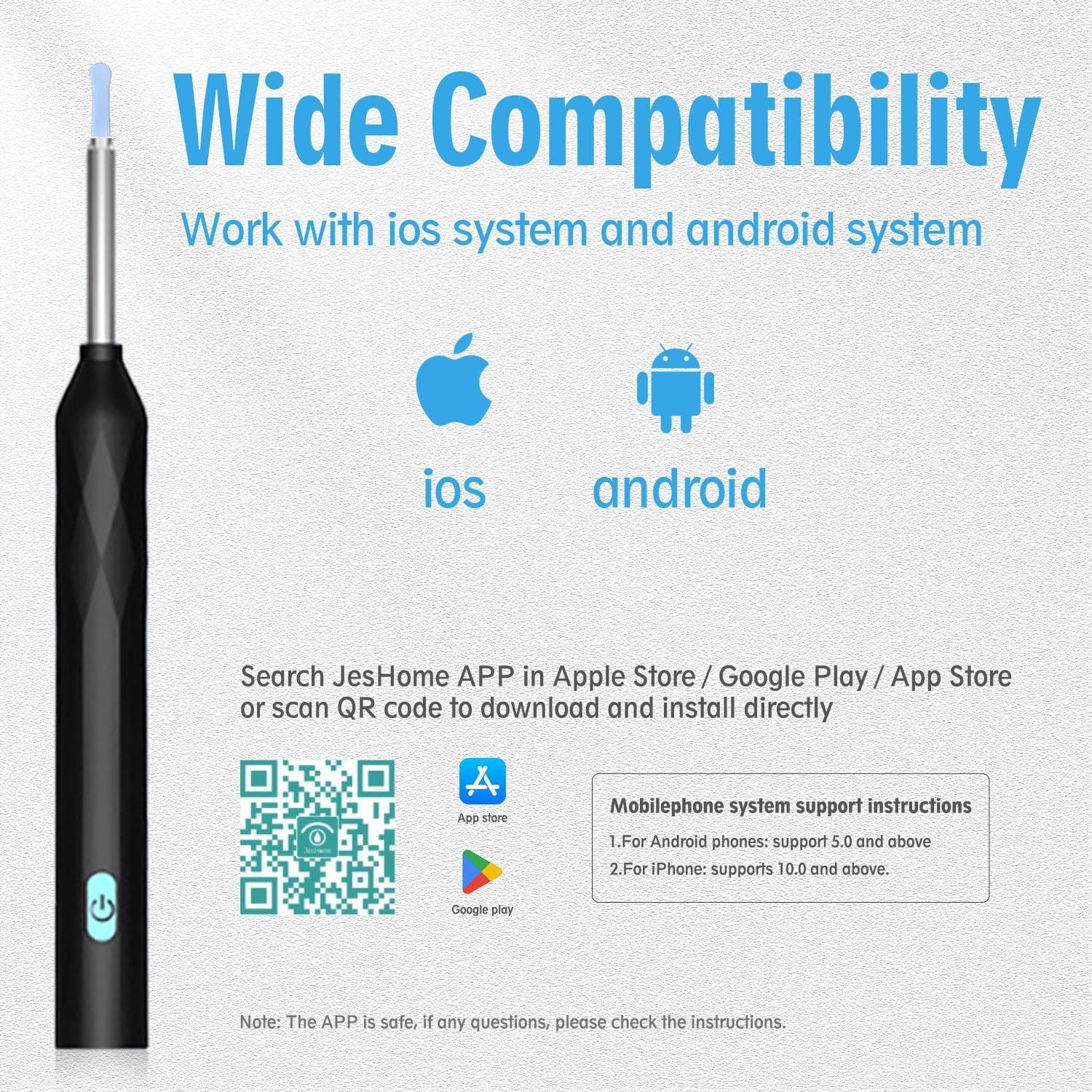
The ear camera is compatible with both iOS and Android smartphones and tablets. Simply download the dedicated 'JesHome' or 'Soulear' app to connect and view ฟีดสด ดาวน์โหลดแอปที่นี่
การออกแบบที่เป็นมิตรต่อผู้ใช้
- Soft Silicone Ear Tip: Ensures comfortable and safe use, protecting the ear canal.
- IP67 Waterproof Lens: Allows for easy cleaning and maintenance of the lens.
- Diamond-shaped Body Design: Provides a secure and comfortable grip.

Designed for ease of use, the device features a soft silicone ear tip for gentle insertion and an IP67 waterproof lens for hygienic cleaning. Its ergonomic design ensures a comfortable and secure grip during use.
คู่มือการติดตั้ง
ขั้นตอนที่ 1: ดาวน์โหลดแอป
Scan the QR code provided in the manual or search for "Soulear" or "JesHome" APP in your device's app store (Apple App Store or Google Play Store).
ดาวน์โหลดแอปที่นี่
ขั้นตอนที่ 2: เปิดอุปกรณ์
Press and hold the power button on the ear wax removal tool for 1 second until the blue indicator light illuminates.
Step 3: Connect via WiFi
On your smartphone or tablet, go to your WiFi settings. Select the network named "JesHome-PX-XXXX" (where XXXX is a unique identifier for your device) and connect to it. This is a direct device-to-phone connection, not requiring internet access.
Step 4: Start Using the App
Open the "Soulear" or "JesHome" APP. The app should automatically detect the connected device. Click "Start" to begin real-time viewการไอเอ็นจี

Follow these steps to connect your device: 1. Download the JesHome APP. 2. Hold the power button to boot. 3. Open the APP and click Add. 4. Select 'JesHome-PX-XXXX' WiFi. 5. Return to the APP and click Start.
Watch this video for a visual guide on setting up and operating your Behaesty Ear Wax Removal Tool Camera, including connecting to the app and using the camera for ear inspection.
คำแนะนำการใช้งาน
การใช้งานทั่วไป
Once connected, the live view of your ear canal will appear on your device's screen. Use the silicone ear scoop attached to the camera to gently remove ear wax while observing the process on your screen. The 360° wide-angle lens ensures the image stays upright even as the camera rotates, providing stable orientation.
การใช้งานเอนกประสงค์
Beyond ear wax removal, this versatile tool can be used for various inspections, including:
- Kids Oral Health Examination
- Nasal Examination
- Dermatological Observation (e.g., skin pores)
- Scalp Health Check
- Pet Ear Check

The Behaesty visual ear tool is not limited to ear cleaning; it can also be used for examining the mouth, nose, skin, scalp, and even pet ears, making it a versatile health tool for the whole family.
การบำรุงรักษาและการดูแล
Cleaning the Ear Scoops
Always clean the silicone ear scoops and traditional ear picks with alcohol before and after each use to ensure hygiene and prevent contamination.
การทำความสะอาดเลนส์
The IP67 waterproof lens can be safely rinsed under water. Ensure it is completely dry before storage.
การชาร์จไฟ
Recharge the device using the provided USB Type-C cable. A full charge takes approximately 40 minutes. The device can last up to 180 days on standby and up to 90 minutes of continuous use.
พื้นที่จัดเก็บ
Store the device and accessories in a cool, dry place, away from direct sunlight and high humidity. Do not place heavy objects on top of the device.
การแก้ไขปัญหา
| หมายเลขซีเรียล | ความผิดพลาด | สารละลาย |
|---|---|---|
| 1 | ไม่มีการตอบสนองหลังจากเริ่มต้น | Please charge with the provided charging cable. The charging duration is 40 minutes. |
| 2 | ไฟแสดงสถานะกล้องไม่สว่างขึ้น | Shut down and restart or reconnect to WiFi. |
| 3 | แอพขัดข้อง | Uninstall the existing APP and rescan the QR code to install the latest version of APP. |
| 4 | ปลอกซิลิโคนหลวม | Remove the silicone sleeve and slowly re-insert the earpick, or replace the silicone sleeve. |
| 5 | ไฟแสดงสถานะสีน้ำเงินจะกะพริบอย่างรวดเร็ว | Low battery, please charge the product with the provided charging cable. |
| 6 | การเชื่อมต่อไม่เสถียร ง่ายต่อการถอดหรือหยุดเมื่อใช้งาน | Restart the earpick and reconnect to the APP. |
| 7 | After the product is connected to APP, image cannot be displayed normally | Disconnect the phone from the WiFi of the earpick, restart the earpick, and reconnect. |
If the above solutions fail to resolve the problem, please contact our customer service staff. We will further provide you with practical solutions on APP-Personal Center-FAQ.

Refer to this table for quick solutions to common issues you might encounter with your device, such as connection problems or indicator lights.
ข้อมูลจำเพาะผลิตภัณฑ์
- หมายเลขรุ่น: P3
- Camera Pixels: 800W FHD
- เลนส์: 360° Wide Angle, 6 LED Lights
- ระดับการกันน้ำ: IP67 (เลนส์)
- การเชื่อมต่อ: WiFi (2.4GHZ Operating Frequency)
- อายุการใช้งานแบตเตอรี่: Up to 90 minutes continuous use, 180 days standby
- เวลาในการชาร์จ: Approximately 40 minutes (USB Type-C)
- ความเข้ากันได้: Android 5.0 ขึ้นไป, iOS 10.0 ขึ้นไป
- ขนาด : 7.36 x 2.95 x 0.75 นิ้ว
- น้ำหนัก: 2.4 ออนซ์
- ผู้ผลิต: เบเฮสตี้
ข้อมูลด้านความปลอดภัยที่สำคัญ
- It is recommended to carefully clean the lens with cotton swabs.
- Please observe your surroundings before use. Do not use it in an environment where it may come into contact with moving people or animals. Do not use it in a moving vehicle, or in other unstable environments.
- Please keep your body stable when using it.
- ผลิตภัณฑ์นี้ไม่เหมาะสำหรับเด็กอายุต่ำกว่า 3 ปี
- Avoid accidental injury; children are prohibited from using this product alone.
- อย่าวางเครื่องไว้ในสภาพแวดล้อมที่มีความชื้นเป็นเวลานาน หรือจุ่มเครื่องทั้งเครื่องในของเหลว
- The product has a built-in polymer battery, which must be charged once a month if not used frequently.
- Please charge the device with a 5V charger. It is forbidden to use this device when it is under charging status.
- หลีกเลี่ยงการให้ผลิตภัณฑ์ถูกแสงแดดโดยตรง
- ห้ามวางของหนักทับบนตัวเครื่อง
- During use, the temperature of the product will rise slightly (up to about 3°C), which is normal.
- Do not put the product in water for clearing to avoid damage.
การปฏิเสธความรับผิดทางกฎหมาย
คำกล่าวอ้างเกี่ยวกับอาหารเสริมยังไม่ได้รับการประเมินจาก FDA และไม่ได้มีจุดประสงค์เพื่อวินิจฉัย รักษา รักษาหาย หรือป้องกันโรคหรือภาวะสุขภาพใดๆ
การรับประกันและการสนับสนุน
For warranty information or technical support, please refer to the contact details provided in the "Personal Center" or "FAQ" section of the "Soulear" or "JesHome" APP, or visit the official Behaesty store on Amazon.
Ask a question about this manual
Ask about setup, troubleshooting, compatibility, parts, safety, or missing instructions. Manuals+ will review the question and use this page’s manual context to help answer it.