
Samsung NQ5B6753CAK
คู่มือผู้ใช้เตาไมโครเวฟขนาดกะทัดรัด Samsung Bespoke Series 6
Model: NQ5B6753CAK
สินค้าเกินview
The Samsung Bespoke Compact Microwave Oven Series 6 (Model NQ5B6753CAK) is a versatile appliance designed for efficient cooking. It combines traditional oven functions with microwave capabilities, offering features such as rapid cooking, an intuitive control panel, SmartThings Cooking integration, and Air Fry technology for healthier frying.

ภาพ: ด้านหน้า view of the Samsung Bespoke Compact Microwave Oven, showcasinด้วยดีไซน์สีดำเงาและแผงควบคุมในตัว
การติดตั้งและการตั้งค่า
This appliance is designed for built-in installation. Ensure proper ventilation and clearance as specified in the detailed installation guide provided with the product. Professional installation is recommended.
การแกะกล่อง
- นำเตาอบออกจากบรรจุภัณฑ์อย่างระมัดระวัง
- ตรวจสอบเตาอบว่ามีร่องรอยความเสียหายจากการขนส่งหรือไม่ หากพบความเสียหาย ห้ามติดตั้ง
- Remove all packing materials, including any protective films or tapes from the interior and exterior surfaces.
การจัดวาง
- Ensure the installation cabinet meets the required dimensions for the model NQ5B6753CAK (57 x 59.5 x 45.6 cm).
- The oven requires a stable, level surface for proper operation.
- Connect the oven to a grounded electrical outlet as per local electrical codes.
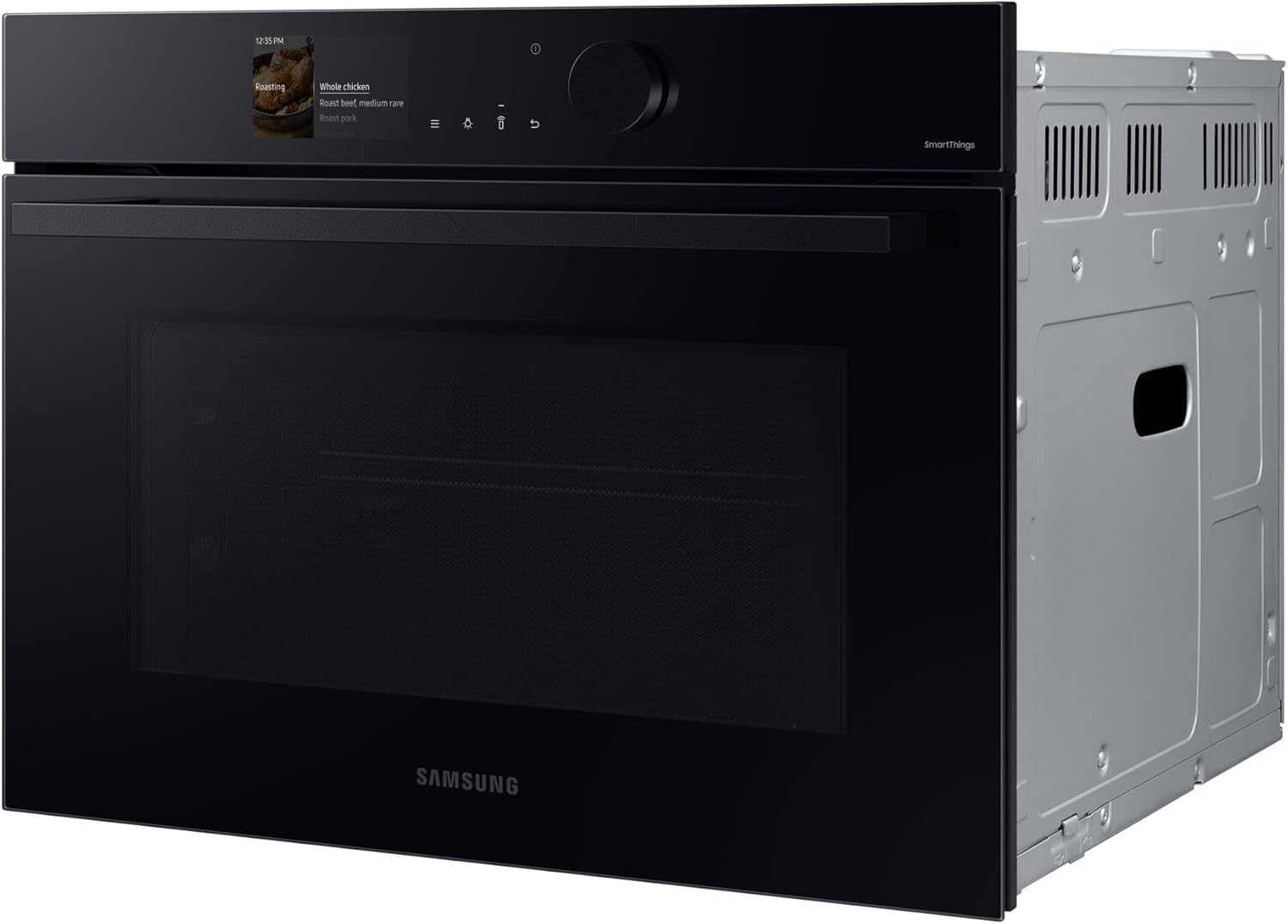
ภาพ: ด้านข้าง view of the Samsung Bespoke Compact Microwave Oven, illustrating its compact dimensions suitable for built-in installation.

ภาพ: ภายใน view of the oven, showing the removable racks and baking tray, which should be installed before first use.
คำแนะนำการใช้งาน
The Samsung Bespoke Compact Microwave Oven offers various cooking modes and smart features for an enhanced culinary experience.
แผงควบคุมโอเวอร์view
The oven features a modern control panel with a 2.25-inch LCD display and a single rotary knob for intuitive navigation and setting adjustments.

ภาพ: รายละเอียด view of the oven's control panel, highlighting the LCD display showing cooking options and the rotary knob for selection.
โหมดการทำอาหาร
- Combined Microwave Cooking: This mode combines traditional oven heating with microwave technology for faster and more even cooking or reheating. It is ideal for dishes requiring both internal cooking and external browning.
- Traditional Oven Functions: Utilize radiant and convection heating for baking, roasting, and grilling.
- แอร์ฟราย: For healthier fried foods, this mode uses a dedicated plate and hot air circulation to achieve crispy results with minimal oil. Ideal for items like french fries, nuggets, and vegetables.
SmartThings Cooking Integration
Connect your oven to the SmartThings app via Wi-Fi for personalized recipe recommendations, weekly meal planning, guided cooking experiences, and effortless grocery shopping. This feature helps streamline your cooking process.
การเชื่อมต่อ Wi-Fi
The integrated Wi-Fi allows remote control of the oven via a dedicated app. You can preheat, turn off, monitor, and adjust temperature and cooking times from your smartphone. Programmed settings can also be selected remotely.
การบำรุงรักษาและการทำความสะอาด
Regular cleaning and maintenance will ensure the longevity and optimal performance of your Samsung Bespoke Compact Microwave Oven.
การทำความสะอาดภายใน
- ปล่อยให้เตาอบเย็นสนิทก่อนทำความสะอาด
- Wipe the interior surfaces, including the stainless steel interior, with a soft cloth and mild detergent.
- For stubborn stains, use a non-abrasive oven cleaner specifically designed for microwave ovens, following the product instructions.
- The defrosting system is manual; ensure to clean any condensation or food spills after defrosting.

ภาพ: ภายใน view of the oven, showing the stainless steel cavity and removable racks, facilitating easy cleaning.
การทำความสะอาดภายนอก
- ทำความสะอาดพื้นผิวภายนอกด้วยผ้านุ่มๆamp ผ้า.
- Avoid using abrasive cleaners or scouring pads, as they can damage the finish.
เครื่องประดับ
- Remove and clean oven racks and trays with warm, soapy water.
- ตรวจสอบให้แน่ใจว่าอุปกรณ์เสริมทั้งหมดแห้งสนิทก่อนนำกลับเข้าไปในเตาอบ
การแก้ไขปัญหา
This section provides solutions to common issues you might encounter with your oven. If the problem persists, contact customer support.
| ปัญหา | สาเหตุที่เป็นไปได้ | สารละลาย |
|---|---|---|
| เตาอบไม่เปิด | ไม่มีแหล่งจ่ายไฟ | Check if the oven is properly plugged into a working electrical outlet. Check circuit breaker. |
| อาหารปรุงไม่เท่ากัน | Incorrect temperature/time setting; improper food placement. | Adjust cooking settings. Ensure food is placed centrally and appropriate cookware is used. Utilize combined microwave function for more even heating. |
| ไฟในเตาอบไม่ทำงาน | หลอดไฟต้องเปลี่ยนใหม่ | Refer to the full user manual for instructions on replacing the oven light bulb. |
| ปัญหาการเชื่อมต่อ Wi-Fi | Router issues; incorrect network settings. | Ensure your Wi-Fi router is working correctly and within range. Reconfigure Wi-Fi settings on the oven and in the SmartThings app. |
ข้อมูลจำเพาะ
| คุณสมบัติ | รายละเอียด |
|---|---|
| ยี่ห้อ | ซัมซุง |
| หมายเลขรุ่น | NQ5B6753CAK |
| ขนาดสินค้า | 57 x 59.5 x 45.6 ซม. |
| ประเภทการติดตั้ง | ในตัว |
| วัสดุ | สแตนเลส |
| วัสดุภายใน | สแตนเลส |
| ประเภทตัวควบคุม | Button / Rotary Knob |
| การป้อนข้อมูลส่วนติดต่อผู้ใช้ | กุญแจ / จอแสดงผล |
| วิธีการให้ความร้อน | Radiant, Convection, Microwave |
| ระบบละลายน้ำแข็ง | ละลายน้ำแข็งด้วยตนเอง |
| ความจุ | 50 ลิตร |
การรับประกันและการสนับสนุน
สำหรับข้อมูลการรับประกันและการสนับสนุนลูกค้า โปรดดูที่เว็บไซต์อย่างเป็นทางการของ Samsung website or the warranty card included with your product. General return policies are available on the Amazon platform.
If you have received a defective or damaged product, please consult the Amazon help page on returns. For specific information on purchases made on the Marketplace, consult the relevant Amazon help page.
For technical assistance or service requests, please contact Samsung Customer Service directly. Have your model number (NQ5B6753CAK) and serial number ready when contacting support.
Ask a question about this manual
Ask about setup, troubleshooting, compatibility, parts, safety, or missing instructions. Manuals+ will review the question and use this page’s manual context to help answer it.