
1. สินค้าหมดview
The TP-Link Deco X1500 is a Wi-Fi 6 Mesh System designed to provide seamless, whole-home Wi-Fi coverage. This 3-pack system utilizes advanced Wi-Fi 6 technologies to deliver faster speeds, connect more devices, and reduce latency for a superior network experience. It creates a unified network that automatically selects the best connection as you move throughout your home.

Image: A single TP-Link Deco X1500 Mesh WiFi 6 unit, showcasing its compact white cylindrical design.
คุณสมบัติหลัก:
- Faster Connections: Wi-Fi 6 achieves speeds up to 1,500 Mbps: 1,201 Mbps on 5 GHz and 300 Mbps on 2.4 GHz.
- เชื่อมต่ออุปกรณ์เพิ่มเติม: OFDMA and MU-MIMO technologies quadruple capacity for simultaneous transmission to multiple devices.
- Enhanced Seamless Coverage: Achieve perfect whole-home coverage with a clearer and stronger Wi-Fi signal generated by Wi-Fi 6.
- เวลาแฝงต่ำมาก: Reduced latency enables more responsive gaming and video chats.
- Unified Network: Multiple units form a whole-home network that automatically selects the best connection as you move around your home.
- Robust Parental Controls: จำกัดเวลาออนไลน์และบล็อกที่ไม่เหมาะสม websites based on unique profileที่สร้างขึ้นเพื่อสมาชิกในครอบครัวแต่ละคน
- การตั้งค่าแบบง่าย: The Deco app guides you step-by-step through the setup process.
2. เนื้อหาบรรจุภัณฑ์
ตรวจสอบว่ามีรายการทั้งหมดอยู่ในแพ็คเกจของคุณ:
- 3 x Deco X1500 ยูนิต
- สายเคเบิลอีเธอร์เน็ต RJ1 45 เส้น
- อะแดปเตอร์ไฟฟ้า 3 ตัว
- คู่มือการติดตั้งด่วน 1 ชุด
3. คำแนะนำในการตั้งค่า
Setting up your Deco X1500 Mesh System is straightforward using the TP-Link Deco app. Follow these steps for initial installation:
- ดาวน์โหลดแอป Deco: ค้นหา 'TP-Link Deco' in the App Store (iOS) or Google Play Store (Android) and download the application.
- Sign Up or Log In: Open the Deco app and sign up for a TP-Link ID. If you already have one, log in.
- เชื่อมต่อหน่วย Deco หลัก:
- ปิดโมเด็มของคุณ
- เชื่อมต่อหน่วย Deco หนึ่งหน่วยเข้ากับโมเด็มของคุณโดยใช้สายเคเบิลอีเทอร์เน็ตที่ให้มา
- Power on your modem, then power on the Deco unit.
- ทำตามคำแนะนำในแอป: The Deco app will automatically detect your Deco unit and guide you through the process of creating your Wi-Fi network name and password.
- เพิ่มหน่วยตกแต่งเพิ่มเติม: Once the main Deco is set up, the app will prompt you to add the remaining Deco units. Place them strategically throughout your home for optimal coverage. The app will provide guidance on ideal placement.
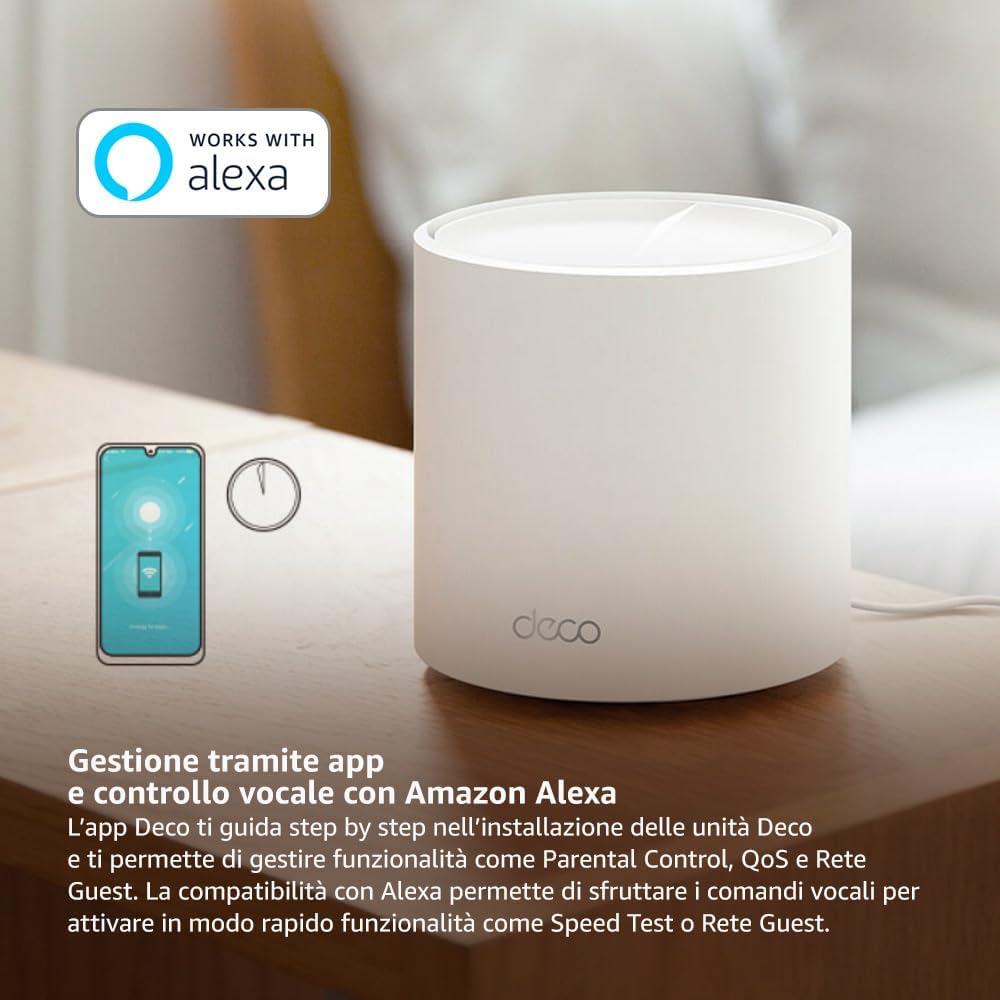
Image: A smartphone screen displaying the TP-Link Deco app, illustrating the step-by-step setup process for the mesh system.
4. คู่มือการใช้งาน
The Deco X1500 system is managed primarily through the TP-Link Deco app, offering various features to control and optimize your home network.
Using the Deco App:
- การจัดการเครือข่าย: View connected devices, monitor network status, and manage Wi-Fi settings.
- การควบคุมโดยผู้ปกครอง: สร้างโปรfiles for family members, set time limits, and block inappropriate content.
- คุณภาพการบริการ (QoS): จัดลำดับความสำคัญของอุปกรณ์หรือกิจกรรมเพื่อให้ได้ประสิทธิภาพสูงสุด
- เครือข่ายแขก: สร้างเครือข่าย Wi-Fi แยกต่างหากสำหรับแขก เพื่อรักษาความปลอดภัยของเครือข่ายหลักของคุณ
- โปรแกรมป้องกันไวรัส: Utilize built-in HomeShield features for network protection.
Voice Control with Amazon Alexa:
The Deco X1500 is compatible with Amazon Alexa. Link your TP-Link Deco account to your Alexa account to use voice commands for network functions, such as:
- Enabling or disabling the Guest Network.
- Running a speed test.
- Pausing Wi-Fi for specific profiles.

ภาพ: ด้านหลัง view of a Deco X1500 unit, showing two Gigabit LAN/WAN auto-sensing Ethernet ports and the power input.
5. การบำรุงรักษา
Regular maintenance ensures optimal performance and longevity of your Deco X1500 system.
อัพเดตเฟิร์มแวร์:
- The Deco app will notify you of available firmware updates. It is recommended to keep your Deco units updated to the latest firmware for improved performance, security, and new features.
- Follow the in-app instructions to perform firmware updates. Do not power off the units during an update.
การทำความสะอาดและการจัดวาง:
- Clean the Deco units with a soft, dry cloth. Do not use liquid cleaners or aerosols.
- Place Deco units in open areas, away from obstructions like large metal objects, thick walls, or other electronic devices that may cause interference.
- Ensure adequate ventilation around each unit to prevent overheating.
6 การแก้ไขปัญหา
If you encounter issues with your Deco X1500 system, refer to the following common troubleshooting steps.
ไม่มีการเชื่อมต่ออินเทอร์เน็ต:
- ตรวจสอบโมเด็ม: Ensure your modem is powered on and has an active internet connection.
- การเชื่อมต่อสายเคเบิล: Verify that the Ethernet cable connecting the main Deco unit to the modem is securely plugged in.
- รีสตาร์ทอุปกรณ์: Power cycle your modem and all Deco units. Wait a few minutes for them to restart and re-establish connections.
- สถานะแอป Deco: Check the Deco app for network status and any error messages.
สัญญาณ Wi-Fi อ่อนหรือโซนอับสัญญาณ:
- การจัดวางหน่วย: Adjust the placement of your Deco units. Try to place them equidistant from each other and the main Deco, avoiding physical obstructions.
- การรบกวน: Move Deco units away from other electronics (microwaves, cordless phones, Bluetooth devices) that might cause wireless interference.
- เพิ่มหน่วยเพิ่มเติม: For very large homes or those with multiple floors, consider adding more Deco units to expand coverage.
Device Cannot Connect to Wi-Fi:
- รหัสผ่านที่ถูกต้อง: ตรวจสอบให้แน่ใจว่าคุณป้อนรหัสผ่าน Wi-Fi ที่ถูกต้อง
- ความเข้ากันได้ของอุปกรณ์: Verify that your device supports the Wi-Fi standards used by the Deco system (802.11ax/ac/n/a/g/b).
- รีสตาร์ทอุปกรณ์: รีสตาร์ทอุปกรณ์โดยพยายามเชื่อมต่อ
- Check Blacklist: Ensure the device has not been accidentally blacklisted in the Deco app.
7. ข้อมูลจำเพาะ
| คุณสมบัติ | ข้อมูลจำเพาะ |
|---|---|
| ยี่ห้อ | ทีพี ลิงค์ |
| ชื่อรุ่น | เดคโค X1500 |
| คุณสมบัติพิเศษ | ไวไฟ 6 |
| ระดับย่านความถี่ | ดูอัลแบนด์ |
| มาตรฐานการสื่อสารไร้สาย | 802.11ax |
| อุปกรณ์ที่รองรับ | คอมพิวเตอร์ส่วนบุคคล, สมาร์ทโฟน, แท็บเล็ต |
| ข้อแนะนำการใช้ | บ้าน |
| เทคโนโลยีการเชื่อมต่อ | RJ45 |
| สี | สีขาว |
| โปรโตคอลความปลอดภัย | WPA3 |
| Number of Ports (per unit) | 2 x Gigabit LAN/WAN (auto-sensing) |
| วิธีการควบคุม | แอป |
| อัตราการถ่ายโอนข้อมูล | 1500 เมกะบิตต่อวินาที |
| แบนด์วิดท์พอร์ต LAN | 1000 เมกะบิตต่อวินาที |
| เล่มที่tage | 110.0โวลต์ |
| Max Upstream Data Transfer Rate | 1201 เมกะบิตต่อวินาที |
| จำนวนเสาอากาศ | ภายใน |
| ความเข้ากันได้ของสมาร์ทโฮม | ใช่ |
| การสร้าง Wi-Fi | ไวไฟ 6 |
| ความคุ้มครอง (3 แพ็ค) | พื้นที่สูงสุดถึง 520 ตารางเมตร |
| น้ำหนักสินค้า | 1.8 กิโลกรัม |
8. ข้อมูลการรับประกัน
The TP-Link Deco X1500 Mesh System comes with a สินค้ารับประกัน 3 ปี. This warranty covers defects in materials and workmanship under normal use. For specific terms and conditions, please refer to the warranty card included in your package or visit the official TP-Link webเว็บไซต์.
9. การสนับสนุน
For further assistance, technical support, or to access additional resources, please visit the official TP-Link support webเว็บไซต์:
You can also find FAQs, updated manuals, and community forums on the support page.