
1. บทนำและเรื่องอื่นๆview
The Epson PowerLite 97H is a versatile XGA conference room projector designed for clear and vibrant presentations. Utilizing 3LCD technology, it delivers bright, true-to-life images with excellent color brightness and a wide color gamut. This projector offers a native resolution of 1024x768 (XGA) and a brightness of 2,700 ANSI Lumens, making it suitable for various environments.
คุณสมบัติที่สำคัญ ได้แก่:
- ความสว่าง: 2,700 ANSI Lumens
- ปณิธาน: 1024x768 (XGA)
- อัตราส่วนภาพ: 4:3 น.
- ตัดกัน: 10,000:1 น.
- เทคโนโลยีการแสดงผล: 3LCD for vibrant colors
- การเชื่อมต่อ: Multiple options including HDMI, USB, LAN, VGA, S-Video, Composite, and Audio inputs/outputs.
2. ข้อมูลด้านความปลอดภัย
Please read all safety instructions before using the projector to ensure safe operation and to prevent damage to the unit. Keep this manual for future reference.
- คำเตือนเรื่องความร้อน: โปรเจ็กเตอร์ lamp and surrounding areas can become extremely hot during operation and immediately after shutdown. Avoid touching these areas.
- การระบายอากาศ : Ensure adequate ventilation around the projector. Do not block ventilation openings, as this can lead to overheating and potential damage.
- Lamp การทดแทน: Always turn off the projector and allow the lamp to cool completely before attempting to replace it. Refer to the lamp replacement instructions in the Maintenance section.
- แหล่งพลังงาน: Use only the specified power supply and cable. Do not overload power outlets.
- ของเหลวและความชื้น: Do not expose the projector to rain, moisture, or excessive humidity. Do not place objects filled with liquids on or near the projector.
- การทำความสะอาด: ถอดสายไฟออกก่อนทำความสะอาด ใช้ผ้านุ่มและแห้ง ห้ามใช้น้ำยาทำความสะอาดชนิดน้ำหรือสเปรย์
3. เนื้อหาบรรจุภัณฑ์
ตรวจสอบว่ามีรายการทั้งหมดอยู่ในแพ็คเกจของคุณ:
- Epson PowerLite 97H Projector
- รีโมทคอนโทรล
- สายไฟ
- สาย HDMI
4. การตั้งค่า
4.1 การจัดวางทางกายภาพ
Place the projector on a stable, flat surface. Ensure there is sufficient space around the projector for proper ventilation. Avoid placing it in direct sunlight or near heat sources. The projector is designed to be portable and can be used for tabletop projection.
4.2 การเชื่อมต่ออุปกรณ์
The PowerLite 97H offers a wide range of connectivity options. Refer to the image below for port identification.

Figure 1: Rear panel of the Epson PowerLite 97H Projector showing various input and output ports.
- ยูเอสบี-เอ: Connect USB storage devices or a document camera.
- ยูเอสบี-บี: Connect to a computer for USB display or control.
- LAN (RJ-45): เชื่อมต่อกับเครือข่ายเพื่อควบคุมและตรวจสอบ
- HDMI 1 & HDMI 2/MHL: Connect to devices with HDMI output (e.g., laptops, Blu-ray players, gaming consoles). HDMI 2 also supports MHL for compatible mobile devices.
- Computer1 (VGA) & Computer2 (VGA): Connect to computers using a VGA cable.
- Audio1 (Mini Jack) & Audio2 (Mini Jack): Connect audio from computers or other devices.
- เอส-วิดีโอ: Connect to devices with S-Video output.
- วิดีโอ (RCA): Connect to devices with composite video output.
- Audio In (RCA R/L): Connect stereo audio from devices with RCA audio output.
- ไมค์: เชื่อมต่อไมโครโฟน
- RS-232C: สำหรับการควบคุมโปรเจ็กเตอร์แบบอนุกรม
- Monitor Out (VGA): Connect an external monitor to display the projector's input signal.
- ช่องต่อสัญญาณเสียงออก (มินิแจ็ค): Connect external speakers or an audio system.
4.3 เปิดเครื่อง
- Connect the power cable to the projector's AC inlet and then to a power outlet.
- กดปุ่ม พลัง button on the projector's control panel or the remote control. The power light will illuminate, and the projector will begin its startup sequence.
5. ปฏิบัติการ
5.1 การควบคุมขั้นพื้นฐาน
The projector can be operated using the control panel on the top of the unit or the included remote control. The top panel provides essential functions.

Figure 2: Top control panel of the Epson PowerLite 97H Projector.
- ปุ่มเปิด/ปิด: เปิดหรือปิดโปรเจ็กเตอร์
- การค้นหาแหล่งที่มา: วนรอบแหล่งข้อมูลขาเข้าที่มีอยู่
- เมนู: เปิดเมนูแสดงผลบนหน้าจอ (OSD)
- H/V (Horizontal/Vertical Keystone): Adjusts image shape to correct trapezoidal distortion.
- เอสซี: ออกจากเมนูหรือฟังก์ชันปัจจุบัน
- เข้า: ยืนยันการเลือกในเมนู
- ปุ่มลูกศร: เลือกดูตัวเลือกในเมนูและปรับการตั้งค่า
- ปุ่มปรับระดับเสียง: ปรับระดับเอาท์พุตเสียง
- ช่วย: ให้ความช่วยเหลือบนหน้าจอ
- ไฟแสดงสถานะ: Indicates projector status (e.g., power on, standby, error).
- Lamp Temp Light: Indicates lamp temperature status.
5.2 การปรับแต่งภาพ
To achieve a clear and properly sized image:
- วงแหวนโฟกัส: Rotate the focus ring located near the lens to sharpen the image.
- คันโยกซูม: Use the zoom lever (if present, typically near the lens) to adjust the image size without moving the projector.
- การแก้ไขคีย์สโตน: If the image appears trapezoidal, use the H/V keystone buttons on the control panel or remote to correct the shape.

รูปที่ 3: ด้านหน้า/ด้านข้าง view showing the projector lens and ventilation.
5.3 การเลือกอินพุต
กดปุ่ม ค้นหาแหล่งที่มา button on the control panel or remote control to cycle through the connected input sources (e.g., HDMI 1, Computer1, USB-A). The projector will automatically detect and display the active input.
6. การบำรุงรักษา
การบำรุงรักษาอย่างสม่ำเสมอจะช่วยให้โปรเจคเตอร์ทำงานได้อย่างมีประสิทธิภาพสูงสุดและยืดอายุการใช้งาน
6.1 ลิตรamp การทดแทน
โปรเจ็กเตอร์ lamp มีอายุการใช้งานจำกัด เมื่อ lamp ถึงจุดสิ้นสุดของชีวิต Lamp Temp indicator may light up, or the image brightness may decrease significantly. Always use genuine Epson replacement lamps.

รูปที่ 4: ด้านข้าง view of the projector, showing a caution label regarding hot surfaces.
WARNING: Turn off the projector and wait until the lamp has cooled down completely before attempting replacement. Failure to do so can result in severe burns or damage to the projector. Refer to the specific lamp replacement instructions provided in the full Epson service manual for your model.
6.2 การทำความสะอาด/เปลี่ยนแผ่นกรองอากาศ
The air filter prevents dust from entering the projector and affecting performance. Clean the air filter regularly (e.g., every 100 hours of use) or when prompted by the projector. If the filter is damaged or excessively dirty, replace it.
- Turn off the projector and disconnect the power cable.
- Locate the air filter cover (refer to your full service manual for exact location).
- Remove the cover and carefully extract the filter.
- Use a small vacuum cleaner or soft brush to remove dust from the filter. If replacing, insert a new filter.
- ติดฝาครอบตัวกรองกลับเข้าไปให้แน่นสนิท
6.3 การดูแลทั่วไป
- การทำความสะอาดเลนส์: Gently wipe the lens with a soft, non-abrasive lens cleaning cloth. Do not use harsh chemicals.
- การทำความสะอาดภายนอก: เช็ดภายนอกเครื่องฉายภาพด้วยผ้านุ่มและแห้ง สำหรับคราบสกปรกฝังแน่น ให้ใช้ผ้านุ่มๆ เช็ดเบาๆamp ผ้าและผงซักฟอกอ่อนๆ แล้วเช็ดให้แห้ง
- พื้นที่จัดเก็บ: เมื่อไม่ได้ใช้งานเป็นเวลานาน ควรเก็บโปรเจคเตอร์ไว้ในที่แห้งและเย็น โดยควรเก็บไว้ในบรรจุภัณฑ์เดิมหรือกล่องป้องกัน
7 การแก้ไขปัญหา
If you encounter issues with your projector, try the following solutions:
- ไม่มีรูป:
- ตรวจสอบให้แน่ใจว่าโปรเจคเตอร์เปิดอยู่และไฟแสดงสถานะการทำงานติดสว่างตลอดเวลา
- Check all cable connections (HDMI, VGA, etc.) are secure at both the projector and the source device.
- กดปุ่ม ค้นหาแหล่งที่มา ปุ่มสำหรับสลับดูข้อมูลป้อนเข้า
- ตรวจสอบว่าอุปกรณ์ต้นทางเปิดใช้งานอยู่และส่งสัญญาณออกมาหรือไม่
- Adjust the focus and zoom.
- ไม่มีเสียง:
- Increase the projector's volume using the volume buttons.
- Check audio cable connections (if using separate audio cables).
- Ensure the audio output on your source device is enabled and turned up.
- รีโมทคอนโทรลไม่ทำงาน:
- ตรวจสอบให้แน่ใจว่าไม่มีสิ่งกีดขวางระหว่างรีโมทและเซ็นเซอร์รับสัญญาณรีโมทของโปรเจ็กเตอร์
- เปลี่ยนแบตเตอรี่ในรีโมทคอนโทรล
- คำเตือนความร้อนสูงเกินไป:
- Ensure all ventilation openings are clear and not blocked.
- ทำความสะอาดแผ่นกรองอากาศตามวิธีที่อธิบายไว้ในส่วนการบำรุงรักษา
- ใช้งานโปรเจ็กเตอร์ในบริเวณที่มีอากาศถ่ายเทได้ดี
8. ข้อมูลจำเพาะ
| คุณสมบัติ | ข้อมูลจำเพาะ |
|---|---|
| ผู้ผลิต | เอปสัน |
| แบบอย่าง | พาวเวอร์ไลท์ 97H |
| ประเภทจอภาพ | 3LCD |
| ความละเอียดดั้งเดิม | 1024 x 768 (XGA) |
| ความสว่าง | 2700 ANSI Lumens |
| อัตราส่วนคอนทราสต์ | 10000:1 น. |
| อัตราส่วนภาพ | 4:3 น. |
| เทคโนโลยีการเชื่อมต่อ | HDMI, USB, LAN, VGA, S-Video, Composite |
| อินพุตเสียง | Mini Jack x 2, RCA (L/R), Mic |
| เอาท์พุตเสียง | มินิแจ็ค |
| พอร์ตควบคุม | RS-232C |
| การใช้ที่แนะนำ | ธุรกิจ |
| คุณสมบัติพิเศษ | พกพาได้ |
| น้ำหนักสินค้า | 6 ปอนด์ |
9. ข้อมูลการรับประกัน
For specific warranty details regarding your Epson PowerLite 97H projector, please refer to the warranty card included with your product or contact the seller/manufacturer directly. Warranty terms typically cover manufacturing defects for a specified period from the date of purchase.
10. การสนับสนุน
For technical support, service, or additional assistance with your Epson PowerLite 97H projector, please use the contact information below:
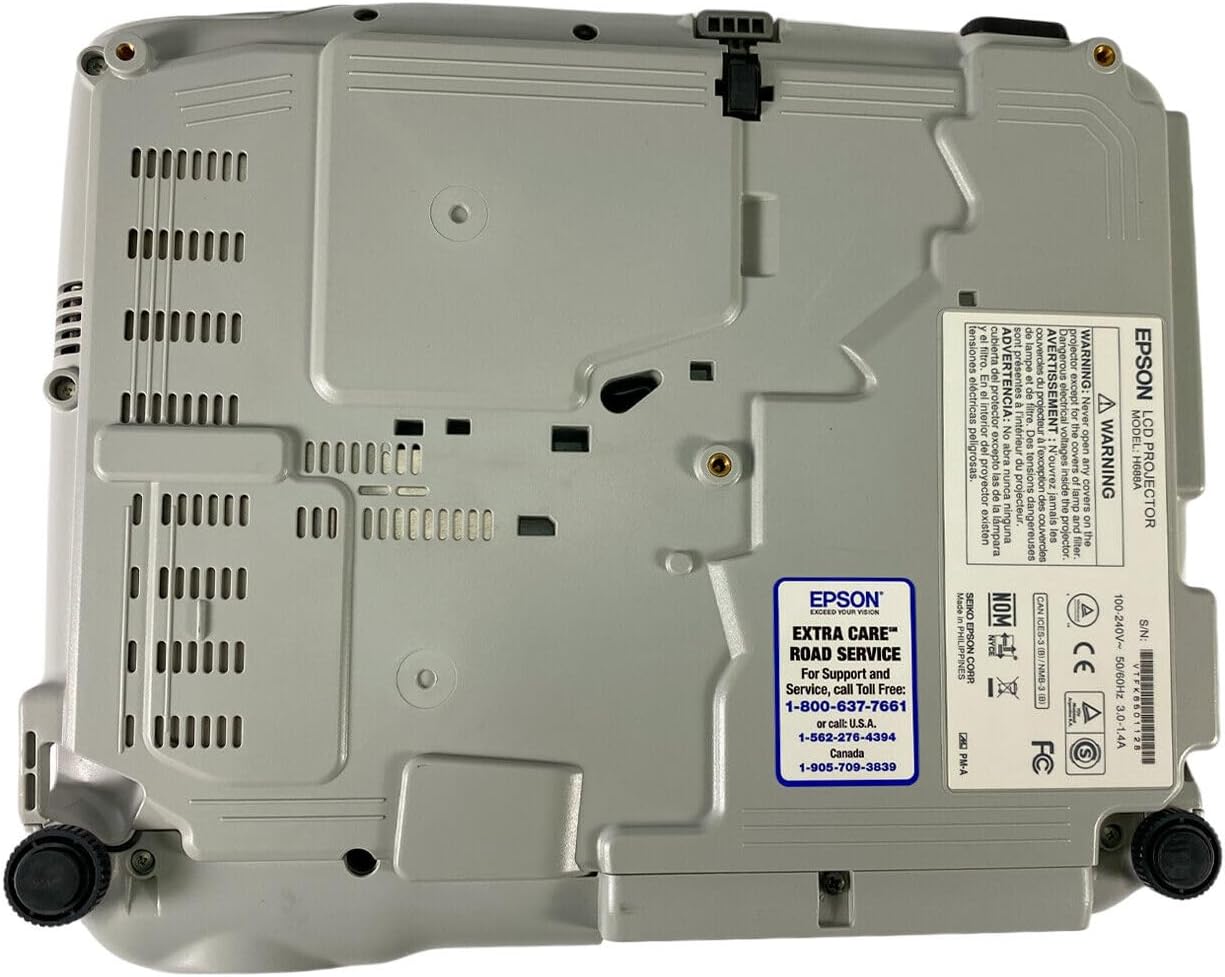
Figure 5: Bottom panel of the projector showing support contact details.
Epson Extra Care Road Service
- For support and service, call:
- สหรัฐอเมริกา: 1-800-637-7661
- สหรัฐอเมริกา: 1-866-276-4394
- แคนาดา: 1-905-709-3839