
การแนะนำ
Thank you for choosing the AWEI A996BL Bluetooth Over-Ear Headphones. This manual provides detailed instructions for setting up, operating, and maintaining your headphones to ensure optimal performance and longevity. Please read this manual carefully before use.
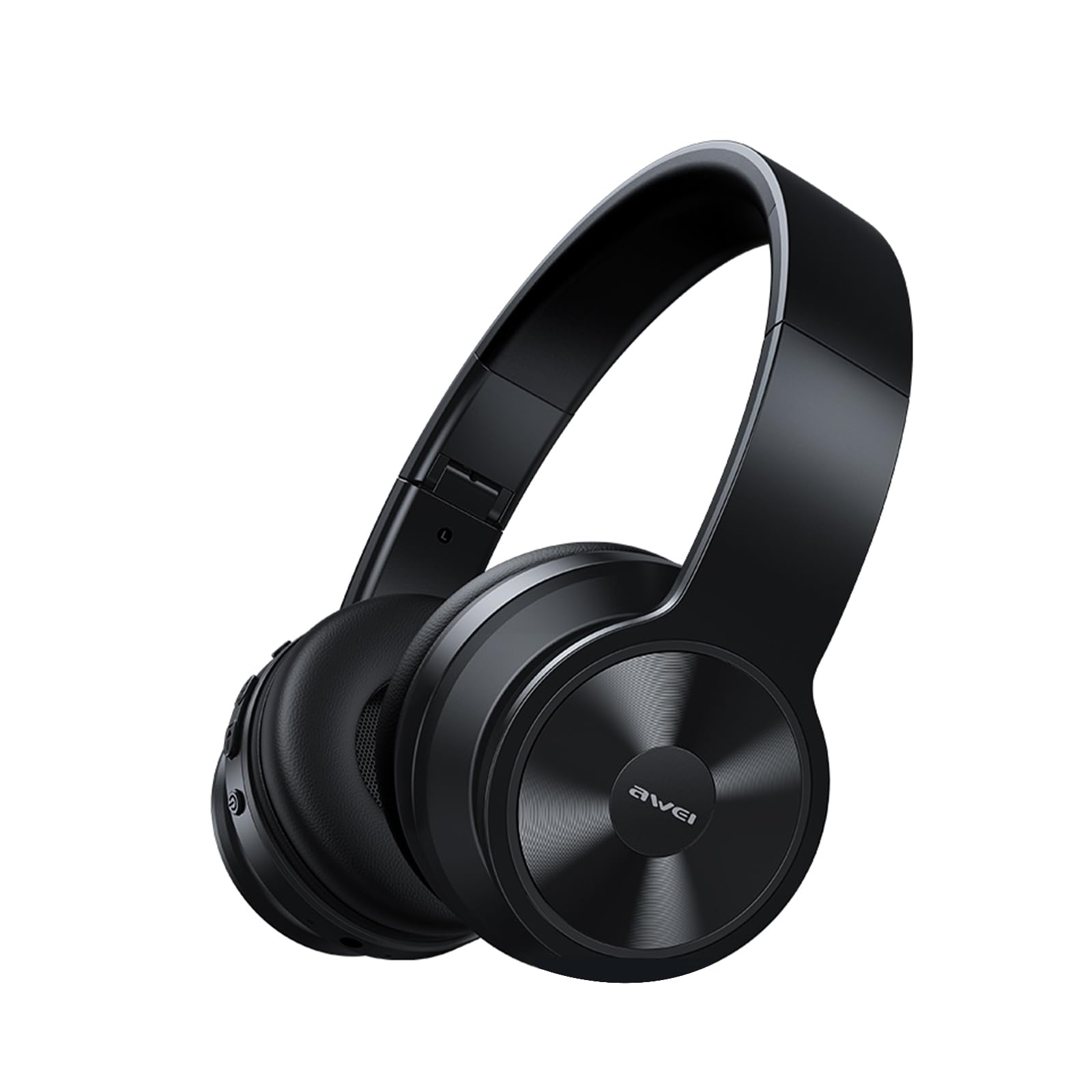
Image: AWEI A996BL over-ear headphones, showcasinก. การออกแบบของพวกเขา
The AWEI A996BL headphones feature advanced Bluetooth 5.3 technology for stable connections, 40mm drivers for immersive stereo sound, and a comfortable, foldable design with soft protein earpads. Enjoy up to 16 hours of playtime on a single charge, with the flexibility of both wireless and wired (AUX) listening modes.
เนื้อหาแพ็คเกจ
- AWEI A996BL Bluetooth Over-Ear Headphones
- สายชาร์จ USB
- คู่มือการใช้งาน
- (Note: An AUX cable may be included for wired connection, depending on the specific package.)
สินค้าเกินview
ทำความคุ้นเคยกับส่วนประกอบและปุ่มควบคุมของหูฟัง

Image: Right earcup of the AWEI A996BL headphones, highlighting the control buttons.
การควบคุมและตัวบ่งชี้:
- ปุ่มมัลติฟังก์ชัน (MFB): Power On/Off, Play/Pause, Answer/End Call, Reject Call, Activate Voice Assistant.
- ปุ่มเพิ่มระดับเสียง / ปุ่มเพลงถัดไป: กดสั้นๆ เพื่อเพิ่มระดับเสียง กดค้างเพื่อเล่นเพลงถัดไป
- ปุ่มลดระดับเสียง / ปุ่มเพลงก่อนหน้า: กดสั้นๆ เพื่อลดระดับเสียง กดค้างเพื่อเล่นเพลงก่อนหน้า
- ไฟแสดงสถานะ LED: แสดงสถานะพลังงาน โหมดการจับคู่ และสถานะการชาร์จ
- ไมโครโฟน: สำหรับการโทรแบบแฮนด์ฟรี
- พอร์ตชาร์จ USB-C: สำหรับการชาร์จหูฟัง
- พอร์ต AUX 3.5 มม.: สำหรับการเชื่อมต่อเสียงแบบมีสาย
การตั้งค่า
1. การชาร์จหูฟัง
ก่อนใช้งานครั้งแรก ควรชาร์จหูฟังให้เต็ม การชาร์จจนเต็มใช้เวลาประมาณ 2 ชั่วโมง
- เสียบสายชาร์จ USB เข้ากับพอร์ตชาร์จ USB-C บนหูฟัง
- เชื่อมต่อปลายสายอีกด้านหนึ่งเข้ากับอะแดปเตอร์ไฟ USB (ไม่รวมอยู่ด้วย) หรือพอร์ต USB ของคอมพิวเตอร์
- The LED indicator will show a red light during charging and turn off or blue when fully charged.

Image: Visual representation of the 300mAh battery capacity, indicating long battery life.
2. การเปิด/ปิดเครื่อง
- เปิดเครื่อง: Press and hold the Multi-function Button (MFB) for approximately 3 seconds until the LED indicator flashes blue and a voice prompt confirms "Power On".
- หมดแรง: Press and hold the Multi-function Button (MFB) for approximately 3 seconds until the LED indicator flashes red and a voice prompt confirms "Power Off".
3. การจับคู่บลูทูธ (โหมดไร้สาย)
The headphones use Bluetooth 5.3 for a stable connection.
- ตรวจสอบให้แน่ใจว่าหูฟังชาร์จเต็มและปิดเครื่องแล้ว
- Press and hold the Multi-function Button (MFB) for approximately 5-7 seconds until the LED indicator flashes blue and red alternately. This indicates pairing mode.
- บนอุปกรณ์ของคุณ (สมาร์ทโฟน แท็บเล็ต พีซี) เปิดใช้งานบลูทูธและค้นหาอุปกรณ์ที่มีอยู่
- เลือก "AWEI A996BL" จากรายการอุปกรณ์ที่พบ
- Once paired, the LED indicator will flash blue slowly, and a voice prompt will confirm "Connected".
- หากต้องการรหัสผ่านให้กรอก "0000"

Image: Headphones connected wirelessly to a laptop and smartphone, demonstrating a stable Bluetooth connection. Note: The product features Bluetooth 5.3 for enhanced performance.
4. การเชื่อมต่อแบบมีสาย (โหมด AUX)
You can use the headphones in wired mode even when the battery is depleted or with non-Bluetooth devices.
- Connect one end of a 3.5mm audio cable (not included) to the AUX port on the headphones.
- เชื่อมต่อปลายอีกด้านหนึ่งเข้ากับแจ็คเอาต์พุตเสียงขนาด 3.5 มม. ของอุปกรณ์ของคุณ
- The headphones will automatically switch to wired mode. Note that controls on the headphones (volume, play/pause) may not function in wired mode; control playback from your connected device.

Image: Headphones showing both USB-C charging port and 3.5mm AUX port, illustrating wired and wireless options.
คำแนะนำการใช้งาน
การสวมหูฟัง
Adjust the headband for a comfortable fit. The soft protein earpads are designed for extended wear.

Image: A person wearing the AWEI A996BL headphones, highlighting their lightweight and comfortable design with adjustable headband and bendable earmuffs.
Basic Functions (Wireless Mode)
| การทำงาน | การดำเนินการ |
|---|---|
| เล่น/หยุดเพลง | Short press the Multi-function Button (MFB). |
| เพิ่มระดับเสียง | กดปุ่ม "เพิ่มระดับเสียง / เพลงถัดไป" สั้นๆ |
| ลดระดับเสียง | กดปุ่ม "ลดระดับเสียง / เพลงก่อนหน้า" สั้นๆ |
| เพลงถัดไป | กดปุ่ม "เพิ่มระดับเสียง / เพลงถัดไป" ค้างไว้ |
| เพลงก่อนหน้า | กดปุ่ม "ลดระดับเสียง / เพลงก่อนหน้า" ค้างไว้ |
| รับสาย/วางสาย | Short press the Multi-function Button (MFB). |
| ปฏิเสธการรับสาย | Long press the Multi-function Button (MFB). |
| เปิดใช้งานผู้ช่วยเสียง | Double-press the Multi-function Button (MFB). |
การซ่อมบำรุง
การทำความสะอาด
- เช็ดหูฟังด้วยผ้าแห้งนุ่มและไม่ขุย
- ห้ามใช้สารทำความสะอาดที่มีฤทธิ์กัดกร่อน แอลกอฮอล์ หรือตัวทำละลายเคมี
- หลีกเลี่ยงไม่ให้ความชื้นเข้าไปในช่องเปิดต่างๆ
พื้นที่จัดเก็บ
- เมื่อไม่ได้ใช้งาน ให้เก็บหูฟังไว้ในที่แห้งและเย็น หลีกเลี่ยงแสงแดดโดยตรงและอุณหภูมิที่สูงหรือต่ำเกินไป
- หูฟังรุ่นนี้มีดีไซน์แบบพับได้ ทำให้จัดเก็บและพกพาได้ง่าย
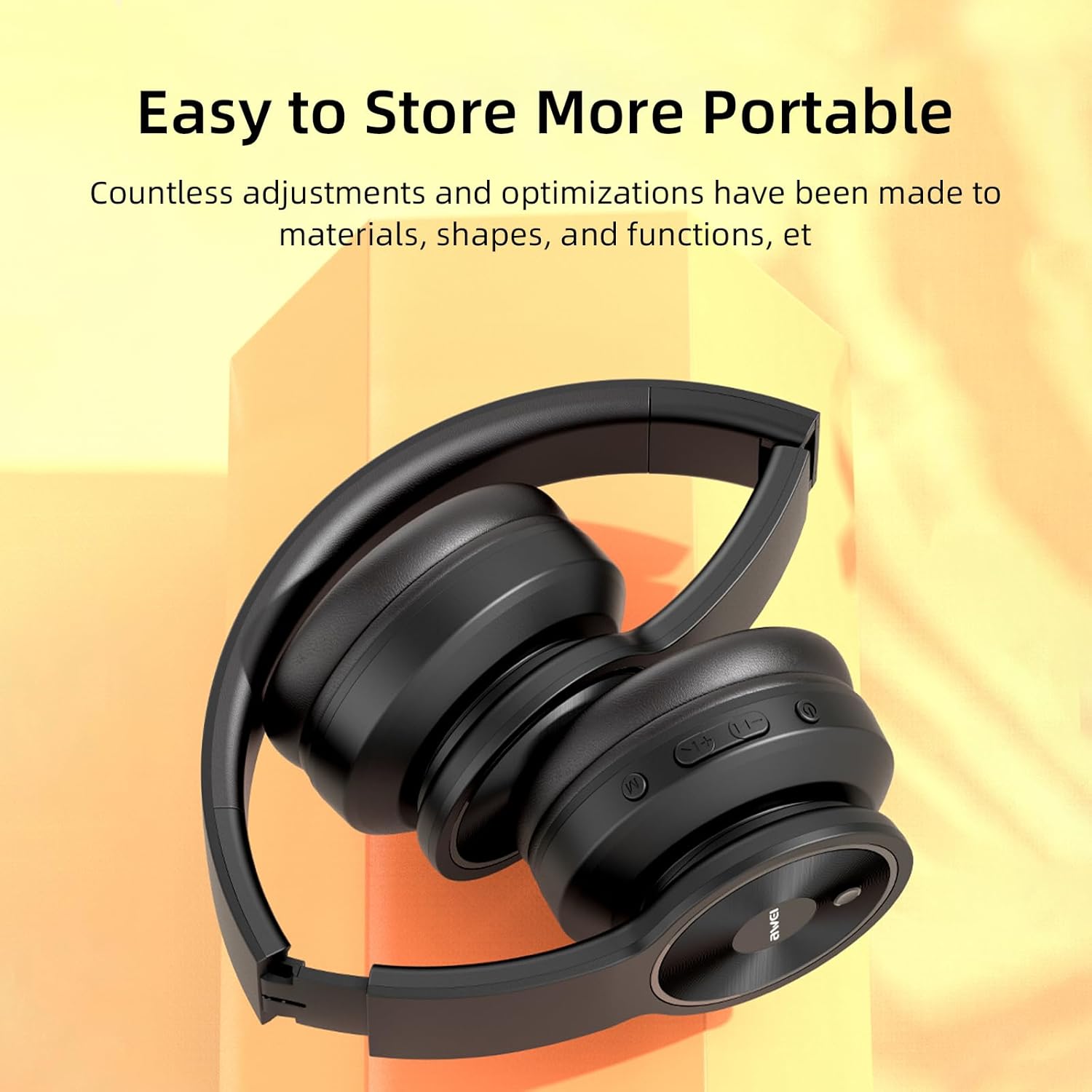
Image: The AWEI A996BL headphones in a folded position, demonstrating their portable and easy-to-store design.
การดูแลแบตเตอรี่
- เพื่อรักษาอายุการใช้งานของแบตเตอรี่ ควรชาร์จหูฟังเป็นประจำ แม้ว่าจะไม่ได้ใช้งานบ่อยก็ตาม
- หลีกเลี่ยงการปล่อยแบตเตอรี่จนหมดเป็นเวลานาน
- อย่าให้แบตเตอรี่ถูกอุณหภูมิสูง
การแก้ไขปัญหา
| ปัญหา | สารละลาย |
|---|---|
| หูฟังไม่สามารถเปิดเครื่องได้ | ตรวจสอบให้แน่ใจว่าหูฟังชาร์จไฟเต็มแล้ว เชื่อมต่อกับแหล่งจ่ายไฟโดยใช้สาย USB |
| ไม่สามารถจับคู่กับอุปกรณ์ได้ |
|
| ไม่มีเสียงหรือเสียงเบา |
|
| คุณภาพเสียงไม่ดีหรือไม่เสถียร |
|
| ไมโครโฟนไม่ทำงาน |
|
ข้อมูลจำเพาะ
| คุณสมบัติ | รายละเอียด |
|---|---|
| แบบอย่าง | A996BL |
| เวอร์ชันบลูทูธ | 5.3 |
| ขนาดไดร์เวอร์ | 40มม. |
| ความจุของแบตเตอรี่ | 300mAh |
| เวลาเล่น | นานถึง 16 ชั่วโมง |
| เวลาในการชาร์จ | ประมาณ 2 ชั่วโมง |
| ช่วงสาย | สูงถึง 33 ฟุต (10 เมตร) |
| การเชื่อมต่อ | ไร้สาย (บลูทูธ), มีสาย (3.5 มม. AUX) |
| คุณสมบัติพิเศษ | Ergonomic, Lightweight, Foldable design |
| การวางตำแหน่งหู | ครอบหู |
การรับประกันและการสนับสนุน
AWEI provides a 12-month warranty for the A996BL headphones from the date of purchase, covering manufacturing defects. A 30-day return policy is also available. For any questions, technical support, or warranty claims, please contact our customer service team.
การสนับสนุนลูกค้า:
- อีเมล: support@awei.com
- Webเว็บไซต์: www.awei.com
เรามุ่งมั่นที่จะตอบคำถามทั้งหมดภายใน 12 ชั่วโมง


