
Kinganda Q71
คู่มือการใช้งานหูฟังบลูทูธ Kinganda
รุ่น: Q71
แบรนด์: คิงกันดา
การแนะนำ
Thank you for choosing Kinganda Bluetooth Headphones. This user manual provides detailed instructions on how to set up, operate, and maintain your new headphones. Please read this manual thoroughly before use to ensure optimal performance and longevity of your device.
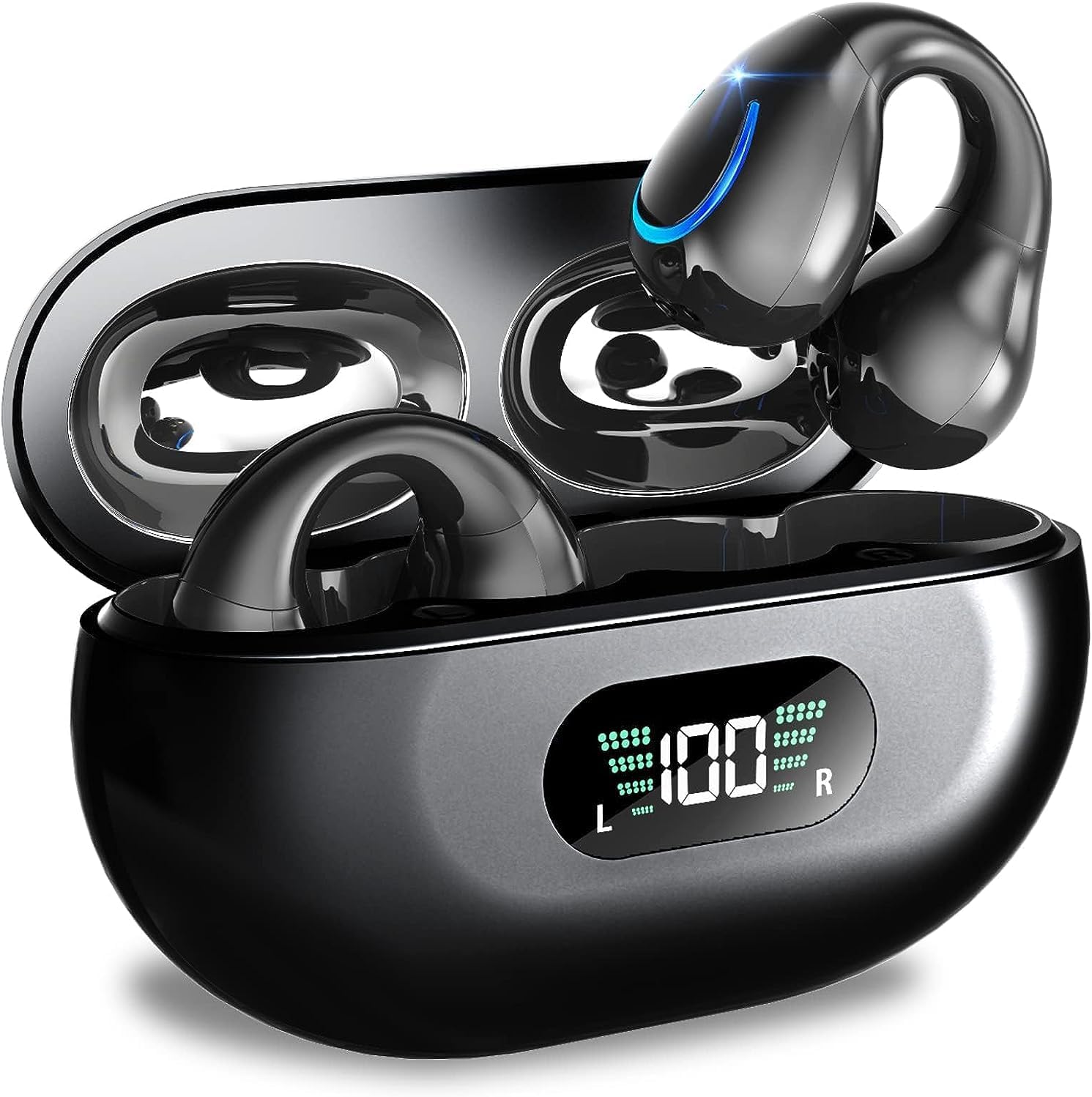
Image: Kinganda Bluetooth Headphones (Model Q71) in their charging case, showcasinโดดเด่นด้วยดีไซน์ที่ทันสมัยและจอแสดงผล LED
มีอะไรอยู่ในกล่อง
กรุณาตรวจสอบเนื้อหาในแพ็คเกจเพื่อให้แน่ใจว่ามีสินค้าครบทั้งหมด:
- Wireless Headphones (Left and Right)
- เคสชาร์จแบบไร้สาย
- สายชาร์จ USB-C
- คู่มือการใช้งาน

Image: An illustration showing the Kinganda headphones, charging case, USB-C cable, and user manual, representing the package contents.
ข้อมูลด้านความปลอดภัย
To ensure safe operation and prevent damage to your headphones, please observe the following safety guidelines:
- Do not swim underwater or take hot baths with the headphones. Exposure to high temperatures or prolonged submersion can cause damage to the internal components.
- Keep the headphones and charging case away from extreme temperatures, direct sunlight, and high humidity.
- หลีกเลี่ยงการทำอุปกรณ์หล่นหรือกระแทกอย่างรุนแรง
- Do not attempt to disassemble, repair, or modify the headphones yourself. Contact qualified service personnel for any repairs.
- เก็บให้พ้นจากมือเด็กและสัตว์เลี้ยง
สินค้าเกินview และคุณสมบัติ
The Kinganda Q71 headphones are designed for comfort and high-quality audio, featuring advanced technology for an enhanced listening experience.
คุณสมบัติหลัก:
- เทคโนโลยีบลูทูธ 5.3 ขั้นสูง: Ensures a stable, low-latency connection with lower power consumption and faster transmission.
- Comfortable Open Ear Clip Design: Ergonomically designed to fit the contours of the ear, providing a secure and comfortable fit without entering the ear canal. This design allows you to remain aware of your surroundings.
- เวลาเล่น 36 ชั่วโมง: Enjoy up to 6 hours of continuous playback on a single charge, with an additional 30 hours provided by the compact magnetic charging case.
- จอแสดงผลดิจิตอล LED: The charging case features an LED screen that clearly shows the remaining power of both the headphones and the charging case.
- ระดับการกันน้ำ IPX7: Designed to withstand sweat and light rain, making them suitable for various activities.
- ไดรเวอร์ขนาด 10 มม.: Deliver deep bass and stereo sound for a rich audio experience.
- Built-in ENC Mic: Enhanced Noise Cancellation microphone for clear calls.
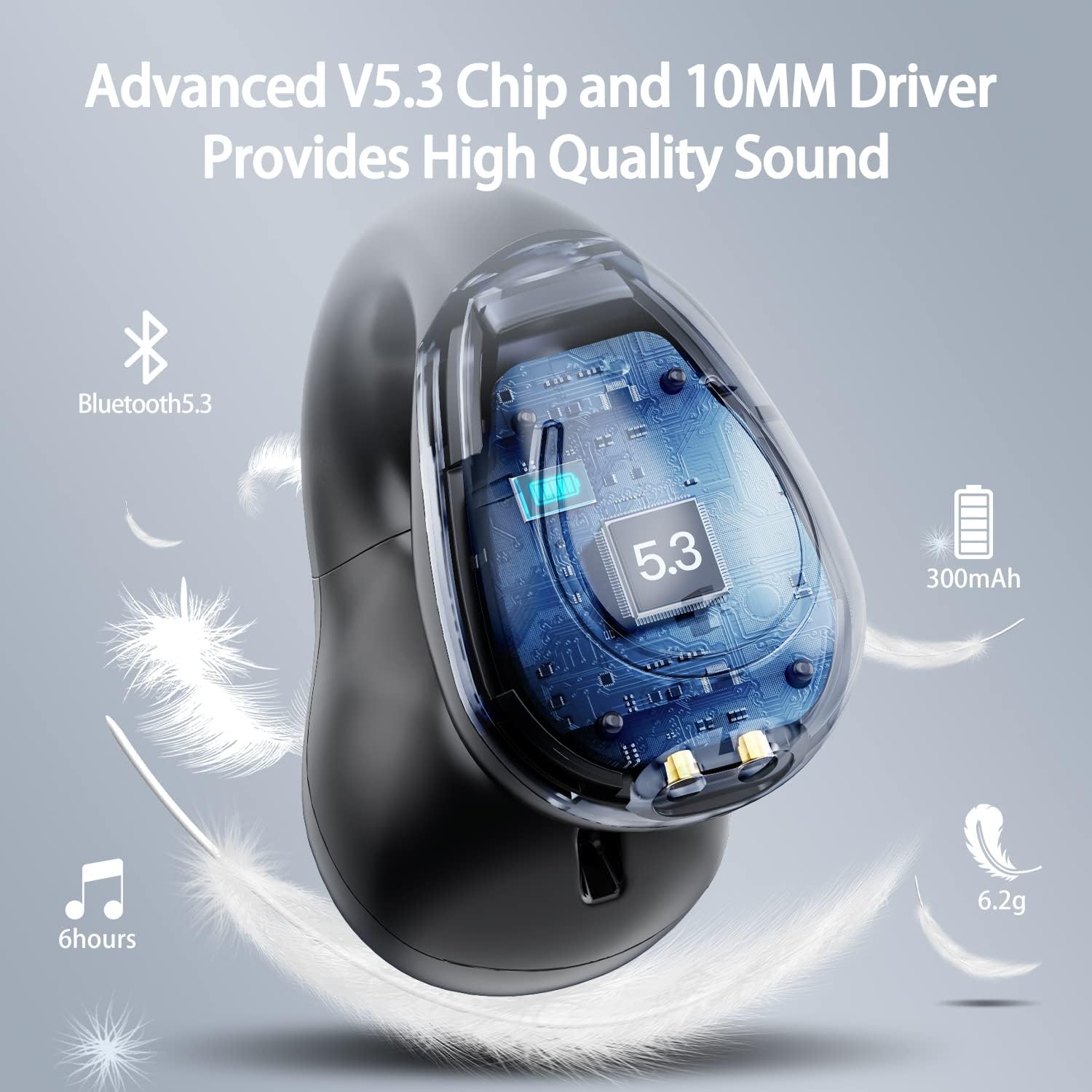
ภาพ: ภาพตัดขวาง view of the Kinganda earbud, highlighting the advanced V5.3 chip and 10mm driver for high-quality sound.

Image: A person wearing the Kinganda Q71 headphones, demonstrating the comfortable and secure open-ear clip design.
การตั้งค่า
Pairing Your Headphones:
- ชาร์จหูฟัง: Before first use, ensure both the headphones and the charging case are fully charged. Place the earbuds into the charging case and connect the USB-C cable to a power source. The LED display on the case will indicate charging status.
- เปิดเครื่อง: เปิดกล่องชาร์จ หูฟังจะเปิดใช้งานและเข้าสู่โหมดจับคู่โดยอัตโนมัติ
- เปิดใช้งานบลูทูธ: On your device (smartphone, tablet, laptop, etc.), go to the Bluetooth settings and turn on Bluetooth.
- เลือกอุปกรณ์: In the list of available Bluetooth devices, look for "YYK-Q71" and select it to connect.
- การยืนยัน: Once connected, you will hear an audio prompt from the headphones, and the device will show "YYK-Q71" as connected.
The headphones are widely compatible with iOS, Android, and Windows devices.

Image: An illustration demonstrating the simple one-step pairing process and wide compatibility of the Kinganda Q71 headphones with various devices.
คำแนะนำการใช้งาน
Charging the Headphones and Case:
- การชาร์จหูฟัง: Place the earbuds back into the charging case. They will automatically begin charging. The LED display on the case will show the charging status of each earbud.
- กรณีชาร์จ: Connect the provided USB-C cable to the charging port on the case and the other end to a USB power adapter (not included). The LED display will show the battery percentage ของคดี
- A full charge of the earbuds provides approximately 6 hours of playtime. The charging case provides an additional 30 hours of battery life, allowing for multiple recharges on the go.
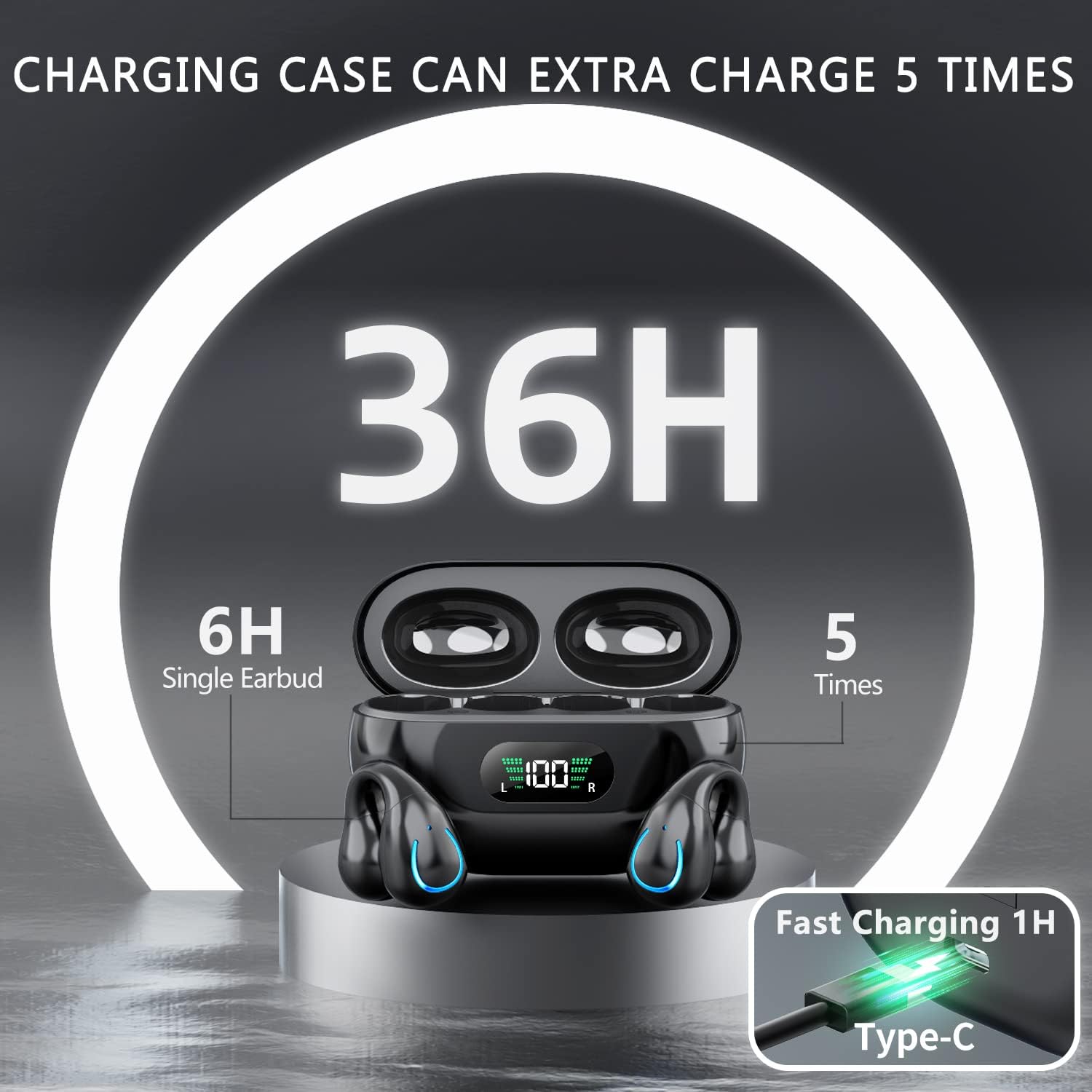
Image: The Kinganda charging case displaying "36H" total playtime, indicating 6 hours from a single earbud charge and 5 additional charges from the case.
ระบบควบคุมแบบสัมผัส:
The Kinganda Q71 headphones feature physical buttons for precise control, preventing accidental touches.
| การกระทำ | ควบคุม |
|---|---|
| เปิด/ปิดเครื่อง | Automatically On/Off when taken out/put into case. |
| รับสาย/วางสาย | Click 1 time (either earbud) |
| ปฏิเสธการรับสาย | กดค้างไว้ (ที่หูฟังข้างใดข้างหนึ่ง) |
| เล่น/หยุดเพลง | Click 1 time (either earbud) |
| เพลงถัดไป | Click Right earbud 2 times |
| เพลงก่อนหน้า | Click Left earbud 2 times |
| เปิดใช้งาน Voice Assistant (Siri, Google Assistant) | Click 3 times (either earbud) |

Image: Diagram illustrating the one-button physical controls for the Kinganda headphones, including call management, music playback, and voice assistant activation.
การซ่อมบำรุง
Proper maintenance will extend the life of your Kinganda headphones:
- การทำความสะอาด: ใช้ผ้าแห้งนุ่มๆ ที่ไม่มีขนเช็ดทำความสะอาดหูฟังและกล่องชาร์จ ห้ามใช้สารเคมีรุนแรง น้ำยาทำความสะอาด หรือผงซักฟอกที่มีฤทธิ์กัดกร่อน
- พื้นที่จัดเก็บ: เมื่อไม่ใช้งาน ควรเก็บหูฟังไว้ในกล่องชาร์จเพื่อป้องกันฝุ่นและความเสียหาย เก็บในที่แห้งและเย็น
- ความต้านทานน้ำ: While the headphones are IPX7 waterproof (resistant to sweat and light rain), they are not designed for swimming or submersion in water. Avoid exposure to hot water or steam.
- การดูแลแบตเตอรี่ To preserve battery life, charge the headphones regularly, even if not used for extended periods. Avoid fully draining the battery frequently.
การแก้ไขปัญหา
If you encounter any issues with your headphones, please refer to the following common problems and solutions:
หูฟังไม่จับคู่:
- ตรวจสอบให้แน่ใจว่าชาร์จหูฟังทั้งสองข้างจนเต็ม
- ตรวจสอบให้แน่ใจว่าได้เปิดใช้งานบลูทูธบนอุปกรณ์ของคุณแล้ว
- วางหูฟังกลับเข้าไปในกล่องชาร์จ ปิดฝา รอสักครู่ แล้วเปิดฝาอีกครั้งเพื่อเข้าสู่โหมดจับคู่
- Forget "YYK-Q71" from your device's Bluetooth list and try pairing again.
- Ensure the headphones are within the effective Bluetooth range (typically 10 meters/33 feet) of your device.
หูฟังใช้งานได้เพียงข้างเดียว:
- Place both earbuds back into the charging case and ensure they are charging correctly.
- Take both earbuds out simultaneously. They should automatically connect to each other.
- If the issue persists, try resetting the headphones (refer to the manufacturer's website or contact support for specific reset instructions if not detailed here).
คุณภาพเสียงไม่ดีหรือการตัดการเชื่อมต่อ:
- ตรวจสอบให้แน่ใจว่าไม่มีสิ่งกีดขวางระหว่างอุปกรณ์ของคุณกับหูฟัง
- ขยับเข้าไปใกล้อุปกรณ์ของคุณเพื่อลดการรบกวน
- Check if the earbuds are clean and free of debris.
- ลองเล่นไฟล์เสียงจากแหล่งอื่นหรือแอปพลิเคชันอื่นดู
หูฟังไม่ชาร์จ:
- ตรวจสอบให้แน่ใจว่าสายชาร์จ USB-C เชื่อมต่อกับเคสและแหล่งจ่ายไฟอย่างแน่นหนาแล้ว
- ลองใช้สาย USB-C หรืออะแดปเตอร์ไฟอื่น
- ทำความสะอาดหน้าสัมผัสการชาร์จบนหูฟังทั้งสองข้างและภายในกล่องชาร์จด้วยสำลีแห้ง
ข้อมูลจำเพาะ
| คุณสมบัติ | รายละเอียด |
|---|---|
| หมายเลขรุ่น | Q71 (YYK-Q71) |
| ยี่ห้อ | Kinganda |
| เทคโนโลยีการเชื่อมต่อ | ไร้สาย (บลูทูธ 5.3) |
| การวางตำแหน่งหู | หูเปิด |
| ฟอร์มแฟกเตอร์ | คลิปบน |
| การควบคุมเสียงรบกวน | Sound Isolation (via ENC Mic) |
| ขนาดสินค้า | 3 x 3 x 3 cm; 6.2 g (per earbud) |
| แบตเตอรี่ | แบตเตอรี่ลิเธียมโพลิเมอร์ 2 ก้อน (รวมอยู่ด้วย) |
| ส่วนประกอบที่รวมอยู่ | Wireless Headphones, User Manual, USB-C Charging Cable, Wireless Charging Case |
| สี | สีดำ |
| ผู้ผลิต | Kinganda |
การรับประกันและการสนับสนุน
Kinganda products are manufactured to the highest quality standards. For any warranty claims or technical support, please contact your original retailer or the manufacturer directly. Please retain your proof of purchase for warranty service.
For further assistance, please refer to the contact information provided with your purchase or visit the official Kinganda webเว็บไซต์.
Ask a question about this manual
Ask about setup, troubleshooting, compatibility, parts, safety, or missing instructions. Manuals+ will review the question and use this page’s manual context to help answer it.