1. บทนำ
This manual provides detailed instructions for the safe and effective use of your TOYOGO Instant Print Kids Camera Q5-T. Please read this manual thoroughly before operating the device and retain it for future reference.
The TOYOGO Q5-T is a digital camera designed for children, featuring instant thermal printing, 1080p HD video recording, and dual 24MP lenses for both front and selfie photography. It includes a 64GB SD card for ample storage and supports various creative functions.
2. อะไรอยู่ในกล่อง
ตรวจสอบว่ามีสินค้าทั้งหมดที่ระบุไว้ด้านล่างอยู่ในแพ็คเกจของคุณ:
- 1 x TOYOGO Instant Print Kids Camera
- กระดาษพิมพ์ 3 ม้วน
- 1 x Replacement White Silicone Case
- สายชาร์จ USB 1 เส้น
- 1 x 64GB Memory Card (SD Card)
- 1 x Cartoon Lanyard
- 1 x คู่มือผู้ใช้

Image: Contents of the TOYOGO Instant Print Kids Camera package, including the camera, paper rolls, silicone case, USB cable, SD card, lanyard, and manual.
3. สินค้าหมดview
ทำความคุ้นเคยกับส่วนประกอบของกล้อง:
ภาพ: ด้านหน้า view of the camera, showing the main lens, print output slot, and control buttons.
- เลนส์หลัก: สำหรับการบันทึกภาพถ่ายและวีดีโอ
- Selfie Lens: Located on the front for self-portraits.
- หน้าจอแสดงผล: หน้าจอขนาด 2.4 นิ้ว สำหรับ viewการดูรูปภาพ วิดีโอ และการใช้งานเมนูต่างๆ
- ช่องส่งออกงานพิมพ์: จุดที่ภาพถ่ายพิมพ์ออกมา
- ปุ่มควบคุม: Power, Shutter, Navigation (Up, Down, Left, Right), Menu, Print.
- พอร์ต USB: สำหรับการชาร์จและถ่ายโอนข้อมูล
- ช่องเสียบการ์ด SD: สำหรับการใส่การ์ดหน่วยความจำ
4. การตั้งค่า
4.1 การชาร์จกล้อง
Before first use, fully charge the camera. Connect the provided USB charging cable to the camera's USB port and the other end to a standard USB power adapter (not included) or a computer's USB port. The charging indicator will illuminate during charging and turn off when complete.
The camera features an 800mAh rechargeable battery, providing approximately 3-4 hours of usage on a full charge.
4.2 การใส่การ์ด SD
The camera comes with a 64GB SD card. Locate the SD card slot on the side of the camera. Insert the SD card with the metal contacts facing down until it clicks into place. To remove, gently push the card in until it springs out.

Image: Illustration showing the insertion of the SD card and connecting the camera to a computer via USB for data transfer.
4.3 การใส่กระดาษพิมพ์
The camera uses ink-free thermal print paper. Follow these steps to load a new roll:
- ขั้นตอนที่ 1: Open the front flap of the camera where the print paper is housed.
- ขั้นตอนที่ 2: Insert a new paper roll into the compartment, ensuring it is oriented correctly. The paper should feed from the bottom of the roll towards the print output slot.
- ขั้นตอนที่ 3: Close the lid firmly. A small portion of the paper should protrude from the print output slot, indicating it is ready for printing.

Image: Visual guide demonstrating the three steps for loading thermal print paper into the camera.
5. คู่มือการใช้งาน
5.1 เปิด/ปิดเครื่อง
กดปุ่มเปิด/ปิดค้างไว้เพื่อเปิดหรือปิดกล้อง
5.2 การถ่ายภาพ
In photo mode, frame your shot using the display screen. Press the Shutter button to capture an image. The camera supports 24MP high-definition color images.
- กล้องคู่: Switch between the main lens and the selfie lens using the designated button or menu option.
- Photo Frames: Access the menu to select from various fun photo frames to add creative borders to your pictures.
- ซูมดิจิตอล: Use the navigation buttons (typically Up/Down) to adjust the digital zoom level (up to 5x).

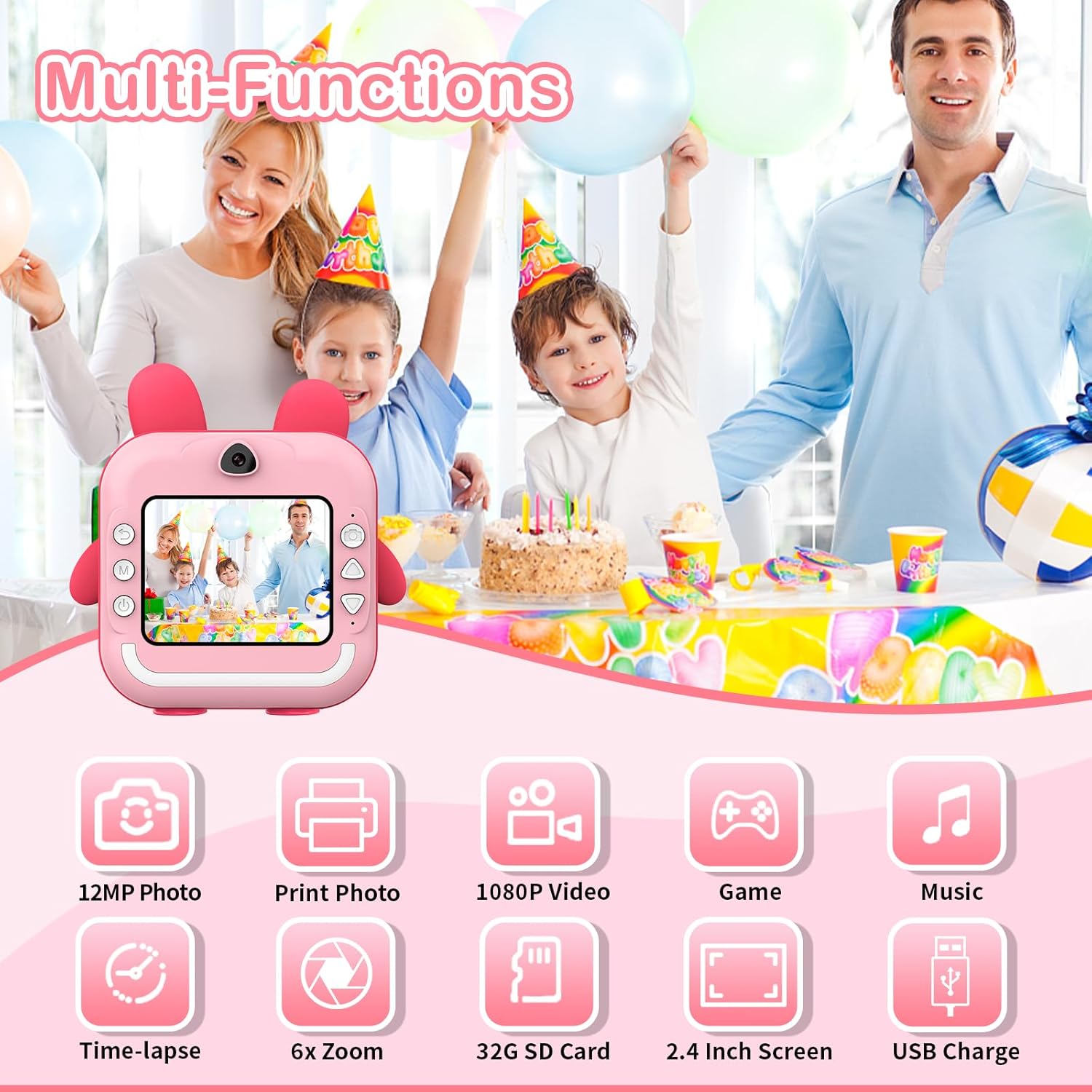
ภาพ: เหนือview of camera functions, including photo capture, video recording, and entertainment options.
5.3 การบันทึกวิดีโอ
Switch to video mode via the menu. Press the Shutter button to start recording 1080p HD video. Press it again to stop recording.
5.4 การพิมพ์ภาพถ่าย
After taking a photo, you can choose to print it instantly. The camera uses thermal printing technology, producing black and white images without ink. Printing takes approximately 3 seconds per photo.
- Instant Print: In photo review mode, select the print option to immediately print the displayed image.
- คุณภาพการพิมพ์: The camera allows selection of print quality (Low, Middle, High) to optimize paper usage or detail.

Image: The camera demonstrating its instant printing capability, producing a photo in 3 seconds.
5.5 App Printing (Bluetooth Connectivity)
The camera supports connection to a mobile phone via Bluetooth for printing photos stored on your phone. Download the "Fun Print" application from your mobile app store (available on iOS and Android).
- ขั้นตอนที่ 1: Enable Bluetooth on your mobile phone and on the camera (via the camera's menu).
- ขั้นตอนที่ 2: Open the "Fun Print" app on your phone and pair it with the camera.
- ขั้นตอนที่ 3: Select photos from your phone's gallery within the app and use the print function to send them to the camera for printing.

Image: A smartphone screen showing the "Fun Print" app interface, connected to the camera for wireless printing.
ดาวน์โหลดแอป: https://www.pgyer.com/UNhf
5.6 Games and MP3 Playback
The camera includes built-in games and supports MP3 playback. Navigate to the respective modes via the camera's menu. Ensure MP3 files are loaded onto the SD card for playback.
5.7 Time-lapse Function
Utilize the time-lapse feature to capture a series of photos at set intervals (e.g., 3s, 5s, 10s). This function is accessible through the camera's menu settings.
6. การบำรุงรักษา
6.1 การทำความสะอาด
To clean the camera body, use a soft, dry cloth. For the lens, use a specialized lens cleaning cloth. Avoid using liquid cleaners or abrasive materials, as they may damage the camera.
6.2 พื้นที่จัดเก็บ
เก็บกล้องไว้ในที่แห้งและเย็น หลีกเลี่ยงแสงแดดโดยตรงและอุณหภูมิที่สูงหรือต่ำเกินไป เมื่อไม่ได้ใช้งานเป็นเวลานาน ควรตรวจสอบให้แน่ใจว่าแบตเตอรี่มีประจุอยู่บ้าง (ประมาณ 50%) เพื่อยืดอายุการใช้งาน
7 การแก้ไขปัญหา
| ปัญหา | สาเหตุที่เป็นไปได้ | สารละลาย |
|---|---|---|
| กล้องไม่สามารถเปิดได้ | แบตเตอรี่หมด | ชาร์จกล้องโดยใช้สาย USB ที่ให้มา |
| ไม่สามารถถ่ายภาพ/วิดีโอได้ | การ์ด SD เต็มหรือเสียบไม่ถูกต้อง | ตรวจสอบการเสียบการ์ด SD ลบข้อมูลที่ไม่จำเป็นออก files or replace the SD card. |
| รูปภาพไม่สามารถพิมพ์ได้ | No print paper, paper loaded incorrectly, or print head issue. | Ensure paper is loaded correctly and sufficient. Check for any paper jams. |
| คุณภาพการพิมพ์ไม่ดี | Low print quality setting, dirty print head, or low battery. | Adjust print quality settings. Clean the print head gently. Ensure battery is charged. |
| ปัญหาการเชื่อมต่อบลูทูธ | Bluetooth not enabled, camera/phone too far apart, or app issue. | Ensure Bluetooth is active on both devices. Keep devices close. Restart app/camera. |
8. ข้อมูลจำเพาะ
- แบบอย่าง: Q5-T
- แสดง: หน้าจอขนาด 2.4 นิ้ว
- ความละเอียดภาพ: สูงสุด 24 MP
- ความละเอียดวิดีโอ: ความคมชัดระดับ HD 1080p
- เทคโนโลยีการพิมพ์: Ink-free Thermal Printing
- ความเร็วในการพิมพ์: Approximately 3 seconds per photo
- แบตเตอรี่: ลิเธียมโพลิเมอร์ 800mAh (ชาร์จไฟได้)
- พื้นที่จัดเก็บ: รองรับการ์ด SD (มี 64GB ให้มาด้วย)
- การเชื่อมต่อ: ยูเอสบี, บลูทูธ
- ขนาด : 12 x 11.5 x 4 ซม.
- น้ำหนัก: 470 กรัม
- ซูมออปติคอล: 6x
- ซูมดิจิตอล: สูงถึง 5x
- Image Sensor Technology: ซีมอส
- รองรับ File รูปแบบ: MP4 (สำหรับวิดีโอ)
9. การรับประกันและการสนับสนุน
For information regarding warranty and returns, please refer to the specific policies of your retailer or the manufacturer's official website. Generally, if you wish to return a product within 30 days of receipt due to a change of mind, consult the retailer's help page. If you have received a defective or damaged product, consult the retailer's help page for assistance. For specific information on purchases made through marketplaces, consult their respective help pages.
For technical support or further inquiries, please contact TOYOGO customer service through the contact information provided on the product packaging or the official TOYOGO webเว็บไซต์.