
การแนะนำ
This manual provides detailed instructions for the EKSA H1 Plus Bluetooth Trucker Headset. Please read thoroughly to ensure proper setup, operation, and maintenance of your device. This headset is designed for clear communication in various environments, featuring advanced noise-cancelling technology and versatile connectivity options.
เนื้อหาแพ็คเกจ
- H1 Plus Headset
- เคสป้องกัน
- Replacement Ear Pad (Mesh breathable)
- สายชาร์จ Type-C
- USB Dongle (PC Adapter)
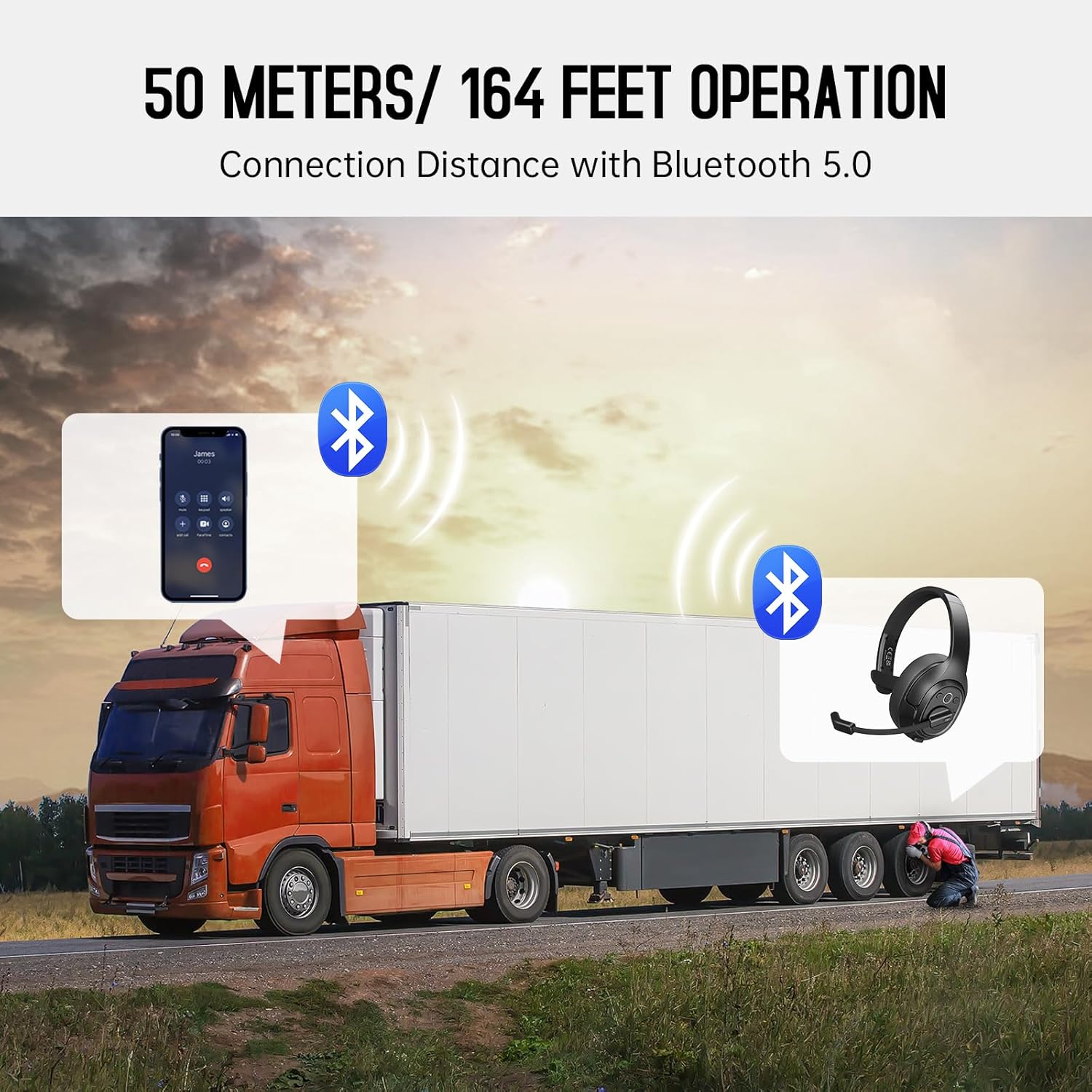
Image: The EKSA H1 Plus headset, USB dongle, and charging cable as typically found in the product packaging.
การตั้งค่า
1. การชาร์จชุดหูฟัง
Before first use, fully charge the headset. Connect the provided Type-C charging cable to the headset's charging port and the other end to a USB power source. The charging indicator will show the charging status. A full charge takes approximately 1.5 hours.

Image: Visual representation of the headset's battery life and charging duration.
2. การเปิด/ปิดเครื่อง
Press and hold the Multi-Function Button (MFB) for 3 seconds to power on or off the headset. A voice prompt will indicate the status.
3. Bluetooth Pairing (for Mobile Devices)
- ตรวจสอบว่าชุดหูฟังปิดอยู่
- Press and hold the MFB for 5-7 seconds until the LED indicator flashes blue and red alternately, indicating pairing mode.
- On your mobile device, enable Bluetooth and search for "EKSA-H1PLUS".
- Select "EKSA-H1PLUS" to connect. The LED will turn solid blue once connected.
4. Connecting with USB Dongle (for PC/Mac without Bluetooth)
- เสียบดองเกิล USB เข้ากับพอร์ต USB ที่ว่างอยู่บนคอมพิวเตอร์ของคุณ
- เปิดใช้งานชุดหูฟัง ระบบจะพยายามเชื่อมต่อกับตัวรับสัญญาณโดยอัตโนมัติ
- The LED on the dongle and headset will turn solid blue when connected.
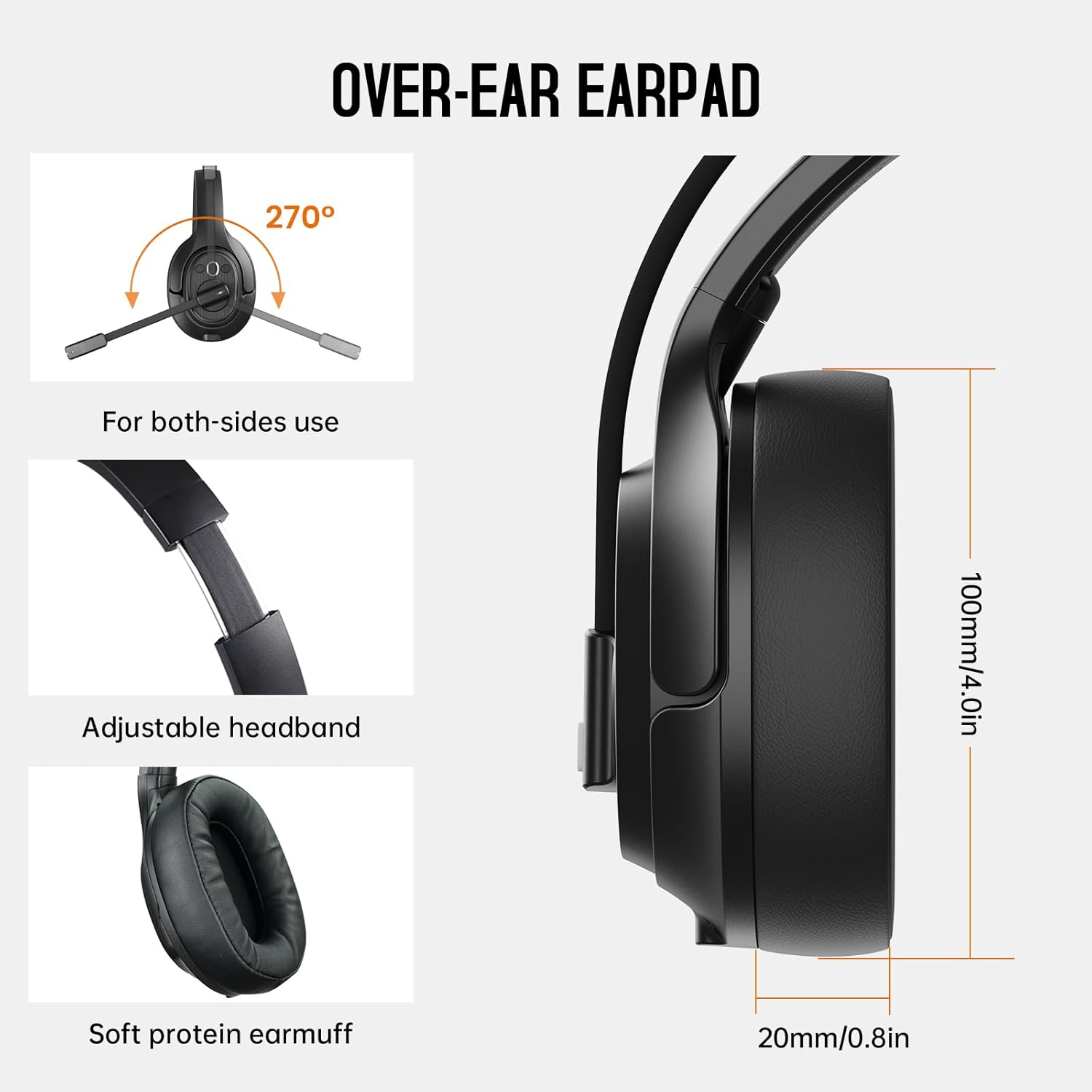
Image: The headset demonstrating simultaneous connection to a phone via Bluetooth and a laptop via USB dongle.
คำแนะนำการใช้งาน
1. การควบคุมมากกว่าview
ชุดหูฟังนี้มีปุ่มควบคุมที่ใช้งานง่ายซึ่งอยู่บนตัวหูฟัง:
- ปุ่มมัลติฟังก์ชัน (MFB): เปิด/ปิด, เล่น/หยุดเพลง, รับ/วางสาย
- เพิ่มระดับเสียง (+): เพิ่มปริมาณ
- ลดเสียงลง (-): ลดระดับเสียง.
- ปุ่มปิดเสียง: ปิด/เปิดเสียงไมโครโฟนระหว่างการโทร
- AI Assistant Button: เปิดใช้งานผู้ช่วยเสียงของอุปกรณ์ของคุณ

ภาพ: ระยะใกล้ view of the headset's control buttons and ports.
2. การโทรออกและรับสาย
- รับ/วางสาย: กด MFB สั้น ๆ
- ปฏิเสธสาย: กดปุ่ม MFB ค้างไว้ 2 วินาที
- โทรซ้ำหมายเลขล่าสุด: กด MFB สองครั้ง
- ปิดเสียง/เปิดเสียงไมโครโฟน: Short press the dedicated mute button on the microphone arm.
3. Microphone and Wearing Adjustments
The headset is designed for comfort and versatility:
- แถบคาดศีรษะปรับได้: ยืดหรือหดแถบคาดศีรษะให้พอดีกับศีรษะของคุณ
- ไมโครโฟนแบบหมุนได้: The microphone arm can rotate 270 degrees, allowing it to be worn on either the left or right ear. Position the microphone close to your mouth for optimal voice pickup.
- ที่ครอบหูสวมใส่สบาย: The over-ear design with soft ear pads ensures comfort during extended use.

Image: Features illustrating the ergonomic design of the headset, including adjustable headband and rotatable microphone.
4. Environmental Noise Cancelling (ENC) Microphone
The AI-Powered ENC microphone filters out up to 99.8% of ambient noise, ensuring your voice is transmitted clearly even in noisy environments like call centers, construction sites, or trucks.

Image: A visual explanation of the ENC microphone's function, demonstrating noise reduction.
5. การเชื่อมต่อหลายอุปกรณ์
The headset supports simultaneous connection to two different devices, such as a smartphone and a computer, allowing seamless switching between calls and other audio sources.

Image: Illustration of the headset's ability to connect to two devices concurrently.
6. Extended Wireless Range
Utilizing Bluetooth 5.0 technology, the headset offers a stable wireless connection up to 30 meters (99 feet). In unobstructed environments, the range can extend up to 50 meters (164 feet).

Image: Visualizing the headset's long-range wireless capabilities in an outdoor setting.
การซ่อมบำรุง
- การทำความสะอาด: ใช้ผ้าแห้งนุ่มๆ เช็ดทำความสะอาดหูฟัง หลีกเลี่ยงการใช้สารเคมีรุนแรงหรือวัสดุที่มีฤทธิ์กัดกร่อน
- การเปลี่ยนแผ่นรองหู: The headset comes with a replacement mesh breathable ear pad. To replace, gently twist and pull off the existing ear pad, then align and press the new ear pad into place.
- พื้นที่จัดเก็บ: ควรเก็บหูฟังไว้ในกล่องป้องกันเมื่อไม่ใช้งาน เพื่อป้องกันความเสียหาย

Image: Demonstrating the detachable ear pads and the two types included for different comfort levels.
การแก้ไขปัญหา
| ปัญหา | สารละลาย |
|---|---|
| หูฟังไม่สามารถเปิดเครื่องได้ | Ensure the headset is fully charged. Press and hold the MFB for 3 seconds. |
| ไม่สามารถจับคู่ผ่านบลูทูธได้ | Ensure the headset is in pairing mode (flashing blue/red LED). Turn off and on Bluetooth on your device. Move closer to the device. |
| ไม่มีเสียงหรือคุณภาพเสียงไม่ดี | Check volume levels on both the headset and connected device. Ensure the headset is selected as the audio output device. Re-pair the headset. |
| ไมโครโฟนไม่ทำงาน | Ensure the microphone is not muted. Check microphone settings on your connected device. Adjust microphone position. |
| ไม่สามารถเชื่อมต่อ USB dongle ได้ | ตรวจสอบให้แน่ใจว่าเสียบดองเกิลแน่นสนิทแล้ว ลองเสียบเข้ากับพอร์ต USB อื่นดู รีสตาร์ทคอมพิวเตอร์ของคุณ |
ข้อมูลจำเพาะ
| คุณสมบัติ | รายละเอียด |
|---|---|
| ชื่อรุ่น | EKSA-H1PLUS |
| เทคโนโลยีการเชื่อมต่อ | ไร้สาย (บลูทูธ 5.0) |
| เวอร์ชันบลูทูธ | 5.0 |
| ช่วงบลูทูธ | 30 Meters (99 feet), up to 50 Meters (164 feet) unobstructed |
| ไมโครโฟน | ระบบตัดเสียงรบกวนจากสภาพแวดล้อม (ENC) ที่ขับเคลื่อนด้วย AI |
| อายุการใช้งานแบตเตอรี่ (เวลาสนทนา) | นานถึง 30 ชั่วโมง |
| อายุการใช้งานแบตเตอรี่ (เวลาเล่นเพลง) | นานถึง 57 ชั่วโมง |
| เวลาในการชาร์จ | ประมาณ 1.5 ชั่วโมง |
| รูปทรงของหูฟัง | ครอบหู |
| ประเภทการควบคุม | Volume Control, Mute, AI Assistant |
| น้ำหนัก | 1.01 ปอนด์ (ประมาณ 458 กรัม) |
วิดีโอผลิตภัณฑ์อย่างเป็นทางการ
EKSA H1 Plus Wireless Bluetooth Headset Overview
วิดีโอ: เจ้าหน้าที่ผ่านview of the EKSA H1 Plus Wireless Bluetooth Headset, highlighting its key features and design.
EKSA H1Plus Bluetooth Trucker Headset Features
Video: A detailed look at the features and benefits of the EKSA H1Plus Bluetooth Trucker Headset.
การรับประกันและการสนับสนุน
EKSA products are designed for durability and performance. For warranty information and customer support, please refer to the official EKSA website or contact their customer service directly. Optional protection plans are available for extended coverage.
หากต้องการความช่วยเหลือเพิ่มเติม โปรดไปที่: www.eksa.net