
การแนะนำ
This manual provides detailed instructions for the setup, operation, and maintenance of your SENXINGYAN Kids Digital Alarm Clock. Designed to assist children with time management and daily routines, this clock features a vibrant 7-inch LED display, customizable alarm settings, and a sleep training function. Please read this manual thoroughly to ensure proper use and to maximize the benefits of your new device.
ข้อมูลด้านความปลอดภัยที่สำคัญ
- ตรวจสอบให้แน่ใจว่าวางอุปกรณ์ไว้บนพื้นผิวที่มั่นคงและเรียบเพื่อป้องกันการตกโดยไม่ได้ตั้งใจ
- ควรเก็บอุปกรณ์ให้ห่างจากน้ำหรือความชื้นมากเกินไป
- อย่าให้เครื่องสัมผัสกับอุณหภูมิที่สูงหรือต่ำเกินไปหรือโดนแสงแดดโดยตรงเป็นเวลานาน
- Use only the provided power adapter. Using unauthorized adapters may damage the device or pose a safety risk.
- Keep out of reach of very young children to prevent entanglement with cords.
เนื้อหาแพ็คเกจ
- SENXINGYAN Kids Digital Alarm Clock (SDC-K701)
- อะแดปเตอร์แปลงไฟ
- คู่มือการใช้งาน
สินค้าเกินview
The SENXINGYAN Kids Digital Alarm Clock features a clear 7-inch LED display and intuitive controls for easy operation. Below is an overview of the device's main components and their functions.

รูปที่ 1 : ด้านหน้า View of the Digital Alarm Clock. This image displays the clock's 7-inch LED screen showing "MONDAY MORNING 7:30 25 DECEMBER 2023" in vibrant, child-friendly fonts. The pink frame of the clock is visible.
รูปที่ 2: ด้านข้าง View พร้อมด้วยมิติ This image illustrates the physical dimensions of the clock, highlighting its 7.5-inch width and 5.5-inch height, with a depth of 3.3 inches at the base. The screen shows "MONDAY MORNING 7:30 25 DECEMBER 2023".

รูปที่ 3: ด้านหลัง View and Control Panel. The back of the clock features a control panel with directional buttons (up, down, left, right), an OK button, a power button, and a menu button. The power input port is also visible.
ปุ่มควบคุม:
- ปุ่มเพาเวอร์ (⏻): เปิด/ปิดอุปกรณ์
- Directional Buttons (▲ ▼ ◄ ►): เลือกตัวเลือกในเมนูและปรับค่าต่างๆ
- ปุ่มตกลง: Confirms selections or switches display modes (long press).
- ปุ่มเมนู: เข้าถึงเมนูการตั้งค่าหลัก
การตั้งค่า
- การเชื่อมต่อไฟฟ้า: Connect the provided power adapter to the DC 5V input port on the back of the clock and plug it into a standard electrical outlet. The clock will power on automatically.
- การตั้งค่าเวลาและวันที่เริ่มต้น:
- กดปุ่ม เมนู ปุ่มสำหรับเข้าสู่หน้าจอการตั้งค่า
- Use the directional buttons to navigate to "Time Set" and "Date Set".
- กด OK to select, then use directional buttons to adjust the hour, minute, year, month, and day. Press OK เพื่อยืนยันการตั้งค่าแต่ละรายการ
- เลือกภาษา: From the settings menu, navigate to "Language Set" and use the directional buttons to choose between English, French, or Dutch. Press OK เพื่อยืนยัน.
- Brightness Adjustment (Auto Dimming):
- In the settings menu, select "Auto Dimming".
- Choose "Auto" for automatic brightness adjustment based on ambient light, or manually select "Low", "Mid", or "High" (or specific percentage if available) using the directional buttons. Press OK เพื่อยืนยัน.

Figure 4: Auto Dimming Feature. This image demonstrates the clock's auto-dimming capability, which adjusts screen brightness to ensure undisturbed sleep. The clock displays "MONDAY EVENING 22:30" in a dimly lit room.
Video 1: Kids Digital Alarm Clock Usage Settings. This video, provided by the seller, demonstrates how to navigate the settings menu and adjust various clock parameters, including time, date, and alarm settings.
คำแนะนำการใช้งาน
1. Setting Alarms (Normal and Scene Alarms)
The clock supports 5 normal daily alarms and 12 specific scene alarms to help establish routines.
- กดปุ่ม เมนู ปุ่ม.
- Navigate to "Daily Reminder Set" or "Alarm Set" (depending on the menu structure).
- Select an alarm slot (e.g., Alarm1, Alarm2, or a specific scene reminder).
- Set the desired time using the directional buttons and OK.
- Choose the alarm mode: "Once" (sounds once) or "Repeat" (sounds daily or on selected days).
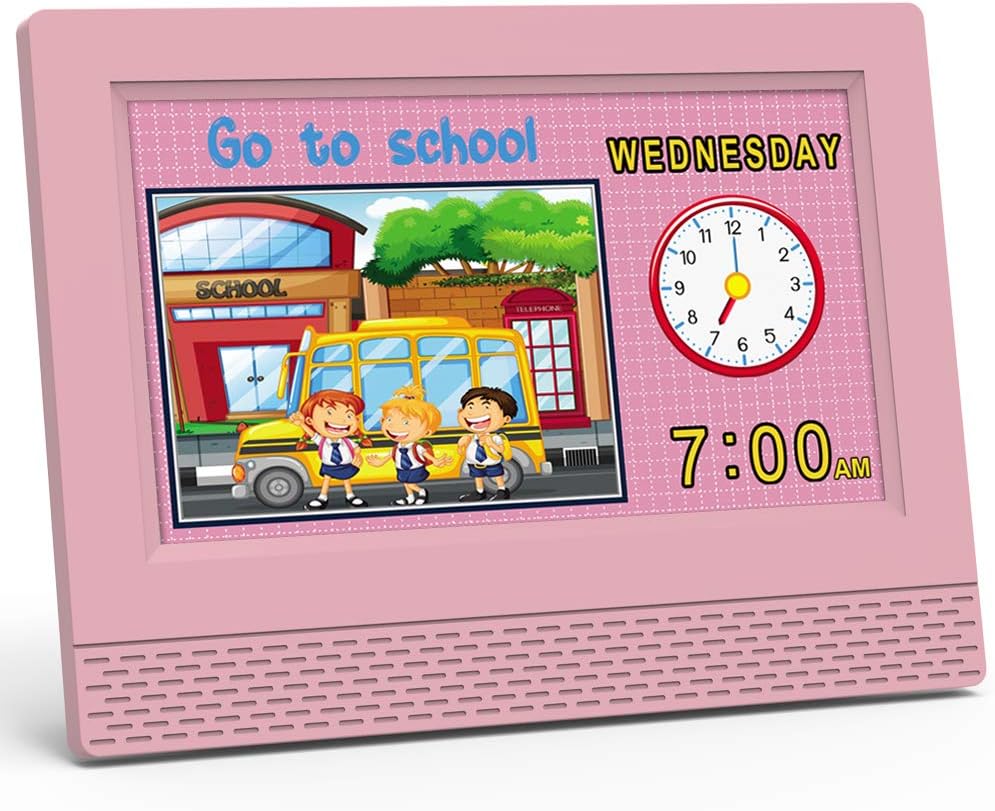
- For scene alarms, the clock will display a cartoon image and play a specific voice broadcast related to the activity (e.g., "Go to school", "Brush teeth").

Figure 5: Daily Reminder Interface. This image shows a grid of 17 different daily reminder interfaces, each with a specific time (e.g., 7:00, 6:00, 7:30) and a corresponding cartoon image depicting an activity like "Eat dinner", "Homework time", "Brush your teeth", "Go to school", or "Sleeping".
Video 2: Kids Digital Alarm Clock Usage Settings. This video, provided by the seller, demonstrates how to navigate the settings menu and adjust various clock parameters, including time, date, and alarm settings, specifically highlighting the daily reminder interface.
2. Switching Time Display Modes
The clock can display time in both digital and analog formats.
- From the main time display, long-press the OK button to toggle between digital-only and digital-plus-analog clock displays.

Figure 6: Digital and Analog Display Modes. This image shows the clock displaying time in two modes: a digital-only format (12H) and a combined digital and analog format (24H), illustrating the flexibility in time presentation.
3. ปรับระดับเสียง
The alarm and voice broadcast volume can be adjusted.
- In the settings menu, navigate to "Volume Set".
- Use the directional buttons to increase or decrease the volume level (e.g., from 0 to 100). Press OK เพื่อยืนยัน.
4. เวลาออมแสง
The clock supports Daylight Saving Time adjustments.
- In the settings menu, navigate to "Daylight Saving Time".
- Select "On" or "Off" as required. Press OK เพื่อยืนยัน.
5. Background Settings
Customize the background color of the display.
- In the settings menu, navigate to "Background setting".
- Choose your preferred background color (e.g., Pink, Blue, Yellow, Green). Press OK เพื่อยืนยัน.

Figure 7: Multiple Color Options. This image showcases the digital alarm clock in various frame colors (pink, yellow, green, blue), demonstrating the customizable aesthetic options available.
การซ่อมบำรุง
- การทำความสะอาด: Gently wipe the screen and body of the clock with a soft, dry cloth. Do not use abrasive cleaners or solvents.
- พื้นที่จัดเก็บ: If storing the device for an extended period, unplug it from the power source and keep it in a cool, dry place.
การแก้ไขปัญหา
| ปัญหา | วิธีแก้ปัญหาที่เป็นไปได้ |
|---|---|
| นาฬิกาไม่เปิดเครื่อง | ตรวจสอบให้แน่ใจว่าอะแดปเตอร์ไฟฟ้าเชื่อมต่อกับนาฬิกาและเต้ารับไฟฟ้าที่ใช้งานได้แน่นหนา |
| สัญญาณเตือนภัยไม่ดัง | Check alarm settings to ensure it is enabled and the volume is not set to zero. Verify the correct time and day settings for the alarm. |
| หน้าจอแสดงผลสว่าง/มืดเกินไป | Adjust the "Auto Dimming" setting in the menu. If set to "Auto", ensure the ambient light sensor is not obstructed. |
| เวลา/วันที่ไม่ถูกต้อง | Re-enter the correct time and date settings via the "Time Set" and "Date Set" options in the menu. Check Daylight Saving Time settings if applicable. |
ข้อมูลจำเพาะ
| คุณสมบัติ | รายละเอียด |
|---|---|
| ยี่ห้อ | เซินซิงหยาน |
| หมายเลขรุ่น | SDC-K701 |
| ประเภทจอภาพ | ดิจิตอล LED |
| ขนาดหน้าจอ | 7 นิ้ว |
| ขนาดสินค้า | กว้าง 7.5 นิ้ว x สูง 5.5 นิ้ว |
| แหล่งพลังงาน | Corded Electric (5V-1000mA) |
| คุณสมบัติพิเศษ | Adjustable Volume, Auto Dimmable, Calendar Display, Large Display, Multilingual, Sleep Trainer, Situational Alarms |
| จำนวนสัญญาณเตือน | 5 Normal Alarms, 12 Scene Alarms (Total 17) |
| วัสดุกรอบ | อะคริโลไนไตรล์บิวทาไดอีนสไตรีน |
| น้ำหนักสินค้า | 10.6 ออนซ์ (300 กรัม) |
การรับประกันและการสนับสนุน
For warranty information, technical support, or customer service inquiries, please refer to the contact details provided on the product packaging or visit the official SENXINGYAN webไซต์นี้ โปรดเก็บใบเสร็จรับเงินที่ซื้อไว้เพื่อใช้เรียกร้องการรับประกัน