
การแนะนำ
This manual provides essential information for setting up, operating, and maintaining your Coocaa 32R3G Roku LED HD Smart TV. The Coocaa 32R3G offers a comprehensive entertainment experience, featuring Roku OS for quick access to popular streaming services and combining linear television with streaming content. Enjoy high-resolution HD images with HDR10 and HLG support. Its integrated triple tuner allows reception of traditional television via satellite, cable, or antenna, including Timeshift functionality via USB. With multiple HDMI inputs and digital audio ports, the TV easily connects to various external devices.
ข้อมูลด้านความปลอดภัยที่สำคัญ
โปรดอ่านคำแนะนำด้านความปลอดภัยทั้งหมดอย่างละเอียดก่อนใช้งานทีวี เก็บคู่มือนี้ไว้เพื่อใช้อ้างอิงในอนาคต
- แหล่งพลังงาน: เชื่อมต่อทีวีกับแหล่งจ่ายไฟที่ระบุเท่านั้น
- การระบายอากาศ : ตรวจสอบให้แน่ใจว่ามีการระบายอากาศรอบทีวีอย่างเหมาะสม อย่าปิดกั้นช่องระบายอากาศ
- น้ำและความชื้น: อย่าให้ทีวีโดนฝนหรือความชื้น อย่าวางวัตถุที่บรรจุของเหลวไว้บนทีวี
- ความร้อน: ควรวางโทรทัศน์ให้ห่างจากแหล่งความร้อน เช่น เครื่องทำความร้อน ช่องระบายความร้อน เตา หรือเครื่องใช้ไฟฟ้าอื่นๆ ที่ให้ความร้อน
- การทำความสะอาด: ถอดปลั๊กทีวีออกจากเต้ารับที่ผนังก่อนทำความสะอาด ใช้ผ้านุ่มและแห้ง ห้ามใช้น้ำยาทำความสะอาดชนิดน้ำหรือสเปรย์ทำความสะอาด
- การติดตั้ง: Follow the instructions for wall mounting or stand installation carefully. Ensure the TV is securely placed to prevent falling.
- ฟ้าผ่า: ถอดปลั๊กทีวีในระหว่างที่มีพายุฝนฟ้าคะนองหรือเมื่อไม่ได้ใช้งานเป็นเวลานาน
เนื้อหาแพ็คเกจ
ตรวจสอบว่ารายการทั้งหมดที่ระบุไว้ด้านล่างนี้รวมอยู่ในแพ็คเกจของคุณ:
- Coocaa 32R3G Roku LED HD Smart TV
- รีโมทคอนโทรล
- ขาตั้งทีวี (ฐาน)
- สายไฟ
- คู่มือการใช้งาน (เอกสารนี้)
การตั้งค่า
1. Installing the TV Stand or Wall Mounting
If you are placing the TV on a surface, attach the included stand according to the instructions provided in the separate stand assembly guide. Ensure all screws are tightened securely.
For wall mounting, use a VESA-compatible wall mount kit (sold separately) and follow the wall mount manufacturer's instructions. Always ensure the wall can support the weight of the TV.
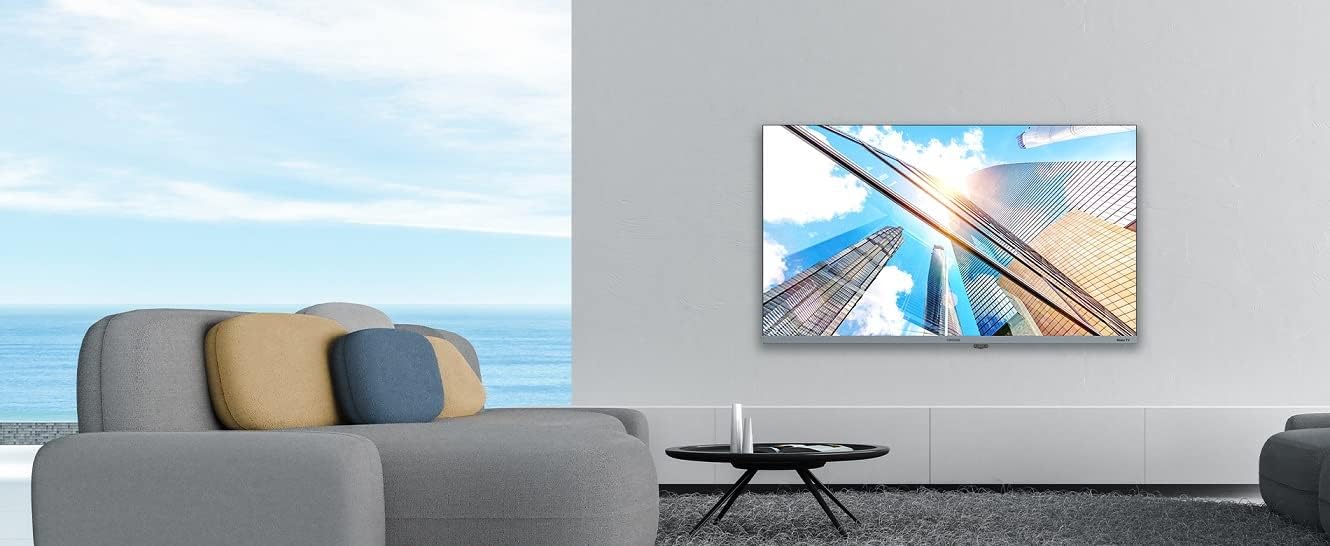
Image: Coocaa 32R3G TV displayed in a modern living room, mounted on a wall. This illustrates a typical installation scenario for the television.
2. การเชื่อมต่ออุปกรณ์ภายนอก
Connect your external devices such as cable/satellite boxes, gaming consoles, or Blu-ray players to the HDMI ports on the back of the TV. For traditional antenna or cable connections, use the RF input.
- ช่องต่อ HDMI: สำหรับเสียงและวิดีโอความคมชัดสูง
- ยูเอสบี: For media playback or Timeshift functionality.
- เสาอากาศ/สายเคเบิล (RF): สำหรับสัญญาณออกอากาศแบบดั้งเดิม
- เอาต์พุตเสียงดิจิตอล: สำหรับเชื่อมต่อกับระบบเสียงภายนอก
- แจ็คหูฟัง: สำหรับการฟังส่วนตัว
3. การเปิดเครื่องและการตั้งค่าเริ่มต้น
- เชื่อมต่อสายไฟเข้ากับทีวีแล้วจึงเสียบเข้ากับเต้ารับที่ผนัง
- กดปุ่มเปิด/ปิดบนรีโมทคอนโทรลหรือบนทีวี
- Follow the on-screen instructions for the Roku OS guided setup. This includes selecting your language, connecting to your Wi-Fi network, and activating your Roku account.
การใช้งานทีวีของคุณ
1. Roku OS Home Screen and Navigation
The Roku OS provides an intuitive home screen for quick access to your favorite streaming services, connected inputs, and free live TV channels. Use the directional pad on your remote to navigate through menus and select options.

Image: The Coocaa 32R3G Roku TV home screen, showing various streaming application icons like Netflix, Disney+, and inputs such as 'Kabelbox' (Cable Box) and 'Spielkonsole' (Game Console). This illustrates the user interface for accessing content.
2. ฟังก์ชั่นการควบคุมระยะไกล
The included remote control is designed for ease of use, offering all necessary functions to control your TV, including quick access buttons to popular streaming channels.
- พลัง: เปิดหรือปิดทีวี
- บ้าน: กลับไปยังหน้าจอหลักของ Roku
- แผ่นทิศทาง: นำทางเมนูและเลือกสินค้า
- ตกลง/ป้อน: ยืนยันการเลือก
- กลับ: กลับไปยังหน้าจอที่แล้ว
- เพิ่ม/ลดระดับเสียง: ปรับระดับเสียง
- ปิดเสียง: ปิดเสียงหรือเปิดเสียง
- ช่องขึ้น/ลง: เปลี่ยนช่อง(สำหรับทีวีสด)
- การเล่นซ้ำทันที: ย้อนกลับไปยังช่วงเวลาไม่กี่วินาทีในการเล่นวิดีโอ
- ดาว (*): เข้าถึงเมนูตัวเลือกสำหรับเนื้อหาปัจจุบัน
- ปุ่มเข้าถึงด่วน: ปุ่มเฉพาะสำหรับบริการสตรีมมิ่งยอดนิยม (เช่น Netflix, Disney+)
3. Streaming Services and Live TV
Access a wide range of streaming services directly from the Roku home screen. The integrated triple tuner allows you to watch traditional live television via satellite (DVB-S), cable (DVB-C), or antenna (DVB-T).
- Channel Store: Add new streaming channels from the Roku Channel Store.
- Multi-Channel Search: ค้นหา content by title, actor, or genre across various streaming services and live TV.
- เปลี่ยนเวลา: Use a connected USB drive to pause and rewind live TV.
4. Voice Control and Roku Mobile App
The Coocaa 32R3G supports various voice assistants, including Apple AirPlay, Apple Home, Alexa, and Google Home, allowing for convenient voice control.
Download the free Roku mobile app (available for iOS and Android) to control your TV, use voice search, and enjoy private listening through headphones connected to your mobile device.
การซ่อมบำรุง
Proper care and maintenance will ensure the longevity of your Coocaa 32R3G TV.
- การทำความสะอาดหน้าจอ: เช็ดหน้าจอเบาๆ ด้วยผ้านุ่มที่ไม่เป็นขุย สำหรับรอยฝังแน่น ให้เช็ดเบาๆampเทน้ำหรือน้ำยาทำความสะอาดหน้าจอชนิดพิเศษลงบนผ้า (อย่าฉีดลงบนหน้าจอโดยตรง)
- การทำความสะอาดตู้: เช็ดตู้ทีวีด้วยผ้านุ่มและแห้ง หลีกเลี่ยงการใช้น้ำยาทำความสะอาดหรือสารละลายที่มีฤทธิ์กัดกร่อน
- การระบายอากาศ : รักษาช่องระบายอากาศให้สะอาดปราศจากฝุ่นและเศษขยะเพื่อป้องกันความร้อนสูงเกินไป
- สายไฟ: ตรวจสอบสายไฟเป็นประจำเพื่อดูว่ามีการชำรุดเสียหายหรือไม่
การแก้ไขปัญหา
หากคุณประสบปัญหาเกี่ยวกับทีวี โปรดดูวิธีแก้ไขทั่วไปต่อไปนี้:
| ปัญหา | วิธีแก้ปัญหาที่เป็นไปได้ |
|---|---|
| ไม่มีไฟฟ้า |
|
| ไม่มีภาพ แต่มีเสียง |
|
| ไม่มีเสียง แต่มีภาพ |
|
| รีโมตคอนโทรลไม่ทำงาน |
|
| ไม่สามารถเชื่อมต่อ Wi-Fi ได้ |
|
ข้อมูลจำเพาะ
| ยี่ห้อ | โกโก้ |
| หมายเลขรุ่น | 32R3G |
| ขนาดจอแสดงผล | 80 เซนติเมตร (ประมาณ 32 นิ้ว) |
| เทคโนโลยีการแสดงผล | นำ |
| ปณิธาน | 720p |
| อัตราการรีเฟรช | 50 เฮิรตซ์ |
| ระบบปฏิบัติการ | ระบบปฏิบัติการ Roku |
| เทคโนโลยีการเชื่อมต่อ | ไวไฟ |
| Ports/Interfaces | 2x HDMI, 2x USB (USB 2.0, USB 1.0), Headphone Jack, Digital Audio Out |
| คุณสมบัติพิเศษ | Integrated Speaker, HDR10, HLG Support, Triple Tuner (DVB-T/C/S), Timeshift via USB |
| อัตราส่วนภาพ | 16:9 น. |
| ขนาดสินค้า (ลึก x กว้าง x สูง) | 7 x 72 x 42 เซนติเมตร |
| สี | สีดำ |
การรับประกันและการสนับสนุน
For warranty information and technical support, please refer to the warranty card included with your product or visit the official Coocaa webไซต์ โปรดเก็บใบเสร็จรับเงินไว้เป็นหลักฐานการซื้อ