
1. บทนำ
This manual provides instructions for the ALLIMITY remote control, designed for seamless operation with Xbox One, Xbox One S, and Xbox One X series consoles. This remote requires no complex setup or programming; simply install the batteries, and it is ready for use.
2. เนื้อหาบรรจุภัณฑ์
- 1 x ALLIMITY Remote Control
Note: 2 x AAA Alkaline Batteries are not included and must be purchased separately.
3. การตั้งค่า
3.1 การติดตั้งแบตเตอรี่
The remote control operates on two (2) AAA alkaline batteries. Follow these steps to install them:
- ค้นหาฝาปิดช่องใส่แบตเตอรี่ที่ด้านหลังของรีโมทคอนโทรล
- เลื่อนฝาครอบลงหรือกดที่สลัก (ถ้ามี) เพื่อเปิดช่อง
- ใส่แบตเตอรี่ AAA สองก้อน โดยตรวจสอบให้แน่ใจว่าขั้วบวก (+) และขั้วลบ (-) ตรงกับเครื่องหมายภายในช่องใส่แบตเตอรี่อย่างถูกต้อง
- ปิดฝาช่องใส่แบตเตอรี่ โดยเลื่อนกลับเข้าที่จนกระทั่งได้ยินเสียงคลิกและแน่นสนิท

Image: Back of the remote control with the battery compartment open for AAA battery insertion.
4. คู่มือการใช้งาน
4.1 การทำงานพื้นฐาน
Once the batteries are correctly installed, the remote control is ready for immediate use. No additional pairing or programming is required.
- Point the remote control directly towards your Xbox console or the device's infrared receiver.
- Press the desired buttons for navigation, media playback, or system control functions.
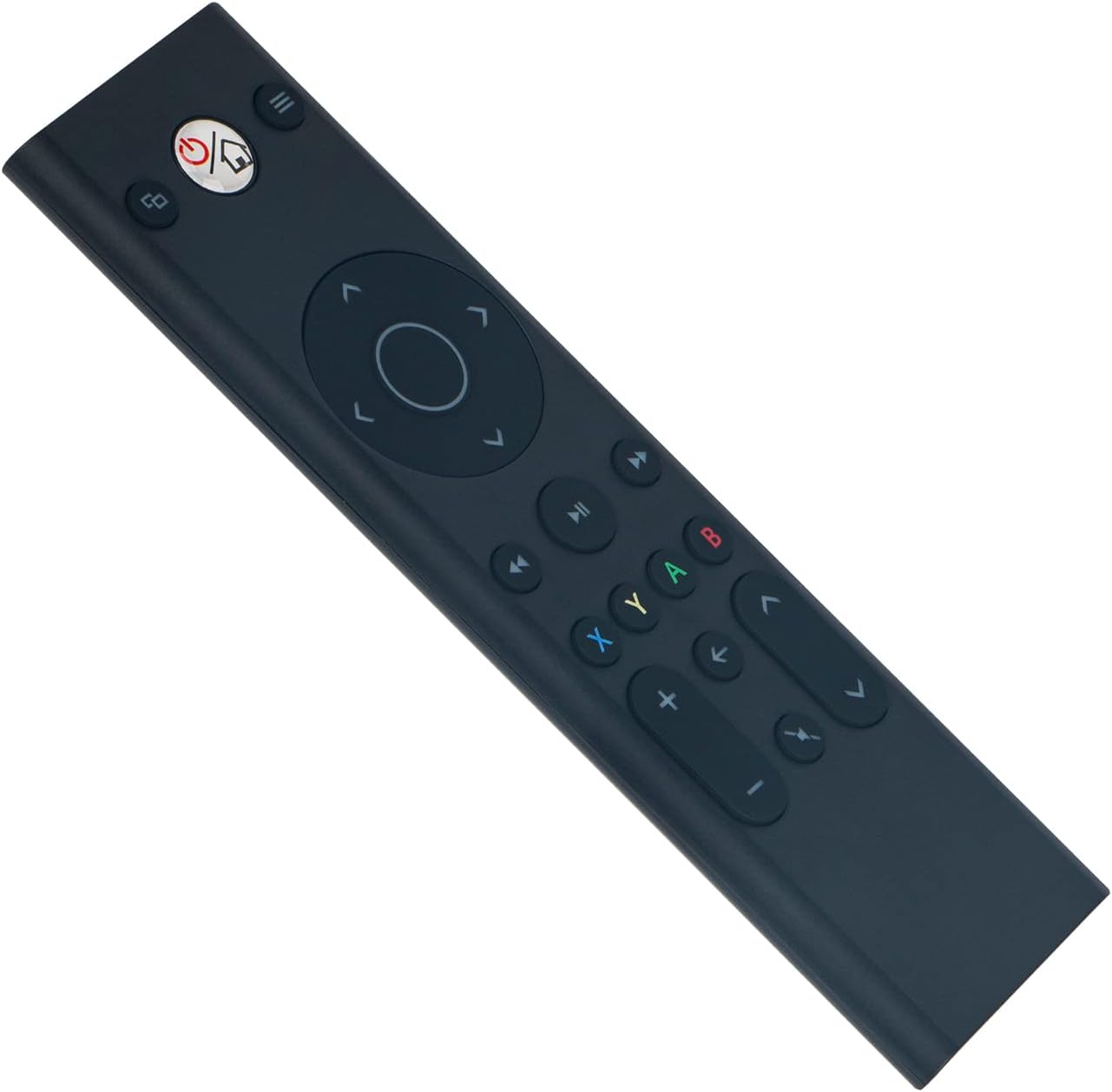
ภาพ: ด้านหน้า view of the ALLIMITY remote control, illustrating button layout.
4.2 ความเข้ากันได้
This remote control is fully compatible with the following Microsoft Xbox console models:
- เอกซ์บอกซ์ วัน
- Xbox One S
- Xbox One X
5. การบำรุงรักษา
- การทำความสะอาด: Use a soft, dry cloth to clean the remote control. Do not use liquid cleaners, abrasive materials, or solvents, as these may damage the surface or internal components.
- พื้นที่จัดเก็บ: เก็บรีโมทไว้ในที่แห้งและเย็น หลีกเลี่ยงแสงแดดโดยตรง อุณหภูมิที่สูงหรือต่ำเกินไป และความชื้นสูง
- การดูแลแบตเตอรี่ If the remote will not be used for an extended period (e.g., one month or more), remove the batteries to prevent potential leakage and damage to the device.
6 การแก้ไขปัญหา
6.1 รีโมทไม่ตอบสนอง
- ตรวจสอบแบตเตอรี่: Ensure the batteries are inserted with the correct polarity (+/-). Replace old batteries with fresh AAA alkaline batteries.
- สิ่งกีดขวาง: Verify there are no objects blocking the line of sight between the remote control and the Xbox console's infrared (IR) receiver.
- พิสัย: Ensure you are within the maximum operating range of 33 feet (10 meters) from the console.
6.2 การทำงานแบบไม่ต่อเนื่อง
- ระดับแบตเตอรี่: Low battery power can cause inconsistent performance. Replace batteries if necessary.
- การรบกวน: Strong light sources, such as direct sunlight or certain types of fluorescent lighting, can interfere with the remote's infrared signal. Try operating the remote in a different lighting environment.
7. ข้อมูลจำเพาะ
| ยี่ห้อ | ความเสมอภาค |
| หมายเลขรุ่น | YK33-MB1356-BK3-RC |
| เทคโนโลยีการเชื่อมต่อ | อินฟราเรด |
| แหล่งจ่ายไฟ | แบตเตอรี่อัลคาไลน์ AAA 2 ก้อน (ไม่รวม) |
| จำนวนอุปกรณ์ที่รองรับสูงสุด | 1 |
| ประเภทตัวควบคุม | ปุ่มควบคุม |
| จำนวนปุ่ม | 21 |
| ระยะสูงสุด | 33 ฟุต (10 เมตร) |
| น้ำหนักสินค้า | 55 กรัม |
| คุณสมบัติพิเศษ | ไม่จำเป็นต้องเขียนโปรแกรม |
| อุปกรณ์ที่รองรับ | Xbox One, Xbox One S, Xbox One X series |
8. การรับประกันและการสนับสนุน
For product support, warranty information, or any inquiries regarding your ALLIMITY remote control, please contact the retailer from whom you purchased the product or refer to the manufacturer's official support channels. Please retain your proof of purchase for warranty claims.