
aigo ACSE240-BK
Aigo AC SE 240 Rainbow 240mm Water Cooler Instruction Manual
Model: ACSE240-BK
1. สินค้าหมดview
The Aigo AC SE 240 is an all-in-one (AIO) liquid CPU cooler designed to provide efficient thermal management for your computer's processor. Featuring a 240mm radiator and two fans with Rainbow lighting, it offers effective cooling performance for a wide range of Intel and AMD sockets.
This manual provides essential information for the proper installation, operation, and maintenance of your Aigo AC SE 240 Water Cooler.
2. เนื้อหาบรรจุภัณฑ์
Please verify that all components listed below are present in your package before proceeding with the installation.
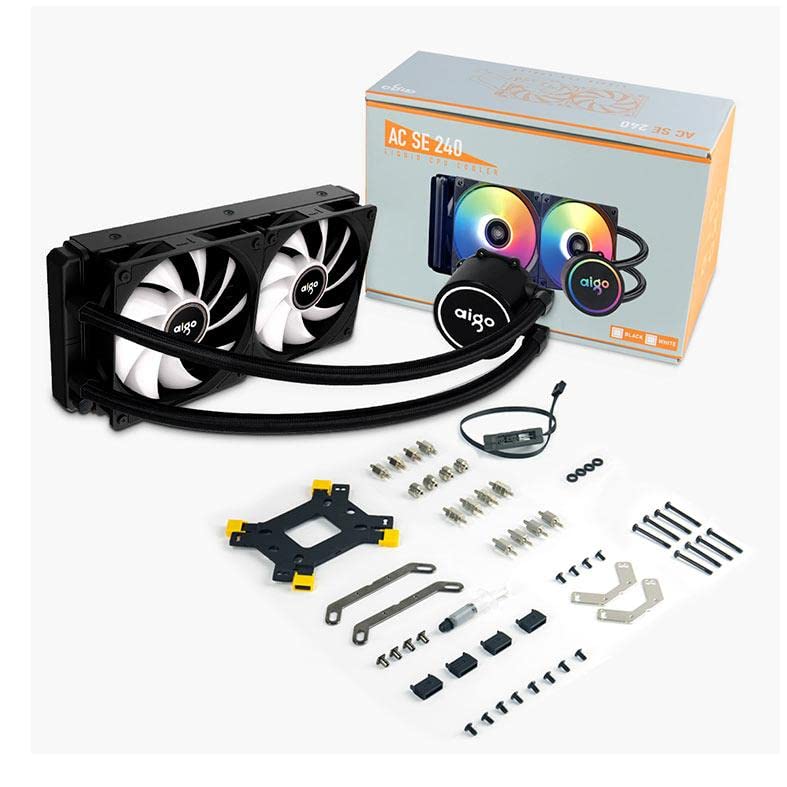
ภาพ: All components included with the Aigo AC SE 240 Water Cooler, laid out on a white background. This includes the radiator with two fans, the CPU block/pump, tubing, various mounting brackets for Intel and AMD sockets, screws, thermal paste, and a fan/RGB controller.
- 240mm Radiator with integrated pump/CPU block and tubing
- Two 120mm Fans (Rainbow lighting)
- Intel Mounting Bracket Kit (LGA 2066/ 2011-v3 / 2011 / 1700 / 1366 / 1200 / 115X)
- AMD Mounting Bracket Kit (FM1 / FM2 / FM2+ / AM2 / AM2+ / AM3 / AM3+ / AM4)
- แผ่นรองด้านหลังสำหรับซ็อกเก็ต Intel
- สกรูยึดและตัวรองรับ
- น้ำยาหล่อเย็น
- Fan/RGB Controller (if applicable, inferred from image)
- คู่มือการใช้งาน (เอกสารนี้)
3. คู่มือการติดตั้ง
This section provides general steps for installing the Aigo AC SE 240 Water Cooler. Refer to your motherboard and PC case manuals for specific instructions regarding component placement and cable management.
3.1 Prepare the CPU and Motherboard
- ตรวจสอบให้แน่ใจว่าระบบของคุณปิดอยู่และตัดการเชื่อมต่อจากแหล่งพลังงาน
- ถอดพัดลมระบายความร้อน CPU เดิมออกทั้งหมด ทำความสะอาดพื้นผิว CPU อย่างทั่วถึงด้วยไอโซโพรพิลแอลกอฮอล์เพื่อกำจัดซิลิโคนระบายความร้อนเก่าออก
- Identify the correct mounting bracket for your CPU socket (Intel or AMD).
3.2 ติดตั้งหม้อน้ำและพัดลม
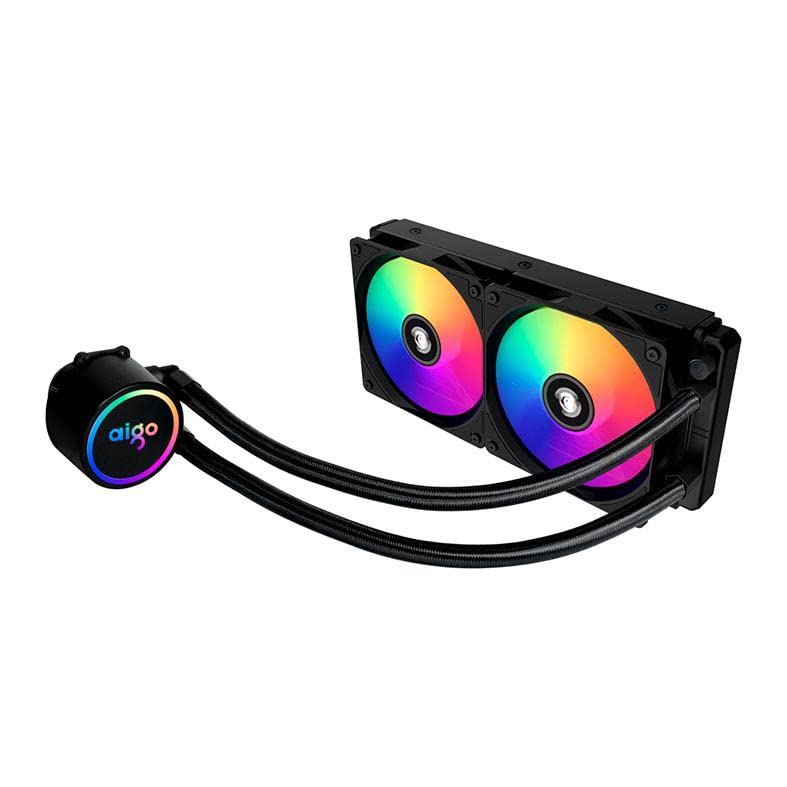
ภาพ: The Aigo AC SE 240 Water Cooler showing the 240mm radiator with two fans attached, displaying their rainbow LED lighting. The pump/CPU block is connected via two braided tubes.
- Attach the two 120mm fans to the radiator using the provided long screws. Ensure the fan airflow direction is correct for your case (typically intake or exhaust).
- Mount the radiator assembly to an available 240mm fan mount in your PC case (e.g., top, front, or rear). Use the appropriate screws to secure it.
3.3 Install the CPU Block/Pump
- Apply a small amount of thermal paste to the center of your CPU's integrated heat spreader (IHS). A pea-sized dot is usually sufficient.
- Attach the correct mounting standoffs and brackets to your motherboard around the CPU socket. For Intel sockets, you may need to install the backplate first.
- Carefully place the CPU block/pump onto the CPU, aligning the mounting holes.
- Secure the CPU block/pump with the provided thumb screws or nuts, tightening them in a diagonal pattern until snug. Do not overtighten.
3.4 สายเชื่อมต่อ
- Connect the pump's power cable to a dedicated AIO_PUMP or CPU_FAN header on your motherboard. If neither is available, use a SYS_FAN header.
- Connect the fan power cables to the CPU_FAN and/or SYS_FAN headers on your motherboard, or to the included fan/RGB controller.
- Connect the RGB cables from the fans and pump to the included RGB controller, and then connect the controller to an available RGB header on your motherboard (if applicable) or a SATA power connector.
- Organize cables for optimal airflow and aesthetics.
4. คู่มือการใช้งาน
Once installed, the Aigo AC SE 240 Water Cooler operates automatically. The pump and fans will adjust their speeds based on CPU temperature, as controlled by your motherboard's BIOS/UEFI settings or dedicated software.
- การตั้งค่า BIOS/UEFI: Access your motherboard's BIOS/UEFI to configure fan curves and pump speed settings. It is recommended to set the pump to run at 100% speed for optimal cooling performance and to prevent air bubbles from settling.
- การควบคุมซอฟต์แวร์: If your motherboard supports it, you may use manufacturer-provided software to fine-tune fan speeds, monitor temperatures, and customize RGB lighting effects.
- การเริ่มต้นครั้งแรก: During the first few minutes of operation, you might hear gurgling sounds as air bubbles are purged from the loop. This is normal and should subside.
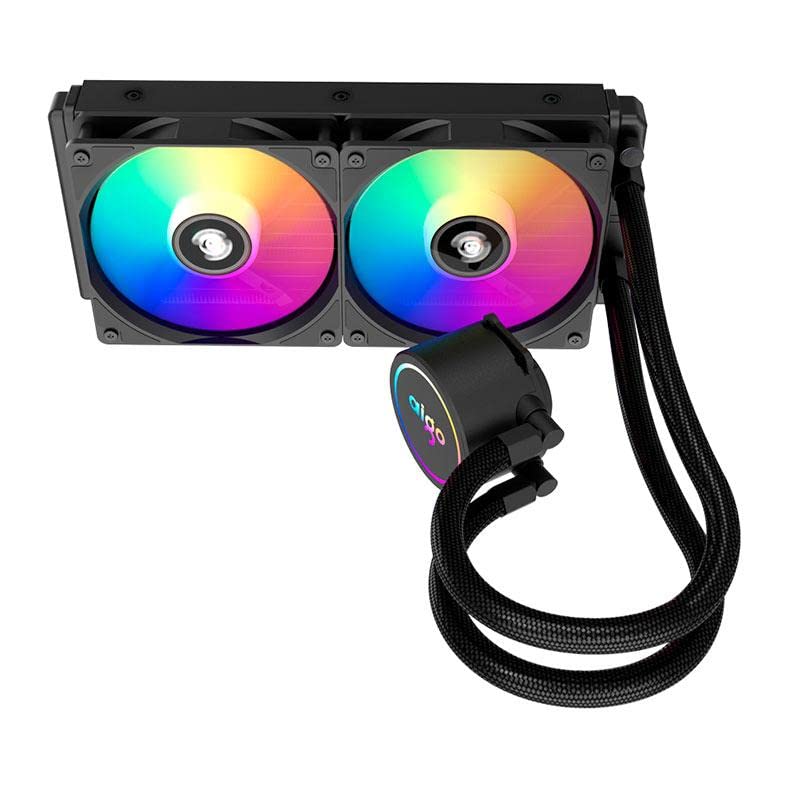
ภาพ: แบบบน-ล่าง view of the Aigo AC SE 240 Water Cooler, highlighting the CPU block with its illuminated Aigo logo and the two rainbow-lit fans on the radiator.
5. การบำรุงรักษา
การบำรุงรักษาอย่างสม่ำเสมอจะช่วยให้เครื่องทำน้ำเย็นของคุณทำงานได้อย่างมีประสิทธิภาพสูงสุดและมีอายุการใช้งานยาวนานขึ้น
- การทำความสะอาดฝุ่น: ควรทำความสะอาดฝุ่นจากครีบหม้อน้ำและใบพัดลมเป็นระยะ โดยใช้ลมเป่าหรือแปรงขนนุ่ม ฝุ่นที่มากเกินไปอาจขัดขวางการไหลเวียนของอากาศและลดประสิทธิภาพการระบายความร้อนได้
- การตรวจสอบท่อ: ตรวจสอบท่อและข้อต่อด้วยสายตาเพื่อดูว่ามีรอยรั่ว รอยพับ หรือความเสียหายหรือไม่ หากพบปัญหาใด ๆ ให้แก้ไขทันที
- เสียงปั๊ม: If the pump starts making unusual noises, it may indicate air trapped in the loop or a failing pump. Ensure the pump is running at full speed and try gently tilting your PC case to help dislodge air bubbles.
6 การแก้ไขปัญหา
This section addresses common issues you might encounter with your Aigo AC SE 240 Water Cooler.
| ปัญหา | สาเหตุที่เป็นไปได้ | สารละลาย |
|---|---|---|
| อุณหภูมิ CPU สูง |
|
|
| พัดลม/ไฟ RGB ไม่ติดสว่าง |
|
|
| เสียงปั๊มผิดปกติ |
|
|
7. ข้อมูลจำเพาะ
Detailed technical specifications for the Aigo AC SE 240 Water Cooler.
- แบบอย่าง: ACSE240-BK
- Intel Socket Compatibility: LGA 2066/ 2011-v3 / 2011 / 1700 / 1366 / 1200 / 115X
- AMD Socket Compatibility: FM1 / FM2 / FM2+ / AM2 / AM2+ / AM3 / AM3+ / AM4
- ความยาวท่อ: 395 มม.
- ความเร็วปั๊ม: 3200 ± 10% รอบต่อนาที
- ปั๊มVoltage: 12โวลต์
- ขนาดหม้อน้ำ: 274 x 120 x 27 มม.
- ขนาดพัดลม: 120 x 120 x 25 มม.
- ความเร็วพัดลม: 800 ~ 1800 รอบต่อนาที
- การไหลเวียนของอากาศ: 64.05 ลูกบาศก์ฟุตต่อนาที
- ระดับเสียง: 30 dBA ± 10%
- อัตราผลตอบแทนจากการลงทุน: 210วัตต์
- วิธีการทำความเย็น: ของเหลว (น้ำ)
- อุปกรณ์ที่รองรับ: เดสก์ท็อป
8. การรับประกันและการสนับสนุน
For warranty information, technical support, or service inquiries, please refer to the official Aigo webหรือติดต่อผู้ค้าปลีกของคุณ เก็บหลักฐานการซื้อไว้เพื่อใช้ในการเรียกร้องการรับประกัน
Official Aigo Webเว็บไซต์: www.aigocooler.com (หมายเหตุ: นี่เป็นเพียงตัวอย่างชั่วคราว URL. Please verify the actual official website for Aigo products.)
Ask a question about this manual
Ask about setup, troubleshooting, compatibility, parts, safety, or missing instructions. Manuals+ will review the question and use this page’s manual context to help answer it.