
1. บทนำ
Thank you for choosing the Aigo AC SE 120 Water Cooler. This All-in-One (AIO) liquid cooling system is designed to provide efficient thermal management for your CPU, ensuring stable performance and extended component lifespan. This manual provides detailed instructions for installation, operation, maintenance, and troubleshooting.
Please read this manual thoroughly before installation and use to ensure proper setup and to prevent any damage to your system.
2. ข้อมูลด้านความปลอดภัย
- Always disconnect power from your computer before installing or performing maintenance on any components.
- จัดการส่วนประกอบต่างๆ ด้วยความระมัดระวังเพื่อหลีกเลี่ยงความเสียหาย
- สวมสายรัดข้อมือป้องกันไฟฟ้าสถิตย์เพื่อป้องกันความเสียหายจากการคายประจุไฟฟ้าสถิตย์ (ESD) ต่อส่วนประกอบที่มีความละเอียดอ่อน
- Do not open the sealed liquid cooling loop. Tampering with the unit may cause leaks and void your warranty.
- Ensure all cables are properly connected and routed to avoid interference with moving parts (e.g., fan blades).
- เก็บให้พ้นจากมือเด็ก
3. เนื้อหาบรรจุภัณฑ์
ตรวจสอบให้แน่ใจว่าอุปกรณ์ทุกชิ้นครบถ้วนและอยู่ในสภาพดีก่อนดำเนินการติดตั้ง
- Aigo AC SE 120 Water Cooler Unit (Pump, Radiator, Fan pre-installed)
- Mounting Hardware for Intel Sockets (LGA 2066/ 2011-v3 / 2011 / 1700 / 1366 / 1200 / 115X)
- Mounting Hardware for AMD Sockets (FM1 / FM2 / FM2+ / AM2 / AM2+ / AM3 / AM3+ / AM4)
- น้ำยาระบายความร้อน (แบบทาไว้แล้วหรือแบบหลอด)
- คู่มือการใช้งาน

Image: Aigo AC SE 120 Water Cooler unit with its fan, radiator, pump, and various mounting brackets and screws for different CPU sockets.
4. ข้อมูลจำเพาะ
| Socket Compatibility (Intel) | LGA 2066/ 2011-v3 / 2011 / 1700 / 1366 / 1200 / 115X |
| ความเข้ากันได้ของซ็อกเก็ต (AMD) | FM1 / FM2 / FM2+ / AM2 / AM2+ / AM3 / AM3+ / AM4 |
| ขนาดบล็อคน้ำ | 71 x 66.5 x 45 มม. |
| ขนาดหม้อน้ำ | 154 x 120 x 27 มม. |
| ขนาดพัดลม | 120 x 120 x 25 มม. |
| ความเร็วของปั๊ม | 3200 ± 10% รอบต่อนาที |
| ความเร็วพัดลม | 800 ~ 1800 รอบต่อนาที |
| การไหลเวียนของอากาศ | 64.05 ลูกบาศก์ฟุตต่อนาที |
| TDP (พลังการออกแบบเชิงความร้อน) | 165วัตต์ |
| ระดับเสียง | 30 dBA ± 10% |
| แรงดันสถิต | 1.85 มม. น้ำ 2 โอ |
| ประเภทตลับลูกปืน | เซรามิค |
| จัดอันดับVoltage | 12โวลต์ |
| วิธีการทำความเย็น | ของเหลว (น้ำ) |
| อุปกรณ์ที่รองรับ | เดสก์ท็อป |
5. การตั้งค่าและการติดตั้ง
This section outlines the general steps for installing your Aigo AC SE 120 Water Cooler. Specific steps may vary slightly depending on your motherboard and PC case. Always refer to your motherboard and case manuals for detailed instructions.
5.1 เตรียมซ็อกเก็ต CPU
- ซ็อกเก็ต Intel: Attach the correct Intel backplate to the rear of your motherboard. Secure the standoffs through the motherboard holes from the front.
- ซ็อกเก็ต AMD: The cooler typically uses the existing AMD backplate. Remove the plastic retention clips from the stock AMD cooler mount, leaving the backplate in place. Install the appropriate AMD standoffs.
- ตรวจสอบให้แน่ใจว่าได้ติดตั้ง CPU ลงในซ็อกเก็ตอย่างถูกต้องแล้ว
- ทำความสะอาดพื้นผิว CPU ด้วยไอโซโพรพิลแอลกอฮอล์เพื่อขจัดคราบซิลิโคนระบายความร้อนเก่าหรือสิ่งตกค้างต่างๆ ออกไป
- Apply a thin, even layer of thermal paste to the center of the CPU's integrated heat spreader (IHS). If thermal paste is pre-applied to the water block, skip this step.
5.2 Install the Radiator and Fan
- Determine the optimal mounting location for the 120mm radiator in your PC case. Common locations include the rear exhaust or top exhaust.
- Mount the 120mm fan to the radiator using the provided screws. Ensure the fan is oriented to push or pull air in the desired direction (e.g., exhaust air out of the case).
- ยึดชุดหม้อน้ำเข้ากับเคสคอมพิวเตอร์โดยใช้สกรูที่เหมาะสม

ภาพ: ด้านข้าง view of the Aigo AC SE 120 Water Cooler, showing the radiator with a white fan attached, and the pump/water block unit.
5.3 ติดตั้งชุดระบายความร้อนด้วยน้ำ
- Attach the correct mounting brackets to the water block/pump unit.
- วางชุดระบายความร้อนด้วยน้ำลงบนซีพียูอย่างระมัดระวัง โดยจัดตำแหน่งรูยึดให้ตรงกับตัวรองรับ
- Secure the water block with the provided thumb screws or nuts, tightening them in a diagonal pattern until snug. Do not overtighten.
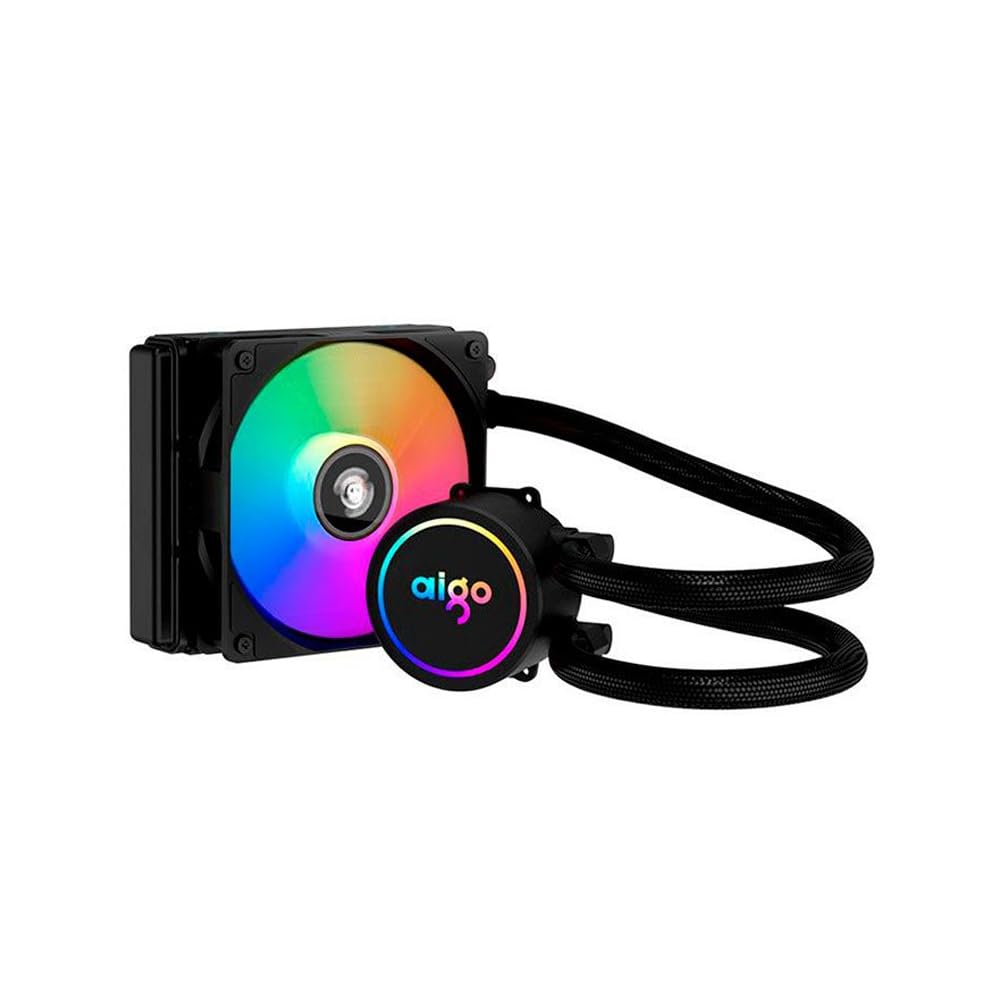
Image: The Aigo AC SE 120 Water Cooler showing the pump unit with an illuminated Aigo logo and a rainbow-colored fan on the radiator.
5.4 สายเชื่อมต่อ
- Connect the pump power cable to a dedicated AIO_PUMP or CPU_FAN header on your motherboard. If your motherboard has neither, use a SYS_FAN header and ensure it is set to run at full speed in the BIOS.
- Connect the fan power cable to the CPU_FAN header on your motherboard. If your motherboard has multiple fan headers, consult your motherboard manual for the recommended CPU fan header.
- If your cooler has RGB lighting, connect the RGB cable to a compatible RGB header on your motherboard (e.g., 3-pin ARGB or 4-pin RGB, depending on the cooler's connector type).
- Route all cables neatly to avoid obstructing airflow or interfering with other components.
6. คู่มือการใช้งาน
Once installed, the Aigo AC SE 120 Water Cooler operates automatically based on your motherboard's fan control settings.
- เปิดเครื่องครั้งแรก: After installation, power on your computer. The pump and fan should start operating.
- การตั้งค่า BIOS/UEFI: Access your motherboard's BIOS/UEFI settings to ensure the CPU_FAN and AIO_PUMP headers are configured correctly. It is recommended to set the pump header to run at full speed (100%) for optimal cooling performance. Fan speeds can be adjusted based on temperature curves for a balance of cooling and noise.
- แสงไฟ RGB: If connected to an RGB header, the lighting effects can typically be controlled via your motherboard's RGB software (e.g., ASUS Aura Sync, MSI Mystic Light, Gigabyte RGB Fusion, ASRock Polychrome Sync).
- การติดตาม: Use system monitoring software to check CPU temperatures and ensure the cooler is functioning effectively.

ภาพ: จากบนลงล่าง view of the Aigo AC SE 120 Water Cooler, highlighting the illuminated Aigo logo on the pump and the rainbow lighting of the fan.
7. การบำรุงรักษา
Regular maintenance helps ensure optimal performance and longevity of your water cooler.
- การทำความสะอาดฝุ่น: ทำความสะอาดครีบหม้อน้ำและใบพัดลมเป็นระยะๆ เพื่อป้องกันการสะสมของฝุ่น ซึ่งอาจขัดขวางการไหลเวียนของอากาศและลดประสิทธิภาพการทำความเย็น ใช้ลมอัดหรือแปรงขนนุ่ม
- การตรวจสอบพัดลม: Check the fan for any signs of wear, damage, or excessive noise. Replace if necessary.
- การตรวจสอบท่อ: Visually inspect the hoses for any kinks, cracks, or signs of leakage. While AIOs are sealed, regular checks are recommended.
- น้ำยาระบายความร้อน: The thermal paste typically lasts for several years. If you notice a significant increase in CPU temperatures over time, consider reapplying fresh thermal paste. This requires carefully removing the water block, cleaning both surfaces, and applying new paste.
8 การแก้ไขปัญหา
If you encounter issues with your Aigo AC SE 120 Water Cooler, refer to the following common problems and solutions:
| ปัญหา | สาเหตุที่เป็นไปได้ | สารละลาย |
|---|---|---|
| อุณหภูมิ CPU สูง |
|
|
| พัดลมไม่หมุน |
|
|
| Pump Not Running / Unusual Noise |
|
|
| ไฟ RGB ไม่ทำงาน |
|
|
9. การรับประกันและการสนับสนุน
The Aigo AC SE 120 Water Cooler comes with a รับประกัน 12 เดือน นับจากวันที่ซื้อ การรับประกันนี้ครอบคลุมข้อบกพร่องจากการผลิตและการทำงานผิดปกติภายใต้สภาพการใช้งานปกติ
การรับประกันไม่ครอบคลุมถึง:
- ความเสียหายที่เกิดจากการติดตั้งที่ไม่ถูกต้อง การใช้งานผิดวิธี การใช้ในทางที่ผิด หรือการละเลย
- ความเสียหายที่เกิดจากการดัดแปลงหรือซ่อมแซมโดยไม่ได้รับอนุญาต
- ความเสียหายที่เกิดจากภัยธรรมชาติหรืออุบัติเหตุ
For technical support, warranty claims, or further assistance, please contact your retailer or the Aigo customer service department. Please have your proof of purchase and product model number (ACSE120-BK) ready when contacting support.