
การแนะนำ
This manual provides detailed instructions for the safe and efficient use of your Jectse N509 2G Flip Phone. Please read this manual thoroughly before operating the device and keep it for future reference.

Image: The Jectse N509 flip phone in its closed state, featuring a pink and white gradient finish adorned with elegant butterfly patterns.
การตั้งค่า
1. การติดตั้งแบตเตอรี่
- ถอดฝาหลังโทรศัพท์ออกอย่างระมัดระวัง
- Insert the provided 6800 mAh lithium-ion battery into the battery compartment, ensuring the contacts align correctly.
- ใส่ฝาหลังกลับเข้าไปจนกระทั่งล็อคเข้าที่อย่างแน่นหนา
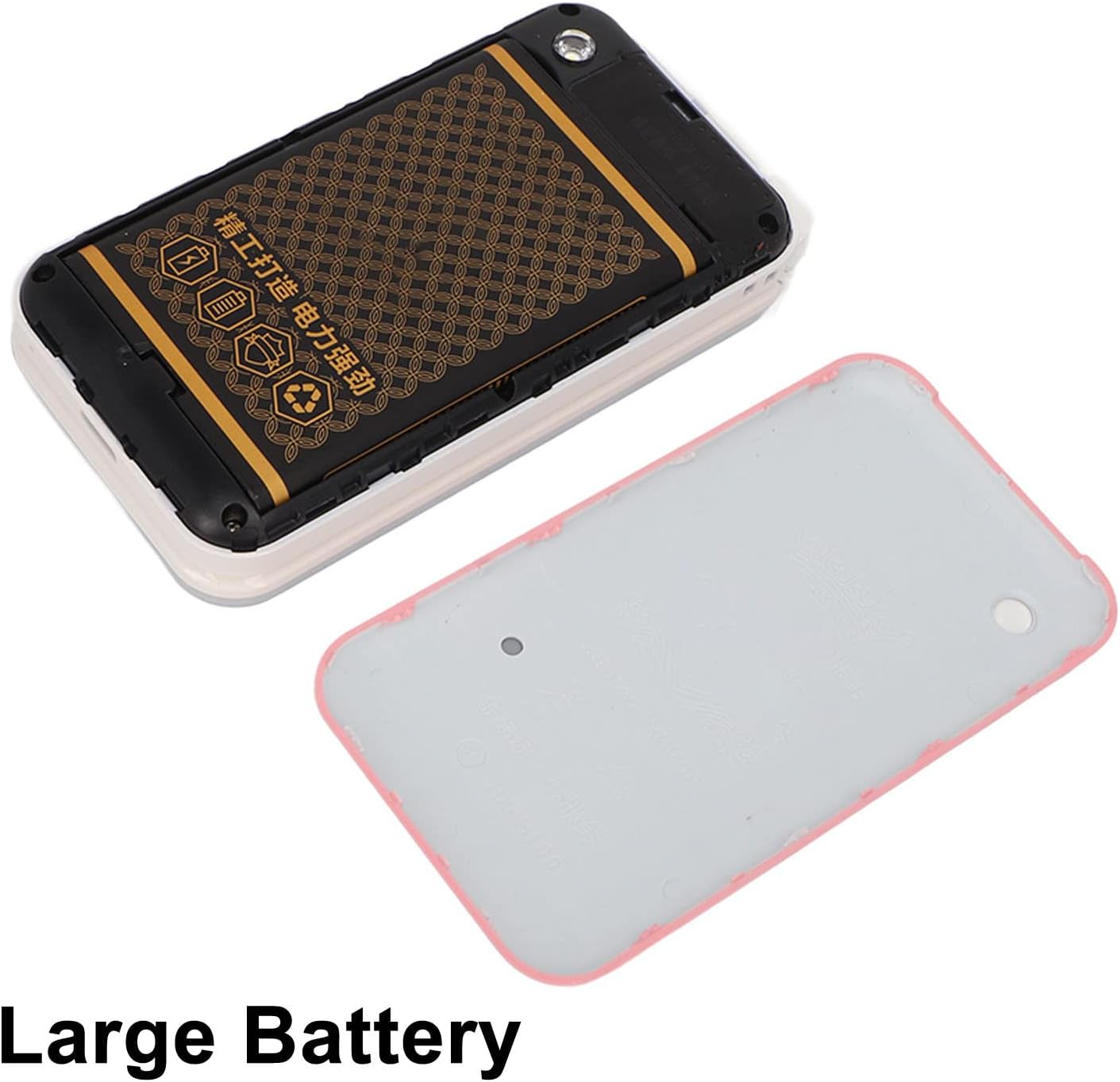
Image: The phone's back cover is removed, revealing the battery compartment and the large capacity battery ready for installation.
2. การติดตั้งซิมการ์ดและการ์ดหน่วยความจำ
The N509 supports dual SIM cards and one memory card (up to 16GB, not included).
- With the battery removed, locate the SIM card slots and memory card slot.
- Insert your SIM cards into the designated slots.
- If desired, insert a memory card into its slot.
- ใส่แบตเตอรี่และฝาหลังกลับเข้าไปใหม่
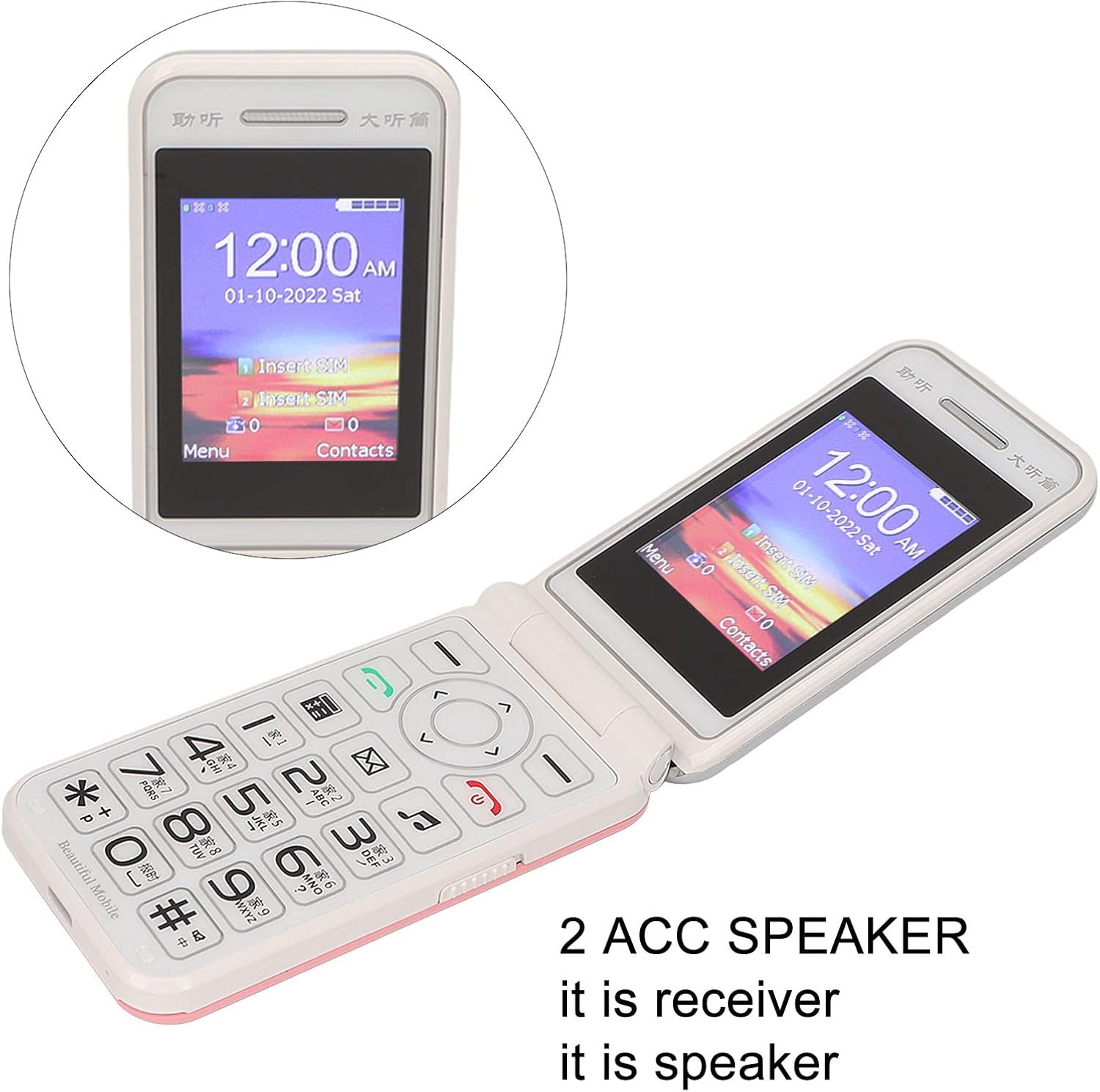
Image: The phone's screen prompts to "Insert SIM", indicating the need for SIM card installation before use.
3. การชาร์จแบตเตอรี่
ก่อนใช้งานครั้งแรก ควรชาร์จแบตเตอรี่โทรศัพท์ให้เต็ม
- Connect the Type-C charger cable to the charging port on the phone.
- เสียบที่ชาร์จเข้ากับเต้ารับไฟฟ้า
- The charging indicator will show the charging status. Disconnect the charger once the battery is full.

ภาพ: ภาพระยะใกล้ view of the Type-C charging port on the Jectse N509 flip phone, highlighting its modern connectivity.
4. การเปิด/ปิดเครื่อง
- การเปิดเครื่อง: กดปุ่มเปิด/ปิดค้างไว้จนกว่าหน้าจอจะสว่างขึ้น
- วิธีปิดเครื่อง: Press and hold the Power button until the power-off options appear, then select 'Power Off'.
คำแนะนำการใช้งาน
1. ฟังก์ชั่นพื้นฐาน
- โทรออก: กรอกหมายเลขโทรศัพท์โดยใช้แป้นกดและกดปุ่มโทรสีเขียว
- การรับสายโทรศัพท์: กดปุ่มโทรสีเขียวเมื่อโทรศัพท์ดัง
- วางสาย: กดปุ่มวางสายสีแดง
- การส่งข้อความ: Navigate to the 'Messages' menu, select 'New Message', enter the recipient's number and your text, then send.

Image: The Jectse N509 flip phone is open, showcasing its vibrant 2.4-inch HD color display and the clearly visible, large keypad with LED backlighting.
2. แป้นพิมพ์และระบบนำทาง
The phone features large, backlit buttons for easy operation, especially in low-light conditions.
- ปุ่มนำทาง: Use the directional pad to navigate through menus and options. The center button typically acts as 'OK' or 'Select'.
- ซอฟท์คีย์: ปุ่มต่างๆ ที่อยู่ด้านล่างหน้าจอจะทำหน้าที่ตามข้อความที่ปรากฏบนหน้าจอเหนือปุ่มนั้นๆ
- ปุ่มตัวเลข: ใช้สำหรับกดหมายเลขและป้อนข้อความ
- แสงไฟด้านหลัง: The keypad features a backlight for visibility in dark environments.

Image: This composite image highlights key features: the large battery for extended use, oversized buttons for ease of dialing, a convenient on/off switch, and the modern Type-C charging port.
3. ฟังก์ชั่น SOS
The N509 includes an SOS function for emergencies. Refer to the phone's settings to configure emergency contacts and messages.
- การเปิดใช้งาน SOS: Typically, a dedicated SOS button or a long press of a specific key will activate this function, sending pre-set messages and dialing emergency contacts.
4. ฟังก์ชันขยาย
The phone supports various additional features:
- Music and Video Player: Access multimedia fileที่เก็บไว้ในการ์ดหน่วยความจำ
- เบราว์เซอร์รูปภาพ: View ภาพถ่าย.
- บันทึก: บันทึกเสียง
- ปฏิทิน: จดบันทึกวันเวลาและเหตุการณ์ต่างๆ ไว้
- นาฬิกาปลุก: ตั้งนาฬิกาปลุกหลายตัว
- เครื่องคิดเลข: ดำเนินการคำนวณขั้นพื้นฐาน
- ไฟฉาย: เปิดใช้งานไฟฉายในตัว
- นาฬิกาจับเวลา Use for timing events.
- Call Blacklist: บล็อกเบอร์โทรศัพท์ที่ไม่ต้องการ
- รายการโทร: View ประวัติการโทร.
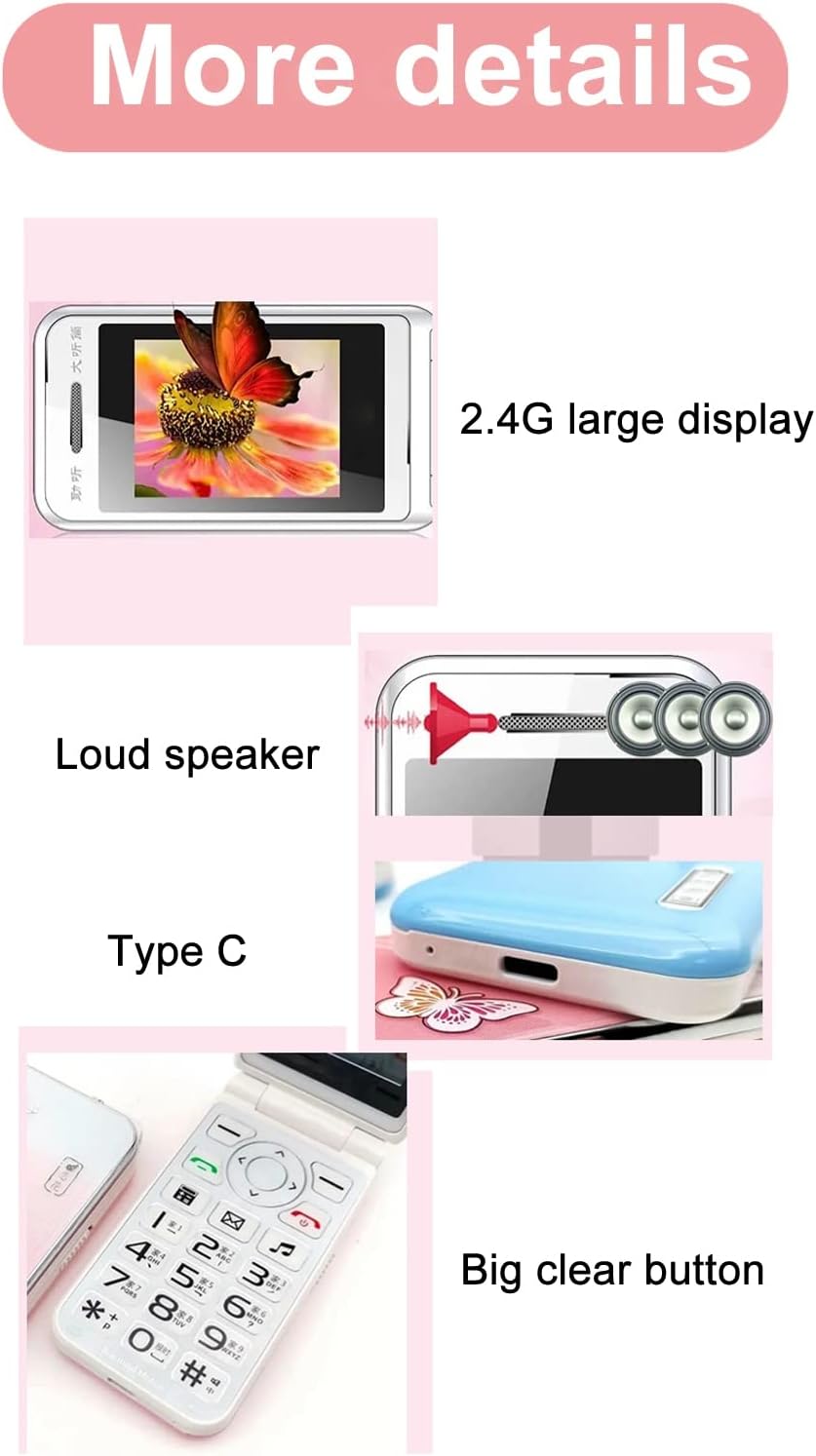
Image: This image details the phone's features, including its 2.4G large display, powerful loudspeaker, and convenient Type-C charging interface.
การซ่อมบำรุง
1. การทำความสะอาด
ใช้ผ้าแห้งนุ่มๆ เช็ดทำความสะอาดภายนอกโทรศัพท์ หลีกเลี่ยงการใช้น้ำยาทำความสะอาดหรือวัสดุที่มีฤทธิ์กัดกร่อน
2. การดูแลแบตเตอรี่
- หลีกเลี่ยงการให้แบตเตอรี่สัมผัสกับอุณหภูมิที่สูงเกินไป
- ห้ามเจาะหรือทำให้แบตเตอรี่เสียหาย
- If the phone will not be used for an extended period, charge it periodically to maintain battery health.
การแก้ไขปัญหา
| ปัญหา | วิธีแก้ปัญหาที่เป็นไปได้ |
|---|---|
| โทรศัพท์ไม่เปิดเครื่อง | Ensure the battery is correctly installed and charged. Connect the charger and try again. |
| ไม่มีสัญญาณเครือข่าย | Check if the SIM card is properly inserted. Verify with your service provider that your SIM card supports 2G GSM 900/1800 networks. The N509 only supports 2G networks. |
| ไม่สามารถโทรออกหรือรับสายได้ | Ensure you have network coverage. Check SIM card balance or plan. Verify that the number is not on the call blacklist. |
| แบตเตอรี่ไม่ชาร์จ | Check the charger cable and adapter for damage. Ensure the Type-C port is clean and free of debris. Try a different power outlet. |
หมายเหตุสำคัญเกี่ยวกับความเข้ากันได้ของเครือข่าย: The Jectse N509 phone exclusively supports 2G GSM 900/1800 networks. Before purchasing or using, please confirm with your local SIM card operator that they provide 2G network services in your area. Some operators, particularly in regions like the USA (e.g., AT&T, T-Mobile), may no longer support 2G networks.
ข้อมูลจำเพาะ
| คุณสมบัติ | รายละเอียด |
|---|---|
| แบบอย่าง | N509 (Jectseft5hwserna-12) |
| วัสดุ | เอบีเอส |
| ขนาดหน้าจอหลัก | 2.4 inches HD Color Display |
| ช่องใส่ซิมการ์ด | 2 (Dual SIM) |
| ช่องเสียบการ์ดหน่วยความจำ | 1 (supports up to 16GB, not included) |
| ประเภทแบตเตอรี่ | ลิเธียมไอออน |
| ความจุของแบตเตอรี่ | 6800 มิลลิแอมป์ |
| ย่านความถี่ | 2G GSM 900/1800 |
| ประเภทเครือข่าย | 2G GSM |
| รูปร่าง | โทรศัพท์ฝาพับ |
| อินเทอร์เฟซ | ประเภทซี |
| ภาษาที่รองรับ | English, French, Portuguese, Malay, Indonesian, Vietnamese, Russian, Arabic, Hebrew, Thai |
| คุณสมบัติพิเศษ | Large Buttons, LED Backlight, SOS Function, Music/Video Player, Image Browser, Recorder, Calendar, Alarm, Calculator, Flashlight, Stopwatch, Call Blacklist |
| ขนาด (แพ็คเกจ) | 15 x 9 x 6 ซม. |
| น้ำหนัก (โดยประมาณ) | 246 กรัม |
การรับประกันและการสนับสนุน
For warranty information and technical support, please refer to the documentation included with your purchase or contact Jectse customer service through their official channels. Keep your proof of purchase for warranty claims.
หากต้องการความช่วยเหลือเพิ่มเติม คุณสามารถไปที่ Jectse Brand Store.