
การแนะนำ
The BearHoHo Body Bridge Prop with Audio is an interactive puzzle designed for escape room games. This prop requires 1 to 5 players to form a conductive circuit by holding hands and touching two electrodes, acting as a 'human bridge' to activate an electromagnetic lock. This manual provides detailed instructions for setup, operation, and troubleshooting to ensure proper functionality.
เนื้อหาแพ็คเกจ
ตรวจสอบว่ามีส่วนประกอบทั้งหมดอยู่ในแพ็คเกจของคุณ:
- 1 x Controller with Audio Module
- อะแดปเตอร์แปลงไฟ 1 x 12V
- 1 x Hand Hold Sensor (with 2 clips/electrodes)
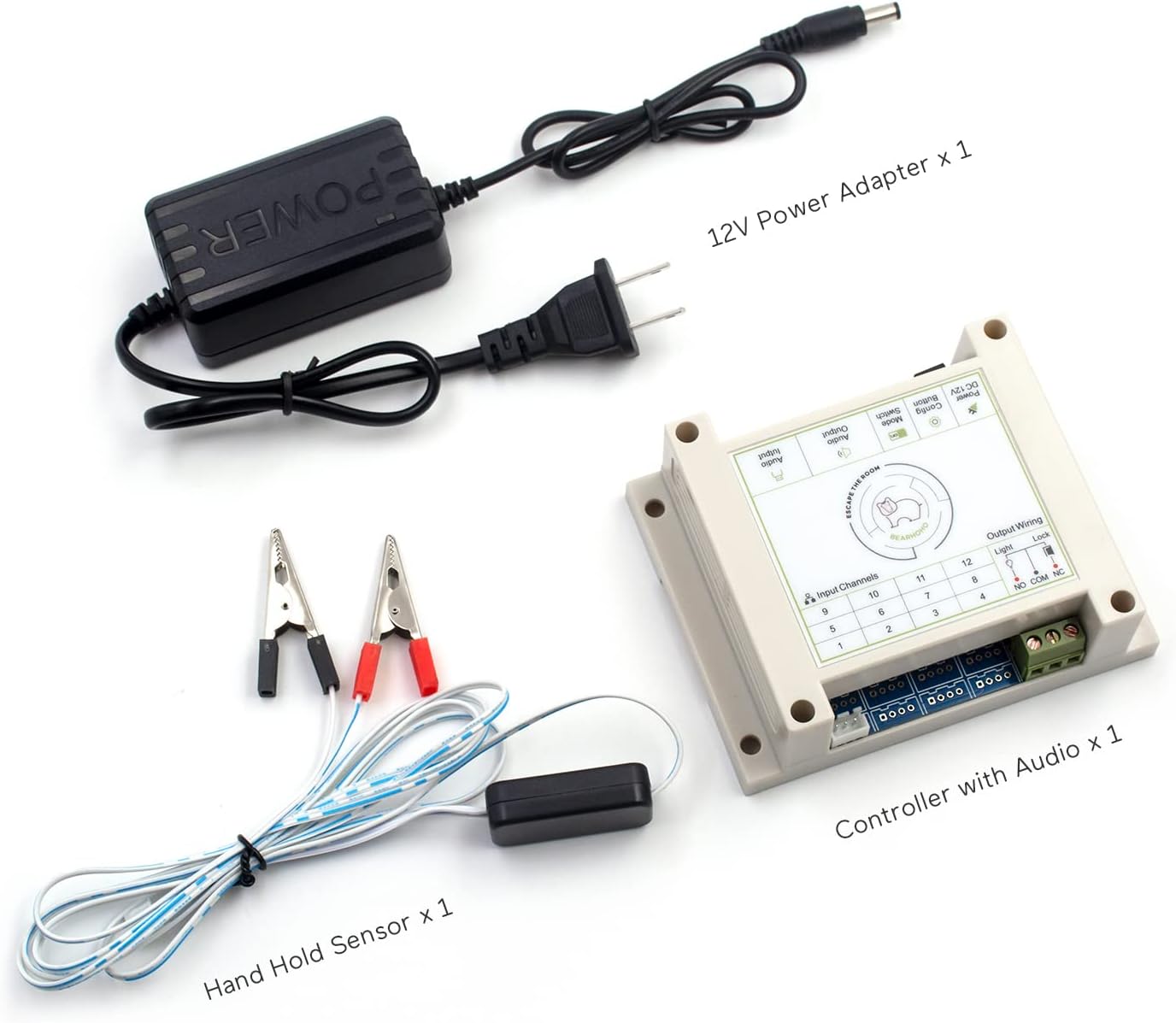
Figure 1: Included components of the Body Bridge Prop.
คำแนะนำการตั้งค่า
Follow these steps to correctly set up your Body Bridge Prop:
- Connect the Hand Hold Sensor: Plug the hand hold sensor cable into the designated input port on the controller. The sensor consists of two wires ending in clips, which serve as electrodes.
- Connect the Electromagnetic Lock: The prop is designed to control a 12V electromagnetic (EM) lock. Connect the red wire of your EM lock to the NC (Normally Closed) port on the controller. Connect the black wire of your EM lock to the คอม (Common) port on the controller.
- เชื่อมต่ออะแดปเตอร์ไฟฟ้า: Plug the 12V power adapter into the controller's power input port. Then, connect the power adapter to a standard electrical outlet.

Figure 2: Electromagnetic Lock Connection Diagram.
The clips of the hand hold sensor can be connected to larger conductive objects if desired, or players can directly hold the clips. Ensure good electrical contact for reliable operation.
คำแนะนำการใช้งาน
The Body Bridge Prop is activated by players forming a complete circuit. Here's how it works:
- Player Interaction: One player holds one electrode (clip) in one hand. Another player holds the second electrode (clip) in one hand. The players then hold hands with each other, forming a chain.
- Circuit Completion: When 1 to 5 players hold hands to create a continuous conductive path between the two electrodes, the circuit is completed.
- Unlocking Mechanism: Upon successful circuit completion, the prop will trigger the connected 12V electromagnetic lock to unlock. Audio cues will indicate successful activation.

Figure 3: Concept of players forming a human bridge.

Figure 4: Hands holding electrodes to unlock.
รีเซ็ตโหมด
The controller supports three different reset methods, which can be configured using the DIP switches on the controller board. Refer to the 'Troubleshooting and Configuration' section for details on adjusting these settings.
การซ่อมบำรุง
To ensure the longevity and reliable operation of your Body Bridge Prop, follow these general maintenance guidelines:
- Keep the controller and sensors clean and dry. Avoid exposure to liquids or excessive moisture.
- Regularly inspect all cables and connections for any signs of wear or damage. Replace damaged components immediately.
- Store the prop in a cool, dry environment when not in use.
Troubleshooting and Configuration
This section addresses common issues and configuration options for your prop.
ปัญหาทั่วไป
- Prop Not Activating:
- Ensure all connections (power, sensor, EM lock) are secure and correct. Refer to the 'Setup Instructions'.
- Verify that players are forming a complete and continuous circuit. Ensure good skin contact with the electrodes and between players' hands.
- Check the 12V power supply is functioning correctly.
- ไม่มีเอาต์พุตเสียง:
- Ensure the audio module is correctly connected to the controller.
- Check if the audio volume is set appropriately.
Configuring Reset Mode
The controller features DIP switches to modify the reset behavior of the prop. The specific configuration for each reset mode is typically indicated on the controller itself or in supplementary documentation. Adjust these switches carefully according to your desired game flow.
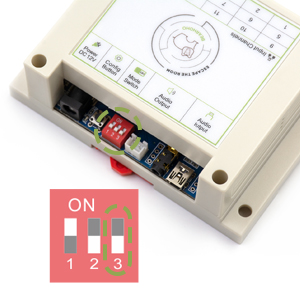
Figure 5: Controller DIP switches for reset mode configuration.
Turning Off Beep Sound
If the prop emits a beep sound that is not desired, there is a setting to disable it. Consult the controller's markings or specific product documentation for the exact switch or button to turn off the beep sound.
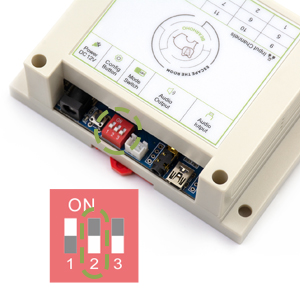
Figure 6: Location of the beep sound disable switch.
ข้อมูลจำเพาะ
| ชื่อยี่ห้อ | แบร์โฮโฮ |
| ชื่อรุ่น | Body Bridge Prop with Audio |
| หมายเลขรุ่น | BH |
| กำลังไฟเข้า | กระแสตรง 12 โวลต์ |
| Controlled Lock Type | 12V Electromagnetic Lock |
| Number of Players Supported | 1-5 |
| ประเภทวัสดุ | พลาสติก |
| ขนาดรายการ | 4.72 x 3.2 x 1.57 นิ้ว |
| น้ำหนักสินค้า | 0.3 ปอนด์ |
การรับประกันและการสนับสนุน
For warranty information or technical support, please contact BearHoHo customer service through your original point of purchase. Keep your purchase receipt as proof of purchase.