
การแนะนำ
The Keychron C2 is a full-size (104-key) wired mechanical keyboard designed for both Mac and Windows operating systems. It features durable Red mechanical switches and retro-colored ABS keycaps, providing a comfortable and responsive typing experience. This manual provides essential information for setting up, operating, maintaining, and troubleshooting your Keychron C2 keyboard.

Image: The Keychron C2 Full Size Wired Mechanical Keyboard connected to a computer setup.
เนื้อหาแพ็คเกจ
ตรวจสอบให้แน่ใจว่ามีรายการทั้งหมดอยู่ในบรรจุภัณฑ์:
- คีย์บอร์ดเชิงกลแบบมีสาย Keychron C2 ขนาดมาตรฐาน
- สาย USB-C ถึง USB-A
- ตัวดึงกุญแจ
- คีย์แคปสำรองสำหรับระบบปฏิบัติการ Mac และ Windows
การตั้งค่า
- เชื่อมต่อคีย์บอร์ด: Plug the USB-C end of the provided cable into the keyboard's USB-C port and the USB-A end into an available USB port on your computer. The keyboard is a wired-only device and does not require batteries.
- เลือกโหมดระบบปฏิบัติการ: Locate the operating system switch on the back or side of the keyboard. Slide the switch to the appropriate position for your computer (Mac or Windows). This ensures correct function key mapping.
- ปรับมุมแป้นพิมพ์: The keyboard features 2-level adjustable feet. Flip out the feet on the underside of the keyboard to achieve your preferred typing angle for ergonomic comfort.
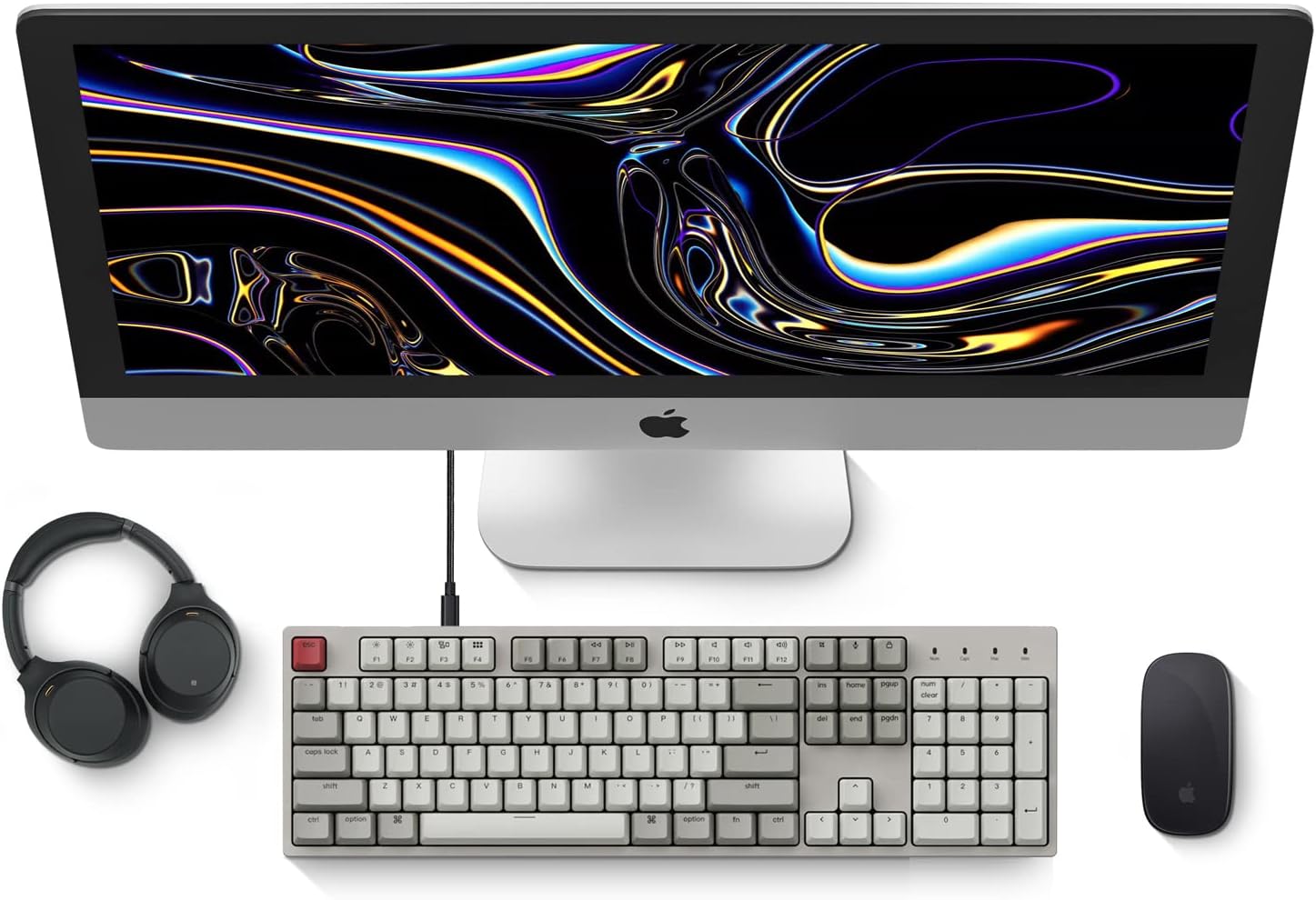
Image: Diagram showing compatibility with Mac and Windows operating systems.

ภาพ: ด้านข้าง view of the Keychron C2 keyboard illustrating the adjustable feet for angle customization.
คำแนะนำการใช้งาน
ฟังก์ชั่นพื้นฐาน
- การพิมพ์: The keyboard features a standard 104-key full-size layout.
- คีย์มัลติมีเดีย: The top row of function keys (F1-F12) includes multimedia controls. These functions are optimized for Mac but are also compatible with Windows.
- Siri/Cortana Key: A dedicated key is provided for activating Siri (on Mac) or Cortana (on Windows).
การเปลี่ยนปุ่มกด
The Keychron C2 comes with extra keycaps for both Mac and Windows layouts. To replace keycaps:
- Use the provided keycap puller to gently remove the desired keycap by hooking it onto the keycap and pulling upwards.
- วางปุ่มกดใหม่ให้ตรงกับแกนสวิตช์ แล้วกดลงไปให้แน่นจนกว่าจะมีเสียงคลิกเข้าที่

ภาพ: ระยะใกล้ view of the Keychron Red mechanical switches beneath removed keycaps.
การซ่อมบำรุง
- การทำความสะอาด: Regularly clean your keyboard to prevent dust and debris buildup. Use a soft brush or compressed air to remove particles between keycaps. For surface cleaning, use a slightly dampใช้ผ้าที่ไม่เป็นขุย หลีกเลี่ยงสารเคมีรุนแรง
- การดูแลรักษาคีย์แคป: While durable, avoid excessive force when removing or installing keycaps to prevent damage to the keycap stems or switches.
- การจัดการสายเคเบิล: Ensure the USB-C cable is not bent sharply or placed under heavy objects to prolong its lifespan.

Image: Close-up of the ABS keycaps on the Keychron C2 keyboard.
การแก้ไขปัญหา
- แป้นพิมพ์ไม่ตอบสนอง:
- Check the USB-C cable connection at both the keyboard and the computer. Ensure it is securely plugged in.
- ลองเชื่อมต่อคีย์บอร์ดกับพอร์ต USB อื่นบนคอมพิวเตอร์ของคุณ
- Verify that the operating system switch on the keyboard is set correctly (Mac/Windows).
- รีสตาร์ทเครื่องคอมพิวเตอร์ของคุณ
- คีย์เฉพาะไม่ทำงาน:
- Carefully remove the non-functional keycap using the keycap puller. Inspect the mechanical switch for any visible damage or debris.
- ทำความสะอาดบริเวณรอบสวิตช์ด้วยลมเป่าอัดแรงดันสูง
- Re-seat the keycap firmly.
- เอาต์พุตคีย์ไม่ถูกต้อง:
- Ensure the operating system switch is set to the correct mode for your computer.
- Check your computer's keyboard settings to ensure the correct layout is selected.
ข้อมูลจำเพาะ
| คุณสมบัติ | รายละเอียด |
|---|---|
| ยี่ห้อ | คีย์โครน |
| ชื่อรุ่น | Keychron C2 |
| หมายเลขรุ่น | HS-C2K1Z |
| เทคโนโลยีการเชื่อมต่อ | USB-C (แบบมีสาย) |
| อุปกรณ์ที่รองรับ | แล็ปท็อปพีซี |
| ตระกูลระบบปฏิบัติการที่เข้ากันได้ | MacOS, Windows |
| จำนวนคีย์ | 104 |
| ประเภทสวิตซ์ | Linear (Red Switch) |
| วัสดุปุ่มกด | ABS (อะคริโลไนไตรล์ บิวทาไดอีน สไตรีน) |
| เค้าโครงแป้นพิมพ์ | คีย์บอร์ด QWERTY |
| คุณสมบัติพิเศษ | มีไฟส่องด้านหลัง (สีเดียว) |
| น้ำหนักสินค้า | 5390 กรัม |
| แหล่งพลังงาน | สายไฟ |
การรับประกันและการสนับสนุน
For warranty information, technical support, or further assistance, please visit the official Keychron website or contact Keychron customer service. Details regarding product registration and specific warranty terms can be found through official Keychron channels.