
1. บทนำ
Thank you for choosing the Xiaomi MI A2 L50M7 50-inch 4K UHD LED Smart TV. This manual provides essential information for the safe and efficient use of your television. Please read it thoroughly before operating the device and retain it for future reference.
2. ข้อมูลด้านความปลอดภัย
- แหล่งจ่ายไฟ: ตรวจสอบให้แน่ใจว่าทีวีเสียบเข้ากับเต้ารับไฟฟ้าที่มีแรงดันไฟฟ้าถูกต้องtage ตามที่ระบุบนฉลากผลิตภัณฑ์
- การระบายอากาศ : อย่าปิดกั้นช่องระบายอากาศ เว้นระยะห่างรอบทีวีให้เพียงพอเพื่อให้อากาศถ่ายเทได้สะดวก ป้องกันความร้อนสูงเกินไป
- น้ำและความชื้น: อย่านำทีวีไปตากฝน ความชื้น หรือวางสิ่งของที่บรรจุของเหลวไว้บนหรือใกล้ทีวี
- การทำความสะอาด: ถอดปลั๊กทีวีก่อนทำความสะอาด ใช้ผ้านุ่มและแห้ง หลีกเลี่ยงการใช้น้ำยาทำความสะอาดหรือสเปรย์
- การจัดวาง: วางทีวีบนพื้นผิวที่มั่นคงและเรียบเพื่อป้องกันไม่ให้ล้ม ควรวางให้ห่างจากแสงแดดโดยตรง แหล่งความร้อน และสนามแม่เหล็กแรงสูง
- การบริการ: อย่าพยายามซ่อมแซมทีวีด้วยตนเอง แนะนำให้ซ่อมแซมทั้งหมดโดยช่างผู้ชำนาญการ
3. เนื้อหาบรรจุภัณฑ์
ตรวจสอบว่ามีรายการทั้งหมดอยู่ในแพ็คเกจ:
- Xiaomi MI A2 L50M7 50-inch 4K UHD LED Smart TV
- รีโมทคอนโทรล (รวมแบตเตอรี่ AAA 2 ก้อน)
- สายไฟ
- ชั้นวางทีวี (2 ชิ้น)
- สกรูสำหรับขาตั้งทีวี
- คู่มือการใช้งาน (เอกสารนี้)
4. การตั้งค่า
4.1 การแกะกล่อง
Carefully remove the TV from its packaging. It is recommended to have two people for this process due to the size and weight of the television. Retain the packaging materials for future transport or servicing.
4.2 การติดตั้งขาตั้งทีวี
Place the TV face down on a soft, clean surface to prevent screen damage. Align the stand pieces with the corresponding slots on the bottom of the TV and secure them with the provided screws.

Image: The Xiaomi MI A2 L50M7 TV shown with its two-piece stand securely attached, ready for placement on a flat surface.
4.3 การต่อสายไฟ
Plug the power cable into the TV's power input, then plug the other end into a wall outlet. Do not power on the TV yet.
4.4 การเชื่อมต่ออุปกรณ์ภายนอก
Connect your external devices such as set-top boxes, gaming consoles, or Blu-ray players to the HDMI ports. Use the USB ports for external storage devices. For antenna or cable TV, connect the coaxial cable to the ANTENNA IN port.
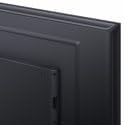
ภาพ: ภาพระยะใกล้ view of the back panel of the Xiaomi MI A2 L50M7 TV, highlighting the various input and output ports for connecting external devices.
4.5 ตัวช่วยการตั้งค่าเริ่มต้น
After connecting all devices and power, press the power button on the remote control or TV. The TV will guide you through the initial setup process, including:
- เลือกภาษา: เลือกภาษาที่คุณต้องการ
- การเชื่อมต่อเครือข่าย: เชื่อมต่อกับเครือข่าย Wi-Fi ที่บ้านของคุณ
- การสแกนช่อง: Scan for available digital and analog channels.
- การตั้งค่าบัญชี Google: Sign in with your Google account to access Smart TV features and apps.
5. ปฏิบัติการ
5.1 การควบคุมระยะไกลจบลงview
The remote control allows you to navigate the TV's functions. Insert the two AAA batteries into the remote control, ensuring correct polarity.

Image: The sleek black remote control for the Xiaomi MI A2 L50M7 TV, featuring various buttons for power, volume, channel, navigation, and smart TV functions.
5.2 ฟังก์ชั่นพื้นฐาน
- พลัง: กดปุ่มเปิด/ปิดเพื่อเปิดหรือปิดทีวี
- ปริมาณ: ใช้ปุ่มเพิ่ม/ลดระดับเสียงเพื่อปรับระดับเสียง
- ช่อง: Use the Channel Up/Down buttons to change TV channels.
- ป้อนข้อมูล: Press the Input button to select different input sources (HDMI 1, HDMI 2, AV, etc.).
5.3 คุณสมบัติของสมาร์ททีวี
Your Xiaomi MI A2 L50M7 is a Smart TV with built-in Wi-Fi, allowing access to a variety of online content and applications. Navigate the Smart TV interface using the remote control's directional pad and OK button.
- แอป: เข้าถึงแอปที่ติดตั้งไว้ล่วงหน้าหรือดาวน์โหลดแอปใหม่จาก App Store
- สตรีมมิ่ง: Enjoy content from popular streaming services.
- ท่องอินเทอร์เน็ต: ใช้แบบในตัว web เบราว์เซอร์สำหรับท่องอินเทอร์เน็ต
5.4 การตั้งค่าภาพและเสียง
Access the TV's settings menu to customize picture and sound preferences. You can adjust brightness, contrast, color, sound mode, equalizer settings, and more to suit your viewการปรับปรุงสิ่งแวดล้อม
6. การบำรุงรักษา
6.1 การทำความสะอาดหน้าจอ
เช็ดหน้าจอเบาๆ ด้วยผ้านุ่มที่ไม่เป็นขุย สำหรับรอยฝังแน่น ให้เช็ดเบาๆampชุบผ้าด้วยน้ำหรือน้ำยาทำความสะอาดหน้าจอโดยเฉพาะ (ตรวจสอบให้แน่ใจว่าปลอดภัยสำหรับหน้าจอ LED) แล้วเช็ดเบาๆ อย่าออกแรงกด
6.2 การทำความสะอาดตัวเครื่องทีวี
ใช้ผ้าแห้งนุ่มเช็ดทำความสะอาดหน้าจอทีวีasing. Avoid abrasive materials or chemical cleaners that could damage the finish.
6.3 การอัปเดตซอฟต์แวร์
Periodically check for software updates through the TV's settings menu. Keeping your TV's software up-to-date ensures optimal performance and access to the latest features and security patches.
7 การแก้ไขปัญหา
| ปัญหา | วิธีแก้ปัญหาที่เป็นไปได้ |
|---|---|
| ไม่มีไฟฟ้า | ตรวจสอบว่าสายไฟเชื่อมต่อกับทีวีและเต้ารับที่ผนังอย่างแน่นหนาหรือไม่ ตรวจสอบให้แน่ใจว่าเต้ารับใช้งานได้ |
| ไม่มีภาพแต่มีเสียง | ตรวจสอบว่าเลือกแหล่งสัญญาณเข้าที่ถูกต้อง ตรวจสอบการเชื่อมต่อสายเคเบิลกับอุปกรณ์ภายนอก |
| ไม่มีเสียงแต่มีภาพ | ตรวจสอบระดับเสียงและตรวจสอบให้แน่ใจว่าทีวีไม่ได้ปิดเสียงอยู่ ตรวจสอบการเชื่อมต่อสายสัญญาณเสียงสำหรับอุปกรณ์ภายนอกด้วย |
| รีโมตคอนโทรลไม่ทำงาน | เปลี่ยนแบตเตอรี่ ตรวจสอบให้แน่ใจว่าไม่มีสิ่งกีดขวางระหว่างรีโมทและเซ็นเซอร์อินฟราเรดของทีวี |
| ไม่สามารถเชื่อมต่อ Wi-Fi ได้ | Ensure your Wi-Fi router is on and within range. Re-enter the Wi-Fi password. Try restarting both the TV and the router. |
8. ข้อมูลจำเพาะ

Image: The Xiaomi MI A2 L50M7 50-inch 4K UHD LED Smart TV displaying a vibrant image, showcasing its slim bezels and modern design.
- แบบอย่าง: L50M7
- ขนาดหน้าจอ: 50 นิ้ว
- ปณิธาน: 4K Ultra HD (3840 x 2160)
- เทคโนโลยีการแสดงผล: นำ
- คุณสมบัติสมาร์ททีวี: Yes, with Wi-Fi connectivity
- ขนาด (สินค้า): Approximately 8 x 14.4 x 76 cm (This dimension appears to be for a component or packaging, please refer to product packaging for full TV dimensions)
- น้ำหนัก(สินค้า): 12.1 กก.
- แบตเตอรี่ควบคุมระยะไกล: 2 x AAA (รวมอยู่ด้วย)
- ASIN: B0B3254FHN
- หมายเลขสินค้า : L50M7-EAEU
9. การรับประกันและการสนับสนุน
สำหรับข้อมูลการรับประกัน โปรดดูบัตรรับประกันที่รวมอยู่ในผลิตภัณฑ์ของคุณหรือเยี่ยมชมเว็บไซต์ Xiaomi อย่างเป็นทางการ webสำหรับความช่วยเหลือด้านเทคนิคหรือสอบถามข้อมูลเกี่ยวกับการบริการ โปรดติดต่อฝ่ายบริการลูกค้าของ Xiaomi ผ่านช่องทางอย่างเป็นทางการ