
1. บทนำ
ขอบคุณสำหรับการซื้อasing the Awei Y669 Portable Bluetooth Speaker. This manual provides essential information for the proper setup, operation, and maintenance of your device. Please read this manual thoroughly before use to ensure optimal performance and longevity of your speaker.
2. คุณสมบัติหลัก
- Bluetooth V5.0+EDR: เพื่อการเชื่อมต่อไร้สายที่เสถียรและมีประสิทธิภาพ
- โหมดการเล่นหลายโหมด: Supports Bluetooth and AUX input.
- เอาท์พุตเสียงอันทรงพลัง: 31W total output (RMS8Wx2 + 15Wx1) for rich sound.
- การเชื่อมต่อ TWS: Connect two Y669 speakers for a true stereo surround sound experience.
- อายุการใช้งานแบตเตอรี่ยาวนาน: 2200mAh/7.4V battery provides up to 12 hours of music playback.
- ระดับการกันน้ำ IPX7: ออกแบบมาให้ทนทานต่อการแช่น้ำลึกถึง 1 เมตร นาน 30 นาที
- 2.1 Speaker System: Features two 8W mid-high frequency speakers and one 15W low frequency speaker.
- ไมโครโฟนในตัว: สำหรับการโทรแบบแฮนด์ฟรี
- การออกแบบพกพา: Ideal for outdoor activities and travel.
3. เนื้อหาบรรจุภัณฑ์
กรุณาตรวจสอบแพ็คเกจสำหรับรายการต่อไปนี้:
- 1 x Awei Y669 Portable Speaker
- 1 x คู่มือผู้ใช้
- สายชาร์จ USB 1 เส้น
หากมีสินค้าใดขาดหายหรือเสียหาย โปรดติดต่อผู้ค้าปลีกของคุณ
4. สินค้าหมดview

รูปที่ 4.1 : ด้านหน้า view of the Awei Y669 Portable Bluetooth Speaker, showing the control panel with power, volume, play/pause, and Bluetooth buttons.

รูปที่ 4.2: ระเบิด view illustrating the internal speaker drivers and passive radiators, highlighting the 2.1 channel audio architecture.
เค้าโครงแผงควบคุม:
- ปุ่มเปิด/ปิด: กดค้างไว้เพื่อเปิด/ปิด กดสั้นๆ เพื่อตรวจสอบสถานะแบตเตอรี่
- ปุ่มบลูทูธ: กดสั้น ๆ เพื่อเข้าสู่โหมดจับคู่บลูทู ธ
- ลดเสียงลง (-): กดสั้นๆ เพื่อลดระดับเสียง กดค้างไว้เพื่อเล่นเพลงก่อนหน้า
- ปุ่มเล่น/หยุดชั่วคราว: Short press to play/pause music. Short press to answer/end calls. Press and hold to reject calls.
- เพิ่มระดับเสียง (+): กดสั้นๆ เพื่อเพิ่มระดับเสียง กดค้างไว้เพื่อเล่นเพลงถัดไป
- ไฟแสดงสถานะแบตเตอรี่: ไฟ LED 4 ดวงแสดงระดับแบตเตอรี่
5. การตั้งค่า
5.1 การชาร์จลำโพง
- เชื่อมต่อสายชาร์จ USB ที่ให้มาเข้ากับพอร์ตชาร์จบนลำโพง
- Connect the other end of the USB cable to a USB power adapter (DC5V-500mA, not included) or a computer's USB port.
- The battery indicator lights will illuminate to show charging status. All four lights will be solid when fully charged.
- การชาร์จเต็มจะใช้เวลาประมาณ 4 ชั่วโมง
5.2 การจับคู่บลูทูธ
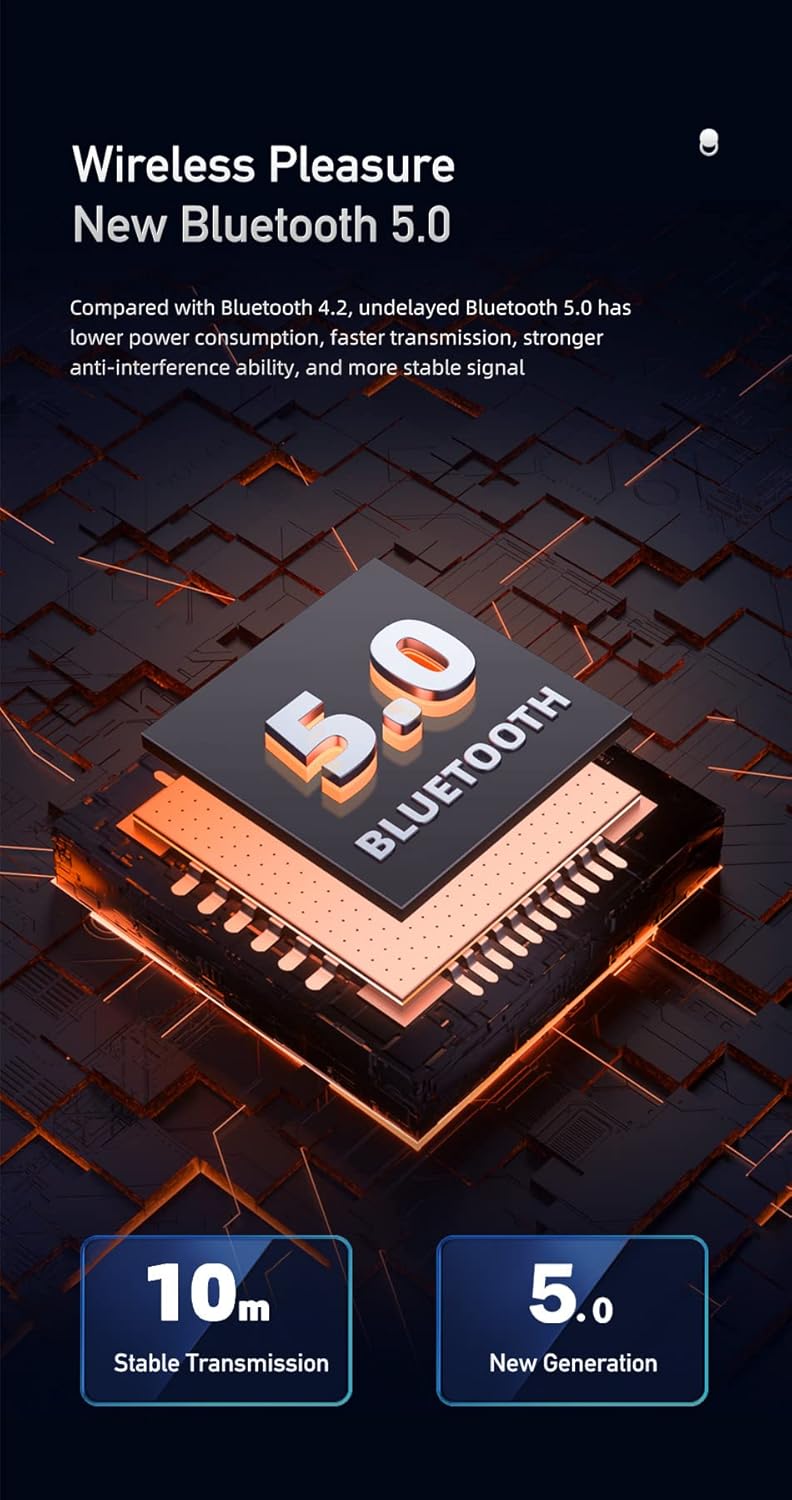
Figure 5.1: Illustration of Bluetooth 5.0 technology, emphasizing stable transmission up to 10 meters.
- ตรวจสอบให้แน่ใจว่าลำโพงชาร์จเต็มแล้วก่อนใช้งานครั้งแรก
- Press and hold the Power button to turn on the speaker. A voice prompt will indicate it's powered on.
- The speaker will automatically enter Bluetooth pairing mode, indicated by a flashing Bluetooth indicator light.
- บนอุปกรณ์เคลื่อนที่ของคุณ (สมาร์ทโฟน แท็บเล็ต ฯลฯ) เปิดใช้งานบลูทูธและค้นหาอุปกรณ์ที่มีอยู่
- เลือก "Awei Y669" จากรายการอุปกรณ์
- Once paired, a voice prompt will confirm the connection, and the Bluetooth indicator light will become solid.
- The speaker supports multipoint connection, allowing it to be paired with multiple devices, though only one can play audio at a time.
อินพุต AUX 5.3 ช่อง
- เชื่อมต่อปลายด้านหนึ่งของสายสัญญาณเสียงขนาด 3.5 มม. (ไม่ได้รวมอยู่ในชุด) เข้ากับพอร์ต AUX บนลำโพง
- ต่อปลายอีกด้านของสายสัญญาณเสียงเข้ากับช่องเสียบสัญญาณเสียงออกของอุปกรณ์ของคุณ
- ลำโพงจะเปลี่ยนเป็นโหมด AUX โดยอัตโนมัติ
6. คู่มือการใช้งาน
6.1 การเล่นเพลง

Figure 6.1: The Awei Y669 speaker delivering 360-degree surround stereo sound for an immersive audio experience.
- เล่น/หยุดชั่วคราว: กดปุ่มเล่น/หยุดชั่วคราว
- ปรับระดับเสียงขึ้น: กดปุ่ม '+' สั้นๆ
- ลดเสียงลง: กดปุ่ม '-' สั้นๆ
- เพลงถัดไป: กดปุ่ม '+' ค้างไว้
- แทร็กก่อนหน้า: กดปุ่ม '-' ค้างไว้
6.2 การโทรแบบแฮนด์ฟรี
- รับสาย: กดปุ่มเล่น/หยุดชั่วคราวสั้นๆ เมื่อมีสายเรียกเข้า
- วางสาย: กดปุ่มเล่น/หยุดชั่วคราวสั้นๆ ในระหว่างการโทร
- ปฏิเสธสาย: กดปุ่มเล่น/หยุดชั่วคราวค้างไว้เมื่อมีสายเรียกเข้า
การเชื่อมต่อ 6.3 TWS (True Wireless Stereo)
To connect two Awei Y669 speakers for a stereo sound experience:
- Ensure both Y669 speakers are powered on and not connected to any Bluetooth device.
- On one speaker (this will be the primary speaker), short press the Bluetooth button twice. It will enter TWS pairing mode.
- The primary speaker will automatically search for and connect to the second Y669 speaker.
- Once connected, a voice prompt will confirm the TWS connection. The primary speaker's Bluetooth indicator will flash, and the secondary speaker's indicator will be solid.
- ทีนี้ ให้เชื่อมต่ออุปกรณ์มือถือของคุณกับลำโพงหลักผ่านบลูทูธ ตามที่อธิบายไว้ในหัวข้อ 5.2
- ขณะนี้เสียงจะเล่นในระบบสเตอริโอผ่านลำโพงทั้งสองข้าง
7. การบำรุงรักษา

Figure 7.1: The Awei Y669 speaker demonstrating its portability and suitability for outdoor use, highlighting its durable design.
- การทำความสะอาด: เช็ดลำโพงด้วย d . นุ่มๆamp ผ้า. อย่าใช้สารเคมีที่รุนแรงหรือน้ำยาทำความสะอาดที่มีฤทธิ์กัดกร่อน
- ความต้านทานน้ำ: The speaker is IPX7 waterproof. Ensure the charging port cover is securely closed before exposing it to water. Do not intentionally submerge the speaker for extended periods or beyond specified depths.
- พื้นที่จัดเก็บ: เก็บลำโพงไว้ในที่แห้งและเย็น หลีกเลี่ยงแสงแดดโดยตรงและอุณหภูมิที่สูงหรือต่ำเกินไป
- การดูแลแบตเตอรี่ To prolong battery life, charge the speaker regularly, even if not in use. Avoid fully discharging the battery frequently.
- หลีกเลี่ยงผลกระทบ: ห้ามทำลำโพงตกหรือกระแทกอย่างรุนแรง เพราะอาจทำให้ชิ้นส่วนภายในเสียหายได้
8 การแก้ไขปัญหา
| ปัญหา | สาเหตุที่เป็นไปได้ | สารละลาย |
|---|---|---|
| ลำโพงไม่เปิด | แบตเตอรี่ต่ำ | ชาร์จลำโพงอย่างน้อย 30 นาที |
| ไม่สามารถจับคู่ผ่านบลูทูธได้ | ลำโพงไม่อยู่ในโหมดจับคู่; บลูทูธของอุปกรณ์ปิดอยู่; อยู่ห่างจากอุปกรณ์มากเกินไป | Ensure speaker is in pairing mode (flashing Bluetooth light). Turn on Bluetooth on your device. Move speaker closer to your device (within 10m). Forget previous pairings on your device and try again. |
| ไม่มีเสียง | Volume too low; Paused music; Incorrect input mode | Increase volume on both speaker and connected device. Press Play/Pause. Ensure correct mode (Bluetooth/AUX) is selected. |
| การบิดเบือนเสียง | เสียงดังเกินไป, แบตเตอรี่อ่อน, สัญญาณรบกวน | Reduce volume. Charge the speaker. Move away from other electronic devices that may cause interference. |
| การจับคู่ TWS ล้มเหลว | Speakers already paired to other devices; Incorrect TWS pairing procedure | ตรวจสอบให้แน่ใจว่าลำโพงทั้งสองตัวไม่ได้เชื่อมต่อกับอุปกรณ์อื่น ๆ แล้ว ทำตามขั้นตอนการจับคู่ TWS อย่างระมัดระวัง (หัวข้อ 6.3) |
9. ข้อมูลจำเพาะ
| คุณสมบัติ | รายละเอียด |
|---|---|
| ชื่อรุ่น | อาเว่ วาย669 |
| เวอร์ชันบลูทูธ | 5.0 + EDR |
| โปรโตคอลบลูทูธ | A2DP/AVRCP/HFP/HSP |
| ระยะการส่งข้อมูล | Up to 10 meters (barrier-free space) |
| กำลังขับ | 31W (RMS8Wx2 + 15Wx1) |
| การกำหนดค่าลำโพง | 2.1 Channel (2*8W mid-high, 1*15W low frequency) |
| ช่วงความถี่ | 100เฮิรตซ์-20กิโลเฮิรตซ์ |
| ความจุของแบตเตอรี่ | 2200mAh/7.4V |
| เวลาเล่นเพลง | นานถึง 12 ชั่วโมง |
| เวลาสนทนา | นานถึง 12 ชั่วโมง |
| เวลาในการชาร์จ | ประมาณ 4 ชั่วโมง |
| อินพุต Voltage | กระแสตรง5โวลต์-500มิลลิแอมป์ |
| ระดับการกันน้ำ | IPX7 |
| วัสดุ | Aluminum (Cabinet) |
| ขนาด (กว้าง x ยาว x สูง) | 8.3 x 21 x 8.3 ซม. |
| น้ำหนัก | 1.2 กก. |
| การเชื่อมต่อ | บลูทูธ, AUX |
| ไมโครโฟนในตัว | ใช่ |
| การแจ้งเตือนด้วยเสียง | ใช่ |
| การเชื่อมต่อหลายจุด | ใช่ |
10. การรับประกันและการสนับสนุน
Information regarding product warranty and customer support was not available in the provided product data. Please refer to the packaging or contact your point of purchase for details on warranty coverage and support services.