
การแนะนำ
This manual provides essential information for the safe and efficient operation of your Audiolab Omnia All-in-One Music System. Please read these instructions carefully before use and retain them for future reference. The Audiolab Omnia is designed to deliver high-fidelity audio performance from various sources, including CD, streaming, and external devices.
ข้อมูลด้านความปลอดภัยที่สำคัญ
- แหล่งจ่ายไฟ: Connect the unit only to an AC power source of the type marked on the rear panel. Ensure the power cord is securely plugged into the unit and the wall outlet.
- การระบายอากาศ : อย่าปิดกั้นช่องระบายอากาศ ตรวจสอบให้แน่ใจว่าอากาศไหลเวียนรอบเครื่องอย่างเพียงพอเพื่อป้องกันความร้อนสูงเกินไป
- น้ำและความชื้น: อย่าวางเครื่องไว้ในที่ที่มีฝน ความชื้น หรือความชื้นสูงเกินไป อย่าวางสิ่งของที่บรรจุของเหลว เช่น แจกัน ไว้บนเครื่อง
- แหล่งความร้อน: เก็บเครื่องให้ห่างจากแหล่งความร้อน เช่น หม้อน้ำ เครื่องทำความร้อน เตา หรืออุปกรณ์อื่นๆ ที่ผลิตความร้อน
- การบริการ: อย่าพยายามให้บริการผลิตภัณฑ์นี้ด้วยตนเอง ส่งต่อการบริการทั้งหมดไปยังช่างบริการที่ผ่านการรับรอง
- การทำความสะอาด: Unplug the unit from the wall outlet before cleaning. Use a soft, dry cloth for cleaning. Do not use liquid cleaners or aerosol cleaners.
เนื้อหาแพ็คเกจ
ตรวจสอบว่ามีรายการทั้งหมดอยู่ในแพ็คเกจ:
- Audiolab Omnia All-in-One Music System
- สายไฟ
- รีโมทคอนโทรล
- เสาอากาศ Wi-Fi (2 ชิ้น)
- คู่มือการใช้งาน (เอกสารนี้)
การตั้งค่า
1. การแกะกล่องและการจัดวาง
Carefully remove the Audiolab Omnia from its packaging. Place the unit on a stable, level surface with adequate ventilation. Avoid placing it near strong magnetic fields or direct sunlight.
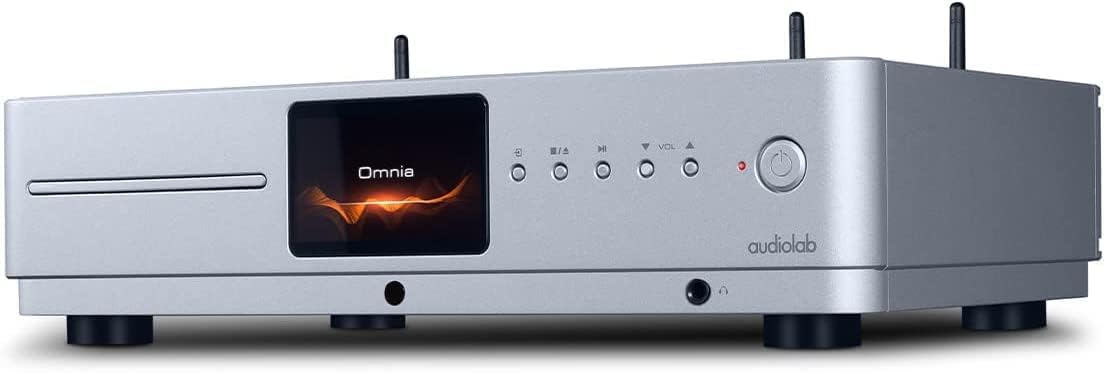
ด้านหน้า view of the Audiolab Omnia All-in-One Music System, showcasing its silver finish, central display, CD slot, and control buttons.
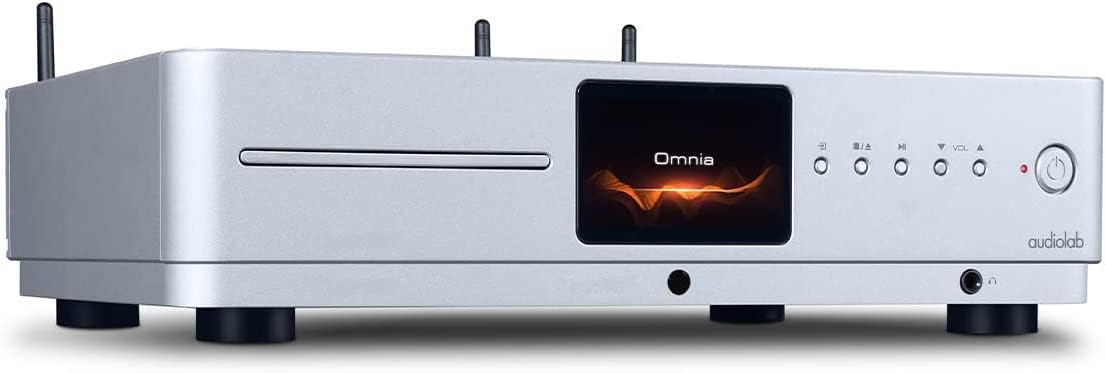
ด้านหน้าทำมุม view of the Audiolab Omnia, highlighting its sleek design and integrated display.
2. การเชื่อมต่อลำโพง
Connect your passive speakers to the speaker terminals on the rear panel of the Omnia. Ensure correct polarity (+ to + and - to -) for optimal sound quality. Use high-quality speaker cables.

The rear panel of the Audiolab Omnia, displaying speaker terminals, digital and analog inputs, network ports, and power input.
3. การเชื่อมต่อเครือข่าย
For network streaming features, connect the supplied Wi-Fi antennas to the rear panel. Alternatively, connect an Ethernet cable from your router to the LAN port on the Omnia for a wired connection.
Detail of the rear panel, indicating the locations for Wi-Fi antenna attachment and the Ethernet port for network connectivity.
4. การเชื่อมต่อไฟฟ้า
Connect the power cable to the AC inlet on the rear panel and then to a suitable wall outlet. Ensure the power switch is in the OFF position before connecting.
คำแนะนำการใช้งาน
1. การเปิด/ปิดเครื่อง
Press the power button on the front panel or the remote control to turn the unit on or off. The display will illuminate upon power-on.
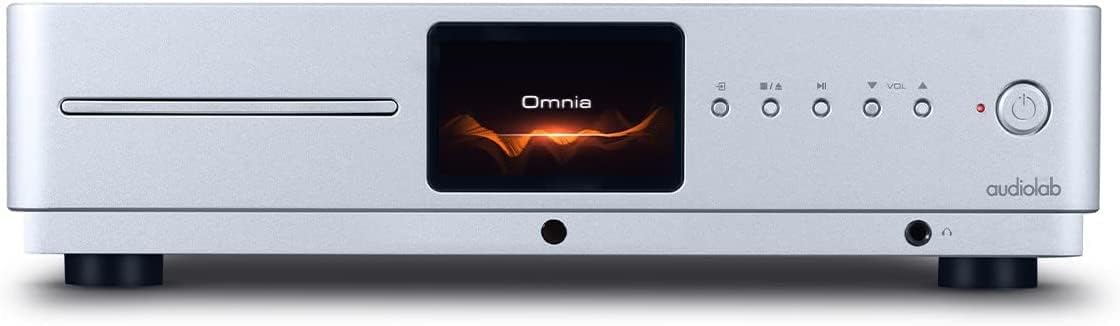
Front panel of the Omnia, showing the power button on the right and the central display.
2. การเลือกแหล่งที่มา
Use the 'Input' button on the front panel or the remote control to cycle through available input sources (e.g., CD, Optical, Coaxial, USB, Network, Bluetooth, Analog).
3. การเล่นซีดี
Insert a CD into the slot on the front panel. The unit will automatically detect the CD and begin playback. Use the play/pause, stop, and track skip buttons on the front panel or remote control.
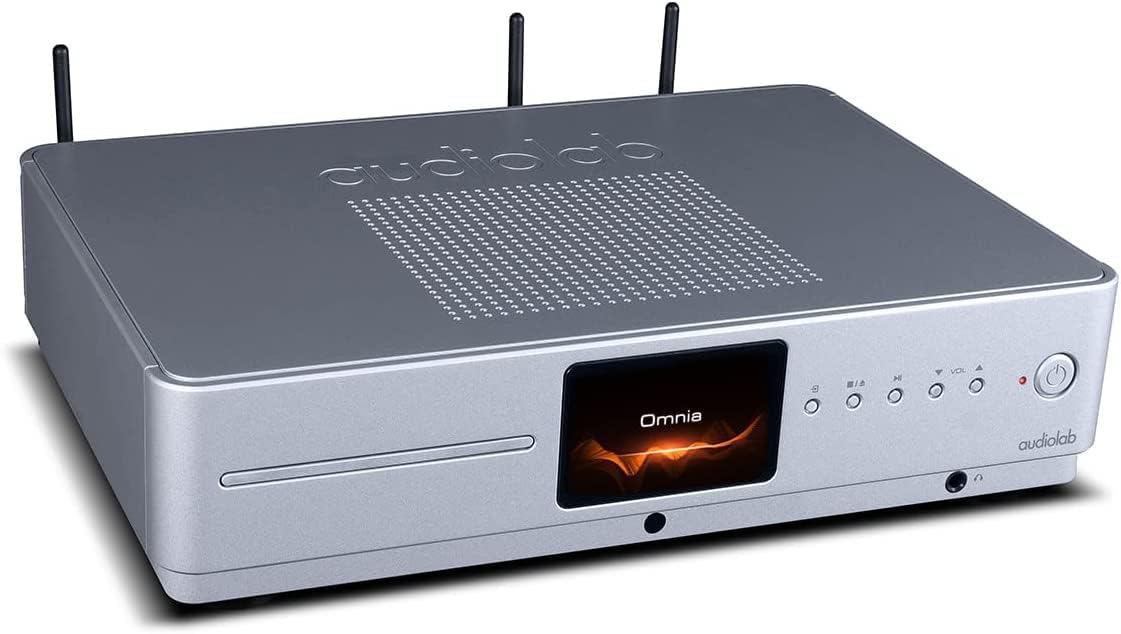
The CD slot on the front left of the Audiolab Omnia, ready for disc insertion.
4. การสตรีมผ่านเครือข่าย
Once connected to your network, use the dedicated Audiolab app (available for iOS and Android) to control streaming services, internet radio, and local network music files. Follow the in-app instructions for setup and control.
5. การเชื่อมต่อบลูทูธ
Select Bluetooth as the input source. On your mobile device, search for "Audiolab Omnia" in the Bluetooth settings and pair. The unit supports aptX Bluetooth for high-quality wireless audio.
การซ่อมบำรุง
- การทำความสะอาด: Use a soft, dry, lint-free cloth to clean the unit's exterior. Do not use abrasive cleaners, waxes, or solvents.
- การระบายอากาศ : ตรวจสอบช่องระบายอากาศอย่างสม่ำเสมอว่าปราศจากฝุ่นและเศษสิ่งสกปรก เพื่อให้แน่ใจว่ามีการไหลเวียนของอากาศที่เหมาะสม
- ถาดใส่ซีดี : Keep the CD slot clean and free from foreign objects.
การแก้ไขปัญหา
| ปัญหา | สาเหตุที่เป็นไปได้ | สารละลาย |
|---|---|---|
| ไม่มีไฟฟ้า | Power cable not connected; Power switch off; Wall outlet faulty. | Ensure power cable is securely connected; Turn power switch on; Test wall outlet with another device. |
| ไม่มีเสียงออก | Speakers not connected; Incorrect input source selected; Volume too low; Mute activated. | Check speaker connections; Select correct input source; Increase volume; Deactivate mute. |
| ซีดีไม่เล่น | CD inserted incorrectly; CD dirty or scratched; Incorrect source selected. | Re-insert CD correctly; Clean or replace CD; Select CD input source. |
| ปัญหาการเชื่อมต่อเครือข่าย | Wi-Fi antennas not connected; Router issues; Incorrect network settings. | Ensure antennas are connected; Restart router; Check network settings via the app. |
ข้อมูลจำเพาะ
- แบบอย่าง: โอมเนีย
- ยี่ห้อ: ออดิโอแล็บ
- เทคโนโลยีการเชื่อมต่อ: ไวไฟ, บลูทูธ, อีเทอร์เน็ต
- สี: เงิน
- ประเภทลำโพง: Stereo (Integrated Ampเครื่องฟอก)
- แหล่งพลังงาน: สายไฟ
- น้ำหนักสินค้า: 26.1 ปอนด์ (ประมาณ 11.84 กก.)
- ขนาดแพ็คเกจ: 21 x 16.7 x 8.3 นิ้ว (ประมาณ 53.34 x 42.42 x 21.08 ซม.)
- วันที่เข้าใช้งานครั้งแรก: 21 ตุลาคม 2021
ข้อมูลการรับประกัน
Audiolab products are manufactured to the highest standards and undergo rigorous quality control. This product is covered by a limited warranty against manufacturing defects. The specific terms and duration of the warranty may vary by region. Please retain your proof of purchase for warranty claims. For detailed warranty information, please refer to the warranty card included with your product or visit the official Audiolab webเว็บไซต์.
การสนับสนุนลูกค้า
If you encounter any issues not covered in the troubleshooting section or require further assistance, please contact Audiolab customer support. You can find contact details on the official Audiolab website or through your local dealer. Please have your product model and serial number ready when contacting support.
แหล่งข้อมูลออนไลน์: เยี่ยม www.audiolab.co.uk สำหรับการลงทะเบียนผลิตภัณฑ์ คำถามที่พบบ่อย และเอกสารสนับสนุนเพิ่มเติม