
สินค้าเกินview
This manual provides essential instructions for the safe and efficient operation, installation, and maintenance of your WATOOR Hot and Cold Water Cooler Dispenser with Ice Maker, Model ZB-047. Please read this manual thoroughly before use and retain it for future reference.
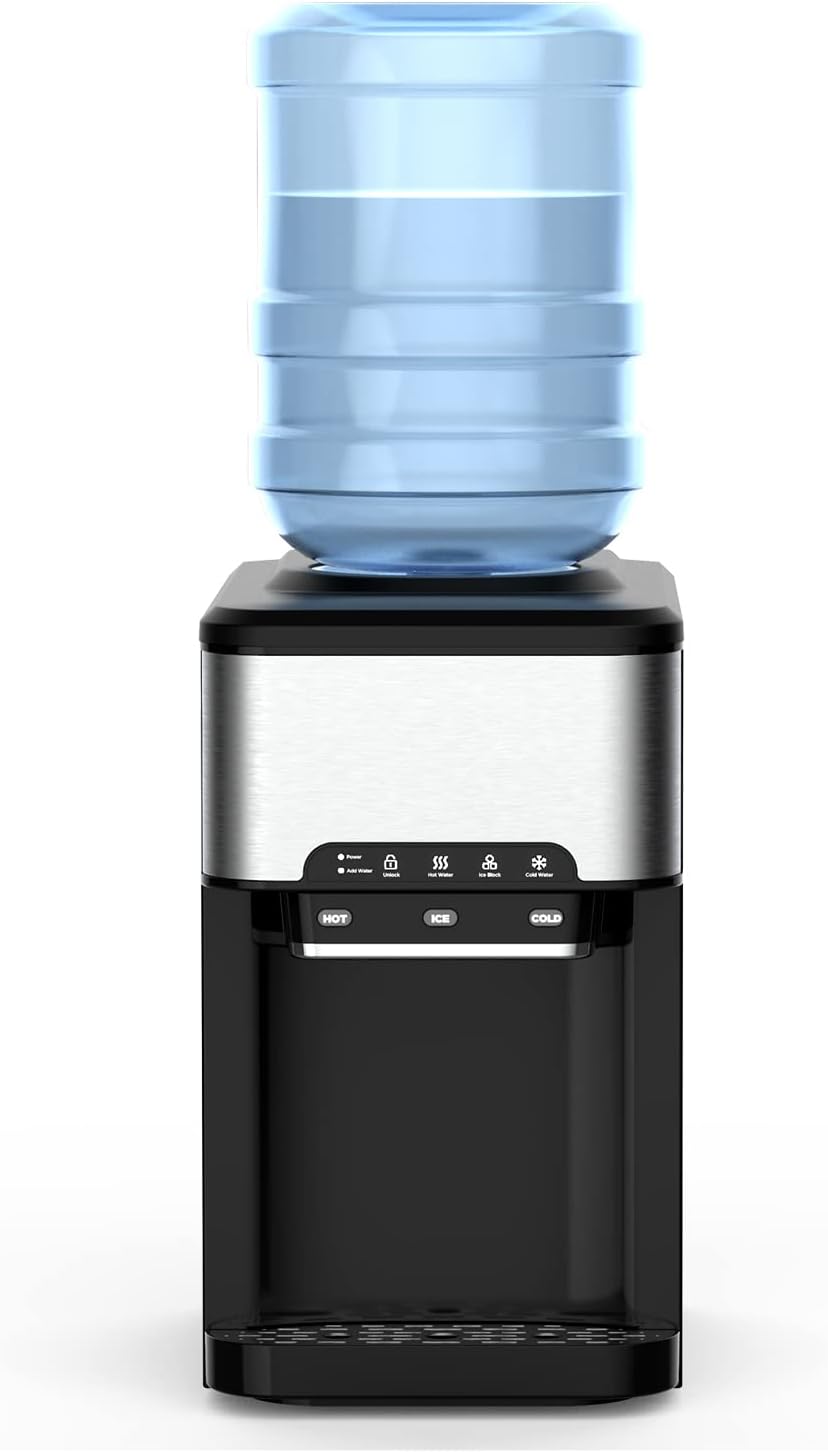
รูปที่ 1: ด้านหน้า view of the WATOOR Hot and Cold Water Cooler Dispenser with Ice Maker. The unit features a top-loading water bottle, a control panel with hot, ice, and cold water dispensing buttons, and a drip tray.
คำแนะนำการตั้งค่า
1. การแกะกล่องและการจัดวาง
- นำเครื่องใช้ออกจากบรรจุภัณฑ์อย่างระมัดระวัง
- Place the dispenser on a flat, stable, and level surface. Ensure there is adequate ventilation around the unit (at least 4 inches from walls).
- หลีกเลี่ยงการวางเครื่องไว้กลางแสงแดดโดยตรงหรือใกล้แหล่งความร้อน
2. Water Bottle Installation
The dispenser supports 3-gallon and 5-gallon water bottles. Ensure the bottle is clean before installation.
- ลอกแผ่นซีลป้องกันออกจากฝาขวดน้ำ
- Invert the water bottle and carefully place it onto the support collar on top of the dispenser. Ensure it is seated firmly and water begins to flow into the internal reservoir.

รูปที่ 2: Illustration showing two methods for adding water: using a top-loaded bottled water jug (2-5 gallon capacity) or manually pouring water into the top reservoir.
3. Initial Cleaning and Flushing
Before first use, it is recommended to flush the system.
- Once the water bottle is installed and water has filled the internal tanks, dispense at least two cups of hot water and two cups of cold water to flush any residual manufacturing dust.
- Discard the flushed water.
4. การเชื่อมต่อไฟฟ้า
- เสียบสายไฟเข้ากับเต้ารับไฟฟ้าที่มีสายดิน
- The 'Power' indicator light on the control panel will illuminate.
คำแนะนำการใช้งาน
แผงควบคุมโอเวอร์view

รูปที่ 3: The easy operation panel features touch controls for Power, Add Water indicator, Unlock, Hot Water, Ice Block, and Cold Water functions. Separate buttons are provided for dispensing HOT, ICE, and COLD water.
1. Hot Water Operation
- Press the 'Hot Water' button. The green 'Hot Water' indicator above the button will start blinking, indicating the heating element is active.
- Once the green indicator illuminates steadily, the hot water is ready.
- To dispense hot water, press the 'Hot' button.
- The hot water temperature ranges from 195°F to 205°F.
2. Cold Water Operation
- Press the 'Cold Water' button to activate the cooling function. The 'Cold Water' indicator will blink, and the compressor will begin cooling the water.
- When the 'Cold Water' indicator illuminates steadily, the cold water is ready.
- To dispense cold water, press the 'Cold' button.
- The cold water temperature ranges from 35°F to 42°F.
3. Ice Making Operation
- Press the 'Ice Block' button. The 'Ice Block' indicator will start blinking.
- The ice making cycle typically takes 7 to 11 minutes, depending on ambient temperature.
- If there is insufficient water, the ice maker will stop automatically, and the 'Add Water' indicator will illuminate.
- The ice maker automatically stops when the ice storage bin is full. The 'Ice Block' indicator will change from blinking to illuminating steadily.
- To dispense ice, press the 'Ice' button.
- The unit produces bullet-shaped ice cubes.

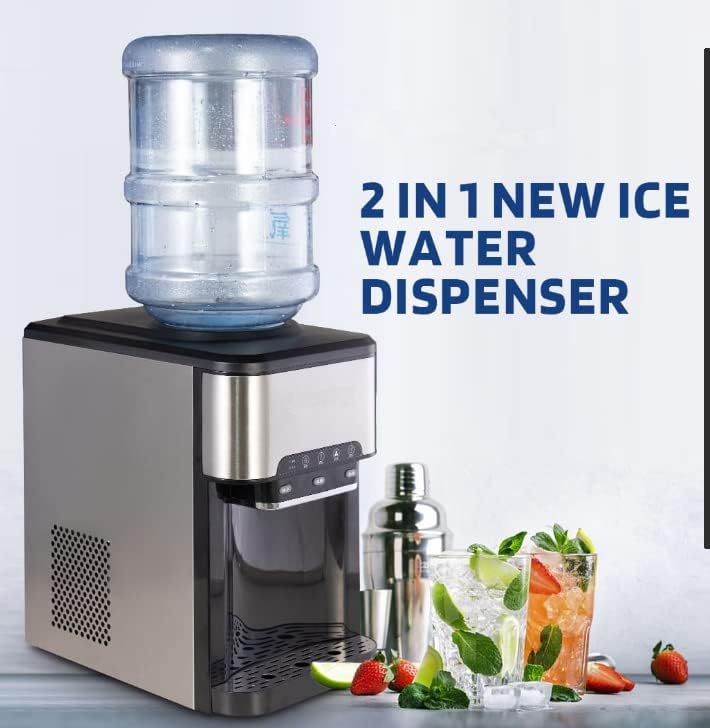
รูปที่ 4: The WATOOR dispenser simultaneously provides hot water, ice, and cold water, demonstrating its three functional modes.
1 วิดีโอ: This video demonstrates the operation of the WATOOR Hot and Cold Water Dispenser with Ice Maker, showcasing the dispensing of hot, ice, and cold water. The control panel lights indicate active functions.
การซ่อมบำรุง
1. การทำความสะอาดตัวเครื่อง
- การทำความสะอาดภายนอก: เช็ดพื้นผิวภายนอกด้วยผ้านุ่ม damp ผ้า ห้ามใช้สารทำความสะอาดที่มีฤทธิ์กัดกร่อนหรือตัวทำละลาย
- ถาดรองน้ำหยด: ควรนำถาดรองน้ำหยดออกมาเททิ้งเป็นประจำ ล้างด้วยสบู่และน้ำอ่อนๆ จากนั้นล้างออกให้สะอาดและเช็ดให้แห้งสนิทก่อนใส่กลับเข้าไปใหม่
- การทำความสะอาดภายใน: For optimal hygiene, clean the internal water tanks every 3-6 months.
2. Draining the Unit
To drain the unit for cleaning or storage:
- ถอดปลั๊กเครื่องจ่ายยาออกจากเต้ารับไฟฟ้า
- ถอดขวดน้ำออก
- Locate the drain plug at the back or bottom of the unit. Place a bucket underneath and remove the plug to drain all water.
- เมื่อระบายน้ำออกแล้ว ให้ปิดปลั๊กให้แน่น
รูปที่ 5: การภายใน view of the dispenser highlighting the water tank hasps, which may need to be accessed for thorough cleaning or maintenance.
3. การขจัดคราบตะกรัน (ถ้าจำเป็น)
If mineral deposits build up, descaling may be required. Use a food-grade descaling solution or a mixture of white vinegar and water. Follow the descaling product's instructions carefully, ensuring thorough rinsing afterward.
การแก้ไขปัญหา
| ปัญหา | สาเหตุที่เป็นไปได้ | สารละลาย |
|---|---|---|
| ไม่มีน้ำร้อน | Hot water function not activated or heating element issue. | Ensure 'Hot Water' button is pressed and indicator is solid green. Check power supply. |
| ไม่มีน้ำเย็น | Cold water function not activated or cooling issue. | Ensure 'Cold Water' button is pressed and indicator is solid blue. Check power supply. |
| ไม่มีการผลิตน้ำแข็ง | Insufficient water, 'Ice Block' function not activated, or ice bin full. | Check water level and 'Add Water' indicator. Ensure 'Ice Block' button is pressed. Empty ice bin if full. |
| น้ำไม่ไหล | ขวดน้ำว่างเปล่าหรือวางไม่สนิท | Replace water bottle or ensure it is correctly installed. |
| หน่วยมีการรั่วไหล | Loose drain plug, cracked water bottle, or internal component issue. | Check drain plug for tightness. Inspect water bottle for damage. If leak persists, contact customer support. |
| ไฟแสดงสถานะ 'เติมน้ำ' บนหน้าจอ | อ่างเก็บน้ำมีน้ำเหลือน้อยหรือแห้งสนิท | Replace or refill the water bottle. |
ข้อมูลจำเพาะ

รูปที่ 6: Diagram illustrating the dimensions of the WATOOR water cooler dispenser: 16.85 inches (depth), 10.94 inches (width), and 18.86 inches (height).
| คุณสมบัติ | รายละเอียด |
|---|---|
| ยี่ห้อ | วาทอร์ |
| หมายเลขรุ่น | ZB-047 |
| ความจุ (ขวดน้ำ) | 3 แกลลอน 5 แกลลอน |
| สไตล์ | โหลดสูงสุด |
| ขนาดสินค้า (กว้าง x ยาว x สูง) | 16.85 x 10.94 x 18.86 นิ้ว |
| น้ำหนักสินค้า | 34 ปอนด์ |
| ประเภทการติดตั้ง | เคาน์เตอร์ท็อป |
| เข้าถึงตำแหน่ง | สูงสุด |
| จำนวนการตั้งค่า | 3 (Hot, Ice, Cold) |
| แหล่งพลังงาน | สายไฟ |
| อุณหภูมิของน้ำร้อน | 195°F - 205°F |
| อุณหภูมิน้ำเย็น | 35°F - 42°F |
| กำลังการผลิตน้ำแข็ง | สูงสุด 44 ปอนด์ / 24 ชั่วโมง |
| ประเภทก้อนน้ำแข็ง | กระสุนน้ำแข็ง |
การรับประกันและการสนับสนุน
For warranty information or technical support, please refer to the warranty card included with your product or contact WATOOR customer service directly. Contact details can typically be found on the manufacturer's official webไซต์หรือบนบรรจุภัณฑ์ผลิตภัณฑ์