
1. บทนำ
The Ring Spotlight Cam Pro Plug-In is an advanced security camera designed to provide comprehensive surveillance for your home or business. It features 2K HDR video, color night vision, two-way talk with Audio+, and advanced 3D Motion Detection. This manual provides instructions for setting up, operating, and maintaining your device.
2. อะไรอยู่ในกล่อง
ตรวจสอบว่าส่วนประกอบทั้งหมดมีอยู่ก่อนเริ่มการติดตั้ง:
- สปอตไลท์แคมโปร
- ตัวยึด
- เครื่องมือและสกรูสำหรับติดตั้ง
- USB-C Power Adapter (19.7 feet long)
- คู่มือการใช้งาน (เอกสารนี้)
- สติ๊กเกอร์ความปลอดภัย
3. การตั้งค่าและการติดตั้ง
The average installation time for the Spotlight Cam Pro is 5-10 minutes. A vertical or horizontal surface is required for mounting.
- ดาวน์โหลดแอป Ring: Download the Ring app from your device's app store. Create an account or log in if you already have one.
- เพิ่มอุปกรณ์: In the Ring app, tap 'Set Up a Device' and follow the on-screen instructions to add your Spotlight Cam Pro.
- การติดตั้ง: Secure the mounting bracket to your desired location using the provided tools and screws. Ensure the location provides a clear view and access to a standard power outlet.
- ติดกล้อง: Attach the Spotlight Cam Pro to the mounting bracket.
- เชื่อมต่อพลังงาน: Plug the USB-C Power Adapter into the camera and then into a standard power outlet.
- ปรับ View: Adjust the camera's angle to cover your desired area.

Figure 3.1: Easy DIY Installation of the Ring Spotlight Cam Pro.
4. คู่มือการใช้งาน
The Ring Spotlight Cam Pro offers several features to enhance your security.
4.1 การตรวจสอบวิดีโอ
The camera provides 2K HDR video with a 140° horizontal and 80° vertical field of view. It also features Color Night Vision, allowing you to see clear, full-color video even in low-light conditions.

Figure 4.1: Retinal 2K Video with Color Night Vision displayed on a mobile device.
4.2 การตรวจจับการเคลื่อนไหว
Utilize 3D Motion Detection with Bird's Eye Zones and Bird's Eye View for precise motion alerts. You can customize motion zones within the Ring app to focus on specific areas and reduce unwanted notifications.

Figure 4.2: Visual representation of 3D Motion Detection.

Figure 4.3: Customizing Motion Zones in the Ring App.
4.3 Two-Way Talk with Audio+
Communicate with visitors or deter intruders using the built-in microphone and speaker. Audio+ provides advanced noise cancellation for clearer communication.
4.4 Integrated Spotlights and Siren
The camera features two 3000° Kelvin spotlights that can be activated manually or automatically upon motion detection. A remote-activated security siren is also included to alert others and deter unwanted activity.
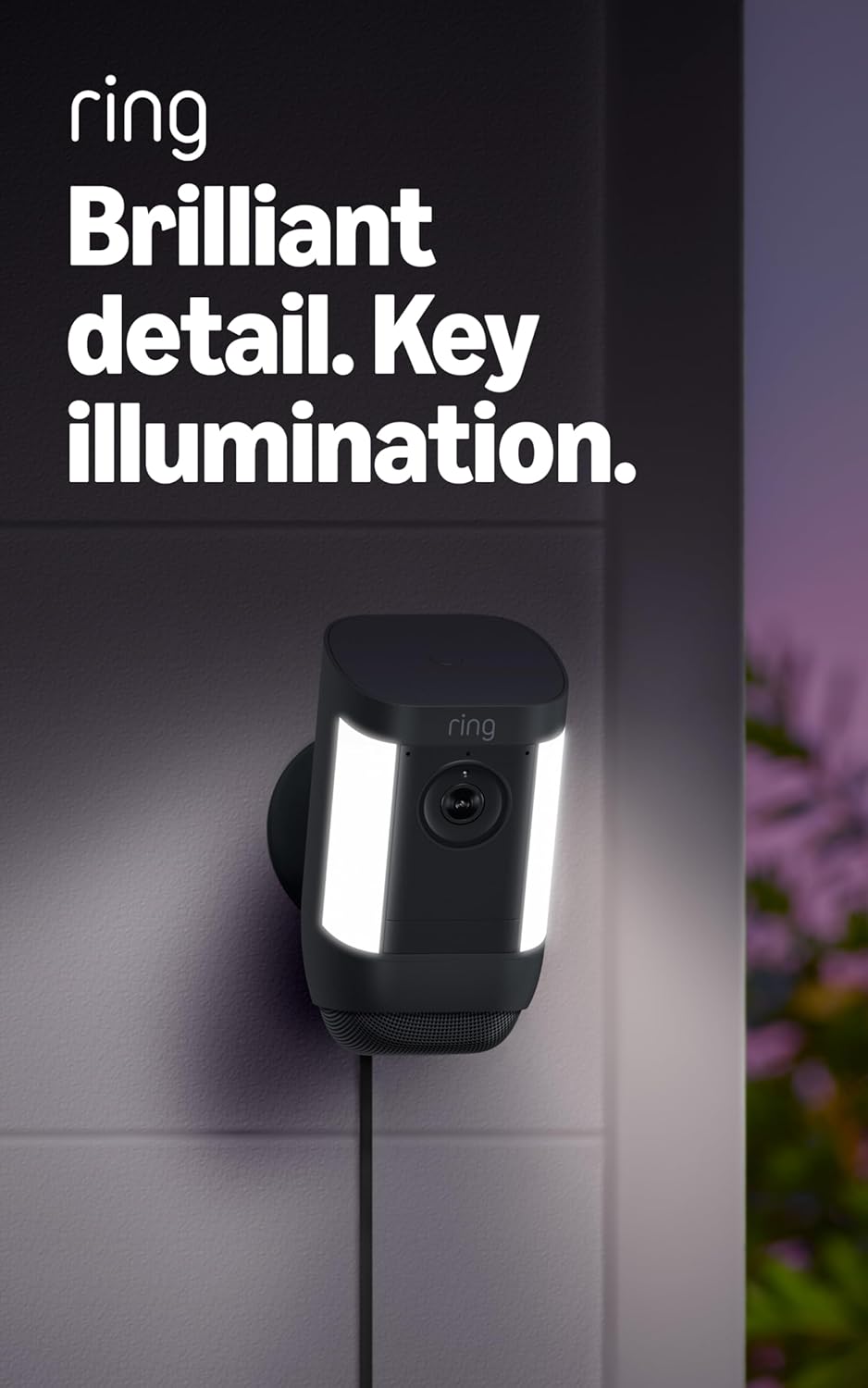
Figure 4.4: Spotlight Cam Pro with activated illumination.
4.5 การรวม Alexa
The Spotlight Cam Pro works with Alexa. You can receive announcements on Echo devices when motion is detected and use select Echo and Fire TV devices to see, hear, and speak to people on camera.
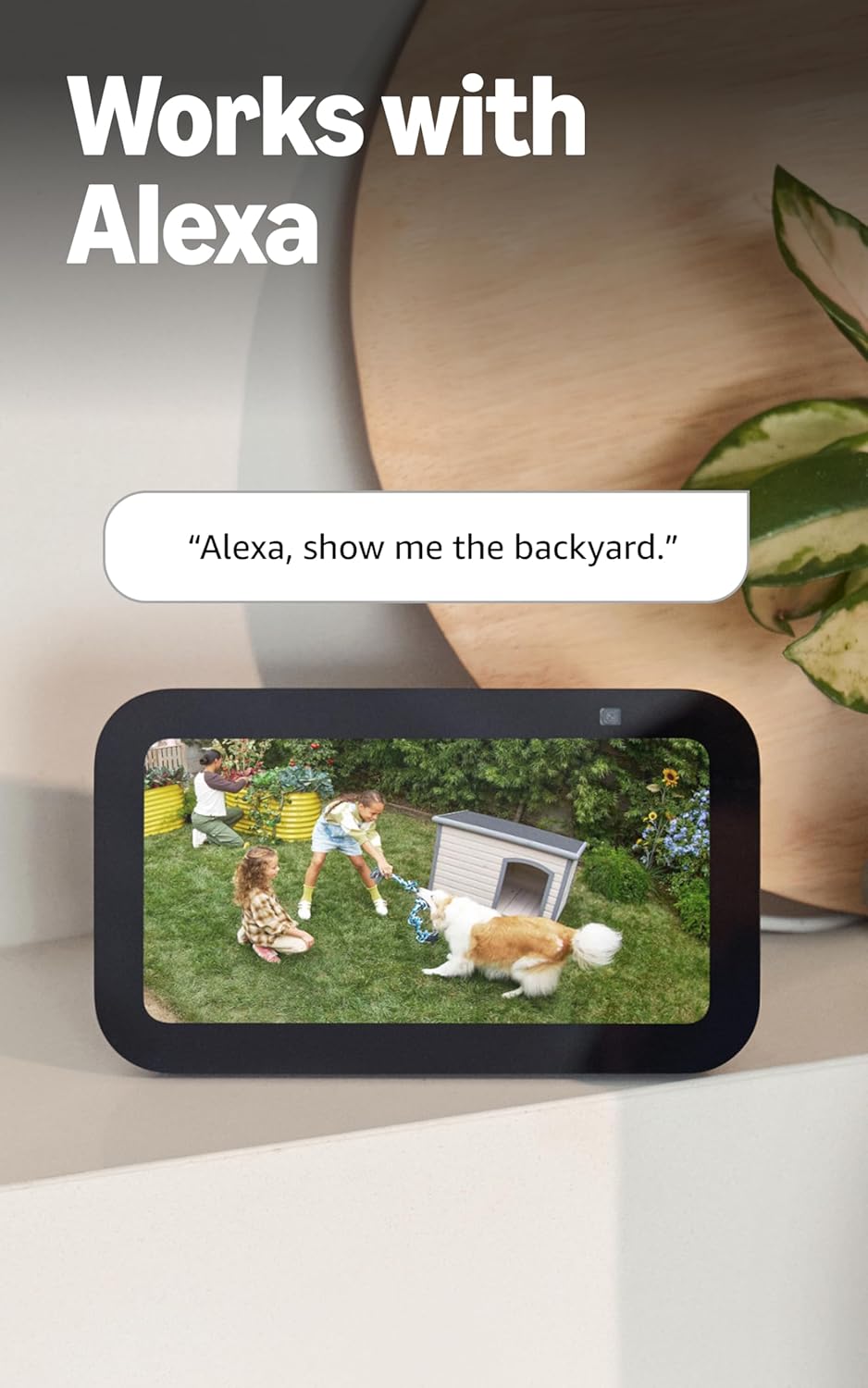
Figure 4.5: Ring Spotlight Cam Pro integration with Alexa.
5. การบำรุงรักษา
To ensure optimal performance and longevity of your Ring Spotlight Cam Pro, follow these maintenance guidelines:
- การทำความสะอาด: เช็ดเลนส์กล้องและตัวเรือนด้วยผ้านุ่มๆ เป็นระยะๆamp ผ้าเพื่อขจัดฝุ่นและสิ่งสกปรก หลีกเลี่ยงการใช้สารเคมีที่รุนแรงหรือวัสดุที่มีฤทธิ์กัดกร่อน
- อัพเดตเฟิร์มแวร์: โปรดตรวจสอบให้แน่ใจว่าเฟิร์มแวร์ของอุปกรณ์ของคุณได้รับการอัปเดตอยู่เสมอผ่านแอป Ring เพื่อให้ได้รับประโยชน์จากคุณสมบัติล่าสุดและการปรับปรุงด้านความปลอดภัย
- การเชื่อมต่อไฟฟ้า: Regularly check the USB-C power adapter and cable for any signs of damage.
6 การแก้ไขปัญหา
If you encounter issues with your Ring Spotlight Cam Pro, consider the following common solutions:
- ไม่มีไฟฟ้า: Ensure the USB-C power adapter is securely plugged into both the camera and a working power outlet.
- คุณภาพวิดีโอไม่ดี: Check your internet connection. A recommended minimum upload speed of 4.5 Mbps is required for optimal performance. Video resolution may vary with bandwidth.
- ปัญหาการตรวจจับการเคลื่อนไหว: Verify that motion zones are correctly configured in the Ring app. Ensure there are no obstructions blocking the camera's view.
- ปัญหาการเชื่อมต่อ: Confirm your Wi-Fi network is operational. The camera supports 802.11 b/g/n/ac Wi-Fi @2.4GHz and 5.0GHz. Try restarting your router.
- แอปไม่ตอบสนอง: Close and reopen the Ring app. If the issue persists, try reinstalling the app.
For further assistance, refer to the support section or contact Ring customer service.
7. ข้อมูลจำเพาะ
| เวลาติดตั้งเฉลี่ย | 5-10 นาที |
| วีดีโอ | 2K, HDR, สด View, การมองเห็นสีตอนกลางคืน |
| ทุ่งแห่ง View | แนวนอน 140° แนวตั้ง 80° |
| การตรวจจับการเคลื่อนไหว | การตรวจจับการเคลื่อนไหวแบบ 3 มิติด้วยโซน Bird's Eye และ Bird's Eye View |
| เสียง | การสนทนาสองทางพร้อมระบบเสียง+ และการตัดเสียงรบกวนขั้นสูง |
| ไซเรน | ไซเรนเตือนภัยแบบสั่งการจากระยะไกล |
| ไฟส่องสว่าง | ไฟสปอตไลท์ 3000° เคลวิน จำนวน 2 ดวง |
| ทำงานร่วมกับ Alexa | Illuminates and sends announcements to Echo devices whenever motion is detected, and lets you see, hear and speak to people on camera with select Echo and Fire TV devices. |
| พลัง | Plug-In USB-C Power Adapter (19.7 feet long) |
| โหมดพลังงานคู่ | Dynamic switching between plug-in and battery power modes (requires purchase of Quick Release Battery Pack) |
| ข้อกำหนดด้านอินเตอร์เน็ต | ความเร็วอัปโหลดขั้นต่ำที่แนะนำคือ 4.5 Mbps เพื่อประสิทธิภาพสูงสุด ความละเอียดวิดีโออาจแตกต่างกันไปขึ้นอยู่กับแบนด์วิดท์อินเทอร์เน็ต |
| การเชื่อมต่อ | 802.11 b/g/n/ac Wi-Fi connection @2.4GHz and 5.0GHz |
| เงื่อนไขการใช้งาน | -4°F ถึง 120°F (-20°C ถึง 48.5°C) ทนต่อสภาพอากาศ |
| สีที่มีจำหน่าย | สีขาว, สีดำ |
| ข้อกำหนดในการตั้งค่า | Vertical or horizontal surface for mounting. |
| ขนาด | 3.1 นิ้ว x 3.2 นิ้ว x 5.7 นิ้ว (77.8 มม. x 81.5 มม. x 144.63 มม.) |
8. การรับประกันและการสนับสนุน
Your Ring Spotlight Cam Pro comes with a one-year limited warranty. Purchase and use of the product are subject to terms and conditions.
For additional information, troubleshooting guides, and customer service, please visit the official Ring support page. You can also find information regarding software security updates in the Ring Control Center.
Important Disclaimers:
- Limited to 10 devices at one location. Not compatible with select features.
- Recordings are temporarily stored in the cloud, up to 14 days. This feature is dependent upon network connectivity and other factors.
- Your Ring videos in the cloud are stored temporarily, up to 180 days of Video Event History. Changing your video storage time will only affect videos that are recorded after you adjust your storage time setting. Check Ring Subscription Plans for more information.
- Ring Home Premium subscription required, sold separately. For customers in Illinois & Texas: Ring Smart Video Search is not available on Ring devices due to specific state legislation. Feature only available in English.