
1. บทนำ
ขอบคุณสำหรับการซื้อasing the Heayzoki K605 Portable Digital Tuning Radio Receiver. This device combines a multi-band radio with an MP3 player, offering versatility and portability. Please read this manual carefully to ensure proper use and to maximize your enjoyment of the product.

Image: The Heayzoki K605 portable radio, highlighting its compact and lightweight design.
คุณสมบัติหลัก:
- การออกแบบที่กะทัดรัดและพกพาสะดวก
- MP3 playback mode supporting WAV and MP3 formats.
- Memory card support for audio playback.
- FM stereo reception for improved sound clarity.
- High sensitivity and good selectivity for clear reception.
- Simple and intuitive operation, suitable for all ages.
2. ข้อมูลด้านความปลอดภัย
To prevent damage and ensure safe operation, please observe the following precautions:
- อย่าให้เครื่องสัมผัสกับอุณหภูมิที่สูงหรือต่ำเกินไป แสงแดดโดยตรง หรือความชื้นสูง
- หลีกเลี่ยงการทำอุปกรณ์หล่นหรือกระแทกอย่างรุนแรง
- ห้ามถอดประกอบหรือพยายามซ่อมแซมอุปกรณ์ด้วยตนเอง แนะนำให้ส่งช่างผู้ชำนาญเข้ารับบริการทั้งหมด
- เก็บอุปกรณ์ให้ห่างจากน้ำและของเหลวอื่นๆ
- ใช้เฉพาะแบตเตอรี่และอุปกรณ์ชาร์จที่ระบุเท่านั้น
- When using earphones, keep the volume at a moderate level to prevent hearing damage.
3. เนื้อหาบรรจุภัณฑ์
ตรวจสอบว่ามีรายการทั้งหมดอยู่ในแพ็คเกจ:
- Heayzoki K605 Portable Radio Receiver
- แบตเตอรี่แบบชาร์จไฟได้ (ติดตั้งมาแล้วหรือซื้อแยกต่างหาก)
- สายชาร์จ USB
- หูฟัง
- คู่มือเจ้าของ (เอกสารนี้)
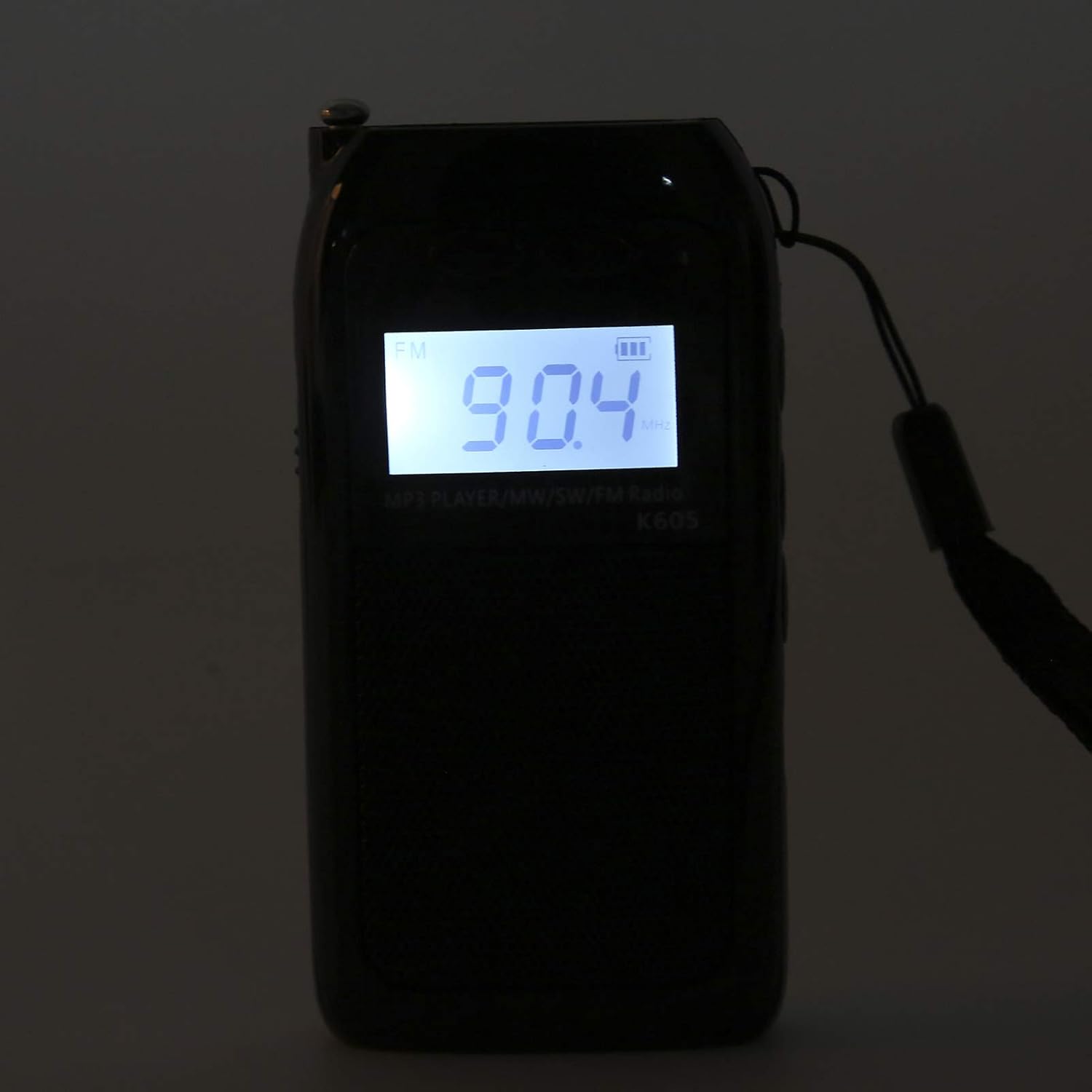
Image: The Heayzoki K605 radio displayed with its accessories, including earphones and a charging cable.
4. สินค้าหมดview
Familiarize yourself with the buttons and ports of your K605 radio.

ภาพ: ด้านหน้า view of the K605 radio, highlighting the LCD screen and speaker.

ภาพ: ด้านข้าง view of the K605 radio, illustrating the control buttons for tuning and volume.

ภาพ: ด้านหลัง view of the K605 radio, showing the battery compartment and additional ports.
การควบคุมและพอร์ต:
- จอแสดงผล LCD: Shows frequency, time, battery status, and MP3 track information.
- ปุ่มเปิด/ปิด: เปิด/ปิดอุปกรณ์
- ปุ่มโหมด: Switches between FM, SW, MW radio, and MP3 player modes.
- ปุ่มปรับระดับเสียง +/-: ปรับระดับเสียง
- Tuning +/- Buttons: Scans or manually tunes radio frequencies; navigates MP3 tracks.
- ปุ่มเล่น/หยุดชั่วคราว: ควบคุมการเล่นไฟล์ MP3
- เสาอากาศ: เสาอากาศแบบยืดหดได้เพื่อเพิ่มประสิทธิภาพการรับสัญญาณวิทยุ
- ช่องเสียบหูฟัง (3.5 มม.): สำหรับการฟังส่วนตัว
- พอร์ตไมโครยูเอสบี: สำหรับการชาร์จอุปกรณ์
- ช่องเสียบการ์ดหน่วยความจำ: For inserting a microSD card with MP3/WAV files.
5. การตั้งค่า
5.1. การชาร์จแบตเตอรี่
- Connect the small end of the USB charging cable to the Micro USB port on the radio.
- เชื่อมต่อปลายด้านที่ใหญ่กว่าของสายชาร์จ USB เข้ากับอะแดปเตอร์ไฟ USB (ไม่รวมอยู่ด้วย) หรือพอร์ต USB ของคอมพิวเตอร์
- ตัวแสดงสถานะแบตเตอรี่บนหน้าจอ LCD จะแสดงสถานะการชาร์จ
- เมื่อชาร์จเต็มแล้ว ให้ถอดสายชาร์จออก
5.2. Inserting a Memory Card (for MP3 Playback)
- Locate the memory card slot on the side or back of the radio.
- Gently insert a microSD card (up to 32GB, not included) with the metal contacts facing down until it clicks into place.
- To remove, push the card in slightly until it clicks out.
6. คู่มือการใช้งาน
6.1. เปิด/ปิดเครื่อง
กดปุ่มค้างไว้ พลัง ปุ่มสำหรับเปิดหรือปิดวิทยุ
6.2. การเลือกโหมด
กดปุ่ม โหมด button repeatedly to cycle through the available modes: FM Radio, SW Radio, MW Radio, and MP3 Player.
6.3. Radio Operation (FM/SW/MW)
- Extend the Antenna: เพื่อให้รับสัญญาณได้ดีที่สุด โปรดกางเสาอากาศแบบยืดหดได้ออกจนสุด
- เลือกแบนด์: กดปุ่ม โหมด button until the desired band (FM, SW, or MW) is displayed.
- การปรับจูนอัตโนมัติ: กดปุ่มค้างไว้ ปรับ +/- ปุ่มสำหรับสแกนหาสถานีที่ว่างอยู่ถัดไปโดยอัตโนมัติ
- การปรับด้วยตนเอง: กดปุ่มสั้นๆ ปรับ +/- buttons to fine-tune the frequency step by step.
- การปรับระดับเสียง: ใช้ ปริมาณ +/- ปุ่มปรับระดับเสียง

Image: The K605 radio with its antenna extended, ready for radio reception.
6.4. MP3 Player Operation
Ensure a memory card with MP3 or WAV fileมีการแทรกตัวอักษร s เข้าไป
- เลือกโหมด MP3: กดปุ่ม โหมด button until "MP3" or similar is displayed.
- เล่น/หยุดชั่วคราว: กดปุ่ม เล่น/หยุดชั่วคราว ปุ่มเพื่อเริ่มหรือหยุดการเล่นชั่วคราว
- เพลงถัดไป / ก่อนหน้า: ใช้ ปรับ +/- ปุ่มเพื่อข้ามไปยังแทร็กถัดไปหรือก่อนหน้า
- การปรับระดับเสียง: ใช้ ปริมาณ +/- ปุ่มปรับระดับเสียง

Image: The K605 radio in MP3 playback mode, showing the MP3 indicator on the display.
6.5. การใช้หูฟัง
Plug your 3.5mm earphones into the earphone jack for private listening. The internal speaker will automatically mute.
7. การบำรุงรักษา
7.1. การทำความสะอาด
- เช็ดอุปกรณ์ด้วยผ้านุ่มแห้ง
- ห้ามใช้สารทำความสะอาดที่มีฤทธิ์กัดกร่อน ตัวทำละลาย หรือสารเคมีรุนแรง
7.2. การจัดเก็บ
- เก็บวิทยุไว้ในที่แห้งและเย็น หลีกเลี่ยงแสงแดดโดยตรงและอุณหภูมิที่สูงหรือต่ำเกินไป
- If storing for an extended period, ensure the battery is partially charged and recharge it periodically to maintain battery health.
8 การแก้ไขปัญหา
| ปัญหา | สาเหตุที่เป็นไปได้ | สารละลาย |
|---|---|---|
| ไม่มีไฟฟ้า | แบตเตอรี่หมด | ชาร์จแบตเตอรี่โดยใช้สาย USB ที่ให้มา |
| การรับสัญญาณวิทยุไม่ดี | เสาอากาศไม่ยืดออก สัญญาณอ่อน มีสัญญาณรบกวน | Fully extend the antenna. Try repositioning the radio. Move away from electronic devices causing interference. |
| เอ็มพี 3 fileไม่ได้เล่น | Memory card not inserted correctly; unsupported file รูปแบบเสียหาย files. | Ensure the memory card is properly inserted. Verify files are in WAV or MP3 format. Try another memory card or re-format the current one. |
| ไม่มีเสียงออกจากลำโพง/หูฟัง | Volume is too low; earphones not fully plugged in; faulty earphones. | Increase the volume. Ensure earphones are fully inserted. Test with another pair of earphones. |
9. ข้อมูลจำเพาะ
| คุณสมบัติ | รายละเอียด |
|---|---|
| แบบอย่าง | เค605 |
| ยี่ห้อ | เฮย์โซกิ |
| รองรับคลื่นวิทยุ | FM, SW, MW (3-Band) |
| ช่วงความถี่ FM | 76-108 เมกะเฮิรตซ์ |
| MW Frequency Range | 522-1620 KHz (9KHz) / 520-1710 KHz (10KHz) |
| ช่วงความถี่ SW | 4.75-21.85 เมกะเฮิรตซ์ |
| ฟอร์แมตเสียงที่รองรับ | WAV, MP3 |
| เทคโนโลยีการเชื่อมต่อ | เสียง 3.5 มม. |
| ประเภทจอภาพ | จอแอลซีดี |
| แหล่งพลังงาน | Battery Powered (500mA 3.7V Lithium battery) |
| กำลังขับสูงสุดของลำโพง | 2 วัตต์ |
| วัสดุ | อะคริโลไนไตรล์ บิวทาไดอีน สไตรีน (ABS) |
| ขนาดสินค้า | 1 x 1 x 1 ซม. |
| น้ำหนักสินค้า | 156 กรัม |
10. ข้อมูลการรับประกัน
Heayzoki products are designed and manufactured to the highest quality standards. This product is covered by a limited warranty against defects in materials and workmanship for a period specified by your retailer or local laws from the original date of purchase. Please retain your proof of purchase for warranty claims. The warranty does not cover damage caused by misuse, accident, unauthorized modification, or normal wear and tear.
11. การสนับสนุนลูกค้า
If you encounter any issues or have questions regarding your Heayzoki K605 Portable Digital Tuning Radio Receiver that are not addressed in this manual, please contact your retailer or the Heayzoki customer support team for assistance. Please have your model number and purchase details ready when contacting support.
หากต้องการข้อมูลเพิ่มเติมสามารถเยี่ยมชมได้ที่ Heayzoki Store on Amazon.