
Afloia miropro
คู่มือการใช้งานเครื่องฟอกอากาศและเครื่องเพิ่มความชื้นแบบรวมรุ่น Afloia MIRO PRO
Model: miropro
การแนะนำ
This user manual provides detailed instructions for the safe and efficient operation, setup, maintenance, and troubleshooting of your Afloia MIRO PRO Air Purifier and Humidifier Combo. Please read this manual thoroughly before using the appliance and retain it for future reference.
สินค้าเกินview
The Afloia MIRO PRO is a versatile 2-in-1 appliance designed to improve your indoor air quality and comfort. It combines a powerful air purifier with an evaporative humidifier.
- Separate Designed: The main body functions as an air purifier, with a detachable humidifier module. The air purifier can be used independently.
- 3-in-1 Filtration: มีคุณลักษณะ 3-stage filtration system including a prefilter, activated carbon filter, and true HEPA filter. It offers 360° air outlet, refreshing air 5 times per hour in rooms up to 219 ft² (20 m²).
- No Mist Humidification: Utilizes an evaporative principle to convert invisible water into nano-water molecules, providing pure humidification without mist, dust accumulation, or water leakage.
- แสงเจ็ดสี: Offers three light modes (seven-color cycle, current color, light off) for customizable ambiance.
- Filter Replacement Alert: A red indicator light activates after 2200 hours of use, recommending filter replacement every 3-6 months for optimal performance.
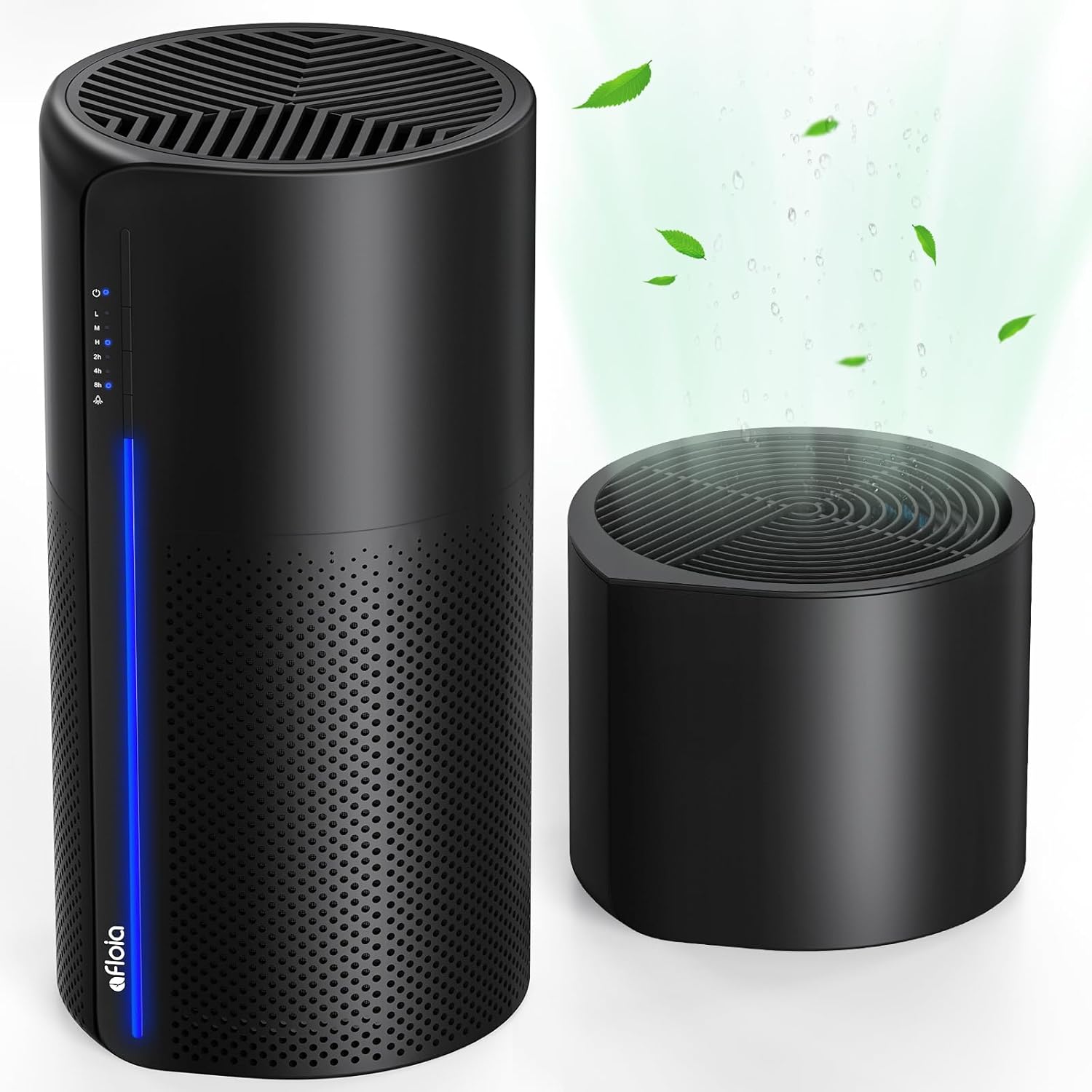
Image: The Afloia MIRO PRO Air Purifier and Humidifier Combo in black, showcasing its sleek design and separate humidifier module.

Image: Illustration of the two primary usage methods: with the humidifier module attached for air purification and humidification, and without for air purification only.
การตั้งค่า
- การแกะกล่อง: ถอดเครื่องและอุปกรณ์เสริมทั้งหมดออกจากบรรจุภัณฑ์อย่างระมัดระวัง
- การติดตั้งตัวกรอง:
- Remove the plastic packaging from the air purifier filter.
- Open the base of the air purifier and insert the filter.
- Ensure the filter is securely in place before closing the base.
- Humidifier Setup (Optional):
- If using the humidifier function, ensure the humidifier module is properly installed on top of the air purifier, fixed by the bottom serration.
- Fill the humidifier tank with clean water from the top. Do not overfill.
- การจัดวาง: Place the unit on a flat, stable surface, ensuring adequate clearance around the air inlets and outlets for optimal air circulation.
- การเชื่อมต่อไฟฟ้า: เสียบสายไฟเข้ากับเต้ารับไฟฟ้าที่เหมาะสม

Image: Step-by-step guide for replacing the air purifier filter, including opening the base, removing the old filter, installing the new one, and resetting the indicator light.
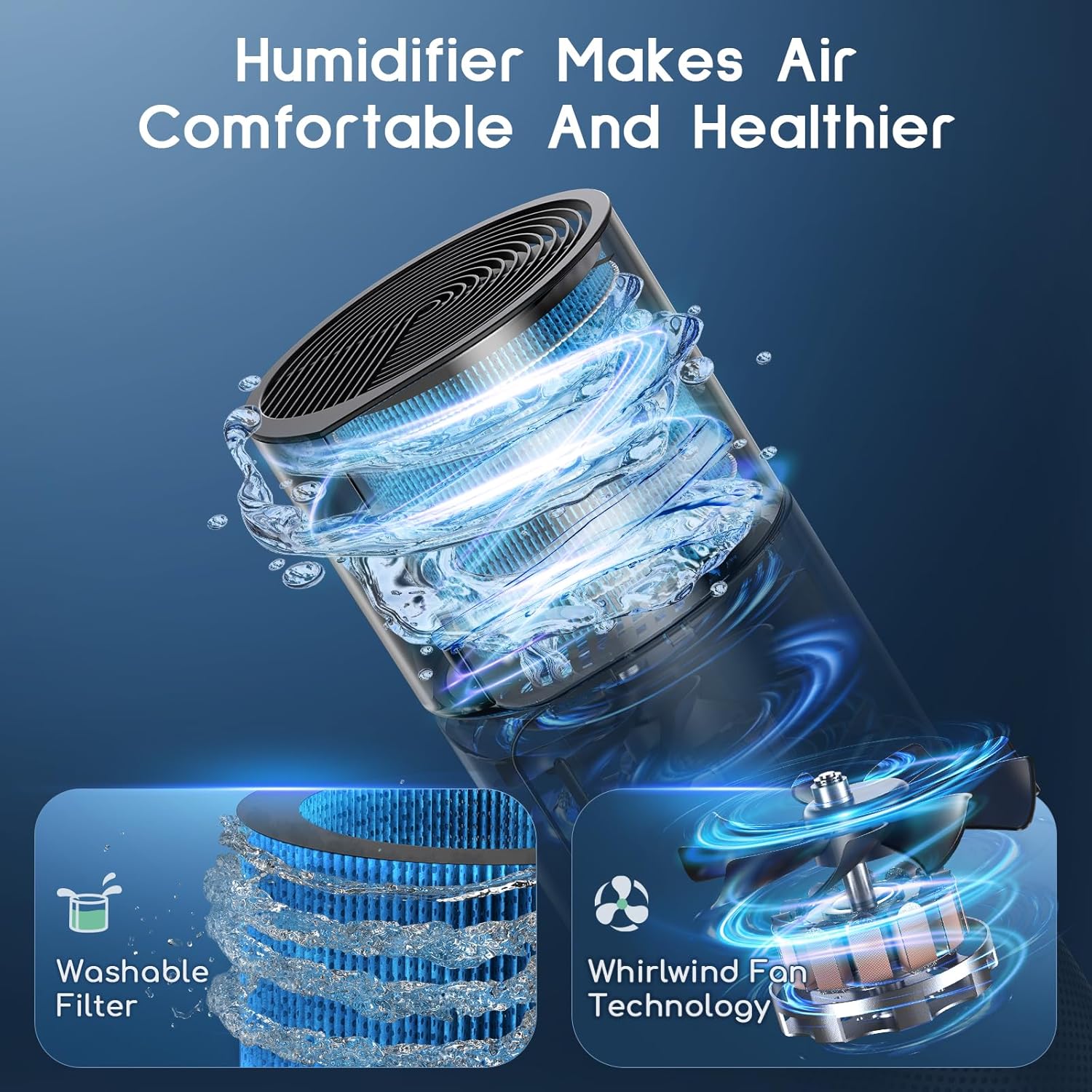
Image: A hand pouring water into the top-fill humidifier module, demonstrating the ease of refilling.
คำแนะนำการใช้งาน
- เปิด/ปิดเครื่อง: Press the power button (indicated by a power symbol) to turn the unit on or off.
- การปรับความเร็วพัดลม:
- Press the fan speed button to cycle through Low (L), Medium (M), and High (H) settings.
- ไฟแสดงสถานะที่สอดคล้องกันจะสว่างขึ้น
- การตั้งเวลา:
- Press the timer button to set the operating duration for 2 hours (2h), 4 hours (4h), or 8 hours (8h).
- The unit will automatically shut off after the selected time.
- การควบคุมแสง:
- Press the light button to cycle through three light modes: seven-color cycle, a single selected color, or light off.
- This feature allows for customizable ambiance.
- Humidifier Operation:
- Ensure the humidifier module is filled with water.
- The humidifier operates in conjunction with the air purifier. There is no separate control for humidification on the main panel.

Image: Close-up of the control panel, showing the power, fan speed (L, M, H), timer (2h, 4h, 8h), and light mode buttons with their respective indicator lights.
การซ่อมบำรุง
Regular maintenance ensures optimal performance and extends the lifespan of your Afloia MIRO PRO.
การเปลี่ยนไส้กรองเครื่องฟอกอากาศ
The air purifier filter should be replaced every 3-6 months, or when the red indicator light illuminates (after approximately 2200 hours of use).
- ปิดเครื่องและถอดปลั๊กออก
- Open the base of the air purifier.
- ถอดตัวกรองเก่าออก
- Install a new Afloia purifier filter (ค้นหา B08CVFXPMC on Amazon).
- ปิดฐาน
- Turn on the machine. To reset the filter replacement alert, press and hold the power button for 15 seconds until the red light turns off.
Image: Visual guide for replacing the air purifier filter, showing the steps from alert to reset.
Humidifier Filter Cleaning/Replacement
The humidifier filter (ค้นหา B08L98WGCH on Amazon) is washable. Regular cleaning is recommended to maintain healthy moisture output.
- ปิดเครื่องและถอดปลั๊กออก
- Remove the humidifier module from the air purifier.
- Gently remove the humidifier filter.
- Soak the filter in a solution of vinegar and water.
- Clean the filter gently with a soft brush.
- Rinse thoroughly with running water to remove any residue.
- ปล่อยให้ตัวกรองแห้งสนิทก่อนใส่กลับเข้าไป
- Replace the humidifier filter if it shows signs of wear or excessive mineral buildup that cannot be cleaned.

Image: A washable humidifier filter submerged in water, illustrating the cleaning process.
การทำความสะอาดทั่วไป
- เช็ดด้านนอกของตัวเครื่องด้วยผ้านุ่มdamp ผ้า.
- ห้ามใช้น้ำยาทำความสะอาดที่มีฤทธิ์กัดกร่อนหรือตัวทำละลาย
- Regularly clean the water tank of the humidifier to prevent mold and bacteria growth.
การแก้ไขปัญหา
| ปัญหา | สาเหตุที่เป็นไปได้ | สารละลาย |
|---|---|---|
| เครื่องไม่เปิด | ไม่ได้เสียบปลั๊ก; ไม่มีไฟtage; ไม่ได้กดปุ่มเปิด/ปิด | Ensure the power cord is securely plugged into a working outlet. Check the power supply. Press the power button firmly. |
| Weak airflow or purification. | Air filter is dirty or clogged. | Replace the air purifier filter. Ensure there are no obstructions around the air inlets or outlets. |
| No mist from humidifier. | Water tank is empty; Humidifier filter is dry or clogged. | Refill the water tank. Clean or replace the humidifier filter. Ensure the humidifier module is correctly seated. |
| Red filter indicator light is on. | ต้องเปลี่ยนไส้กรองแล้ว | Replace the air purifier filter and reset the filter alert by pressing and holding the power button for 15 seconds. |
| เสียงรบกวนที่ผิดปกติ | Unit not on a flat surface; Obstruction in fan; Loose filter. | Place the unit on a stable, flat surface. Check for any foreign objects. Ensure filters are properly installed. |
ข้อมูลจำเพาะ
| คุณสมบัติ | รายละเอียด |
|---|---|
| ยี่ห้อ | อัฟโลเอีย |
| หมายเลขรุ่น | miropro |
| ขนาดสินค้า | ลึก 7.6 นิ้ว x กว้าง 7.6 นิ้ว x สูง 21.8 นิ้ว |
| น้ำหนัก | 5.7 ปอนด์ |
| สี | สีดำ |
| วัดtage | 23 วัตต์ |
| การครอบคลุมพื้นที่ | สูงถึง 219 ฟุต² (20 ตร.ม.) |
| ระบบการกรองน้ำ | 3-สtage (Prefilter, Activated Carbon, True HEPA) |
| Humidification Type | Evaporative (No Mist) |
| คุณสมบัติแสง | Seven Color Light with three modes |
| การรับรอง | CE Certified, EPA Certified, FCC Certified |
การรับประกันและการสนับสนุน
For warranty information, technical support, or customer service inquiries, please contact Afloia customer support through their official webไซต์หรือผู้ค้าปลีกที่ซื้อผลิตภัณฑ์
โปรดดูเอกสารการซื้อของคุณสำหรับข้อกำหนดและเงื่อนไขการรับประกันโดยละเอียด
For replacement filters, search for:
- ไส้กรองเครื่องฟอกอากาศ: B08CVFXPMC
- แผ่นกรองเครื่องทำความชื้น: B08L98WGCH
Ask a question about this manual
Ask about setup, troubleshooting, compatibility, parts, safety, or missing instructions. Manuals+ will review the question and use this page’s manual context to help answer it.