
iHip WLG-PP27
iHip 3ft PVC Micro USB High-Speed Data and Charging Cable
Model: WLG-PP27
การแนะนำ
This manual provides essential information for the proper use, setup, maintenance, and troubleshooting of your iHip 3ft PVC Micro USB High-Speed Data and Charging Cable. Please read this manual thoroughly before using the product.
The iHip Micro USB cable is designed for fast charging and high-speed data transfer, compatible with a wide range of devices including Android phones, tablets, gaming consoles, and other devices with a Micro USB interface. It features a durable rubber finish and a metal tip, engineered for longevity with a 10,000 bend test certification.
เนื้อหาแพ็คเกจ
- 1 x iHip 3ft PVC Micro USB High-Speed Data and Charging Cable
การตั้งค่า
The iHip Micro USB cable is designed for plug-and-play functionality. Follow these steps to connect your device:
- ระบุพอร์ต: Locate the Micro USB port on your device (e.g., smartphone, tablet, game controller) and a standard USB-A port on your power adapter, computer, or other charging/data source.
- เชื่อมต่อกับอุปกรณ์: Gently insert the Micro USB connector (the smaller, trapezoidal end) into the Micro USB port on your device. Ensure it is inserted horizontally and correctly to avoid damage.
- เชื่อมต่อกับแหล่งจ่ายไฟ/ข้อมูล: Insert the standard USB-A connector (the larger, rectangular end) into a compatible USB-A port on your power adapter, computer, or other charging/data source.
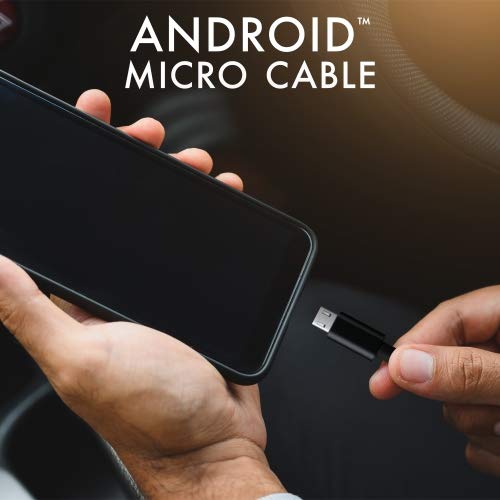
Image: Connecting the iHip Micro USB cable to a smartphone. The cable is designed for easy and secure connection.
คำแนะนำการใช้งาน
การชาร์จอุปกรณ์ของคุณ
To charge your device using the iHip Micro USB cable:
- เชื่อมต่อสายเคเบิลตามที่อธิบายไว้ในส่วน "การตั้งค่า"
- Ensure your power adapter or USB port provides sufficient power. For fast charging, use a Quick Charge compatible power adapter (e.g., 9V/2A output) or a standard power adapter with 5V/2.4A output.
- The device's charging indicator should activate, confirming that charging has begun.
การโอนข้อมูล
วิธีถ่ายโอนข้อมูลระหว่างอุปกรณ์ของคุณกับคอมพิวเตอร์:
- Connect the Micro USB end to your device and the USB-A end to a USB port on your computer.
- Your computer should recognize the connected device. You may need to select "File เลือกโหมด "ถ่ายโอน" หรือ "MTP" บนหน้าจออุปกรณ์ของคุณ หากมีข้อความแจ้งเตือน
- You can now access your device's storage to transfer files at speeds up to 480Mb/s.
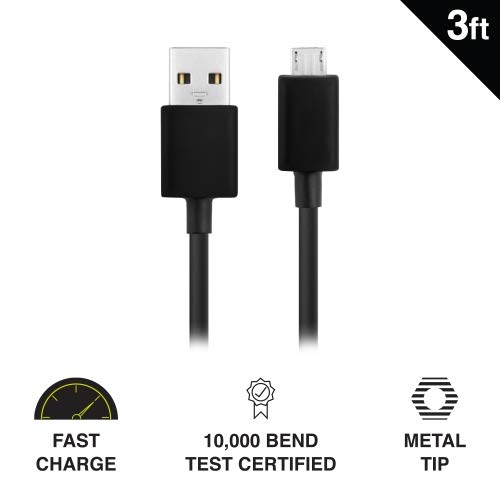
Image: Key features of the iHip Micro USB cable, highlighting its fast charge capability, durability, and robust metal tip.
การบำรุงรักษาและการดูแล
To ensure the longevity and optimal performance of your iHip Micro USB cable, follow these maintenance guidelines:
- การจัดการที่เหมาะสม: จับหัวต่อทุกครั้งเมื่อเสียบหรือถอดสาย หลีกเลี่ยงการดึงสายโดยตรง เพราะอาจทำให้สายไฟภายในเสียหายได้
- พื้นที่จัดเก็บ: Store the cable in a clean, dry place away from extreme temperatures and direct sunlight. Avoid tightly coiling or bending the cable at sharp angles.
- การทำความสะอาด: If the connectors become dirty, gently wipe them with a dry, lint-free cloth. Do not use liquids or abrasive cleaners.
- หลีกเลี่ยงความเครียด: Do not place heavy objects on the cable or allow it to be pinched, which can lead to internal damage.
การแก้ไขปัญหา
If you encounter issues with your iHip Micro USB cable, try the following troubleshooting steps:
- อุปกรณ์ไม่ชาร์จ:
- ตรวจสอบให้แน่ใจว่าปลายทั้งสองข้างของสายเคเบิลเชื่อมต่ออย่างแน่นหนา
- ลองใช้อะแดปเตอร์ไฟหรือพอร์ต USB อื่น
- ลองทดสอบสายเคเบิลกับอุปกรณ์ที่ใช้งานร่วมกันได้เครื่องอื่น เพื่อตัดปัญหาที่เกิดจากตัวอุปกรณ์ออกไป
- Check the Micro USB port on your device for any debris or damage.
- การชาร์จช้า:
- Ensure you are using a power adapter with adequate output (e.g., 5V/2.4A or Quick Charge compatible).
- Avoid charging from low-power USB ports (e.g., some laptop USB 2.0 ports).
- ปัญหาการโอนข้อมูล:
- Verify that your device is set to "File โหมด "ถ่ายโอนข้อมูล" หรือ "MTP" เมื่อเชื่อมต่อกับคอมพิวเตอร์
- ลองใช้พอร์ต USB อื่นบนคอมพิวเตอร์ของคุณ
- รีสตาร์ททั้งอุปกรณ์ของคุณและคอมพิวเตอร์
ข้อมูลจำเพาะ
| คุณสมบัติ | รายละเอียด |
|---|---|
| หมายเลขรุ่น | WLG-PP27 |
| ความยาวสายเคเบิล | 3 ฟุต (ประมาณ 0.91 เมตร) |
| ประเภทขั้วต่อ | USB-A to Micro USB |
| วัสดุ | PVC with Rubber Finish, Metal Tip |
| ความเร็วในการถ่ายโอนข้อมูล | สูงสุดถึง 480 Mb/วินาที |
| ความทนทาน | 10,000+ bend lifespan certified |
| ความเข้ากันได้ | Android Cell Phones, Tablets, Windows Phones (Samsung Note/Galaxy, Nokia Lumia, LG, HTC), MP4, hard drives, PlayStation 4, Xbox One controller, and other Micro USB devices. |
| ขนาดสินค้า | 6.5 x 3 x 1 นิ้ว; 1.76 ออนซ์ |

Image: The iHip 3ft PVC Micro USB cable, showcasing its compact and flexible design.
การรับประกันและการสนับสนุน
The iHip Micro USB cable comes with a lifetime guarantee. For detailed warranty information and support, please visit the official iHip webเว็บไซต์:
For any further assistance or inquiries, please refer to the contact information provided on the iHip webเว็บไซต์.
Ask a question about this manual
Ask about setup, troubleshooting, compatibility, parts, safety, or missing instructions. Manuals+ will review the question and use this page’s manual context to help answer it.