
1. บทนำ
The ARCTIC F12 Silent is a 120mm PC case fan designed for quiet and efficient cooling. This manual provides essential information for the proper installation, operation, and maintenance of your fan to ensure optimal performance and longevity.
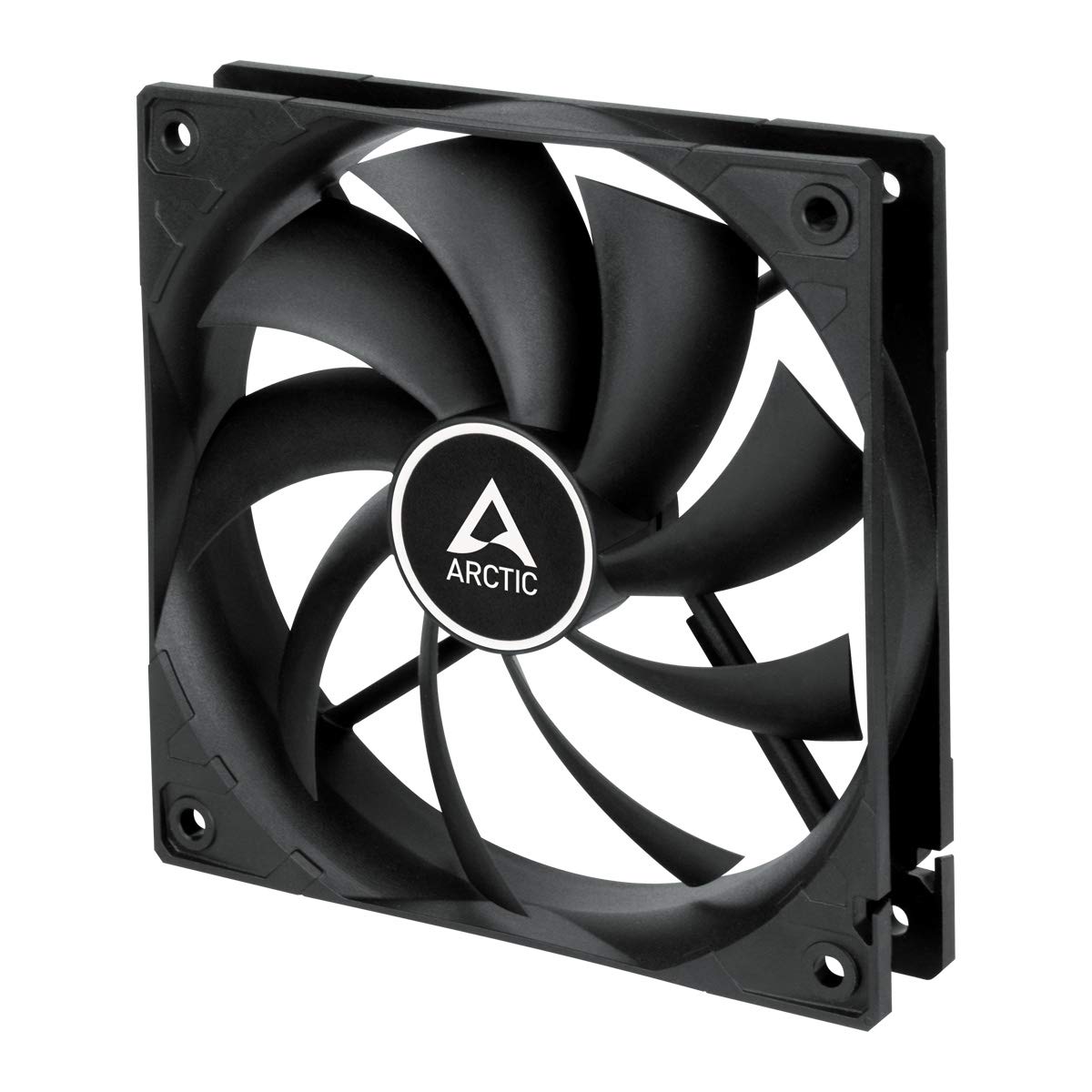
ภาพที่ 1.1: ด้านหน้า view of the ARCTIC F12 Silent 120mm PC Case Fan, showcasing its black frame and nine-blade impeller.
2. ข้อมูลด้านความปลอดภัย
- โปรดตรวจสอบให้แน่ใจว่าระบบคอมพิวเตอร์ของคุณปิดอยู่และถอดปลั๊กออกจากเต้ารับก่อนทำการติดตั้งหรือบำรุงรักษา
- จับพัดลมที่โครงเพื่อป้องกันไม่ให้ใบพัดเสียหาย
- โปรดระวังอย่าให้มือหรือสิ่งของอื่นๆ อยู่ใกล้ใบพัดลมขณะที่พัดลมกำลังทำงาน
- ห้ามถอดประกอบหรือดัดแปลงพัดลม การกระทำดังกล่าวจะทำให้การรับประกันเป็นโมฆะ
- Use only the provided mounting screws to prevent damage.
3. เนื้อหาบรรจุภัณฑ์
ตรวจสอบว่ามีรายการทั้งหมดอยู่ในแพ็คเกจของคุณ:
- 1x ARCTIC F12 Silent 120mm PC Case Fan
- สกรูยึด 4x

Image 3.1: The retail packaging for the ARCTIC F12 Silent fan, showing the fan and branding.
4. คุณสมบัติของผลิตภัณฑ์
- การทำงานที่เงียบ: Engineered with a German-developed motor and an optimized alloy/lubricant combination to minimize friction and noise, ensuring almost inaudible performance at 800 RPM.
- การไหลเวียนของอากาศที่ปรับให้เหมาะสม: The fan blade design is specifically crafted to improve air circulation and facilitate efficient ventilation, focusing on minimizing noise while delivering effective airflow and static pressure.
- Fluid Dynamic Bearing: Equipped with a Fluid Dynamic Bearing that includes an oil capsule to prevent lubricant leakage, offering a service life comparable to sleeve bearings but with enhanced quietness and durability.

Image 4.1: Diagram illustrating the internal structure of the fan motor, highlighting the quiet operation design.

Image 4.2: Cross-section diagram of the Fluid Dynamic Bearing, showing the lubricant capsule and precision components for extended service life.
5. การตั้งค่าและการติดตั้ง
The ARCTIC F12 Silent fan supports two-way installation for flexible airflow management within your PC case.
- กำหนดทิศทางการไหลของอากาศ: Decide whether you want the fan to draw cool air into the case (intake) or exhaust warm air out of the case (outtake). The fan's frame typically has arrows indicating airflow direction and blade rotation.
- ตำแหน่งพัดลม: Place the fan in the desired mounting location within your PC case (e.g., front, rear, top, bottom).
- การยึดพัดลม: Use the four included mounting screws to firmly attach the fan to the case. Do not overtighten.
- เชื่อมต่อพลังงาน: Connect the fan's 3-pin connector to an available 3-pin fan header on your motherboard or a fan controller. Ensure the connector is properly aligned before pushing it in.

Image 5.1: Illustration demonstrating the two-way installation options: exhausting hot air out of the case (left) and drawing cool air into the case (right).
วิดีโอที่ 5.1: สั้นเกินไปview วิดีโอโชว์asing the ARCTIC F12 Silent fan from various angles, demonstrating its physical design and quiet operation.
6. คู่มือการใช้งาน
Once installed and connected, the ARCTIC F12 Silent fan will operate at a fixed speed of 800 RPM. This speed is optimized for a balance between quietness and effective airflow.
- พัดลมถูกออกแบบให้ทำงานต่อเนื่อง
- Monitor your system's temperatures to ensure adequate cooling.
- The 3-pin connector provides constant power, meaning the fan speed is not controlled by PWM (Pulse Width Modulation).
7. การบำรุงรักษา
การบำรุงรักษาอย่างสม่ำเสมอจะช่วยให้พัดลมของคุณมีอายุการใช้งานยาวนานและทำงานได้อย่างมีประสิทธิภาพสูงสุด
- การทำความสะอาด: Periodically clean the fan blades and frame to remove dust buildup. Use compressed air or a soft brush. Ensure the fan is powered off and unplugged before cleaning.
- การตรวจสอบ: Check for any obstructions around the fan that might impede airflow.
- No lubrication is required for the Fluid Dynamic Bearing as it is designed to be maintenance-free.
8 การแก้ไขปัญหา
- พัดลมไม่หมุน:
- Ensure the 3-pin connector is securely plugged into the motherboard or fan controller.
- Check if the fan header on the motherboard is supplying power. Try connecting the fan to a different header if available.
- Verify that your power supply unit (PSU) is functioning correctly.
- เสียงดังเกินไป:
- Ensure the fan is securely mounted and not vibrating against the PC case.
- ตรวจสอบดูว่ามีสายไฟหรือสิ่งของใดกีดขวางใบพัดลมหรือไม่
- ทำความสะอาดฝุ่นละอองที่เกาะอยู่บนใบพัดลม
- การระบายอากาศไม่ดี:
- Verify the fan is installed in the correct orientation for your desired airflow (intake or exhaust).
- Ensure there are no obstructions blocking the fan's intake or exhaust.
9. ข้อมูลจำเพาะ

Image 9.1: Diagram showing the dimensions of the ARCTIC F12 Silent fan: 120mm x 120mm x 25mm.
| คุณสมบัติ | ข้อมูลจำเพาะ |
|---|---|
| ความเร็วพัดลม | 800 รอบต่อนาที |
| การไหลเวียนของอากาศ | 37 CFM | 62.9 m³/h |
| ระดับเสียง | 0.08 เดียว |
| แรงดันสถิต | 0.3 มม.H₂O |
| ตัวเชื่อมต่อ | 3 ขา |
| เล่มที่tage | 12 โวลต์ |
| ขนาดสินค้า (กว้าง x ยาว x สูง) | 120 มม. x 120 มม. x 25 มม. (ยาว 4.72 นิ้ว x กว้าง 4.72 นิ้ว x สูง 0.98 นิ้ว) |
| น้ำหนักสินค้า | 107 กรัม |
| วัสดุ | โลหะ |
| ประเภทตลับลูกปืน | แบริ่งแบบไดนามิกของไหล |
10. การรับประกันและการสนับสนุน
The ARCTIC F12 Silent fan comes with a รับประกัน 6 ปี from the date of purchase. For warranty claims or technical support, please contact ARCTIC customer service through their official webเว็บไซต์.
For additional information and resources, please visit the official ARCTIC webเว็บไซต์: www.arctic.ac/f12silent