
สินค้าเกินview
The TFD Pivot is an essential accessory designed to enhance your Peloton Bike workout experience. This innovative screen swivel mount allows you to rotate your Peloton monitor 360 degrees, providing optimal viewing angles for various exercises. Manufactured in the USA, the TFD Pivot is engineered with a proprietary lock nut to ensure stability and durability, preventing loosening over time. Its hard anodized coating contributes to its robust design, setting it apart as a long-lasting accessory.
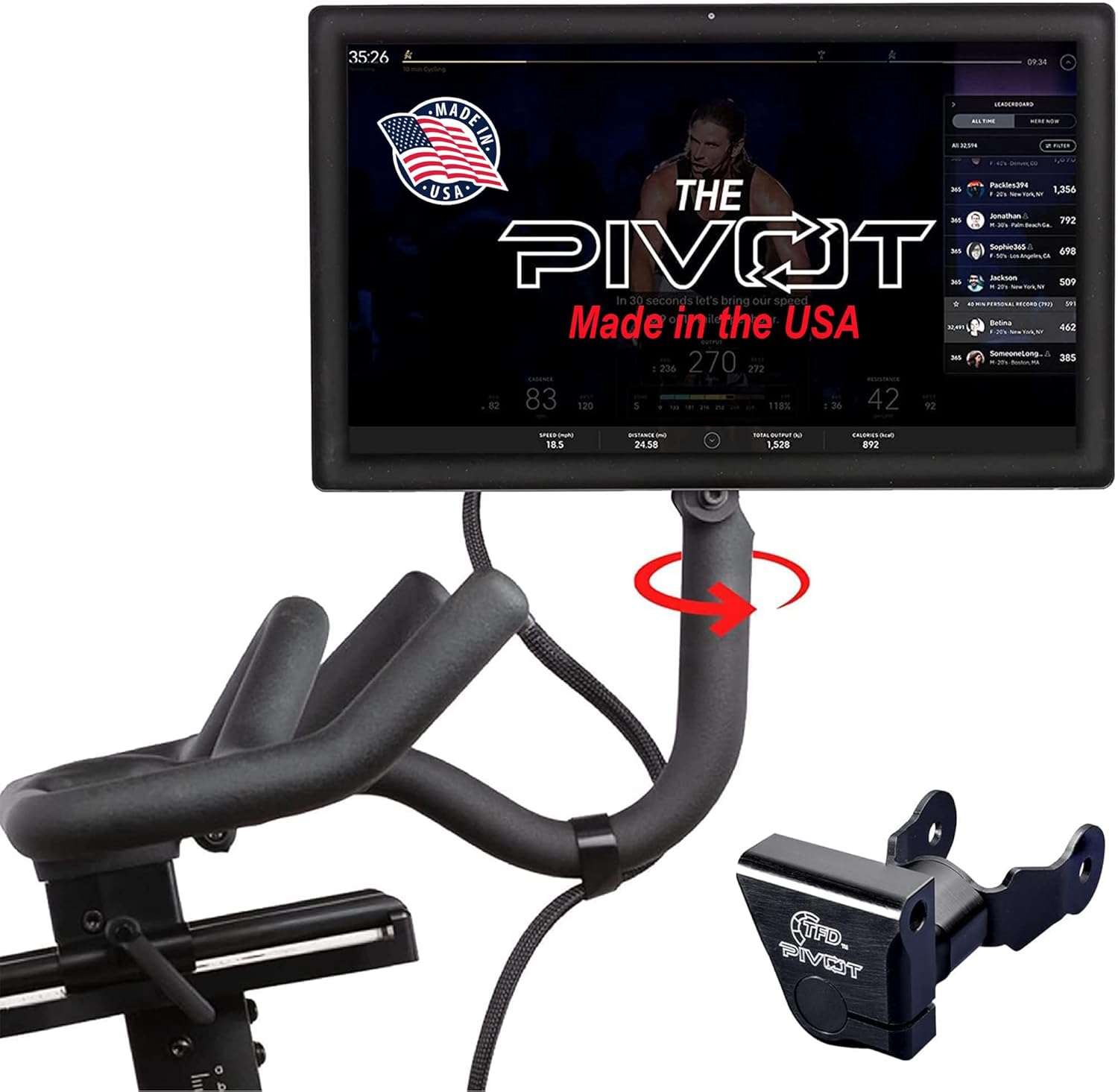
Image: TFD Pivot installed on a Peloton Bike screen, demonstrating 360-degree rotation capability, with the detached Pivot component.

Image: Diagram illustrating key features of the TFD Pivot: quick installation, 360-degree monitor rotation, premium materials, and compatibility with original Peloton Bikes.
ความเข้ากันได้
The TFD Pivot is specifically designed for compatibility with original Peloton Bikes and Generation 3 or older models. It does not fit Peloton Bike Plus models. Please ensure your Peloton Bike model is compatible before installation.

Image: Compatibility diagram showing the TFD Pivot fits original Peloton Bike models but not Bike Plus models.
คู่มือการติดตั้ง
The TFD Pivot is designed for a straightforward installation process, requiring no modifications to your Peloton Bike. All necessary mounting hardware is included.
การติดตั้งแบบทีละขั้นตอน
- Carefully remove the existing Peloton screen from its mount.
- Attach the TFD Pivot to the Peloton screen using the provided hardware.
- Secure the TFD Pivot, with the screen attached, to the Peloton Bike's monitor arm.
- Adjust the torque screw on the Pivot to set your preferred screen rotation resistance.
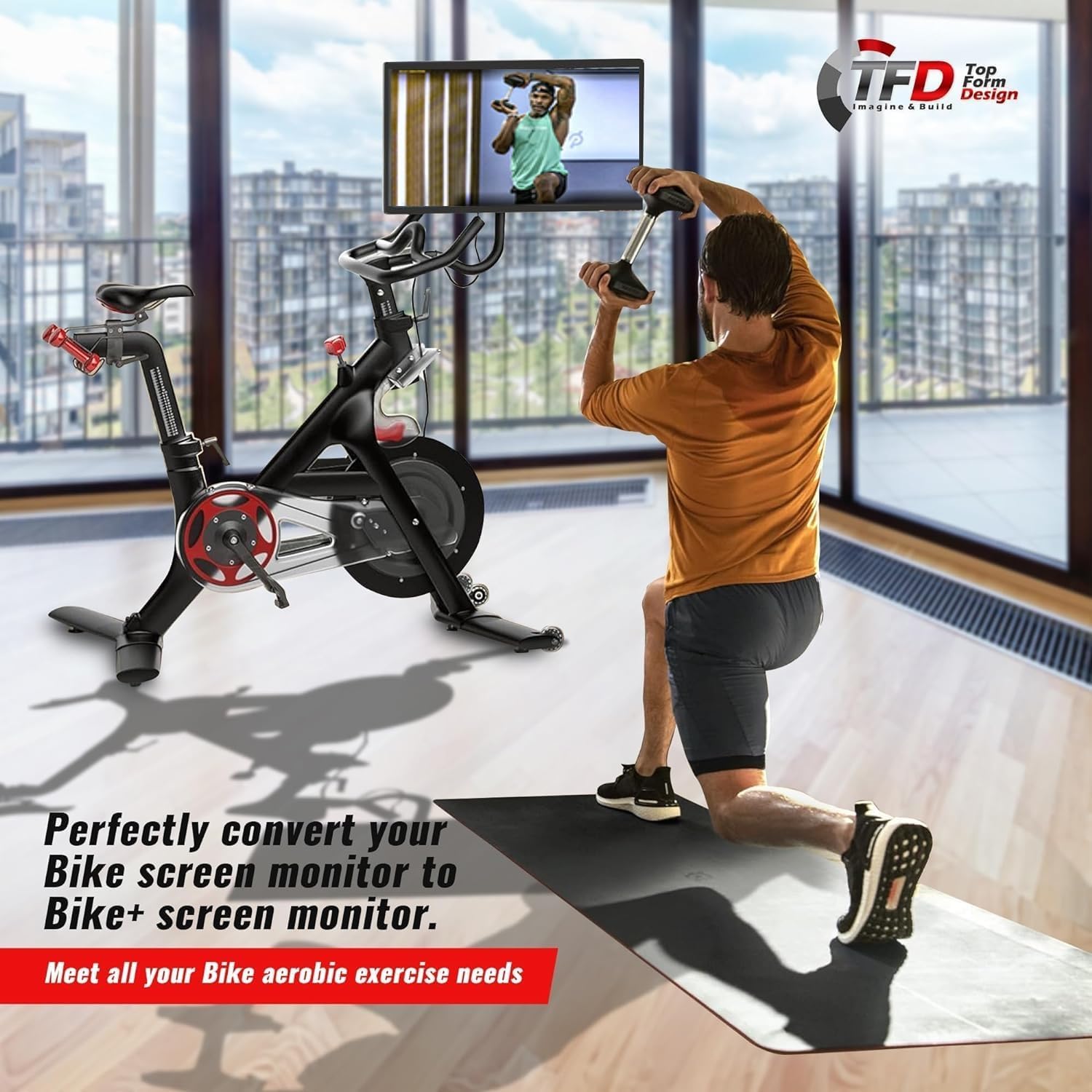
Image: A person using a Peloton Bike with the TFD Pivot installed, allowing the screen to be rotated for off-bike exercises.
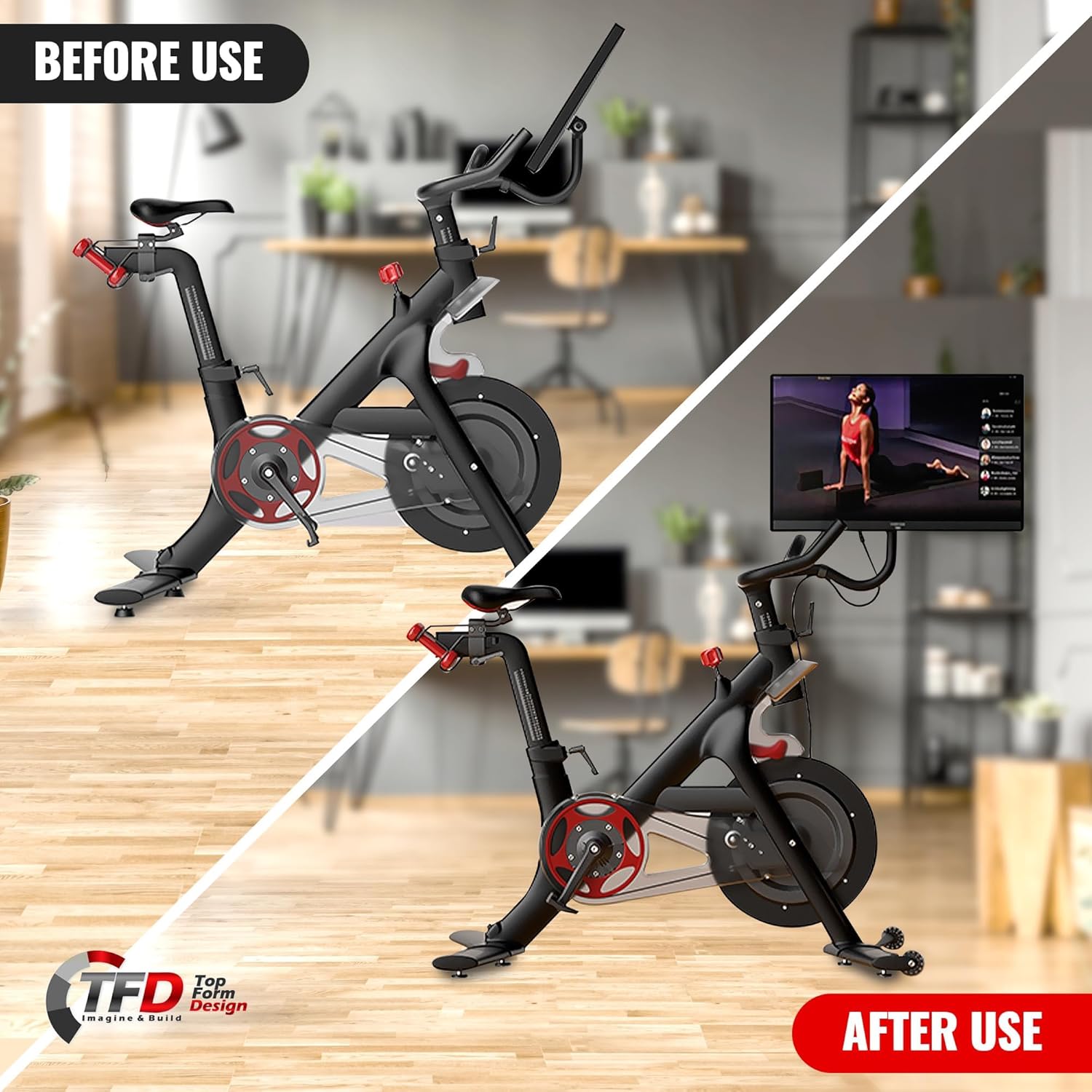
Image: Side-by-side comparison of a Peloton Bike screen before and after TFD Pivot installation, demonstrating the screen's new rotational capability.
การจัดการสายเคเบิล
Proper cable routing is crucial to prevent damage to the monitor cables. It is recommended to route the cables behind the water bottle holder (on the rider side) and use a Velcro strap to loosely tether the cable. This allows sufficient slack for screen rotation while keeping the cable clear of moving parts.
การดำเนินการ
Once installed, the TFD Pivot provides full 360-degree rotational freedom for your Peloton screen. This allows you to easily adjust the monitor for on-bike cycling, off-bike strength training, yoga, or stretching classes, ensuring a clear view of your instructor from any position. The unique torque screw design allows users to customize the resistance of the screen's movement, providing a stable yet adjustable viewการสร้างประสบการณ์

ภาพ: ระยะใกล้ view of the TFD Pivot mechanism installed on a Peloton Bike, highlighting the adjustable torque screw.

ภาพ: รายละเอียด view of the TFD Pivot allowing the Peloton screen to be angled, showcasing its rotational flexibility.
การบำรุงรักษาและการดูแล
To ensure the longevity and optimal performance of your TFD Pivot, regular maintenance is recommended.
- การทำความสะอาด: เช็ดพื้นผิวอลูมิเนียมด้วยผ้านุ่มๆamp cloth. Avoid abrasive cleaners or solvents that could damage the hard anodized coating.
- การตรวจสอบ: Periodically check all screws and connections to ensure they remain secure. If any loosening is detected, gently tighten them.
- การหล่อลื่น: The pivot mechanism is designed for smooth operation and typically does not require lubrication. If movement becomes stiff, consult the manufacturer's support.
การแก้ไขปัญหา
This section addresses common issues you might encounter with your TFD Pivot.
- Screen feels loose or wobbly: Ensure all mounting screws are securely tightened. The Pivot features an adjustable torque screw; tighten it slightly to increase resistance and stability.
- Cables pulling out or getting damaged during rotation: Verify that the monitor cables are routed correctly, allowing enough slack for full 360-degree rotation.
- Difficulty rotating the screen: Check the torque screw setting. If it's too tight, loosen it slightly to allow for easier rotation.
If you experience issues not covered here, please contact TFD customer support.
ข้อมูลจำเพาะผลิตภัณฑ์
| คุณสมบัติ | ข้อมูลจำเพาะ |
|---|---|
| ยี่ห้อ | ทีเอฟดี |
| คุณสมบัติพิเศษ | หมุนได้ |
| สี | Original Peloton |
| การใช้งานที่แนะนำสำหรับผลิตภัณฑ์ | ในร่ม |
| น้ำหนักสินค้า | 1.01 ปอนด์ |
| วัสดุ | อลูมิเนียม |
| ชื่อรุ่น | Original Models |
| ยูพีซี | 687368927516 |
| ขนาดสินค้า | 2.56 x 5.31 x 7.24 นิ้ว |
| ASIN | B08P54PHHH |
| ผู้ผลิต | ทีเอฟดี |
การรับประกันและการสนับสนุน
TFD stands behind the quality of its products. The TFD Pivot is covered by a warranty for as long as you own it. If you encounter any issues with your product, please reach out to TFD customer support.
For further assistance or to explore other TFD products, visit the official TFD Store: TFD Store on Amazon.