
การแนะนำ
This instruction manual provides essential information for the proper setup, operation, and maintenance of your Como Audio Analog Turntable, Model CATA. Please read this manual thoroughly before using the product to ensure optimal performance and longevity.
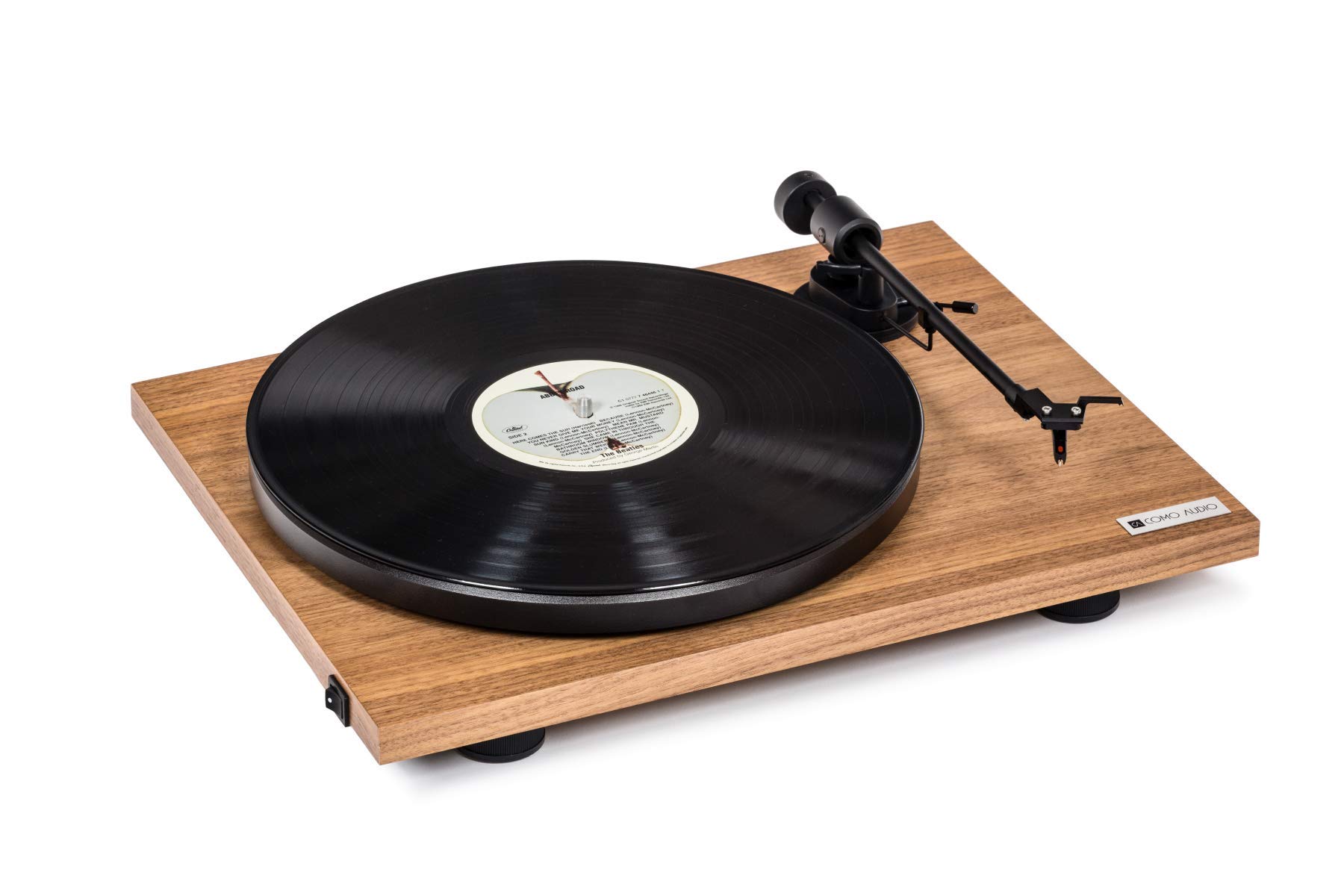
Image: The Como Audio Analog Turntable, featuring a walnut wood plinth, black platter, and tonearm.

ภาพ: รายละเอียด view of the rich walnut finish on the turntable's plinth, showcasing the wood grain.
เนื้อหาแพ็คเกจ
Before proceeding with setup, ensure all components are present and undamaged:
- Como Audio Analog Turntable unit
- Pre-mounted Ortofon cartridge/stylus
- แผ่นเสียง
- สายพานขับ
- Removable clear dust cover
- เสื่อสักหลาด
- สายสัญญาณเสียง
- Power supply (15V/0.8A, universal 110V-240V, 50-60Hz)
- คู่มือการใช้งาน (เอกสารนี้)
คำแนะนำการตั้งค่า
1. การแกะกล่องและการจัดวาง
- นำส่วนประกอบทั้งหมดออกจากบรรจุภัณฑ์อย่างระมัดระวัง
- วางเครื่องเล่นแผ่นเสียงบนพื้นผิวที่มั่นคงและเรียบเสมอกัน ห่างจากแสงแดดโดยตรง แหล่งความร้อน และการสั่นสะเทือนมากเกินไป
2. การติดตั้งแผ่นเสียงและสายพานขับ
- Place the platter onto the spindle located on the turntable plinth.
- Locate the drive belt. Gently stretch the belt around the motor pulley (small metal cylinder) and the inner rim of the platter. Ensure the belt is not twisted.
3. Cartridge and Stylus
The Como Audio Analog Turntable comes with a premium Ortofon cartridge and stylus pre-mounted. No adjustment of counterweight or anti-skating is required for initial setup.
4. การติดตั้งฝาครอบกันฝุ่น

Image: Detail of the removable clear dust cover, designed to protect the turntable from dust.
- Carefully align the hinges of the clear dust cover with the corresponding slots on the rear of the turntable plinth.
- Gently push down until the dust cover is securely in place. The dust cover is removable for cleaning or when not in use.
5. การเชื่อมต่อเสียง
The turntable offers selectable Line output or Phono output. Choose the appropriate connection for your audio system:
- Line Output (Integrated Phono Pre-Amp): Use this option if your amplifier or music system (e.g., Como Audio music system) has an Auxiliary (AUX) input and does not have a dedicated Phono input. Connect the included audio cable from the turntable's Line Out to your system's AUX input.
- เอาต์พุตท่วงทำนอง: Use this option if your amplifier or music system has a dedicated Moving Magnet (MM) Phono input. Connect the included audio cable from the turntable's Phono Out to your system's Phono input. Ensure your amplifier's Phono input is selected.
บันทึก: If experiencing a humming noise, ensure proper grounding. Some audio systems may require a separate ground wire connection if available on your ampชีวิต.
6. การเชื่อมต่อไฟฟ้า
- Connect the power supply cable to the DC input jack on the rear of the turntable.
- เสียบอะแดปเตอร์ไฟฟ้าเข้ากับเต้ารับไฟฟ้าที่เหมาะสม
คำแนะนำการใช้งาน
1. Powering On and Speed Selection
- Locate the integrated power and speed control switch, typically on the bottom left side of the turntable plinth.
- Turn the switch to select either 33 1/3 รอบต่อนาที for LPs or 45 รอบต่อนาที for singles. The platter will begin to spin.
2. เล่นแผ่นเสียง

Image: The turntable with a record spinning on the platter, and the tonearm positioned over the record.
- วางแผ่นสักหลาดลงบนจาน
- Carefully place a vinyl record onto the felt mat.
- ค่อยๆ ยกแขนโทนอาร์มขึ้นโดยใช้คันโยกสำหรับยกหัวอ่าน
- วางหัวเข็มให้ตรงกับร่องเริ่มต้นที่ต้องการบนแผ่นเสียง
- ค่อยๆ ลดคันโยกควบคุมเข็มลง เพื่อให้เข็มแตะลงบนแผ่นเสียง
- Adjust the volume on your connected audio system.
3. การหยุดเล่น
- เมื่อเล่นแผ่นเสียงจบ หรือเมื่อต้องการหยุดเล่น ให้ยกแขนโทนอาร์มขึ้นเบาๆ โดยใช้คันโยก
- Return the tonearm to its rest position and secure it with the tonearm clip.
- Turn the power/speed switch to the "Off" position to stop the platter from spinning.
- บันทึก: This turntable does not feature an automatic shut-off function. The platter will continue to spin until manually turned off.
การซ่อมบำรุง
1. การทำความสะอาดเครื่องเล่นแผ่นเสียง
- Always power off and unplug the turntable before cleaning.
- Use a soft, dry, lint-free cloth to wipe the plinth and platter. Avoid abrasive cleaners or solvents.
- สำหรับการทำความสะอาดฝาครอบกันฝุ่น ให้ใช้ผ้าเนื้อนุ่มและน้ำยาทำความสะอาดที่ไม่กัดกร่อนหากจำเป็น
2. การดูแลรักษาสไตลัส
- Regularly clean the stylus using a dedicated stylus brush, brushing gently from back to front.
- หลีกเลี่ยงการสัมผัสปากกาด้วยนิ้วมือ
- A worn or damaged stylus can harm your records and degrade sound quality. Replace the stylus when necessary (typically after 500-1000 hours of playback, depending on usage and record condition).
3. สายพาน
The drive belt is a wear item. If you notice inconsistent speed or the platter not spinning, the belt may need to be inspected or replaced. Contact Como Audio support for replacement parts.
การแก้ไขปัญหา
| ปัญหา | สาเหตุที่เป็นไปได้ | สารละลาย |
|---|---|---|
| ไม่มีเสียงหรือมีเสียงเบามาก |
|
|
| เสียงฮัมเพลง |
|
|
| Inconsistent or incorrect playback speed |
|
|
| เครื่องเล่นแผ่นเสียงไม่หมุน |
|
|
ข้อมูลจำเพาะ
| คุณสมบัติ | รายละเอียด |
|---|---|
| หมายเลขรุ่น | กาต้า |
| ขนาดสินค้า (กว้าง x ยาว x สูง) | 16.3 x 12.6 x 4.65 นิ้ว |
| น้ำหนักสินค้า | 11.68 ปอนด์ |
| ยี่ห้อ | คอมโมออดิโอ |
| ความเร็วการหมุนสูงสุด | 45 รอบต่อนาที |
| ส่วนประกอบที่รวมอยู่ | Pre-mounted Ortofon cartridge/stylus, audio cable, power supply, dust cover, felt mat |
| คุณสมบัติพิเศษ | Belt-Drive, Built-In Cartridge, Integrated Phono Pre-Amp, DC Motor with TPE Dampกำลังทำ |
| วัสดุ | Engineered Wood (MDF), Plastic |
| สี | วอลนัท |
| อุปกรณ์ที่รองรับ | Speaker, Personal Computer (via appropriate audio input) |
| ประเภทมอเตอร์ | มอเตอร์ DC |
การรับประกันและการสนับสนุน
For warranty information, technical support, or replacement parts, please contact Como Audio directly through their official webเว็บไซต์หรือช่องทางบริการลูกค้า โปรดเก็บใบเสร็จรับเงินไว้เป็นหลักฐานการซื้อ
Official Como Audio Webเว็บไซต์: www.comoaudio.com