
การแนะนำ
Welcome to the instruction manual for your Nakamichi NQE514B Car Receiver. This document provides essential information for the safe and effective installation, operation, maintenance, and troubleshooting of your device. Please read this manual thoroughly before using the product to ensure optimal performance and longevity.
สินค้าเกินview
The Nakamichi NQE514B is a car receiver designed to elevate your in-car audio experience with advanced features and powerful sound output. It integrates a vibrant multicolor LCD display, high-speed Bluetooth connectivity, and comprehensive app control for a modern and user-friendly interface.

ภาพที่ 1: ด้านหน้า view of the Nakamichi NQE514B Car Receiver, highlighting its display and control layout.
คุณสมบัติหลัก
- Ampเครื่องฟอก: โตชิบา amplifier with 4 channels, each delivering 50W maximum power.
- แสดง: 4.3” VA multicolor LCD display with 2 lines for clear information.
- Equalizer: 32-band digital equalizer with 9 preset modes, controllable via the Nakamichi AMC app.
- รูปแบบเสียง: Compatible with MP3, WMA, AAC, FLAC, and APE audio formats.
- บลูทูธ: High-speed Bluetooth 5.1 for seamless phone calls and audio streaming.
- การควบคุมด้วยเสียง: Push-to-Talk function for convenient voice commands during calls.
- ควบคุม: Remote control included for enhanced user convenience.
- ระบบควบคุมพวงมาลัย: Input for Steering Wheel Control (SWC/SWI) integration.
- อาร์ซีเอเอาท์พุท: 4 RCA 2V outputs for integration with external ampระบบ lified
- พลังงาน USB: Integrated USB Power for charging compatible devices.

Image 2: Diagram illustrating key audio and connectivity features of the NQE514B Car Receiver.
การติดตั้งและการตั้งค่า
Proper installation is critical for the performance and safety of your car receiver. It is highly recommended to have this unit installed by a professional car audio technician.
แผนผังการเดินสายไฟ
Refer to the detailed wiring diagram provided in the separate installation guide for specific connections. Ensure all connections are secure and properly insulated to prevent short circuits and electrical damage.
การติดตั้ง
Mount the unit securely in your vehicle's dashboard using the provided mounting hardware. Ensure adequate ventilation around the unit to prevent overheating during operation.
คำแนะนำการใช้งาน
การควบคุมพื้นฐาน
- ปุ่มเปิด/ปิด: กดเพื่อเปิดหรือปิดเครื่อง
- ปุ่มปรับระดับเสียง: Rotate to adjust the audio volume. Press to access menu options and settings.
- ปุ่มต้นทาง: Press to cycle through available audio sources such as FM, AM, USB, SD, Bluetooth, and AUX.
- ปุ่มนำทาง: Use these buttons for track skipping, radio station tuning, and navigating through menu options.
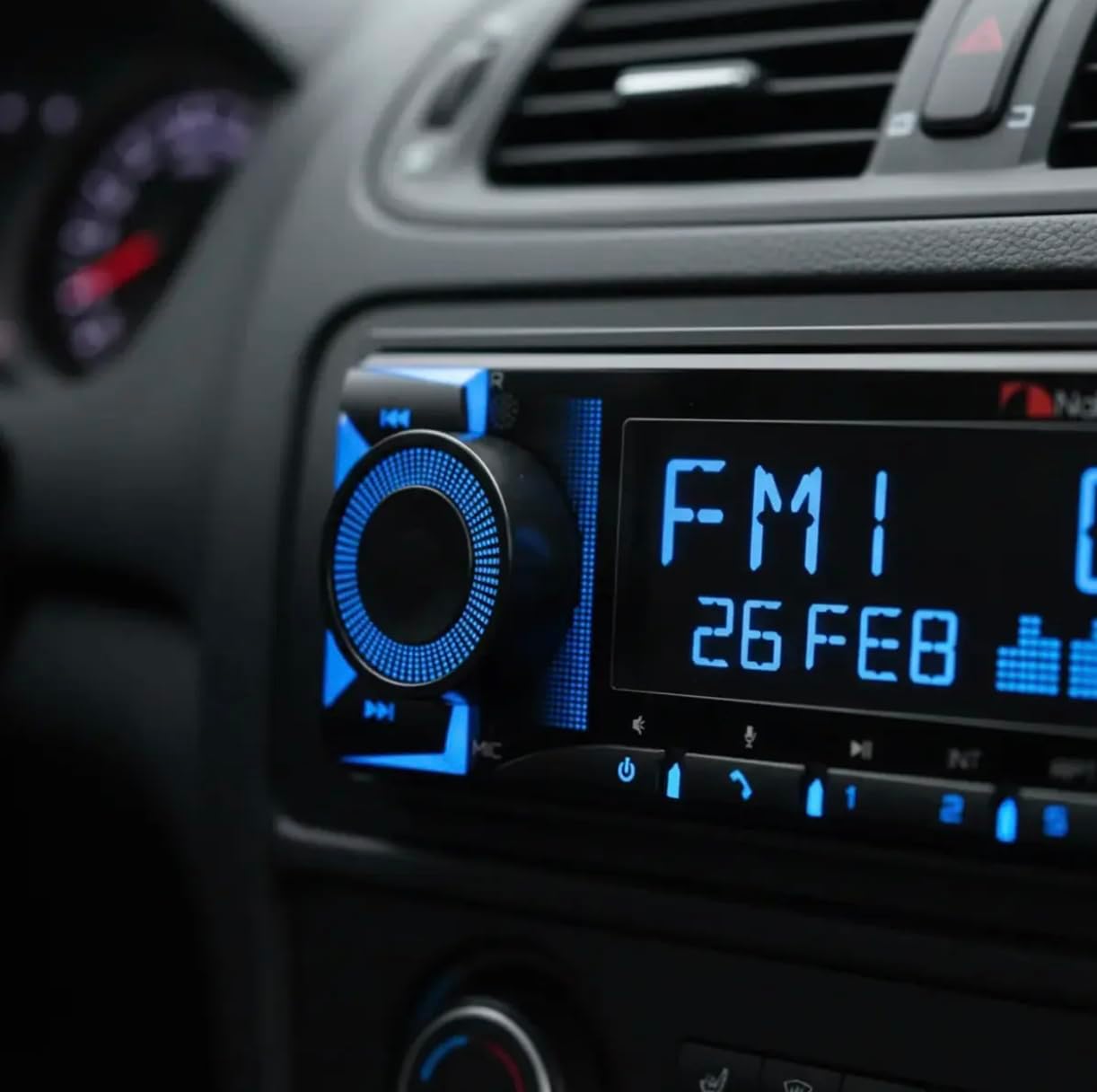
Image 3: The NQE514B Car Receiver seamlessly integrated into a vehicle's dashboard, showing its operational display.
การใช้งานวิทยุ
- Select FM or AM as the audio source using the Source button.
- Use the tuning buttons to automatically search for available stations or manually tune to a specific frequency.
- Press and hold a preset button to save your favorite radio stations for quick access.
การเชื่อมต่อบลูทูธ
- เปิดใช้งานบลูทูธบนอุปกรณ์เคลื่อนที่ของคุณ
- Select "Bluetooth" as the source on the car receiver.
- ค้นหา "Nakamichi NQE514B" on your device's Bluetooth settings and initiate pairing.
- Utilize the Push-to-Talk function for convenient voice commands during phone calls.
การเล่น USB/SD
- Insert a USB drive or SD card into the respective slot on the unit.
- The receiver will automatically switch to the USB/SD source and begin playing compatible audio files.
- Supported audio formats include MP3, WMA, AAC, FLAC, and APE.
Nakamichi AMC App Control
- Download the Nakamichi AMC app from your mobile device's app store (available for Android and iOS).
- Connect your phone to the receiver via Bluetooth.
- Use the app to gain full control over the 32-band equalizer, various audio modes, display color customization, and other advanced functions.
Video 1: A demonstration of the Nakamichi NQE514B Car Receiver's features, including various display color options and app-controlled equalization settings.
การซ่อมบำรุง
- Keep the unit clean by regularly wiping it with a soft, dry cloth.
- Avoid using harsh chemicals, solvents, or abrasive cleaners, as these can damage the display and finish.
- Periodically check that all electrical connections are secure and free from corrosion.
การแก้ไขปัญหา
ไม่มีไฟฟ้า
- ตรวจสอบกล่องฟิวส์ของรถยนต์และฟิวส์แบบอินไลน์ของอุปกรณ์ว่ามีฟิวส์ขาดหรือไม่
- Verify that all power connections to the unit are securely attached.
ไม่มีเสียง
- ตรวจสอบให้แน่ใจว่าระดับเสียงไม่ได้ถูกปิดไว้หรือตั้งไว้ที่ระดับต่ำมาก
- Inspect all speaker connections for proper attachment and polarity.
- Confirm that the correct audio source (e.g., FM, Bluetooth, USB) is selected.
ปัญหาการจับคู่บลูทูธ
- ตรวจสอบให้แน่ใจว่าตัวรับสัญญาณอยู่ในโหมดจับคู่บลูทูธ
- On your mobile device, delete any previous pairings with the receiver and attempt to pair again.
- Move your mobile device closer to the receiver to ensure a strong signal.
ข้อมูลจำเพาะ
| คุณสมบัติ | ข้อมูลจำเพาะ |
|---|---|
| ยี่ห้อ | นากามิจิ |
| เทคโนโลยีการเชื่อมต่อ | บลูทูธ |
| ประเภทตัวควบคุม | ปุ่ม |
| คุณสมบัติพิเศษ | การควบคุมระดับเสียง |
| อุปกรณ์ที่รองรับ | ลำโพง |
| ประเภทขั้วต่อ | อาร์ซีเอ |
| โหมดเอาต์พุตเสียง | สเตอริโอ |
| การกำหนดค่าช่องเสียงรอบทิศทาง | 5.1 |
| กำลังขับ | กำลังขับ 50 วัตต์ต่อช่อง (4 ช่อง) |
| ขนาดสินค้า (ลึก x กว้าง x สูง) | 8.2D x 21.2W x 17.2H cm |
| น้ำหนักสินค้า | 700 กรัม |
| ส่วนประกอบที่รวมอยู่ | Nakamichi MP3 Radio NQE514B (Corrected from NQ533BD) |
การรับประกันและการสนับสนุน
This Nakamichi NQE514B Car Receiver comes with a 3-month warranty provided by the seller. For information regarding extended warranty options, please refer to the protection plans that were available at the time of your purchase.
For technical support, service inquiries, or any questions not covered in this manual, please contact your authorized Nakamichi retailer or visit the official Nakamichi webเว็บไซต์เพื่อขอความช่วยเหลือเพิ่มเติม
ข้อมูลด้านความปลอดภัย
- Do not operate the unit in a manner that distracts you from driving, as this can lead to accidents.
- Ensure proper ventilation around the unit to prevent overheating, which can cause damage or malfunction.
- ควรหลีกเลี่ยงการวางเครื่องไว้ในที่ที่มีอุณหภูมิสูงหรือต่ำเกินไป แสงแดดโดยตรง หรือความชื้นมากเกินไป
- Do not attempt to disassemble, modify, or repair the unit yourself. Refer to qualified personnel for service.